
The best booking software for boat charters should take tedious admin work off your plate, bring in more bookings, and make the whole experience better for your customers — from the time they book until they disembark.
When comparing systems, look for software that:
- Helps you create professional listings and manage all of your boat charter experiences. You should be able to set pricing in different ways, define availability, and keep track of all your vessels and equipment.
- Lets you sell tickets on your website and increase bookings by getting your boat charters in front of new audiences. Look for growth drivers like connections with OTAs and online marketplaces, reseller networks, and affiliate support. It’s also a nice perk if the system lets you sell combo experiences or add-ons to increase average booking values.
- Makes the booking process easier for customers. When making reservations, customers should be able to see availability and “day of” details, like pick-up locations and what to bring, and check out online. The best systems also include customer portals where they can view, modify, or cancel bookings instantly.
- Assists in managing back-office operations — for example, with a central booking calendar, real-time availability management, CRM, automated emails, and reporting dashboards.
- Streamlines customer check-ins with mobile tickets, ticket scanning, and digital waivers.
We put together this guide with a dozen top-rated booking software options for charter boat operators, so you can compare the most popular platforms in one place. We start with our own solution, Bókun, covering the features that help bring your business online, drive new bookings, and manage day-to-day operations before moving on to other systems.
To explore our software further after reading, start a free 14-day trial.
Before we get started, it’s worth noting:
Charter boat booking management and boat rental booking management are not one and the same. A boat charter is a guided experience, while a rental involves customers operating the boat themselves without a guide. Many booking systems advertise to both categories without fully catering to either, so it’s important to keep this distinction in mind when comparing platforms.
To learn more about boat rental software, check out our guide here.
1. Bókun
All-in-one booking, operations, & growth management platform with industry-low fees
Bókun is booking software purpose-built for the travel industry — part of the Tripadvisor and Viator family. We’ve worked with tour guides and activity operators (of all sizes, all across the globe) for over 10 years, and have designed Bókun with all the tools to run smoother, more successful experiences. Our toolkit lets you:
- Create stunning listings for all your experiences — with step-by-step directions so there’s zero guesswork.
- Set availability and offer flexible pricing options so folks can easily book with you.
- Manage your vessels, equipment, and crew for each charter.
- Accept bookings from your website and sell your experiences across dozens of other online channels.
- Establish partnerships with other travel industry pros to earn bookings from new audiences and add revenue streams.
- Build an affiliate network with anybody you want to work with and expand your reach (even further).
- Manage all your back-office operations under one roof — and automate those complex, time-consuming ones.
- And most of all, offer the exceptional customer experiences that keep those five-star reviews coming.
We’re one of the top-rated systems around, with a glowing 4.7-star rating for our:
- All-in-one toolkit. You don’t have to jump between (and pay for) a dozen and one systems. Bókun centralises everything to make life simple and reduce overhead. Our customers say it’s like having 10 extra staff members — without the extra headcount.
- Ease of use. We’ve tested and tweaked our features time and time again so they’re as simple as they can be. Bókun requires zero training, and most teams can be up and running in just an afternoon.
- Industry-low fees. Our START plan is affordable for everyone and includes all our core features (we’ll run through them below so you can get a sneak peek). And we offer some of the lowest booking fees, between 1% and 1.5% for online bookings, and 0% Bókun booking fees on Viator reservations.
- Premium partnerships and integrations. In addition to Viator, we work with GetYourGuide, Google Things to Do, and Airbnb Experiences so our customers can join their supplier programs and increase bookings from these sites. (We also connect with 70+ other global OTAs and are the #1 restech partner across major sites.)
- Unmatched growth drivers. OTAs are just the start. Bókun lets you boost bookings and revenue through partners and affiliates, too. We have one of the largest in-built partner networks with thousands of travel industry businesses, and we’re the only system that lets you build a completely custom affiliate network.
In the next sections, we’ll walk through everything our system offers. But if you want to dive in and test the waters yourself, you can start a 14-day free trial (no credit card required).
Create stunning listings to showcase your boat charter experiences
Bókun’s Experiences tab has everything you need to set up your listings and sort all the fine details. Our product builder walks you through each step so you know exactly what to include and how to define availability, pricing, and required resources. After you create your first listing, you can duplicate it or create templates to quickly build the rest of your catalogue.
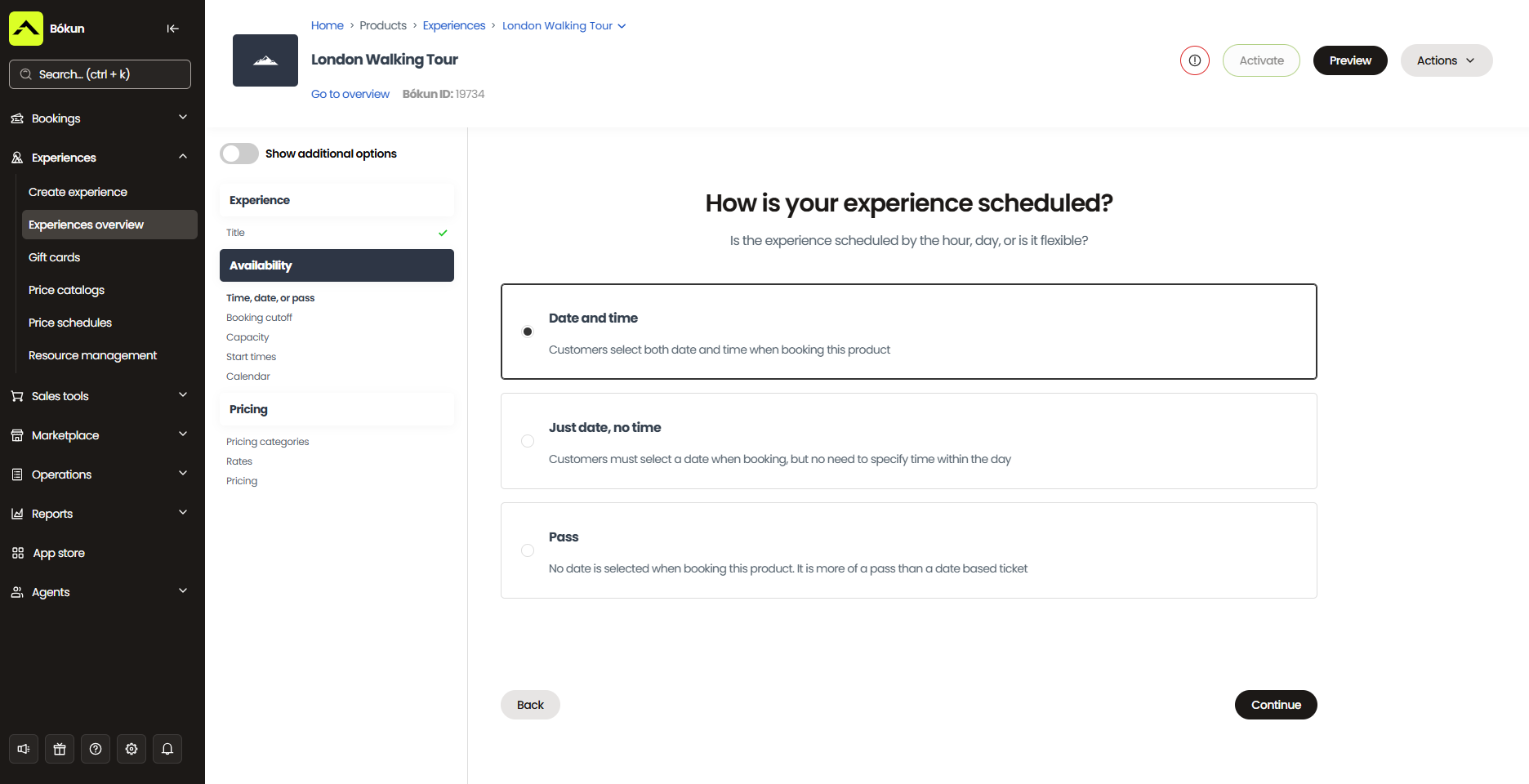
You’ll start here with the core details: give each experience a name, then add the departure location, duration, meeting point, what guests should bring, and any safety requirements or age restrictions.
Next, you can add photos and videos of your vessels, crew, and past experiences on the water. Any good listing needs at least five or six pictures, but we suggest boat charters do a little extra here. Folks are going to want to see your vessels (inside and out), who they’ll be sailing with, and what types of activities you’ll have planned for them, since these are all a huge part of their experiences.
You can also offer add-ons with your experiences (and include pictures or videos of those). You can get pretty creative with these and provide a variety of ways for customers to personalise their experiences. We’ve seen boat charters offer:
- Inflatable slides and tubes
- Water trampolines
- Snorkeling gear
- Sea bobs
- Jet skis
- Water skis and wakeboards
- Paddleboards
- Snacks and beverages
- Photo packages
- Throw blankets
- Merchandise like branded towels, windbreakers, sailor caps, or visors
After, you’ll link to Tripadvisor so your reviews feed across all the places where you sell boat charters. Reviews are also a critical piece here. Your bookers are not only trusting that you’ll show them a good time, but also that you’ll keep them safe. They’re going to want to see testimonials from past passengers to feel more at ease booking with you.
Once you’ve built listings, the product builder will walk you through setting availability, pricing, and resources.
Availability
Availability rules are fully flexible. You’ll set which days and times your charters run, define minimum and maximum capacities per departure, and add booking cutoffs for when you need advance notice before a trip goes out.
You can also build in buffer time between departures to account for docking, cleaning, and getting the vessel ready for the next group.
Those rules feed into your booking calendar automatically — the moment a listing goes live, it’s open for bookings.
Pricing
You have full control over how and when you collect payment. You can require full payment upfront, take a deposit and collect the balance on arrival, or allow guests to pay on the day.
From there, you can:
- Set rates by passenger type (one rate for children, another for adults, discounts for ex-forces, etc.)
- Create separate pricing for private charters
- Offer bulk discounts for larger groups
- Layer in seasonal rates for peak and off-peak periods
- Leverage dynamic pricing rules to automatically optimise rates — dropping prices as a departure approaches with open spots still to fill, or pushing rates up as a popular charter books out
Resources
Because running a charter isn’t just about having open slots, an important piece for boat charters is making sure the right people and equipment are in place for every single departure.
You’ll add all your resources to the system and organise them by type. For a typical charter operation, that looks something like this:
- Vessels: Add each boat in your fleet, including its availability windows and any maintenance or turnaround times. Link each vessel to the relevant listings so Bókun knows exactly which boats are available for which charters.
- Safety equipment: Add life jackets and specify that one is required per guest. When a booking comes in for ten passengers, ten life jackets are automatically reserved for that slot.
- Crew: Add your captain and crew members as individual resources and define how many are required per departure. Bókun factors in their availability alongside your vessels and equipment, so you’re never accidentally scheduling a trip without the right people on board.
- Add-ons: Any extras you offer — slides, sea bobs, snorkelling gear, paddleboards, water skis — can be added as resources, too. You’ll specify how many units you have available, and Bókun tracks them the same way it tracks everything else. If you only have ten sets of snorkelling gear and ten guests have already added them to their bookings, they won’t appear as available to the next person who tries to add them.
Once everything is in the system, Bókun manages allocation automatically across all your departures. When a vessel is committed to a morning charter, it won’t show as available for another trip running at the same time.
Everything stays accurate across your website, OTAs, and any other channels you sell through — without anyone on your team having to manually check or update a thing.
Read more: Best tour operator software with inventory management
Note: If you’re already active on Viator, you can link your account and push your listings over to manage them in Bókun. We also offer free Viator subscription checks (12, 24, or 48 per year, depending on your plan) — an extra perk for these users, so you can add new experiences to Viator without fees.
Sell your experiences online across multiple platforms
Once your listings are ironed out and complete, you can start selling experiences online — on your own website, across OTAs and online marketplaces, and through a network of travel industry partners and affiliates.
On your website
Bókun gives you everything you need to create a bookable website so customers can reserve charters directly with you.
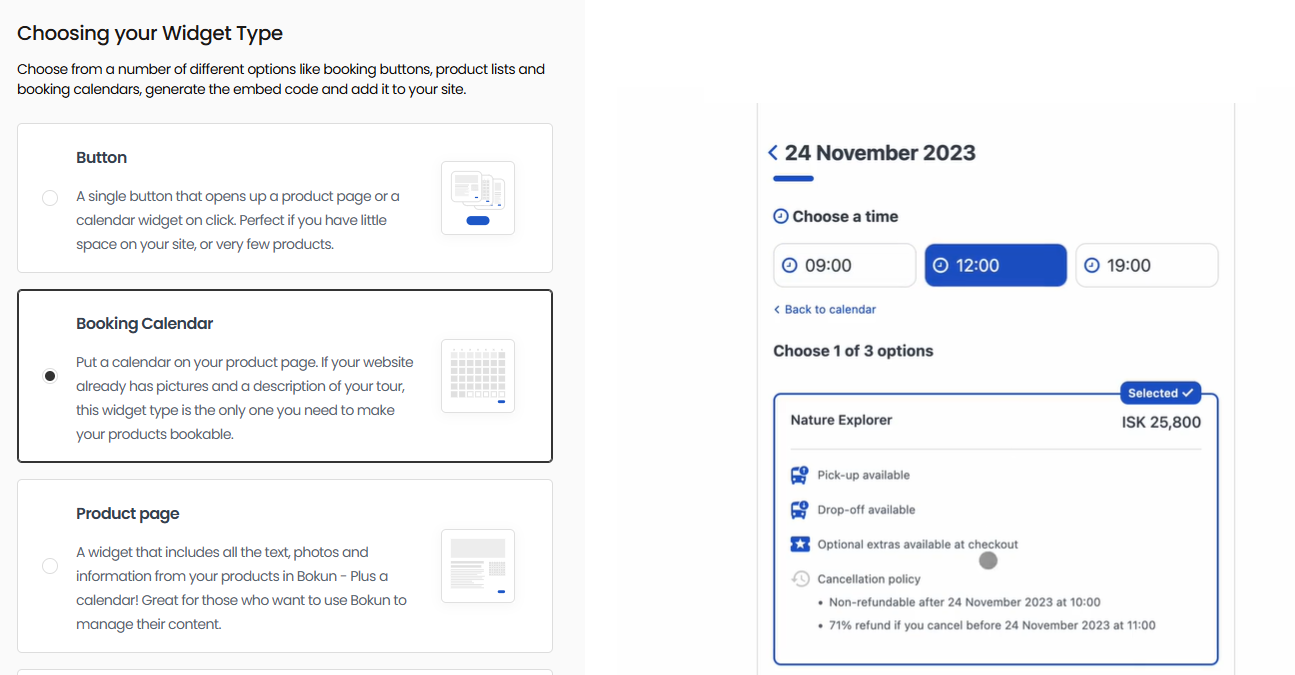
If you already have a site, you can make it bookable by embedding our booking engine widgets. We offer a range of widget styles — “Book Now” buttons, calendar views, product overviews, and product lists — so customers have plenty of entry points wherever they land on your site. Our widgets work on virtually any platform: WordPress, Squarespace, Wix, Weebly, Joomla, and more.
Read more: How to add a booking system to your website
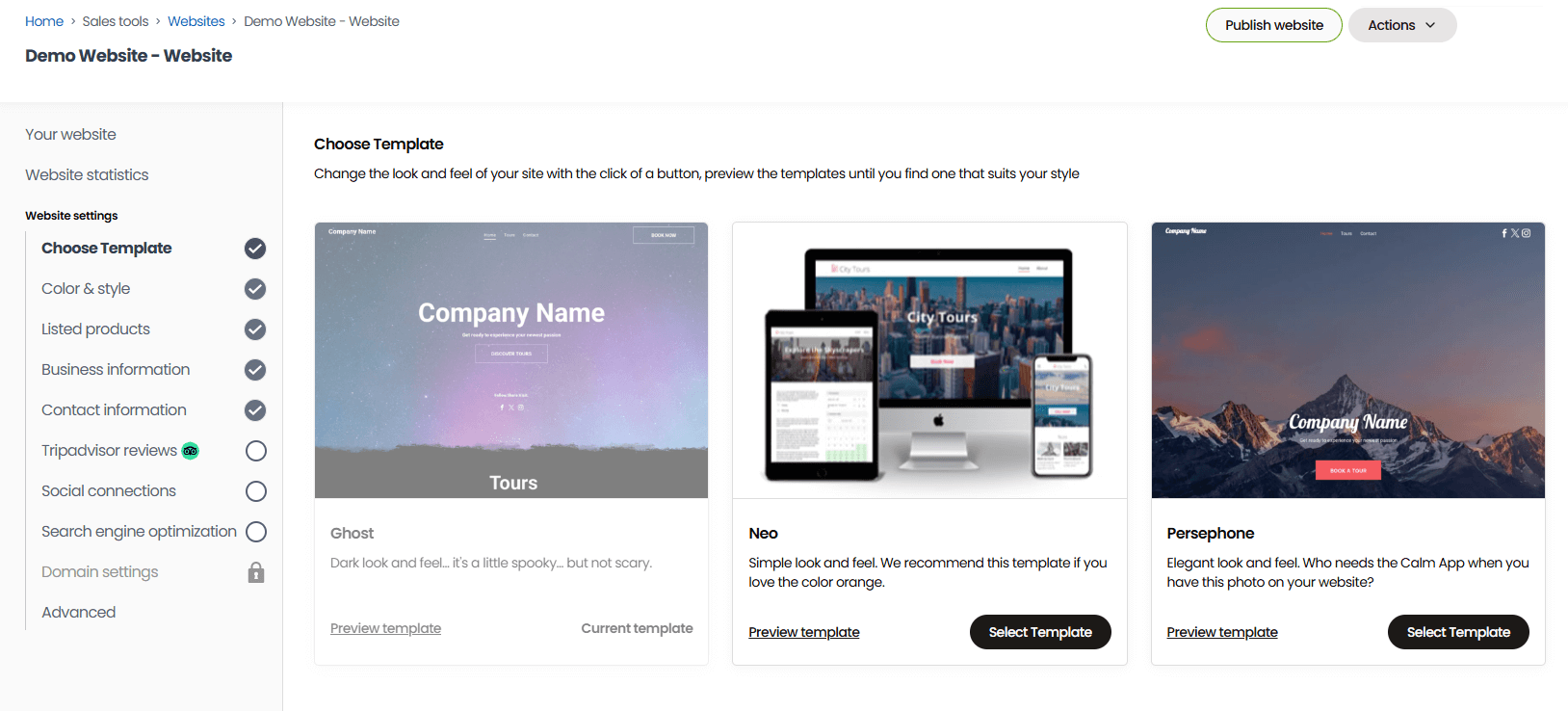
If you don’t have a site yet, our one-click website builder gets you up and running fast. Choose from a gallery of templates, add your branding, photos and videos of your vessels and experiences, and hit publish. Our sites come optimised for desktop and mobile, with booking engine widgets pre-installed — so you’re ready to take reservations the moment you go live.
The booking flow itself is simple and smooth. Customers pick a date, choose their pricing category, add any extras, and check out — and Bókun integrates with dozens of payment processors (Stripe, PayPal, Apple Pay, Google Pay, Klarna, Worldpay, and more) so you can offer the options that work best for your customers.
See how some of our customers drive direct bookings in the case studies below:
- How REDRIB Experiences grew from a startup to a 5-star company with 89% direct online bookings
- How Sailing Windermere achieved business growth by accepting online bookings 24/7
- How Diving Centre saw a 40% surge in bookings with Bókun
On OTAs & online marketplaces
As mentioned above, Bókun connects with dozens of global OTAs and online marketplaces, so you can get your charter experiences in front of travellers on the platforms they already use to plan trips.
We integrate with major names like Viator, GetYourGuide, Airbnb Experiences, Civitatis, Expedia, Klook, Tiqets, Musement, TourRadar, and Trip.com, as well as niche channels tailored to specific destinations and activities (like charters and sailing experiences). You can use a mix of sites in your distribution strategies and cast a wide net.
Each of these platforms receives millions of monthly visitors, all researching travel and things to do, comparing options, and looking to book; these are the platforms you want to be found on to earn new business.
And we have some of the strongest OTA & Marketplace partnerships in the industry:
- Our Preferred Partnership with Viator means 0% Bókun booking fees on Viator reservations, free product checks per month (12, 24, or 48, depending on your plan), and the ability to auto-import your Viator listings into Bókun and sell them directly on your site.
- Our Premium Connectivity Partnership with GetYourGuide lets you get your charters visible on GYG and manage all bookings in Bókun. Our partnership also guarantees best-in-class API performance and access to all GYG’s latest features.
- Our Google Things to Do connectivity partnership lets you promote your experiences on the world’s most popular search engine — at the very top of search results — and across Google’s other apps.
All bookings — from every connected channel — feed into your Bókun calendar in real time, so availability stays accurate everywhere, without anyone on your team having to touch a thing.
Learn more about online sales channels to maximising bookings:
Through partners & affiliates
You can also grow your business with partners and affiliates.
When you join Bókun, you’re automatically added to our Marketplace, a network of thousands of travel industry businesses — tour operators, attractions, educational institutions, accommodation providers like hotels and resorts, transportation services, rental companies, travel agents, DMCs, the list goes on.
You can leverage the Bókun Marketplace in a variety of ways:
- Connect with resellers to earn bookings from their audiences.
- Resell complementary experiences for a commission —partners’ experiences display on your booking site automatically, and you earn commission when folks book through you.
- Build combo packages with other operators and offer more unique experiences. Charter operators do particularly well pairing with kayak tours, snorkelling experiences, or coastal sightseeing guides to create full-day itineraries neither business could offer alone.
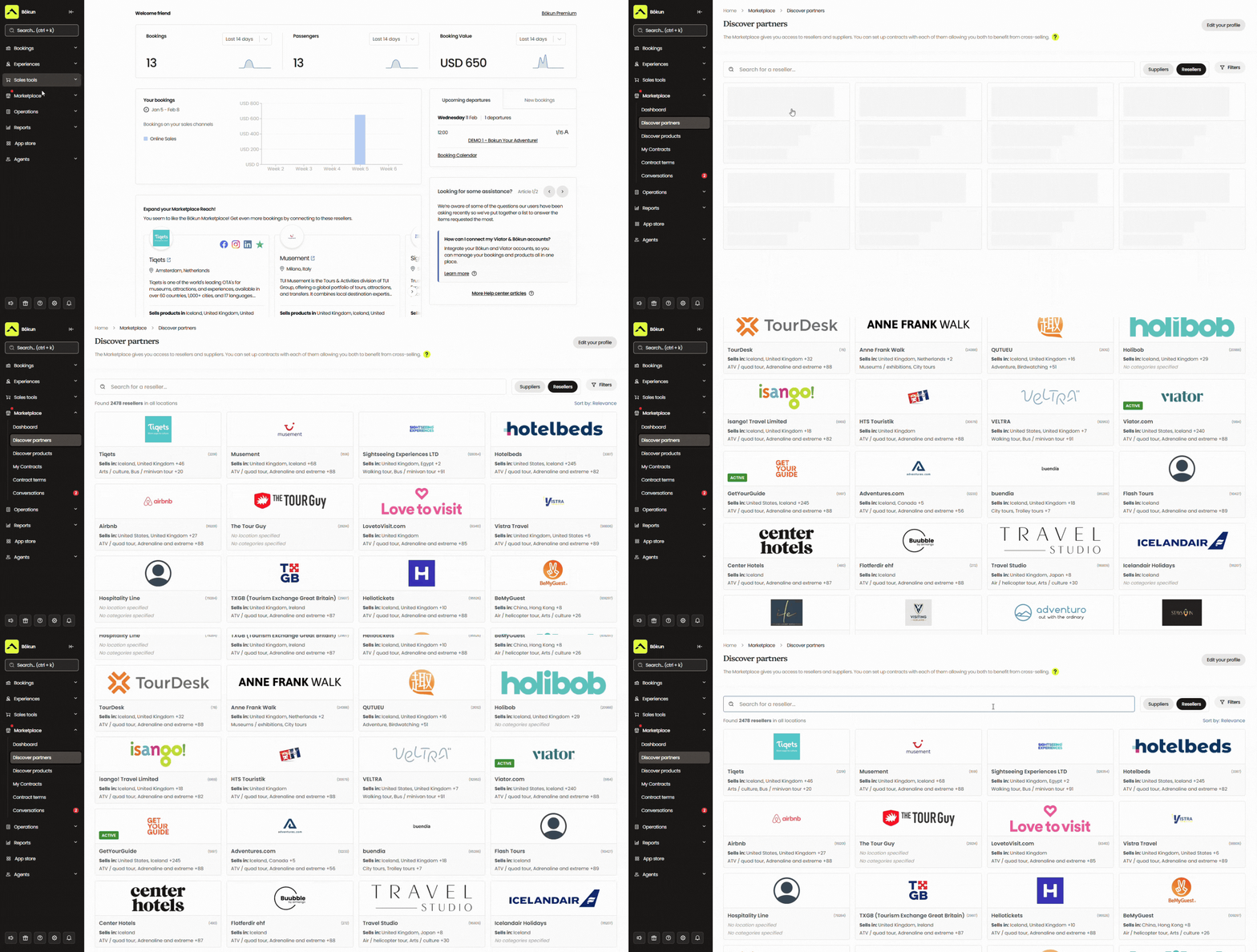
We provide all the partner management tools you need to support outreach and build contracts. You can save all communications and contracts in our system for easy access. We even send notifications when contracts are up for renewal so you can keep, renegotiate, or cancel them.
On top of the Marketplace, Referral Tracking lets you build your own affiliate network from scratch, with anyone you choose — harbourside restaurants, social media influencers, travel bloggers, tourism boards, local interest groups, you name it.
You can give each one a trackable booking link or a dedicated booking hub, and they can start sending you reservations straight away. You decide who’s in the network and set commission rates, and every booking that comes through is automatically tracked in Bókun.
See how Bókun users increase bookings from our growth drivers in the case studies below:
- Simba Sea Trips sees consistent 20% year-on-year revenue growth after joining Bókun
- How Lisbon Sufaris automated operations and discovered new partners in the Bókun Marketplace
- How Mare e Vento achieved 87% channel manager bookings in just 3 months with Bókun
- Venice Tours achieved a 400% revenue increase through the Bókun Marketplace
- Tour Marbella pulls in 54% of its bookings through connections via the Bókun Marketplace
Manage bookings & all back-office operations
Bókun also provides an array of tools to organise and automate back-office operations so you can avoid overbookings, keep staff members in the loop (on land or sea), and manage everything behind the scenes.
Bókun central calendar with real-time availability management
Your booking calendar is the central command centre for all your daily operations.
Bókun’s central calendar pulls in every reservation from every channel you sell through — your website, OTAs, partners, affiliates — and displays them in one place. You can also add in-person, phone, or other offline bookings here to track them alongside all your other reservations.
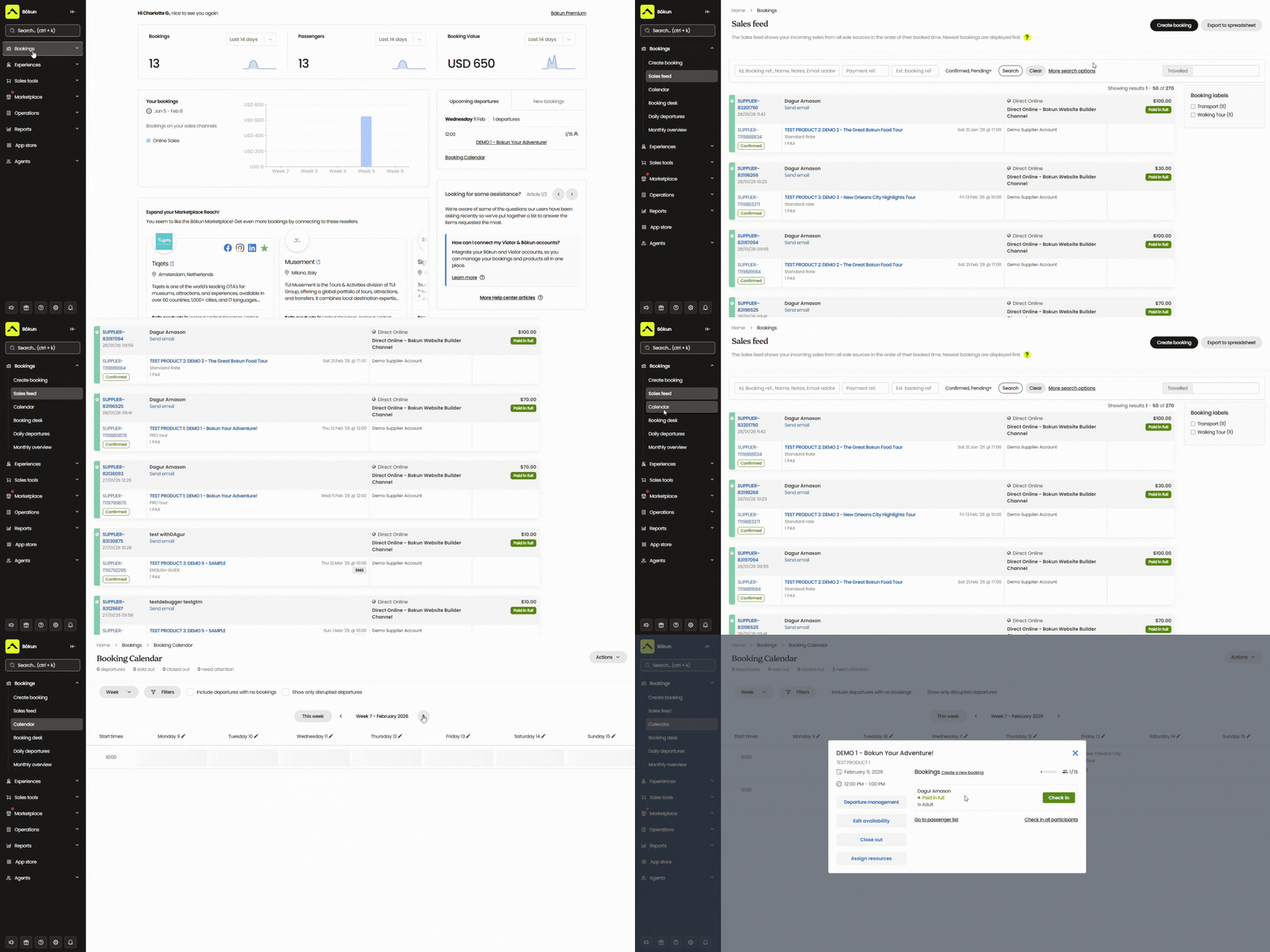
When a booking comes in from any source, the calendar automatically updates your availability and pushes it back out to every connected channel in real time. So if someone grabs the last three spots on a Saturday morning charter through GetYourGuide, those spots disappear from your website and every other OTA instantly — no manual updates, no risk of double bookings.
From the calendar, you can see everything you need to run the day: which departures are going out, how many passengers are booked on each, which crew members are assigned, and which vessels are committed. You can also view ahead — checking what the week or month looks like so you can plan staffing, prep equipment, and spot gaps you might want to fill with a promotion.
Customer management tools
Bókun comes with an in-built CRM to manage your customer base and automatically send out emails to your guests.
The CRM captures customer details as soon as someone begins the booking process — so even if they drop off before completing a reservation, you can follow up with abandoned cart emails and pull them into retargeting campaigns. It stores everything in one tidy contact book, including details about the experiences they’ve booked, so over time you build a clearer picture of who’s booking with you and what they’re drawn to.
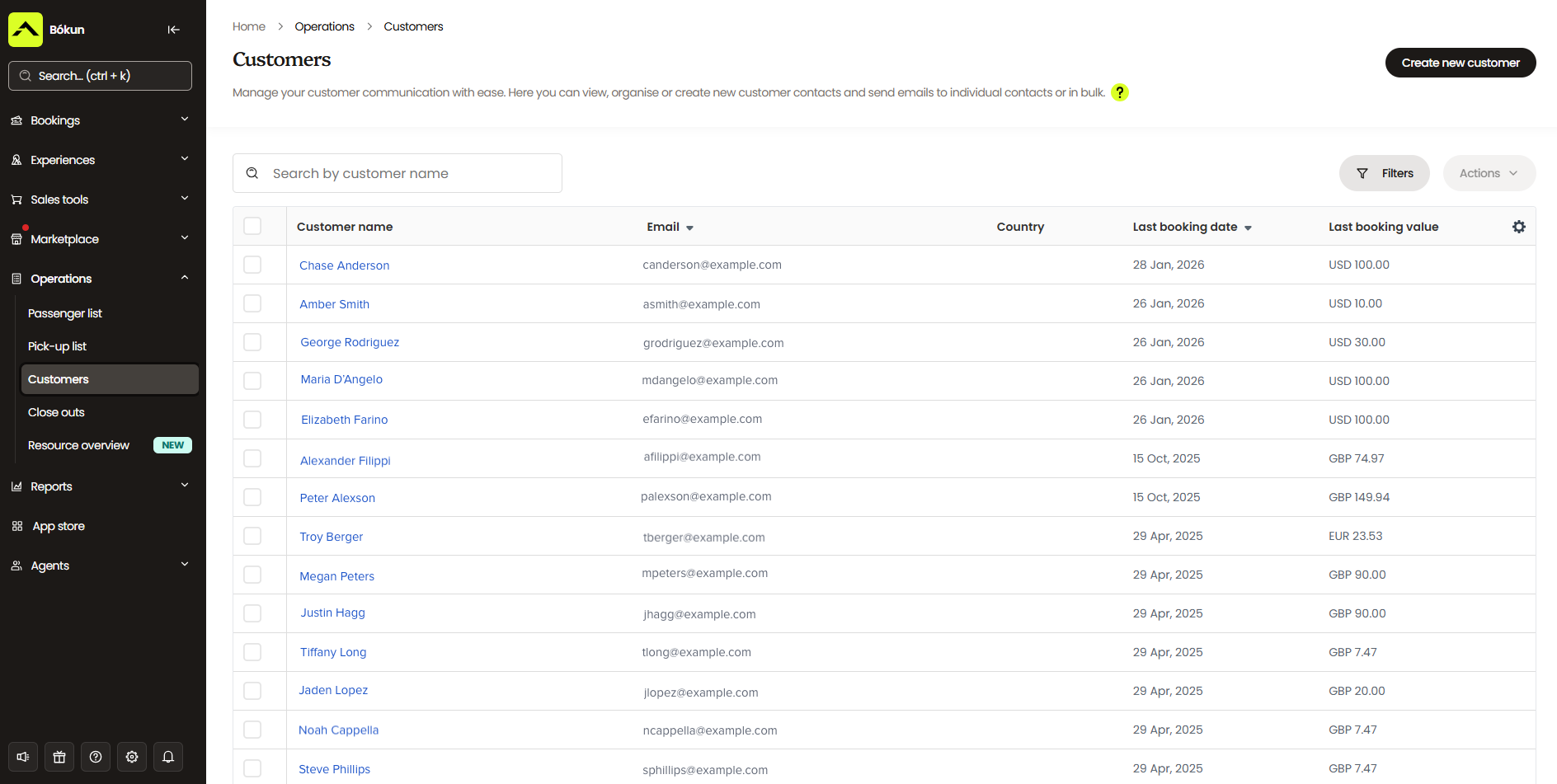
Then, our automated communications tool handles all the standard touchpoints — booking confirmations with mobile tickets, pre-trip reminders, and post-trip follow-ups — automatically.
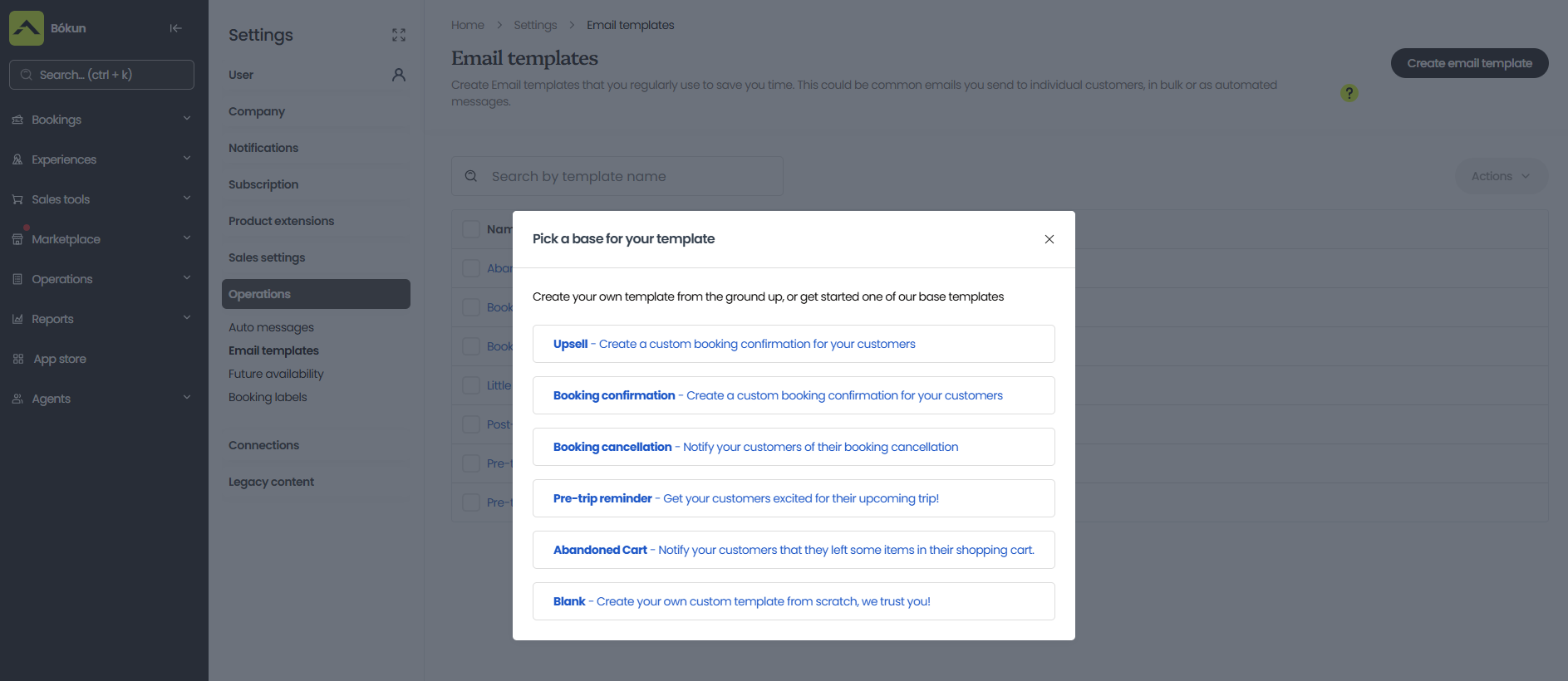
We also provide a library of email templates for review requests, upsells, abandoned cart nudges, and discount campaigns. You can save your own templates to power any other email marketing initiatives you want to run — new experience announcements, newsletters, seasonal offers, whatever you need.
Bókun also includes customer self-service portals, allowing guests to view, modify, or cancel their reservations online, without calling or emailing your team. If a customer reschedules or cancels, you get a notification, and your booking calendar updates automatically.
Check-in tools
Bókun lets you create digital tickets with QR or barcodes that guests can save to their smartphones and scan at the dock. This keeps check-ins quick and organised — no paper lists, no confusion at the gangway.
Mobile apps (for iOS & Android)
Our mobile apps keep your whole operation connected, whether your team is at the office or out on the water. Managers can use the app to schedule captains and crew, while guides and crew members can access booking calendars, passenger lists, pick-up details, and other trip information so they’re fully prepped before departure.
Apps also include ticket scanning, so check-in stays smooth even on your busiest days.
Bókun reporting dashboards
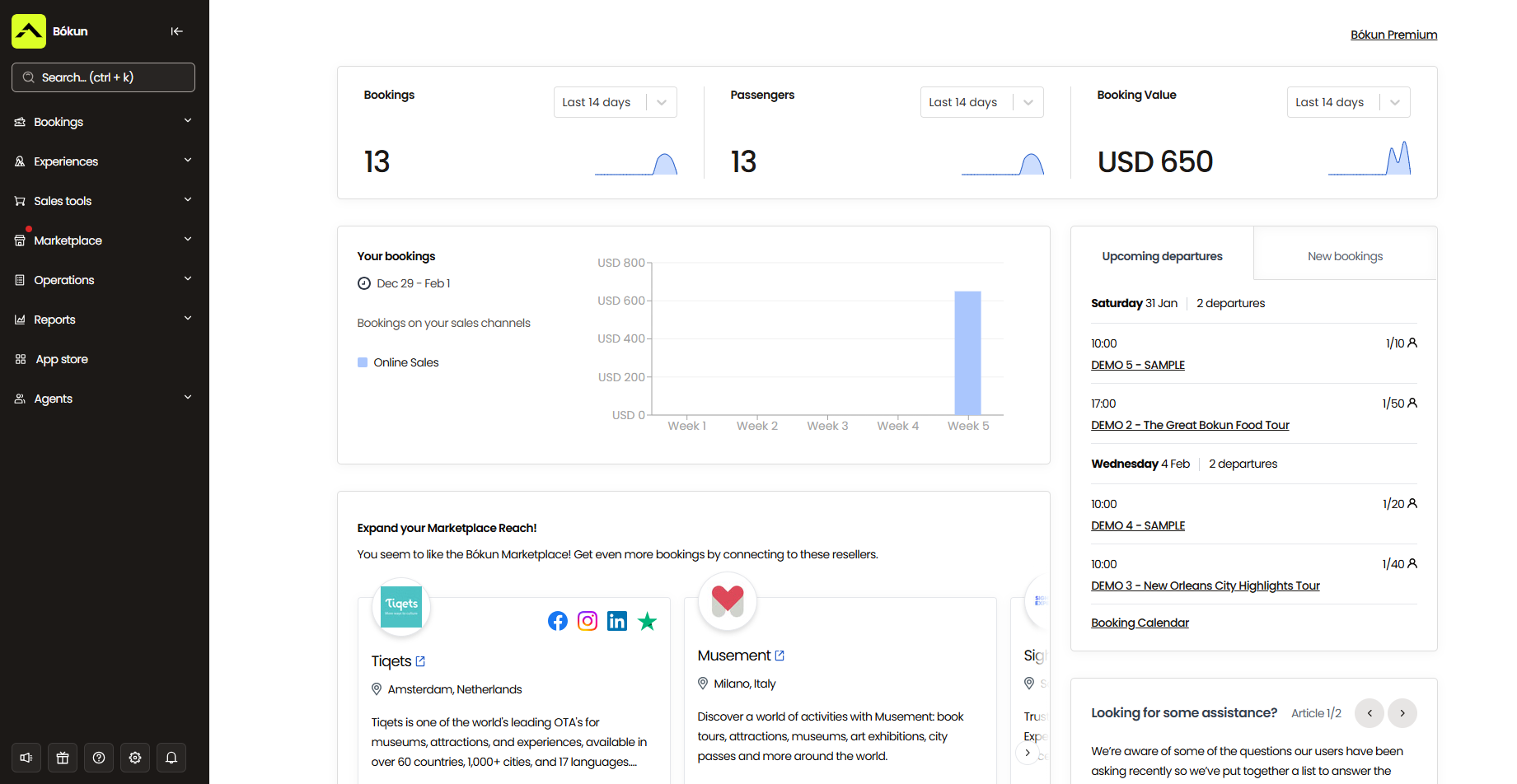
Bókun’s reporting dashboards break down bookings and revenue by product, sales channel, and time period — so you can see which experiences are getting the most bookings, which OTAs and partners are actually driving business, and how revenue shifts across the calendar year.
That last one is worth paying attention to. Charter boats are seasonal by nature, and the data will show you exactly when demand climbs and when it drops off — not just in general terms, but by product and channel. You might find that private charters spike in summer, but your fishing trips hold up well into autumn. Or that Viator drives the bulk of your bookings in peak season, while your direct website picks up more in the shoulder months when travellers are doing more research before committing.
Those are the kinds of patterns that are hard to see when you’re busy running a business day-to-day, but obvious once you have the data in front of you. From there, you can make smarter calls about when to run promotions, which experiences to push on which channels, how far in advance to staff up for a busy period, and which partnerships are worth renewing.
Bókun App Store
We also offer an App Store where you can add modules to support all areas of your operations.
Boat charters typically love our digital waivers so they can manage this paperwork with customers online, ahead of time. It simplifies what can otherwise be a tedious paperwork process — preventing delays and avoiding the awkwardness of customers standing around while everyone completes waivers.
Another feature to highlight for boat charters is our digital tipping tool, so guests can send their gratitude to your crew straight from their mobile devices — no cash required.
We also offer advanced reporting, SMS messaging, AI chatbots, Slack integrations, Zapier, and more.
Give customers a five-star experience
Everything we’ve covered above — your listings, your booking flow, your automated communications, your check-in tools — all shape the customer experience your guests actually have with you. And for boat charters, that experience starts long before anyone steps on deck.
With Bókun, customers can find your experiences on the platforms they already use to plan trips, check availability, book online (at any time of day), and pay in whatever way suits them best. They receive a confirmation straight away, followed by everything they need to prepare — digital tickets, waivers to sign at their own pace, and a reminder with the day-of details before their charter goes out.
On the day, check-in is quick and smooth. Guests scan their mobile tickets at the dock, your crew has the full manifest ready to go, and the trip leaves on time.
If plans change, customers can manage their own reservations without having to track anyone down — and any updates sync straight to your calendar. It’s a completely seamless experience from first click to final wave goodbye, which is exactly what turns first-time passengers into repeat customers and five-star reviews.
Read more: 7 ways to earn more Tripadvisor reviews
Pricing & getting started
All new customers can start with a 14-day free trial to explore the platform and make sure it’s the best system for their operations.
After your trial, the START plan gives you access to all of Bókun’s core features for $49/month with 1.5% online booking fees — some of the lowest in the industry. We never charge Bókun booking fees on Viator reservations, and offline and in-person bookings are always free.
For larger operations with more advanced requirements, we also offer two enterprise-level plans: PLUS ($149/month, 1.25% online booking fees) and PREMIUM ($499/month, 1% online booking fees).
These plans come with additional tools like agent portals, subvendor management, resource allocation, and Zapier. We also provide our enterprise teams with dedicated onboarding, priority support, and a yearly strategy call with a Bókun expert.
Take Bókun out for a spin — start your 14-day free trial here (no credit card required).
2. Bookeo
Bookeo is a straightforward online reservation system that works for tour and activity operators of all sizes — and it earns consistently solid reviews for its user-friendly features and predictable, commission-free pricing. Rather than charging a percentage of every booking, Bookeo charges a flat monthly fee, which smaller operators in particular tend to appreciate.
The platform covers the essentials well: online booking widgets, a centralised calendar, availability management, staff management, OTA connections, automated communications, waitlists, and upselling tools.
The main limitation for charter boat operators with growth ambitions is that Bookeo doesn’t offer a partner network. You can sell on your own website and through OTAs, but there’s no marketplace to connect with resellers or affiliate support. If you’re primarily focused on managing a steady, existing operation rather than actively scaling, that’s fine. Operators looking to open new revenue channels will quickly find themselves reaching for tools Bookeo doesn’t have.
The other thing limiting growth is that Bookeo caps products, staff logins, and monthly bookings across all plans. And Bookeo’s top-tier plan only supports 3k bookings per month. Teams doing more than that have to switch systems.
Read more Bookeo reviews here.
Features
- Online booking widget (for existing sites)
- Product & availability management
- Customisable booking management calendar
- Staff management
- Channel management & connections with OTAs
- Native POS
- Integrations with online payment processors like Stripe
- Automated communications to send booking confirmations, reminders & follow-ups
- Customer portals to cancel or modify reservations
- Waitlisting tools
- Upselling tools
- Options to sell merchandise, gift cards & vouchers
- Reporting dashboard
Pricing
Bookeo offers three packages — the small business plan is inexpensive, but packages get pricier for bigger teams, and Bookeo caps products, logins, and bookings across all plans.
- The Standard plan ($39.95/month) supports 20 products, 20 staff logins, and 1,000 bookings per month.
- The Large plan ($79.95/month) supports 40 products, 40 staff logins, and 2,000 bookings per month.
- The X-large plan ($119.95/month) supports 60 products, 60 staff logins, and 3,000 bookings per month.
Read more: Best Bookeo alternatives for activity & experience providers
3. Xola
Xola is a polished, feature-rich booking platform that markets itself directly to boat tour and fishing charter operators — and the product backs that up. The platform:
- Handles multi-vessel scheduling (if one tour is booked on a vessel, any other listing using the same boat is automatically blocked)
- Exports crew rosters for guides and skippers
- Supports group bookings with split-pay so everyone can cover their own spot
- Includes dynamic pricing to adjust rates by season or demand
- Automatically sends digital waivers at booking so guests can sign before they arrive
On the distribution side, Xola connects with OTAs and includes a reseller network. They also have a handy marketing suite — including abandoned cart recovery, waitlists, and XolaBot, an AI tool for revenue optimisation.
And Xola’s pricing falls on the low-to-moderate end. The platform charges travellers a variable checkout fee starting at 2.39% + 30¢ per transaction. The only thing is that rates can climb as high as 6% for international bookings. For charter companies operating in tourist hotspots, that variability is worth understanding before you commit.
Features
- Website building service (and online booking widgets for existing sites)
- Inventory management
- Availability management
- Staff management
- Channel management & connections with OTAs
- Distribution network
- Phone booking system to manage offline reservations
- Native POS
- CRM
- Marketing tools to promote your tours & retarget customers
- Digital waiver solution
- Customisable tickets (and ticket scanning tools for convenient check-in)
- Reporting dashboard
Pricing
Xola charges customers a variable checkout fee — starting at 2.39% + 30¢ per transaction, but can be as high as 6% for international transactions.
Read more: Best Xola alternatives comparison guide
4. Checkfront
Checkfront is a well-established booking platform that works with tour operators, rental businesses, and accommodation providers globally. Its appeal has always been its robust functionality — 100+ features covering availability management, resource management, OTA connections, a partner and reseller network, built-in waivers, and a flexible booking engine that handles everything from hourly time slots to multi-day experiences. Reviewers consistently praise the platform’s flexibility and the responsiveness of the support team.
But the downside here is pricing.
Checkfront merged with Rezdy at the end of 2023 and has since updated its platform and pricing. Operators now pay a $99/month subscription and a 3% booking fee. These new rates definitely put Checkfront on the pricier end — especially for yacht charters and those with more expensive experiences, where those fees compound quickly. You can choose to absorb costs or pass them to customers, but either way, the combination of subscription and booking fees is where operators tend to feel the pinch.
Read more Checkfront reviews here.
Features
- Website builder
- Online booking engine widgets
- Centralised booking calendar
- Availability management
- Channel management & OTA connections
- Partner network
- Product management
- Resource management
- Upselling tools, including options to sell add-ons & bundle products
- Custom form builders and waivers to send to customers before their tours
- Mobile tickets & ticket scanning
- Marketing tools, including customer booking map, customer outreach & ROI tracking
- Integrations with a variety of online payment processors (Stripe, PayPal, Apple Pay, Google Pay)
- POS integrations & invoicing tools
- 50+ integrations & Checkfront API to create custom integrations
- Reporting
Pricing
Checkfront charges a $99/month subscription fee and 3% booking fees. You can either cover the booking fees or pass them along to customers.
Read more: Best Checkfront alternatives
5. FareHarbor
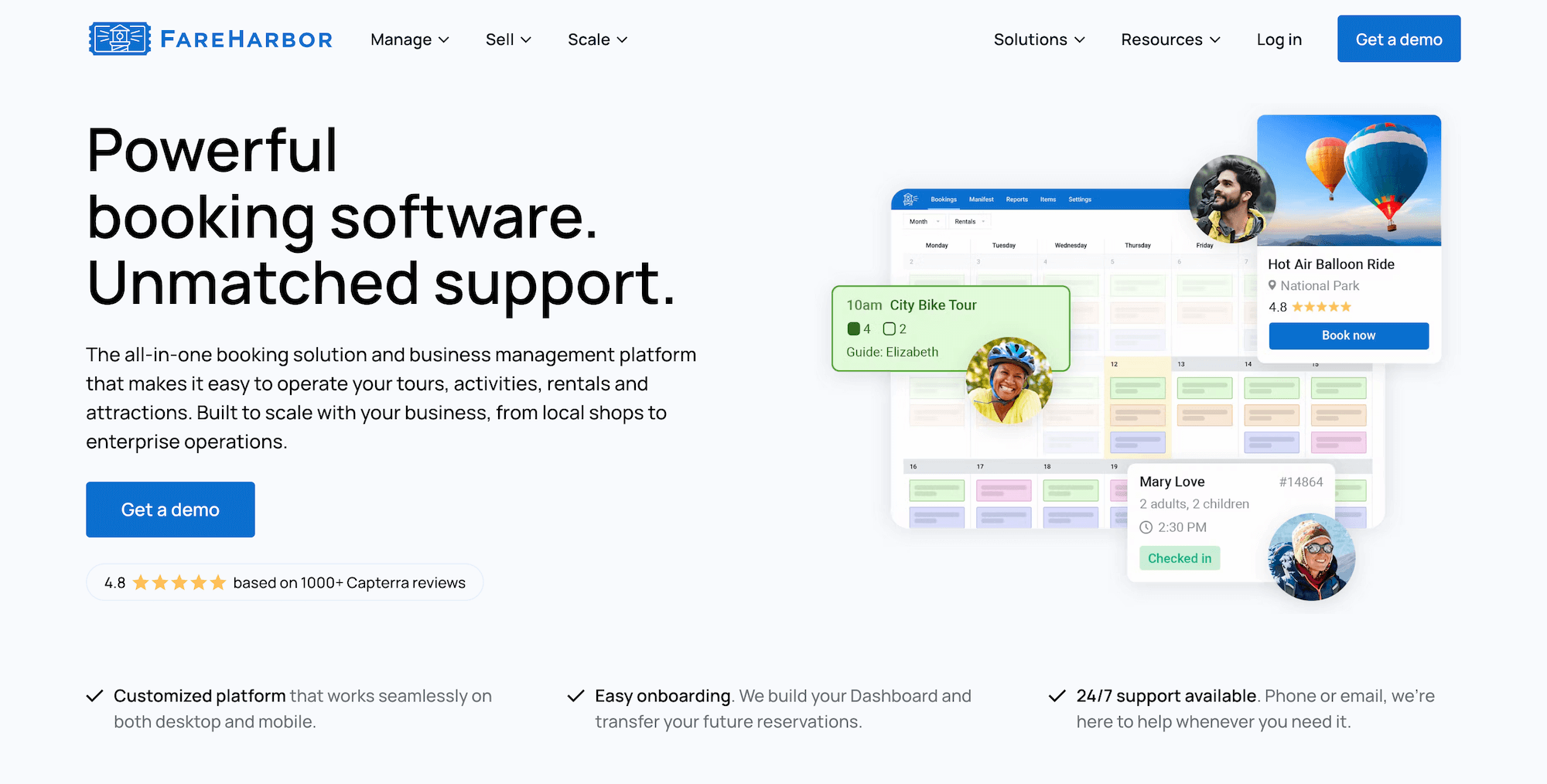
FareHarbor is one of the best-known names in tour operator software — a Booking.com brand with a global footprint, a solid feature set, and a platform that’s clearly evolved over the years. For charter boat operators specifically, it offers a mobile-optimised manifest with live passenger counts, walk-up check-in via the mobile app, and seat assignment tools (useful for fixed-capacity vessels). Support is available 24/7 by phone, which operators running early-morning departures tend to appreciate.
The sticking point is cost, and it’s significant for charter businesses. FareHarbor charges some of the highest booking fees — between 6% and 8% — and passes those fees directly to customers at checkout. That model keeps costs off the operator, but charter tours can run into the hundreds of dollars, and adding a 6% to 8% surcharge on top of that is a real deterrent at checkout. You’re essentially asking customers to absorb the platform’s cut on an already pricey experience.
Beyond booking fees, FareHarbor charges a pretty penny for what are otherwise standard features. Operators pay:
- $5k (or $499/month) for its website building service.
- $2.2k or $5k for SEO services, depending on your package.
- 20% to 25% commission for all bookings earned through its reseller network (FHDN).
Those who have the budget to take full advantage of the platform typically find no issue with FareHarbor. But it’s not the most cost-effective solution, and smaller businesses usually steer clear.
Read more FareHarbor reviews here.
Features
- Website-building services (and online booking widgets for existing sites)
- Centralised booking calendar to manage online & offline bookings
- Channel management
- Distribution network — including connections with OTAs and partners
- Inventory management — to create product listings, track equipment and staff availability, set tour capacities, and create tickets and pricing options
- Staff management, to manage staff schedules and assign guides to tours
- Native POS
- Integrations with online payment providers
- Customer portals to cancel or modify reservations
- Flexible check-in features & online waiver solutions
- Options to sell memberships
- Reporting dashboard
- Mobile apps
Pricing
FareHarbor charges booking fees of up to 6% and 8%. They also charge for their website-building service ($5k/year or $499/month) and SEO services ($2.2k or $5k, depending on your package), and they take a commission from every booking you earn through the reseller network (20% to 25%).
Read more:
6. Peek Pro
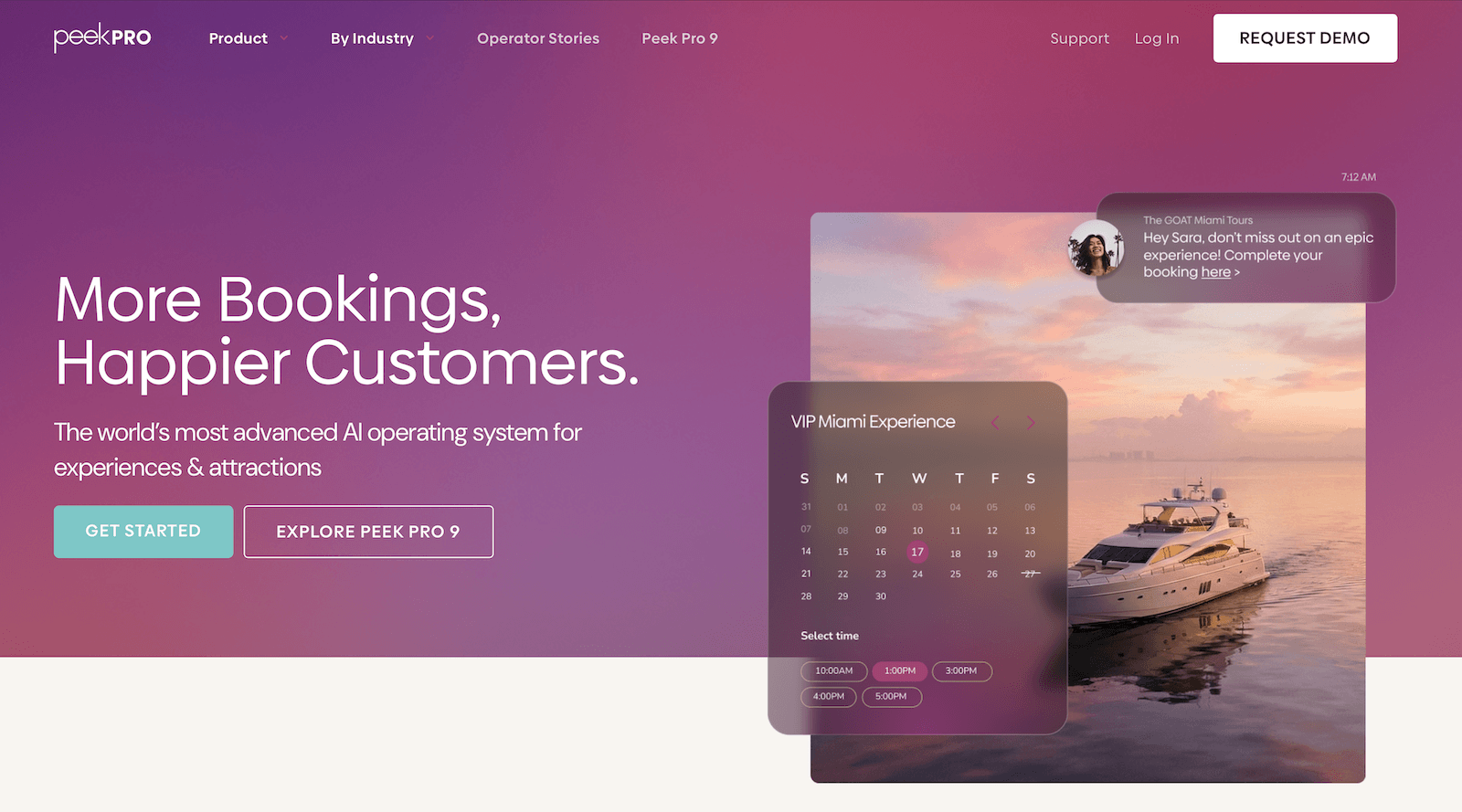
Peek Pro is a well-known, feature-rich platform with a focus on automation and revenue-boosting features. The growth toolkit is pretty strong here:
- AI-driven dynamic pricing that reads demand in real time
- Abandoned cart recovery with SMS and email follow-ups
- Waitlists that convert a third of sign-ups into actual bookings
- Automated tip collection post-experience
- Peek Copilot — an AI assistant that handles marketing campaigns, staff scheduling, and operational summaries
And its newer Peek Pro 9 release also adds some interesting features — offline check-in mode, bulk guide assignments, a faster POS, and WhatsApp booking confirmations for international guests.
For charter operators running high-volume businesses, these tools can be game-changing.
However, as with Checkfront and FareHarbor above, pricing is where Peek draws the most criticism. Fees run up to 6% and 8% per online booking, plus 2.3% + 30¢ in merchant service fees on top. You can pass the booking fees to customers, which keeps costs off your books, but for premium charter experiences, this creates the same checkout problem as FareHarbor: customers facing a significant surcharge on an already expensive booking.
Overall, reviews of Peek are pretty polarising. Some operators love it; others describe unpredictable fee calculations and support that ranges from excellent to completely unresponsive. The bugs and billing surprises show up in the negative reviews consistently enough to call out here.
Read more Peek Pro reviews here.
Features
- Online booking engine
- Customisable booking calendar
- Channel management & OTA connections
- Reseller network
- Resource management
- Availability management
- Marketing tools to recapture lost sales, including abandoned booking follow-ups & waitlists
- Add-ons, bundles, memberships, gift cards, vouchers, and promo codes
- Dynamic pricing with AI-driven demand-based adjustments
- Peek Copilot — AI tool for marketing, content creation & workflow automation
- Peek Capital — business financing through Peek’s VC network
- Automated customer notifications
- Digital waivers & fast check-in features
- Native POS & flexible online payment options
- Integrations & API
- Mobile apps
- Reporting
Pricing
Peek Pro charges booking fees as high as 6% and 8%.
Read more: Best Peek Pro alternatives comparison guide
7. TripWorks
TripWorks is a highly rated platform — 4.9 stars on Capterra — for its clean, modern interface, dedicated account managers, and tipping feature (one operator reported tips jumping from $250 to $400, up to $800 to $1k per tour group after switching). While TripWorks has historically worked with enterprises, it has recently shifted its positioning to appeal to teams of all sizes. Though their bread and butter still seems to be those larger, faster-scaling operations.
Not to sound like a broken record, but pricing is the major downside here, as well. TripWorks charges 6% online booking fees and a 2.9% + 30¢ transaction fee per booking — nearly 9% combined on every reservation. You have the option to cover these fees or pass them on to customers, but you already know how that can go.
There’s also been some commentary in reviews about staff turnover affecting the quality of customer support — not a dealbreaker, but worth noting if consistent account management is important to you.
Read more TripWorks reviews here.
Features
- Online booking widget (that connects to existing sites)
- Reservation management
- Product management
- Availability management
- Connections with OTAs & channel management
- Reseller marketplace
- Options to sell gift cards & vouchers
- Dynamic pricing
- Digital waiver solution
- Native POS
- Integrations with Apple Pay & Google Pay
- Marketing tools to build PPC campaigns & improve your reach on social media
- Integrations with marketing & business applications
- Reporting
Pricing
TripWorks charges 6% online booking fees and a 2.9% + 30¢ transaction fee per booking.
Read more: Best TripWorks alternatives
8. CaptainBook
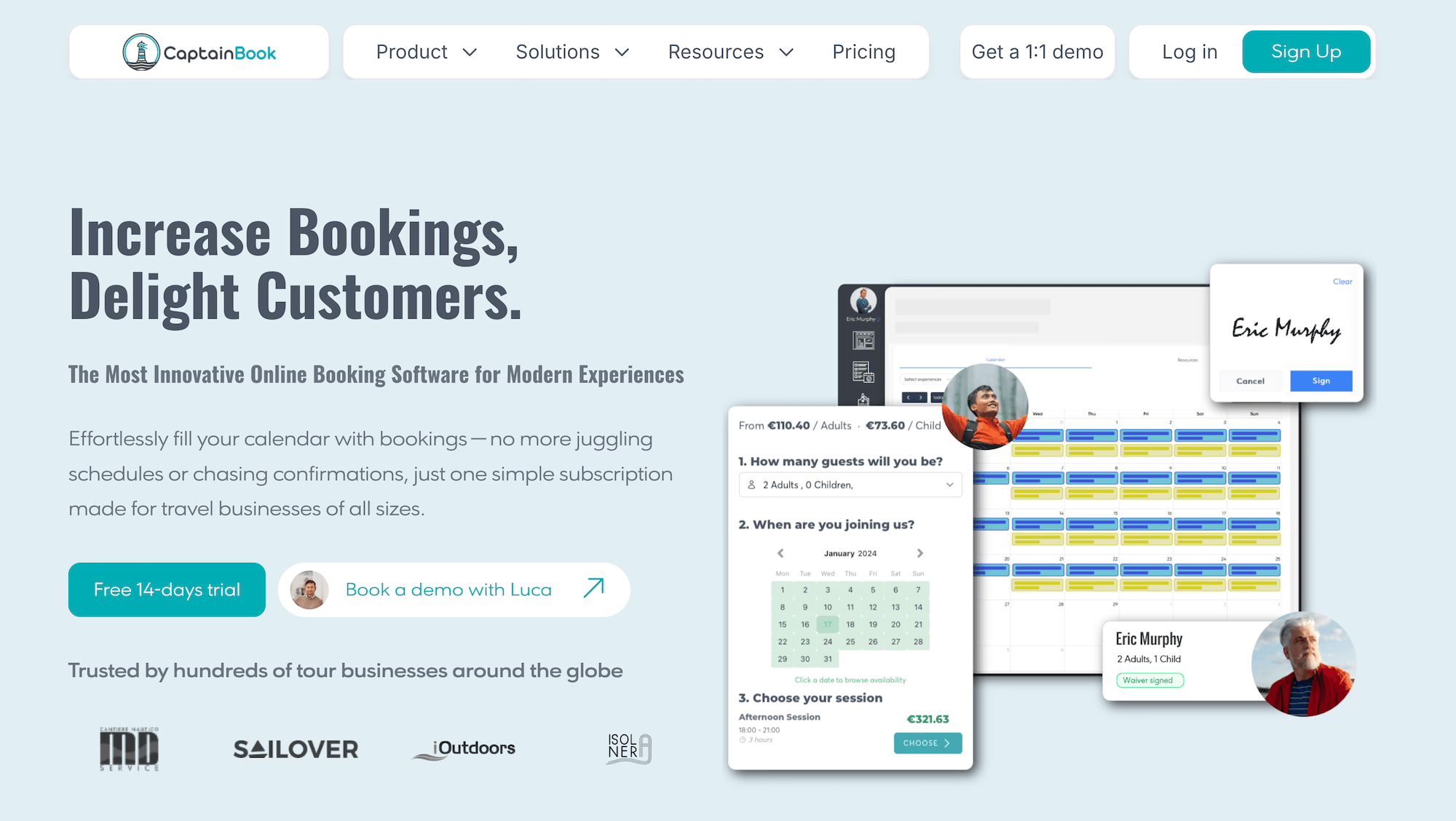
CaptainBook is one of the few platforms on this list built with maritime operators in mind from the ground up — think boat tours, sailing charters, and fishing trips rather than generic booking software stretched to fit. A few standout features for boat charters:
- Multi-departure scheduling
- Captain assignment — with Google Calendar two-way sync, so captain availability stays accurate automatically
- Vessel capacity management
- Channel management with Viator and GetYourGuide connections
- A local marketplace for hotel and reseller partnerships
- Digital waivers
- Automated email and SMS communications
Overall, it delivers a practical, well-fitted toolkit for the use case.
And, a change of pace here: pricing is pretty reasonable. Packages are structured around subscription tiers rather than booking fee percentages, which appeals to charter operators running higher-ticket experiences.
The Starter plan is affordable for smaller operations, though it caps users, products, and resources, and lacks partner and affiliate support. The Extended and Ultra plans unlock those tools, but the costs climb. And on all plans, every Viator or GetYourGuide product in your catalogue costs an additional $19.99/month.
CaptainBook is a relatively small platform, so it has a thinner review history than the bigger names here, but the reviews it does have are largely positive.
Read more CaptainBook reviews here.
Features
- Online booking widgets
- Captain assignment with Google Calendar two-way sync
- Station-level & seat-level capacity management
- Channel manager & OTA connections (Viator, GetYourGuide)
- Local marketplace for hotel & reseller partnerships
- Customer relationship management (CRM)
- Staff management
- Automated email & SMS communications
- Digital waivers
- Discount codes & gift certificates
- Automated review collection
- Google Analytics 4, Google Tag Manager & Google Ads integrations
- Point of sale
- Online payments
- Website builder
- Mobile app
- Reporting
Pricing
CaptainBook offers three plans:
- The Starter plan ($54/month with 3.5% OTA booking fees) supports 3 users, 10 products, and 1 resource. There is no partner or affiliate support here. The plan also lacks features such as SMS messaging and digital waivers.
- The Extended plan ($219/month with 3% OTA booking fees) supports 10 users, 50 products, 5 resources, 20 partners and affiliates, 100 SMS messages, and 2 digital waivers.
- The Ultra plan ($382/month with 2.5% OTA booking fees) supports unlimited users, 100 products, 20 resources, unlimited partners and affiliates, 500 SMS messages, and 10 digital waivers.
You pay $19.99/month for every Viator or GetYourGuide product in your line-up — across all plans. Though CaptainBook doesn’t charge booking fees on reservations from these channels. There are no booking fees on website or offline reservations, either.
9. Indexic
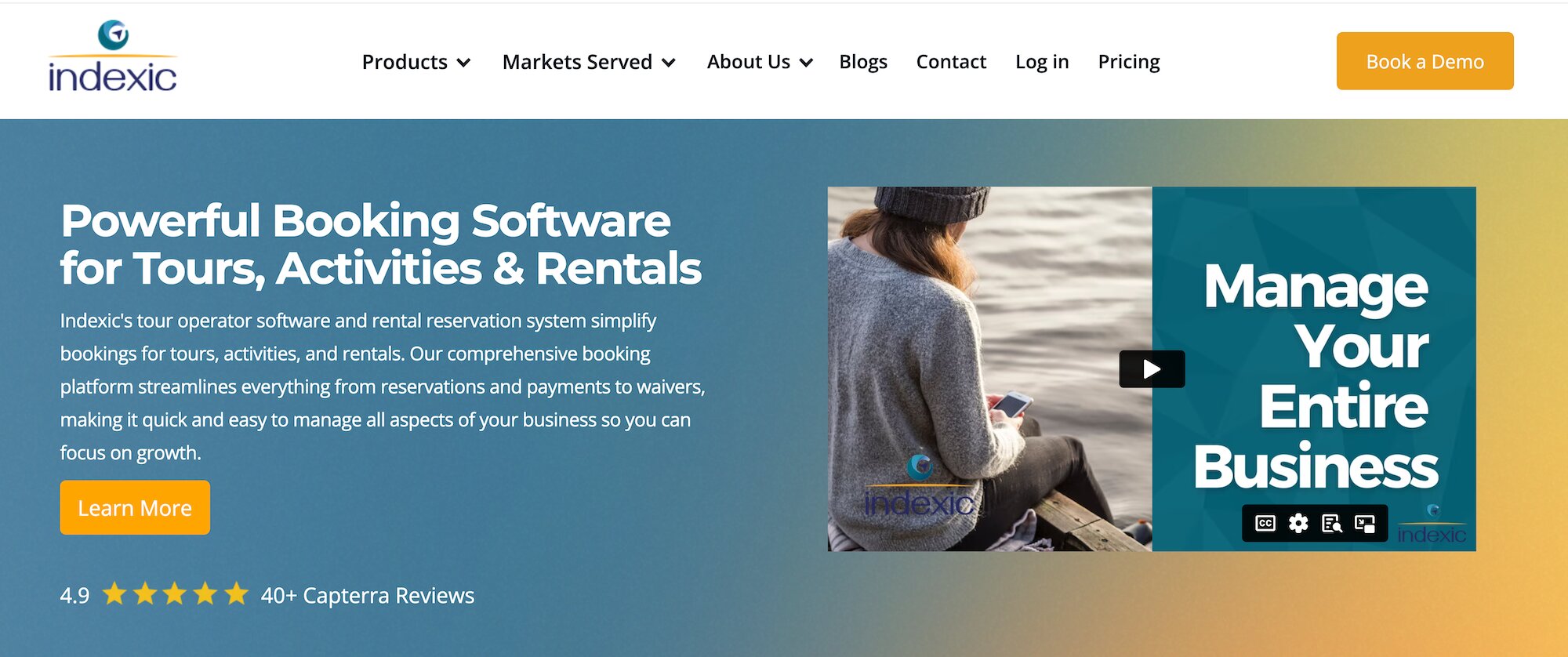
Indexic’s platform (called aReservation) was built for water-based businesses — its site highlights overbooking prevention, fleet reallocation tools, and trip manifests as headline features. They also conveniently partner with national insurance carriers to provide renters insurance for boat and water sports businesses at no cost to operators; customers pay the premium. If you’re always navigating liability concerns on the water, Indexic’s partnership can be hugely helpful.
The platform also includes abandoned cart recovery, dynamic pricing, digital waivers (via their separate aWaiver product), combo products, geofencing, and QR code check-in. And on the distribution side, aReservation connects with Tripadvisor, Expedia, Viator, Google, Groupon, and GetYourGuide.
Pricing is flat-rate, based on your business size — no booking fees. You’ll need to book a demo to get your specific quote, which is less transparent than competitors who publish their rates, but the flat-rate model itself is attractive to businesses processing significant volume.
Read more Indexic Reservation reviews here.
Features
- Online booking engine widgets
- Integrated point of sale (POS)
- Centralised booking calendar
- Resource management
- Early return auto monitoring
- Rental image captures
- Combo products
- Dynamic pricing
- Integrated digital waiver solution
- Partnerships with national insurance carriers to underwrite renters’ insurance
- Automated communications
- Abandoned cart recovery
- Mobile tickets & check-in tools
- Geofencing to keep bookings within your service area
- Staff scheduling tools
- Reporting dashboards
Pricing
Indexic offers two solutions: aReservation (the online booking system) and Online Waivers.
- If you’re interested in aReservation, you must book a demo to receive a custom quote.
- Indexic charges 15¢ per waiver signed and requires a $30/year minimum spend.
10. Origin
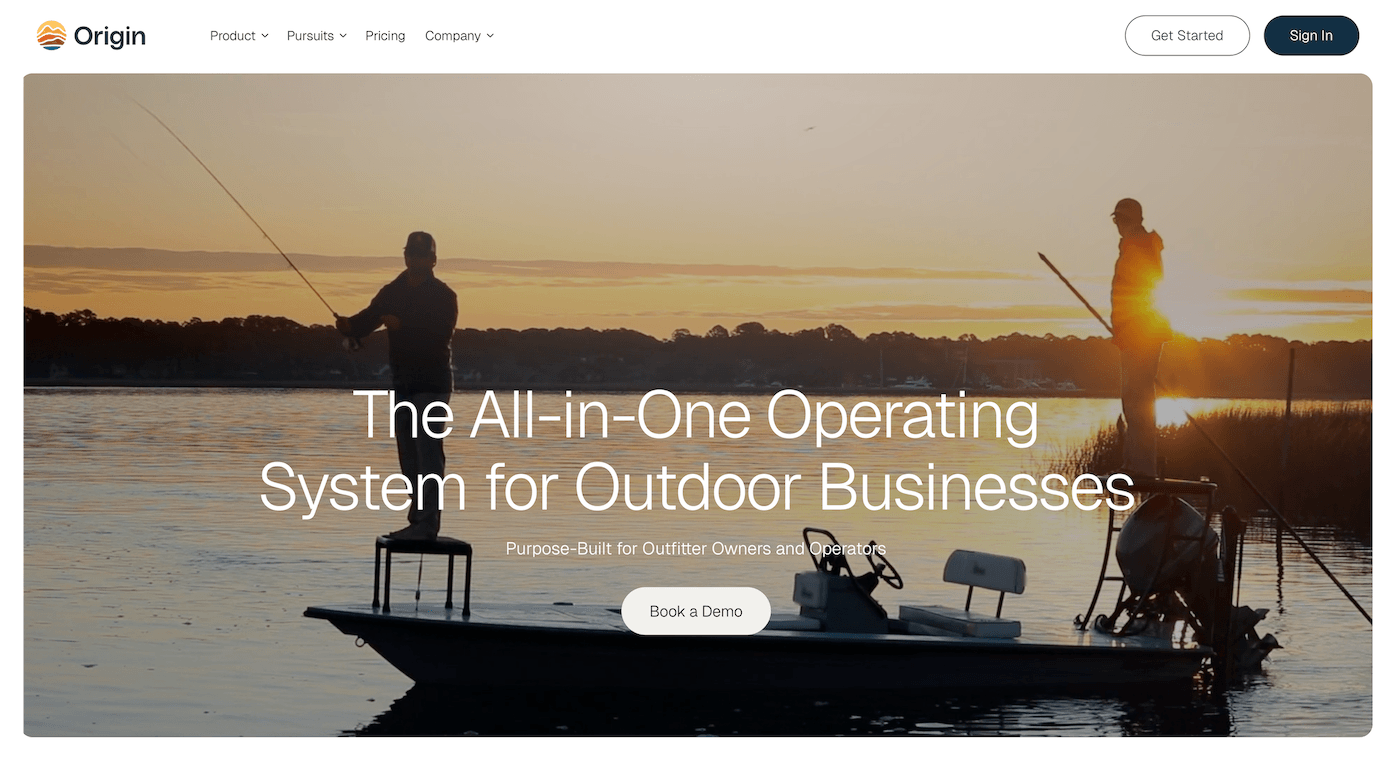
Origin is a booking platform for outdoor adventure operators — mountain guides, rafting companies, hiking outfitters. Guide management is the standout feature here: the system auto-assigns guides to new bookings based on availability, skill level, and client-to-guide ratios, then confirms via automated SMS. This can be a real time-saver for water-based tour operators with a large guide roster.
While Origin offers a nice toolkit with some pretty handy features, it’s another one that’s worth careful consideration for its steep pricing.
Origin charges both expensive subscriptions (between $249 and $479/month) and high fees (6%), on top of set-up costs. Plus, it doesn’t offer a website builder, so you have to pay for this separately. And its growth drivers — OTA connections and partner tools — are only available to Premium users. Teams that want to expand their reach online have to shell out a lot to make the most of Origin.
Read more Origin reviews here.
Features
- Online booking widget (for desktop and mobile) with smooth checkout flow to improve conversion potential. Note: Origin does not provide a website builder.
- OTA integrations
- Partner codes & commission tracking
- Central calendar & availability management
- Product & resource management
- Staff scheduling tools
- Multi-guide & multi-location management
- Automated customer emails (to send booking confirmations, check-in materials, follow-ups)
- Review & reputation management
- Digital waivers
- Mobile apps & staff communication tools
- Options to offer discounts & gift cards
- Payment processing via Stripe
- ACH payments
- Integrations (with Google, QuickBooks, & Mailchimp)
- Zapier API
- MCP connection for ChatGPT & Claude
- Reporting
Pricing
Origin offers three plans:
- The Standard plan ($249/month with 6% service fee & one-time set-up cost) for solo guides and small outfitters. This plan comes with all the core booking, product, resource, and customer management tools. It also includes digital waivers, multi-guide and multi-location management, and a few other advanced tools.
- The Premium plan ($479/month with 6% service fee & one-time set-up cost) for large outfitters and multi-guide teams. This includes everything in Standard plus review and reputation management, ACH payments, OTA connections, partner codes and commission tracking, Zapier, and the MCP connection for ChatGPT and Claude.
- The Enterprise plan (custom rates) for large outfitters, lodges, and enterprise travel operators. This builds on Premium with custom OTA integrations (with Viator, GYG, etc.), team management, custom contracts, and advanced analytics. Enterprise users also receive a dedicated account manager and onboarding specialist.
11. Vally
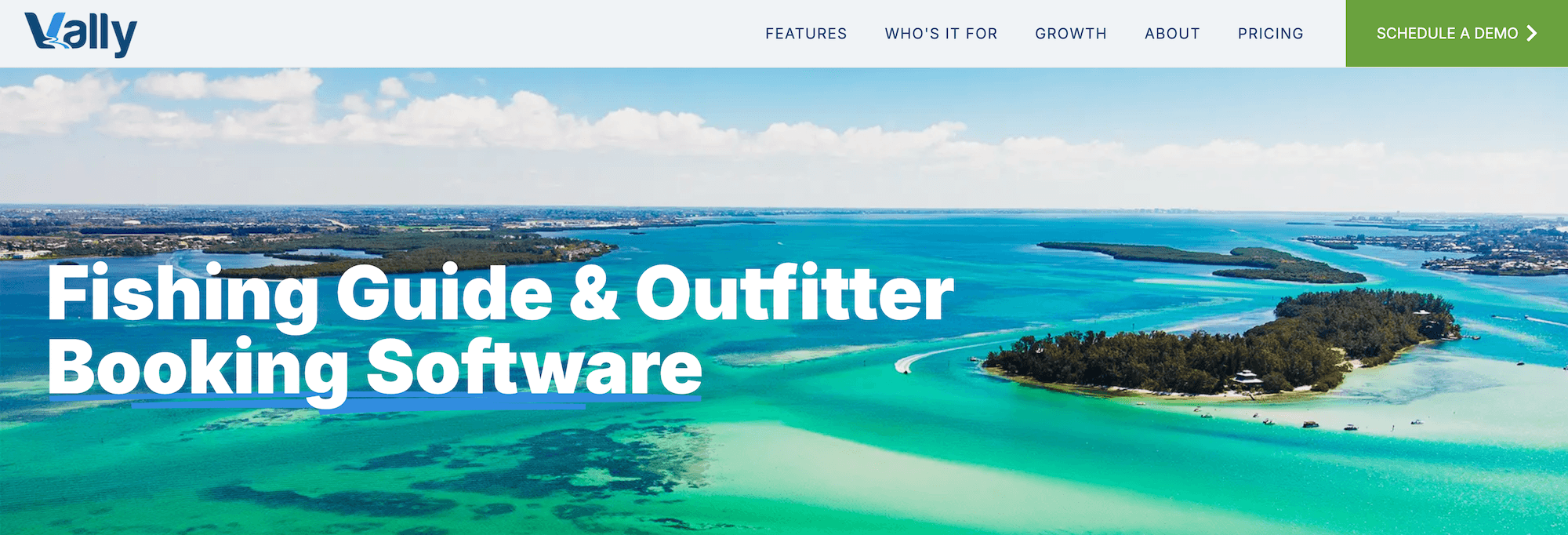
Vally is a niche reservation software for outdoor operators — fishing charters, hunting outfitters, watercraft rentals, and guided tours. The booking engine handles guide and vessel assignment, seasonal resource availability, custom add-ons (equipment, shuttles, and more), and surge pricing for peak booking days, with a two-way Google Calendar sync keeping everything in line.
What Vally doesn’t offer is much in the way of distribution — no OTA connections, partner network, or affiliate support. For a solo operator or very small charter team who’s more interested in operations management vs. growing reach beyond their own website, it could be a fit. But teams wanting to lean into online distribution will find the toolkit too limited.
Vally does not yet have verified online reviews.
Features
- Online booking engine
- Custom phone, text & email bookings
- Guide, vessel & resource management
- Seasonal availability management
- Two-way Google Calendar sync
- Custom add-ons (equipment, shuttles, etc.)
- Dynamic & surge pricing
- Staff management dashboard
- Automated communications
- Reporting
Pricing
Vally only charges booking fees but does not disclose those rates online. You must contact their team to learn more.
12. The Flybook
The Flybook has been around since 2006 and was built by tour operators, for tour operators. It’s most appealing to teams running complex, multi-product businesses — combining lodging, rentals, and guided tours in one system, with a unified cart that lets guests bundle experiences in a single booking. Reviews consistently highlight the platform’s flexibility and the US-based support team, which operators describe as helpful and hands-on.
For charter boat operators whose businesses are relatively straightforward, The Flybook may be more than you need. It earns its place for operators running layered operations — a charter business that also rents kayaks, offers waterfront accommodation, or sells merchandise — where the unified cart and multi-product management make sense.
The pricing model is where things get tricky, and The Flybook has historically sat at the more expensive end of the market. Standard pricing — available based on eligibility — is either 4% on online bookings or 2% across all transactions. If you don’t qualify for a standard plan, you’re on negotiated pricing, which is fully custom: either a fixed monthly or annual fee, or a monthly subscription plus a usage fee. What you’ll actually pay requires a demo conversation, and there’s no way to estimate costs upfront. That lack of transparency is worth factoring in during your evaluation.
Read more Flybook reviews here.
Features
- Online booking widget
- Customisable booking calendar with real-time availability.
- Reservation management tools, with features to connect with OTAs, partner with travel agents, and support group sales.
- Rental management, with tools to list rental equipment and sell reservations online.
- Staff and resource management
- Marketing tools to automate customer communications, sell gift cards and vouchers, and offer promo codes and bundle deals.
- Smartwaivers
- Kiosk mode, where customers can book reservations and sign waivers on the fly.
- Payment management tools
- Rain checks
- Land use reporting tools
- Integrations
- Reporting & back-office tools
- Mobile apps
Pricing
The Flybook has two pricing tracks:
- The Standard Pricing packages are based on eligibility. Here, you can choose to pay either 4% on online bookings or 2% across all transactions.
- With Negotiated Pricing, you pay a fixed monthly or annual fee, or a monthly subscription plus a usage fee. But full pricing details require a demo.
Getting Started with the Right Charter Booking Software
Running a charter boat business means managing a lot of moving parts — vessels, crew, safety equipment, departure schedules, seasonal demand, and customers who are putting real trust in you before they ever step on board. The right booking software handles all of that in the background so you can focus on getting folks on the water.
Bókun was built for exactly this kind of operation.
- Resource management keeps your fleet, crew, and equipment allocated accurately across every departure.
- Our website builder and booking widgets turn your site into a 24/7 booking channel — no developer needed.
- Our distribution tools — 70+ OTA connections, the Bókun Marketplace, and Referral Tracking — actively work to get your charters in front of new audiences from every direction.
- The central calendar pulls in bookings from every channel in real time, so you’re never overbooked or flying blind.
- CRM and automated communications handle every guest touchpoint from first booking to final wave goodbye, without your team lifting a finger.
- Digital tickets, waivers, and check-in tools keep things smooth at the dock.
- Mobile apps keep your whole crew connected — booking calendars, passenger lists, and ticket scanning, all from their phones.
- And reporting dashboards break down bookings and revenue by channel, product, and season, so you always know where your business is winning.
All of that starts at $49/month with 1.5% online booking fees and 0% Bókun booking fees on Viator reservations — some of the most affordable pricing in the industry.
Cast off with a 14-day free trial of Bókun — no credit card required!
Related reads: