
Paintball businesses — whether you run a single outdoor field, an indoor arena, or a multi-location operation — need a booking system built for the realities of the game: large groups, physical equipment to track, waivers to collect, and a calendar that fills up fast on weekends.
The right software handles all of that. The best ones go even further, helping you sell more sessions through your website, OTAs, and reseller networks.
When comparing systems, look for:
- An online booking engine — to let players and group organisers book sessions directly from your website, any time of day, without a phone call.
- Growth drivers like OTA connections, a reseller network, and affiliate support — list your sessions on popular OTAs, online marketplaces, and partner sites so you can earn bookings from new audiences.
- Group & party booking management — paintball runs on group bookings: birthdays, corporate events, stag dos, and school trips, so your software needs to handle large, complex reservations without breaking a sweat.
- A central calendar —to manage your daily operations from a central hub; see all your bookings and where resources are allocated to keep everything running smoothly.
- Real-time availability & capacity management — to keep every sales channel in sync and prevent double-booking fields or gear across multiple sessions.
- Flexible products, packages & pricing — that supports group rates, party packages, walk-in pricing, seasonal rates, and add-ons like extra paint or gear upgrades.
- Resource management — to assign marshals, refs, and field staff to sessions, track equipment (markers, masks, CO₂ tanks, paintballs), and monitor field availability in one place.
- Automated customer communications — to send booking confirmations, reminders, and pre-arrival info, so your staff isn’t stuck to their computers or fielding the same questions all week.
- Digital waivers — so players can sign before they arrive instead of wasting time in long check-in queues.
- Reporting & analytics — to see which experiences, time slots, and channels are driving the most revenue so you can make smarter decisions
Below, we review 14 of the most popular booking software options for paintball businesses, so you can compare them all in one place. We cover:
- Bókun
- Xola
- Checkfront
- TicketingHub
- FareHarbor
- Peek Pro
- Roverd
- Sports Carnival
- High Trek POS
- Anolla
- LilYPadPOS
- PlaceFull
- BookNow Software
- EasyWeek
We kick off with our system, Bókun, and walk through everything it offers paintball operators — but if you’d like to explore it yourself, you can start a 14-day free trial (no credit card required).
1. Bókun
All-in-one operations + distribution management for paintball operators
Bókun is an all-in-one booking platform built specifically for the needs of tour and activity operators — and as a Tripadvisor and Viator brand, we’ve spent over a decade working directly with experience businesses, learning how they operate and building the features to match. And we’re constantly evolving, you can keep up with all our latest product updates on our Tide page here.
Paintball is a group-booking-heavy, equipment-intensive business. And most generic booking tools weren’t designed with that in mind — they can’t track markers and CO₂ tanks alongside field slots, they don’t handle the volume of large group reservations, and they certainly don’t give you tools to fill your calendar from outside your immediate audience.
Bókun was built for exactly this kind of operation: complex logistics on one side, real growth drivers on the other.
And we’ve packed all our tools into a system that works for operators of every size.
Bókun is so easy to use that it requires zero training. Our modules walk you through setting everything up so most teams can be off running in just an afternoon. And our pricing is super affordable with straightforward subscriptions (you can unlock all our core features for $49/month) and industry-low fees (only 1.5% for online reservations — 0% Bókun booking fees on Viator reservations).
It’s why we’re one of the most top-rated systems in the game, with a 4.7-star rating on review sites like Capterra.
In the following sections, we’ll walk through our core features so you can see how Bókun works for your biz. But if you want to explore yourself, we offer a 14-day free trial (no credit card required) to take a peek under the hood.
Bókun’s modules to manage your paintball operations
The central calendar — your all-in-one command centre
Managing paintball bookings gets complicated fast. On a peak Saturday, you might have three fields running back-to-back sessions: a corporate group on field one, a birthday party on field two, walk-ins on field three, and a marshal juggling two of them.
The calendar is what holds all of that together — and without a good one, things fall apart quickly.
Bókun’s central calendar shows every booking (from all your sales channels) and all booking details in one view. You can see online and offline reservations side by side, with every session, every field, and every staff assignment. Nothing lives in a separate spreadsheet or a notebook at the front desk.
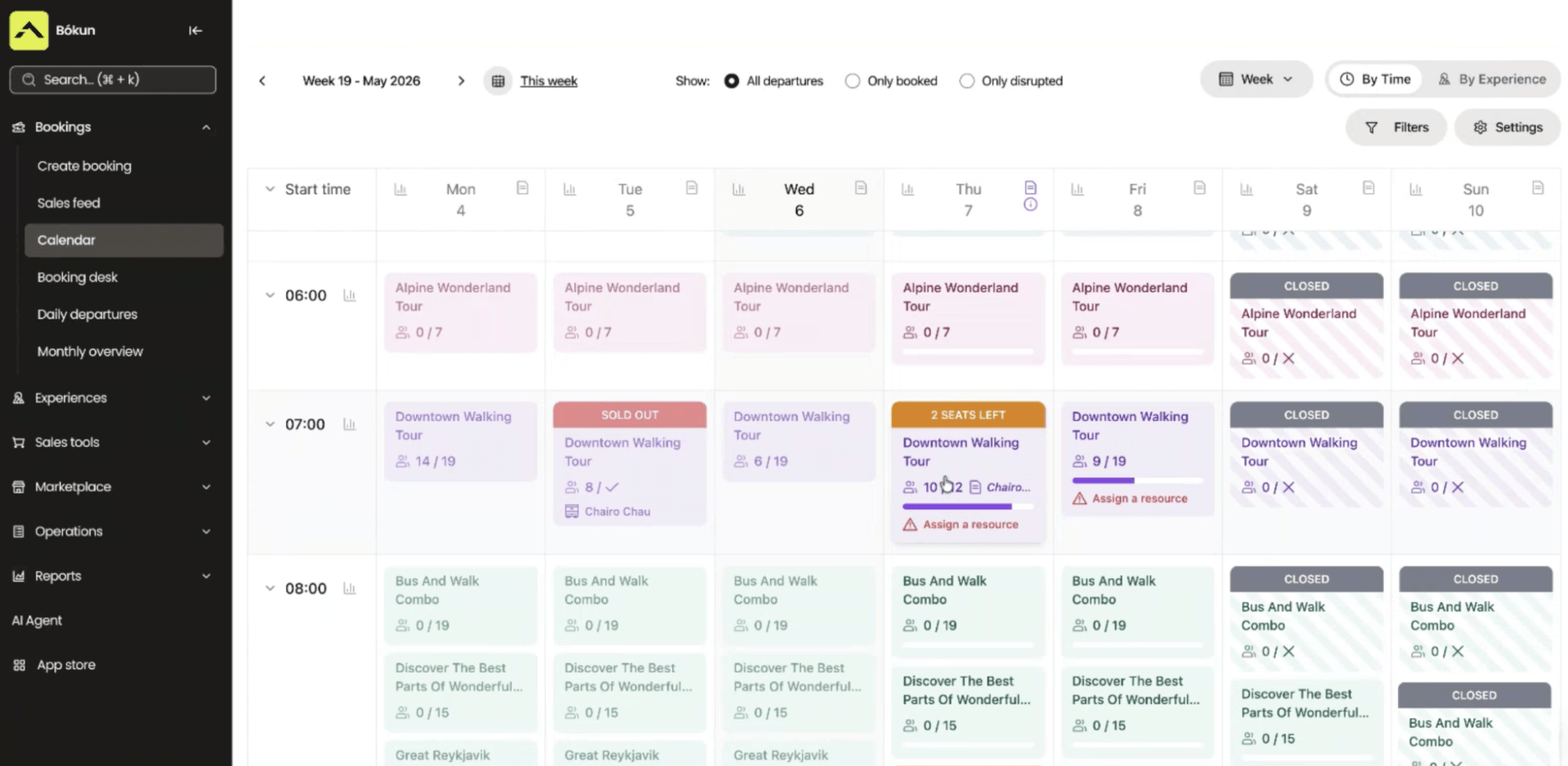
Then, as new bookings come in, this calendar sends real-time availability and inventory updates back to all your connected channels. A session that fills up through your website is immediately closed on every other channel you’re selling on, so there is never any risk of selling the same slot twice.
You can also make on-the-fly changes directly from this calendar: close out a field for maintenance, shuffle a marshal between sessions, or modify a group reservation. It’s all a few clicks.
And on game day, staff can access this calendar — from our desktop and mobile apps — to pull up session manifests, check players in as they arrive, and track no-shows.
Experiences: Product & resource management
Bókun’s Experiences tab is where you set up your full product line — every paintball game format, session type, and package. There are three ways to get started here:
- Our AI can pull product listings from your website.
- You can import Viator listings.
- Start building from scratch.
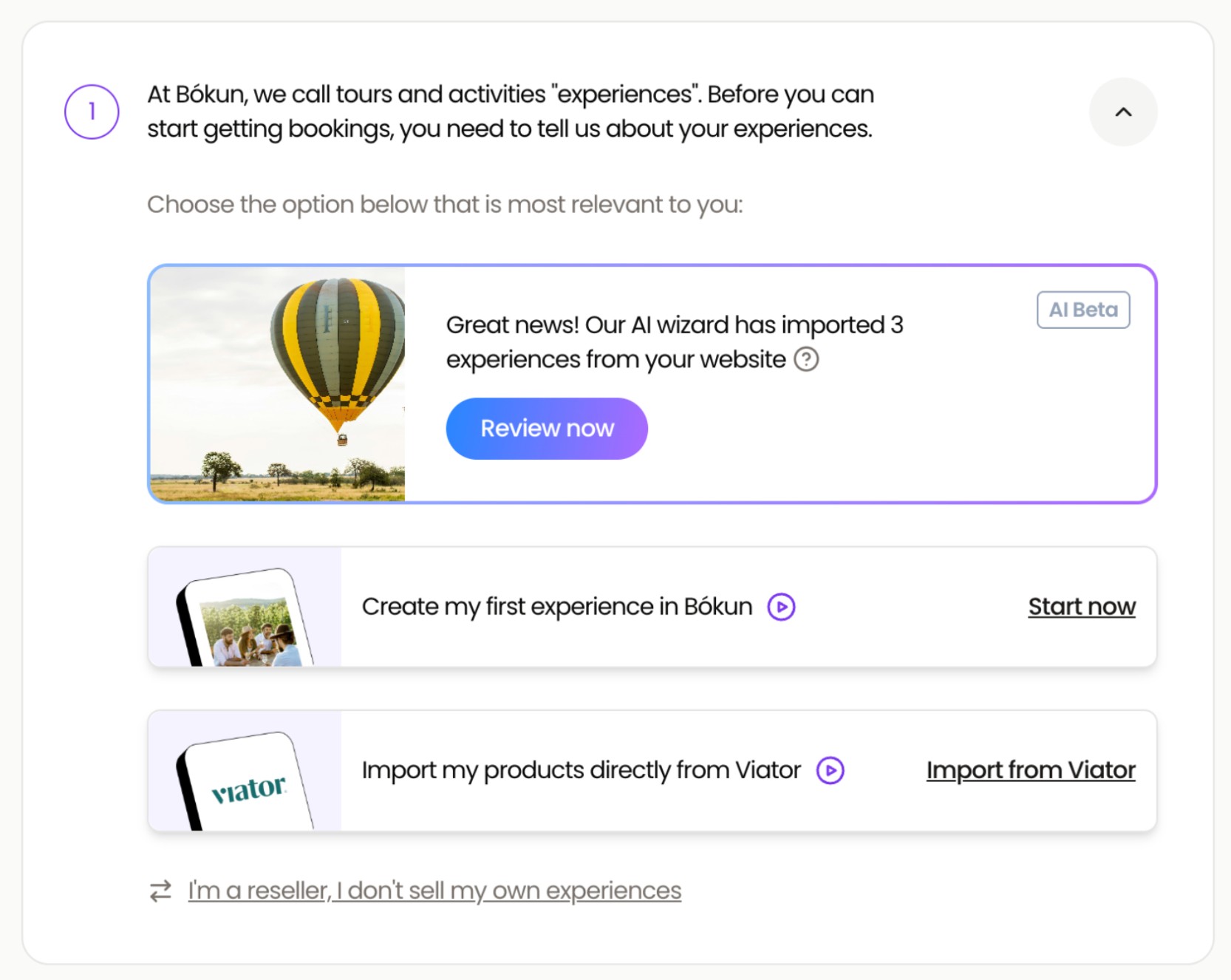
But for the sake of this post, let’s say you’re starting from scratch.
The product builder takes you through each listing. You’ll give it a name and description, set the duration, spell out what’s included (markers, masks, paintballs, protective gear), note any age or weight requirements, and add photos of your fields and past games so players know exactly what they’re signing up for. We even offer an AI description writer that can do some of the heavy lifting here.
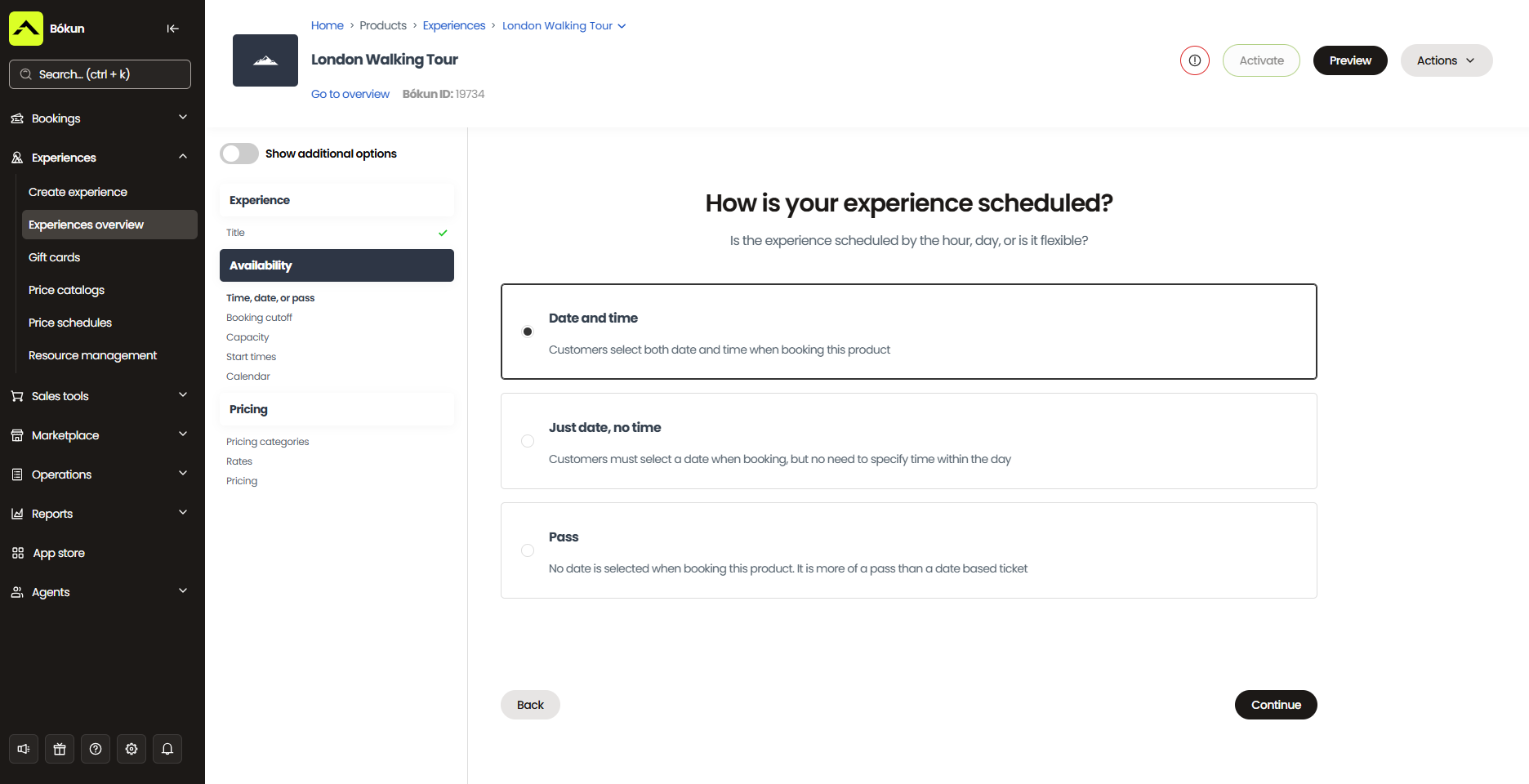
From there, you set availability, pricing, and required resources for each product.
On availability, you specify which days and times each session runs, minimum and maximum group sizes, booking cutoff windows, blackout dates, and buffer time between sessions for field reset and safety checks.
On pricing, you can set flat rates, build out separate tiers (for example, adult vs. junior), offer group discounts, and set prices for private parties. You can also use Bókun’s dynamic pricing tool to optimise rates based on set rules. Lower rates as booking cutoffs approach and you still have slots left; increase rates during peak seasons or when sessions are booking out fast; adjust rates by sales channel; and more.
On resources, you’ll add each field and every piece of equipment to the system — markers, masks, CO₂ tanks, protective gear — with quantities for each, then assign those to your listings with the relevant allocation rules.
Here’s why the resource management piece is critical here:
Most booking tools think about capacity in terms of headcount. But your real capacity in any given session is determined by how much working gear you have — and that gear is shared across all sessions running simultaneously.
Let’s say you have 100 masks and those three concurrent sessions on a busy Saturday. As bookings come in across all three, Bókun draws from that pool in real time, regardless of which session or channel the booking came through. When the 100th mask is committed, all sessions during those time slots automatically close across your website, OTAs, and any other channel you’re selling on.
You never end up with more players booked than gear to kit them out. It just runs in the background, keeping numbers accurate so you don’t oversell.
Read more: Best tour operator software with inventory management
After listings are built, you can also:
- Offer add-ons like extra paint or gear upgrades, all at the product level.
- Combine products into a combo package.
- Link Tripadvisor to your listings so reviews feed over to your website.
The product builder also lets you duplicate or create templates from listings — so you can add the rest of your product line quickly and easily.
Customer management tools: CRM, automated communications & self-service portals
With most paintball bookings being group bookings, there’s a particular kind of admin overhead here. The organiser who booked a 25-person corporate team building experience has questions. The birthday party group needs to know what to wear and where to park. The stag do coordinator wants to add gear upgrades three days before game day. Left unmanaged, that’s a lot of back-and-forth landing on your team in the week leading up to a busy weekend.
Bókun’s CRM and automated communications tools take most of that off your plate.
The CRM captures all customer information as soon as they start a booking and stores it all in a neat contact book for you. This (1) lets you keep track of everyone who books with you so you can learn more about your customer base, (2) automates all the routine touchpoints so players are prepared for gameday, and (3) manages all of this in the same place you manage bookings and daily operations — so you don’t have to juggle and pay for a separate CRM.
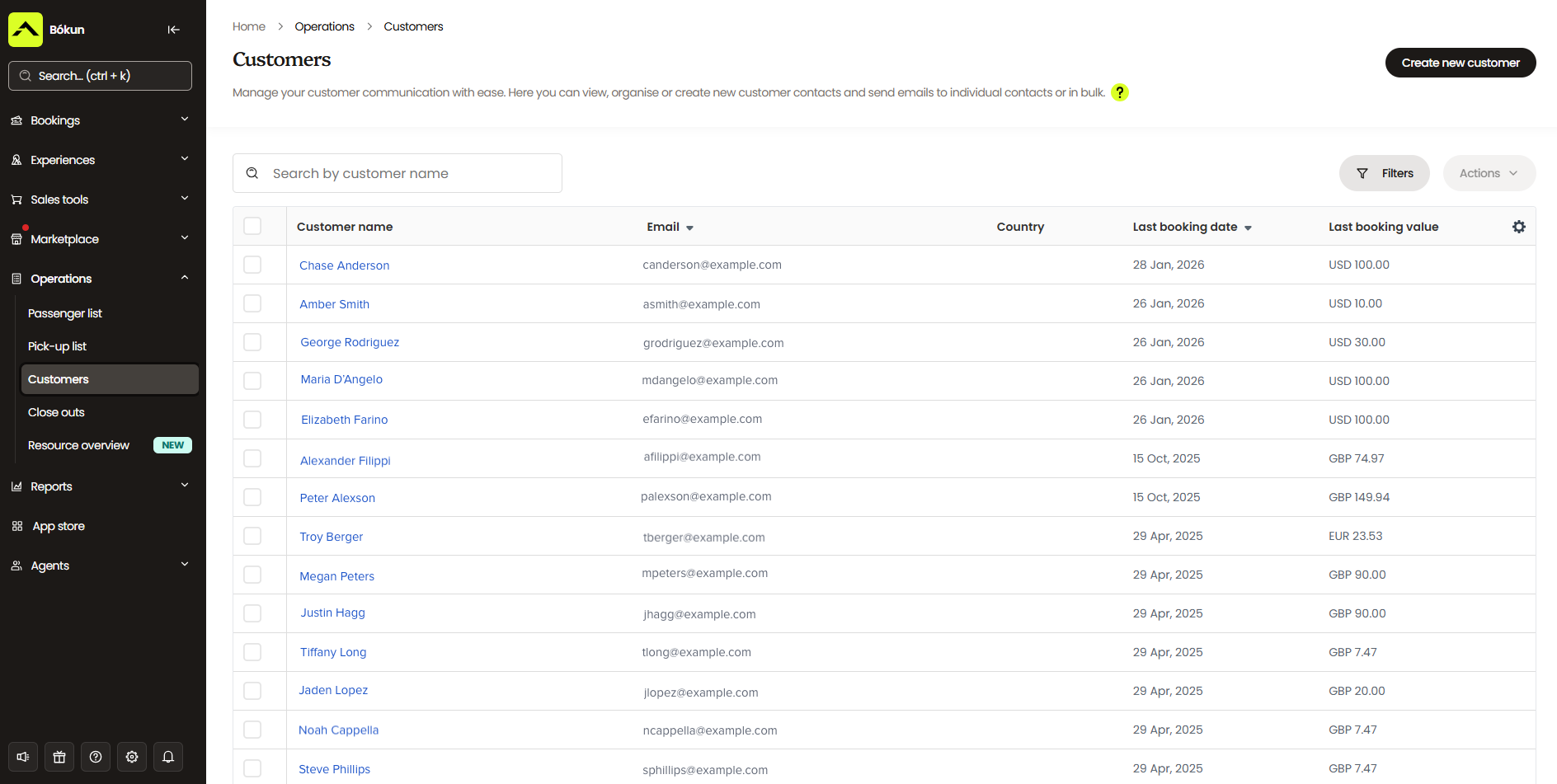
Your customers receive:
- Booking confirmations the moment a reservation is made — with a mobile ticket (and digital waivers, if you choose to include these) attached — so players have everything they need immediately and aren’t emailing to ask if their booking went through.
- Pre-game reminder emails. You can load these with everything a group needs before they arrive: what to wear, what’s included, parking instructions, and so on. The questions that would otherwise flood your inbox in the days before game day get answered before anyone thinks to ask them.
- Self-service portals where they can handle their own changes — reschedule, cancel, or purchase add-ons. When a change is made, an updated confirmation is sent automatically, and your calendar updates on the back end.
- Post-game follow-ups after sessions wrap. These are useful for review requests, repeat-booking offers, or corporate package promotions targeting groups that’ve already played with you.
Beyond the automated touchpoints, Bókun gives you email marketing tools to run campaigns when you need them — abandoned cart emails, upsells, new game, package, or event announcements, seasonal promos, quiet-period discount codes, special offers for corporate bookers, whatever fits your calendar.
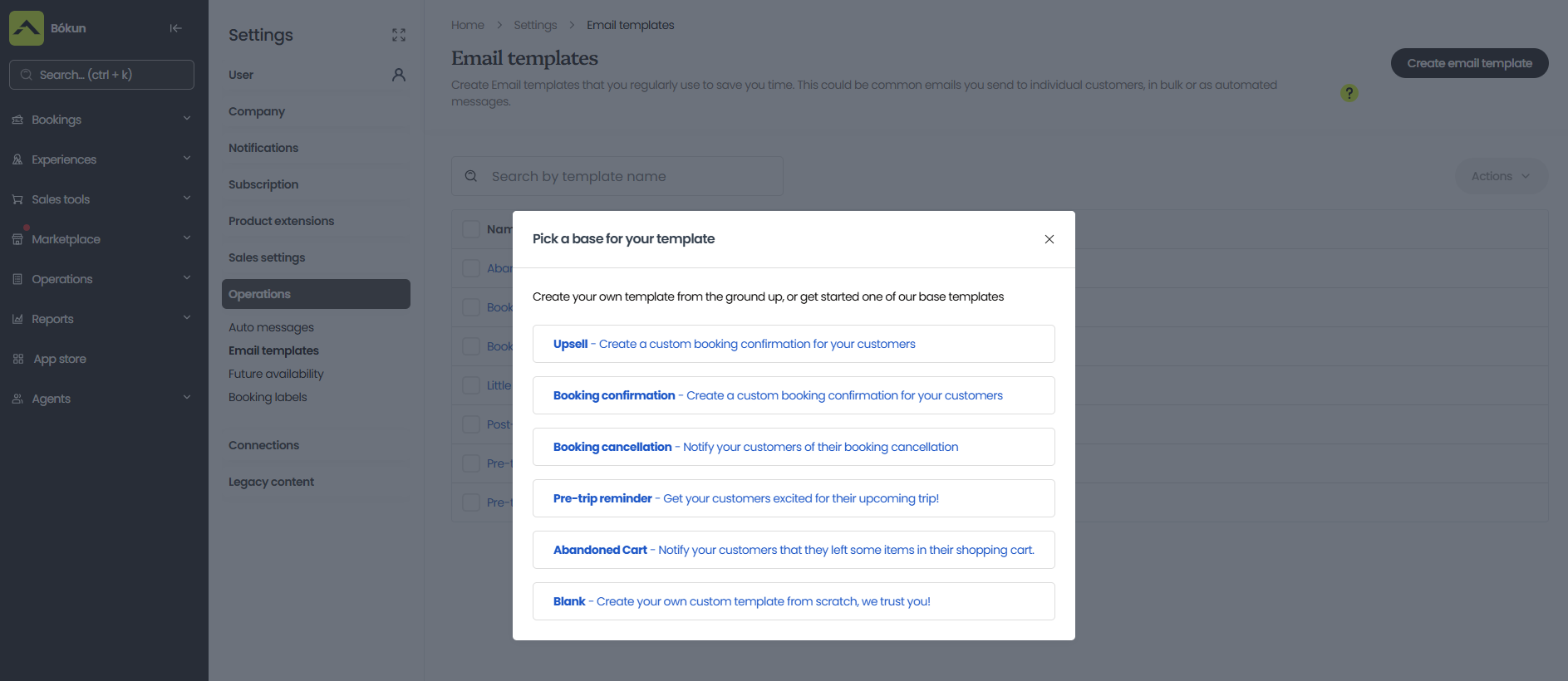
Check-in tools
Check-in for paintball groups can be especially chaotic because everybody arrives at once, so you need a tight process to avoid long queues and bottlenecks that eat into game time.
With Bókun, you can set up multiple check-in points — so you don’t have everybody hitting your front desk — and scan everybody in with our apps, so players move through quickly.
Bókun sends mobile tickets and digital waivers to players automatically after booking, so there’s nothing to print or hand out on the day. And the session manifest in the calendar shows exactly who’s booked for each session, so your marshals can see when everyone has arrived (track no-shows) and get games started.
App Store
Our App Store lets you build upon our core toolkit with additional modules specific to how your operation runs.
For paintball operators, digital waivers are the standout add-on. Players sign their liability paperwork before they arrive — at home, on their phone, in the days before game day — so by the time they show up, it’s already done and attached to their booking.
Beyond waivers, other useful add-ons include Slack notifications so new bookings and updates ping straight to your team channel, Google Calendar sync, TipDirect if you want to give players an easy way to tip your marshals digitally after a session, custom reporting tools, and Zapier to connect Bókun with other tools in your stack.
Reporting dashboards
Bókun’s reporting dashboards let you easily measure bookings and revenue by product, sales channel, and time period, so you can see what’s winning you new business and where there’s room to do more. You can dig into:
- Which game formats fill fastest, and which ones are consistently running half-empty?
- Which channels are actually driving bookings — your website, Viator, a specific partner site — and which ones are set up but underperforming?
- When does demand spike throughout the year, and where are the slow patches you could fill?
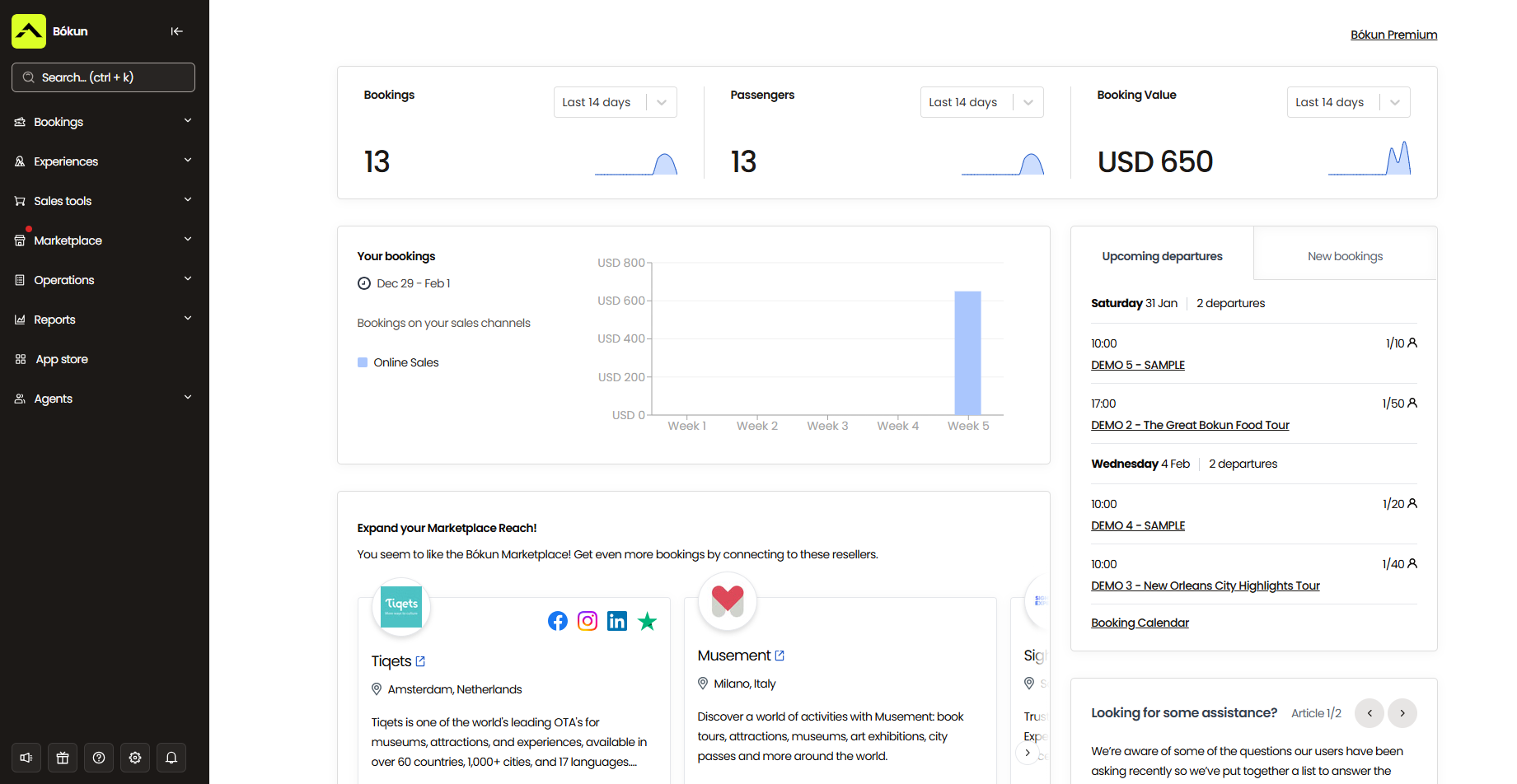
Once you can see those patterns, you can make actual data-backed decisions to grow what’s working and fix what isn’t.
- Add availability on sessions that consistently book out. Adjust pricing for formats that aren’t selling, or cut them if the data shows they’re not worth the field time.
- Double down on the channels sending the most business and rethink the ones that aren’t.
- Run a targeted promo during your quiet periods before they creep up on you.
Bókun’s growth drivers to earn you more paintball bookings
Enable direct website bookings
Your website is your first and most direct booking channel — and Bókun gives you everything to take bookings 24/7. This way, a corporate organiser researching team day-out options at 10 pm on a Tuesday can find you, check availability, and lock in a session without anyone on your team being awake.
If you already have a site, you can drop our online booking engine widgets straight into it — “Book Now” buttons, calendar views, product pages, and session lists — so group organisers can find an available slot and book without picking up the phone. The booking flow is mobile-friendly, which matters for paintball in particular: most group organisers coordinate on their phones, and a clunky checkout is a quick way to lose a booking you would have otherwise won.
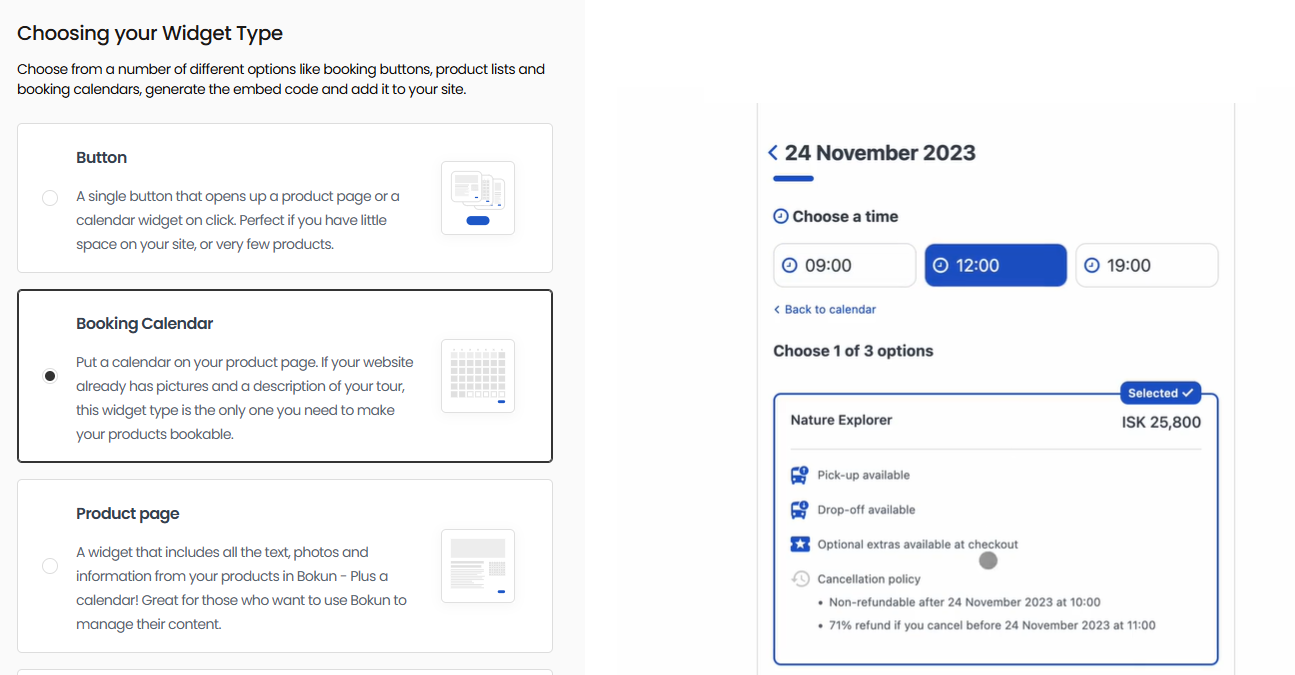
Read more: How to add a booking system to your website
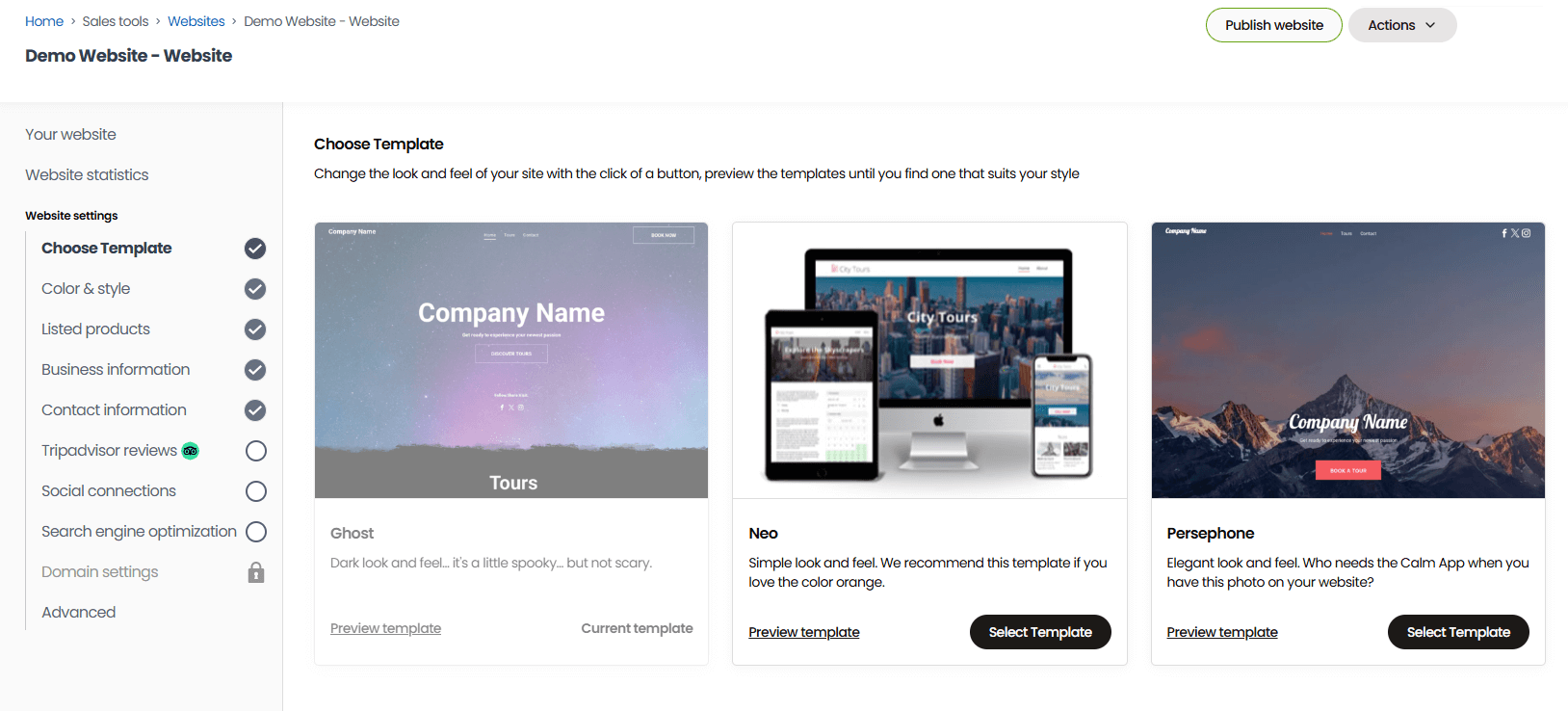
If you don’t have a site yet, our one-click website builder lets you create a professional, branded site in under an hour. Choose from our template gallery, plug in your details, add pictures and media, and hit publish. Booking widgets come pre-installed, and your site is optimised for desktop and mobile from day one.
Bókun supports the full booking process by integrating with dozens of payment processors — Stripe, PayPal, Apple Pay, Google Pay, Venmo, Klarna, Worldpay, and more. You can offer the checkout options that work best for your customers and support group organisers booking from anywhere.
Learn more in our guides below:
- How to sell tours & activities online
- How to create a booking website
- 8 ways to increase direct bookings
- How REDRIB Experiences grew from a startup to a 5-star company with 89% direct online bookings
- How Sailing Windermere achieved business growth by accepting online bookings 24/7
Connections with OTAs & online marketplaces
Most paintball operators rely on word of mouth, repeat bookings, and maybe a Google listing to bring in new business. But Bókun opens up countless avenues to reach completely new audiences: out-of-towners researching things to do, stag parties planning a weekend away, corporate groups scoping team day-out options in a city they don’t know. These are people you’d be hard-pressed to reach, but who are actively looking for exactly what you offer on platforms like Viator, GetYourGuide, and Google.
At the time of writing, Bókun connects with 70+ OTAs and online marketplaces from one dashboard — global names with massive audiences like Viator, GYG, Google, Expedia, Civitatis, TourRadar, Trip.com, Headout, the list goes on, and more niche sites tailored to specific activities or destinations. And we’re the #1 restech partner across major sites.
Our partnerships also unlock specific perks worth knowing about:
- As a Viator Preferred Partner, we offer 0% Bókun booking fees on Viator reservations, plus free yearly subscription checks (12, 24, or 48, depending on your plan).
- Our GetYourGuide Premium Connectivity Partnership makes it straightforward to get your sessions listed and guarantees best-in-class API performance between the two systems.
- As an official Google Things to Do partner, your experiences can appear directly at the top of Google search results and across Google’s many other apps.
You can connect with as many OTAs and online marketplaces as you wish to test different channels and see what works for you. It’s easy to add or remove channels from our Sales Tools tab, and you can make adjustments any time.
You can learn more about expanding into these channels in our guides below:
- The tour operator’s guide to OTA bookings
- How to add your business to Tripadvisor
- How to sell tours on Viator
- How to become a GetYourGuide supplier
- How to become a Civitatis supplier
- How to host experiences on Airbnb
- How to become a TourRadar supplier
- How to sell tours on Expedia
- How to become a Musement supplier
- How to become a Klook supplier
Bókun Marketplace
When you join Bókun, you’re automatically added to the Bókun Marketplace — an in-built distribution network with thousands of businesses across the travel and leisure industry: accommodation providers like hotels and resorts, transportation services, travel agents, DMCs, attractions, educational institutions, tour guides, and other activity operators.
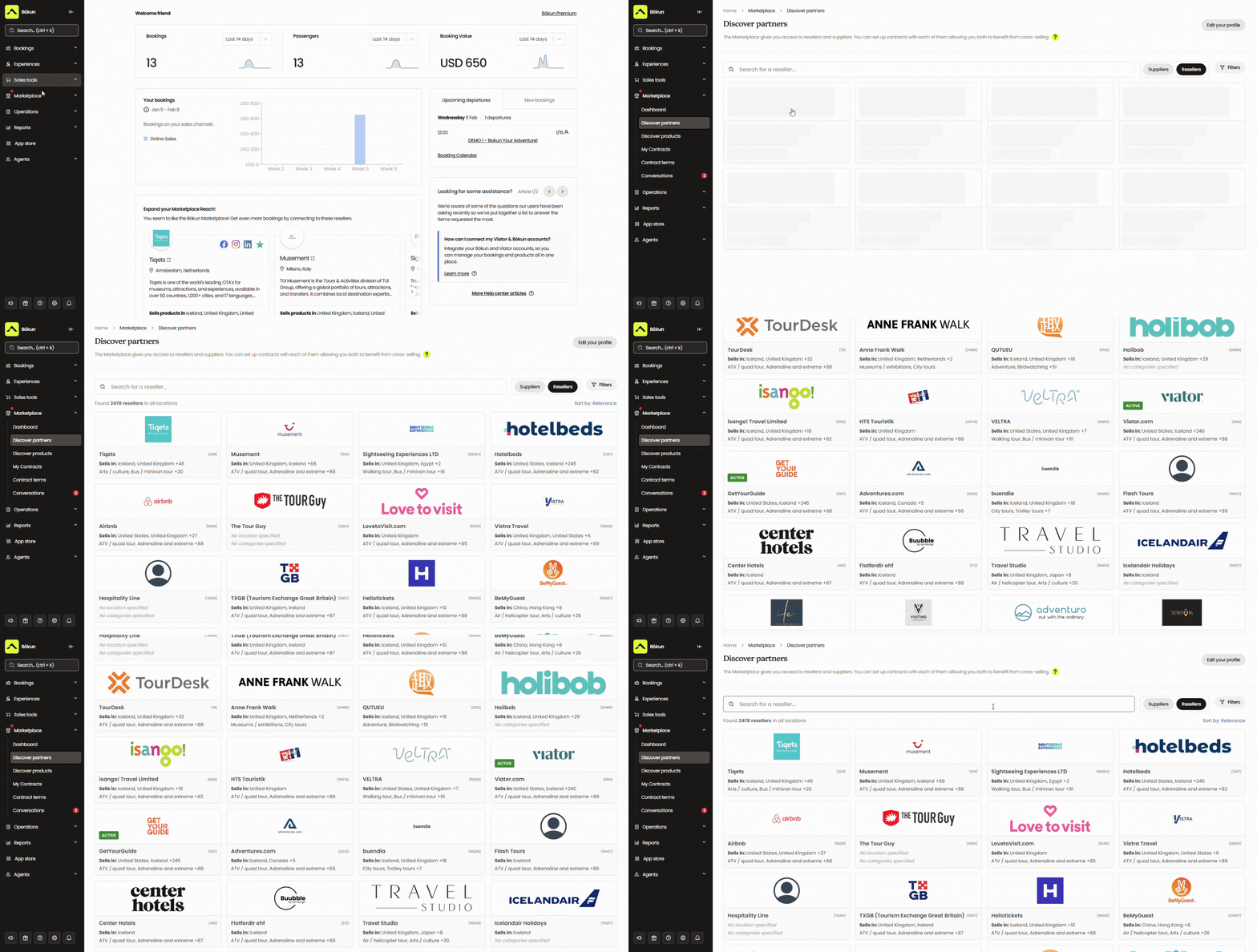
There are a few ways to put the Marketplace to work:
- Connect with resellers to earn bookings from their audiences — hotels recommending your paintballing experiences to guests, travel agents building itineraries, and concierge services looking for activities in your area.
- Resell others’ services and experiences through your own booking site to earn commission — adding revenue streams without running additional sessions yourself.
- Create packages with other businesses to offer more compelling experiences for group organisers and corporate bookers. You can bundle your paintball sessions with lodging close to your game zones, transportation to and from games, nighttime activities after your sessions, or a full team day-out itinerary.
We provide all the tools to manage partner relationships — you can reach out to anyone in our network, negotiate partnership terms, and draft contracts. We don’t cap the number of partners you can work with. And you can save all conversations and contracts in our system for easy reference.
We also help you stay on top of your partner network with notifications about contracts up for renewal, so you can keep, renegotiate, or cut them.
Bókun Referral Tracking
Beyond the Marketplace, Referral Tracking lets you build your own affiliate network with any business or person you want to work with — local hotels and B&Bs, corporate event planners, social media influencers, local interest groups, or whoever makes sense for your audience.
Each affiliate gets either a trackable booking link or a dedicated booking hub to share with their audiences. Every booking that comes through is automatically attributed in Bókun, so you can see exactly which partnerships are driving results. You set the commission rates and manage everything directly in the platform — there’s no cap on how many affiliates you can bring on.
Read more: 10 ways to get more reservations & earn new customers
Bókun’s packages & how to get started
All new customers can start with a 14-day free trial to explore the platform and make sure it’s the right fit.
After your trial, the START plan gives you access to all the core features covered above for $49/month with 1.5% online booking fees. We never charge Bókun booking fees on Viator reservations, and offline and in-person bookings are always free.
For larger operations with more advanced requirements, we also offer two enterprise-level plans — PLUS and PREMIUM — that include additional tools such as agent portals, resource allocation, subvendor management, and Zapier access. Both plans come with dedicated onboarding, priority support, and a yearly strategy call with a Bókun expert.
Ready to get in the game? Start your 14-day free trial here — no credit card required.
2. Xola
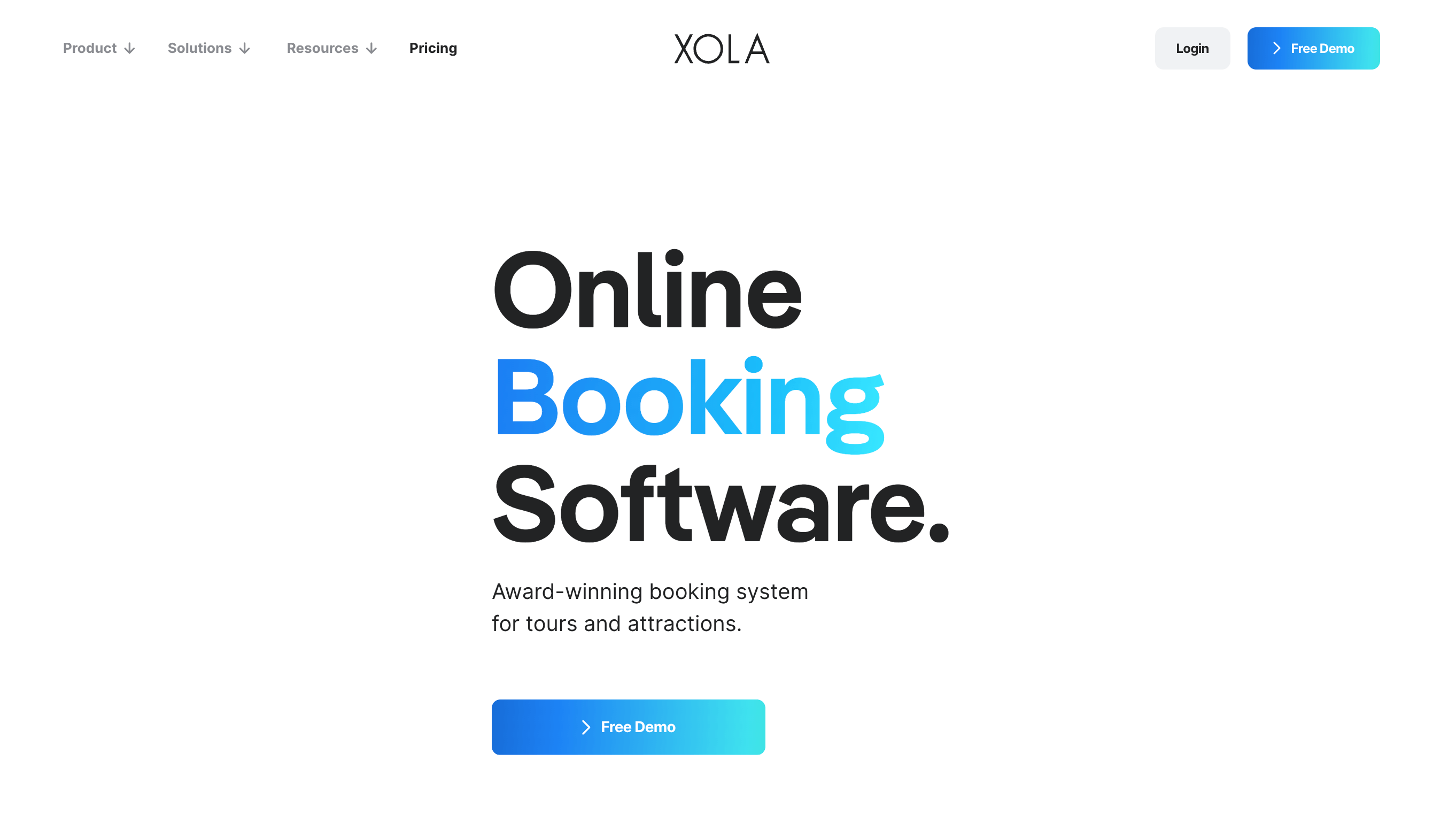
Xola is a well-established tour and activity platform with a clean interface and a feature set that covers what most paintball operators need: online booking widgets, a booking calendar, availability and equipment management, staff management, OTA connections, a distribution network, digital waivers, CRM, automated communications, a native POS, and mobile apps. The equipment management feature is worth flagging for paintball specifically — Xola lets you allocate equipment to products and prevent overbookings when inventory runs out.
Overall, the platform gets good reviews — with a 4.7-star rating — for its functionality and ease of use. And reviewers often praise the 24/7 support,which is a nice plus for paintball parks running weekend-heavy schedules.
On pricing: Xola charges your customers a partner fee at checkout. The standard rate is 2.39% + 30¢ per transaction, though this can climb to 6% on international bookings. For most domestic paintball operators, it’s a straightforward model — but worth thinking about if you’re in a touristy area wanting to win business from travellers all over.
Features
- Website building service
- Online booking widgets
- Channel management & OTA connections
- Distribution network
- Availability management
- Inventory management
- Staff management
- Phone booking system to manage offline reservations
- Native point-of-sale (POS)
- CRM
- Marketing tools to promote your tours & retarget customers
- Digital waiver solution
- Customisable tickets (and ticket scanning tools for convenient check-in)
- Reporting
- Mobile apps
Pricing
Xola charges travellers a variable partner fee at checkout. This fee starts at 2.39% + 30¢ per transaction but can be as high as 6% for international transactions.
Read more: Best Xola alternatives comparison guide
3. Checkfront
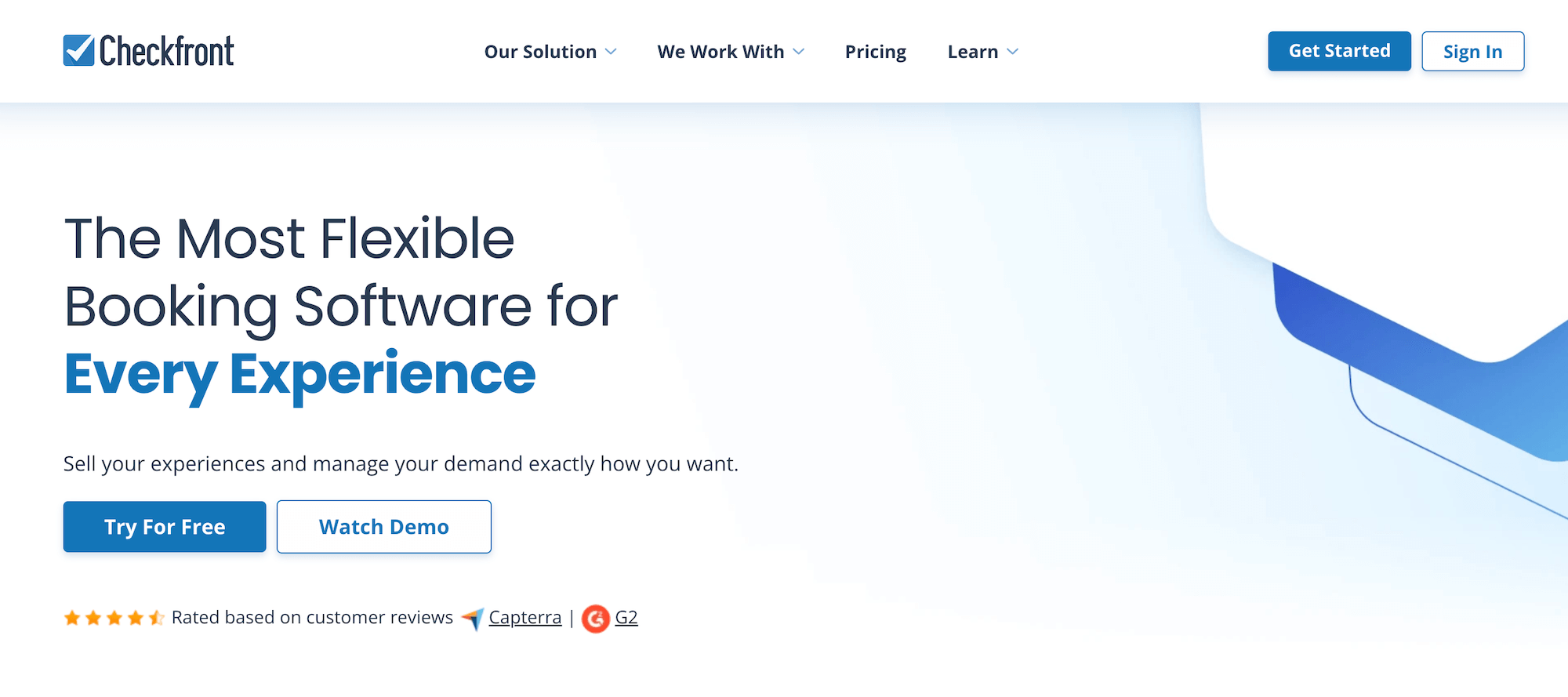
Checkfront is a comprehensive booking platform that’s been operating since 2010, built for tour and activity providers of all kinds. It packs in 100+ features and dozens of third-party integrations, including an online booking engine, OTA connections, channel management, a partner network, resource management, product and availability tools, group booking management, waivers, automated communications, POS integrations, and more.
Users appreciate a few things here:
- It’s a flexible system — you can configure it for a wide range of booking types, from hourly sessions to multi-day experiences — and that flexibility is something reviewers consistently say is the reason they’ve stuck with it.
- The custom form builders are useful for capturing group-specific information ahead of game day, cutting down on the back-and-forth that typically piles up in the week before a busy weekend.
- The availability and resource management tools let you build equipment pools to divvy across concurrent sessions, add buffer time between games for field resets, and set complex rules.
However, the recent chatter around Checkfront is all about its new pricing, as it merged with Rezdy in 2023 and has since raised rates. They now charge $99/month plus a 3% booking fee (all users pay the same). Most platforms at that booking fee level don’t also charge a monthly subscription, and the combination adds up quickly as you increase bookings.
Find more Checkfront reviews here.
Features
- Website builder
- Online booking engine widgets
- Centralised booking calendar
- Availability management
- Channel management & OTA connections
- Partner network
- Product management
- Resource management
- Upselling tools, including options to sell add-ons & bundle products
- Custom form builders and waivers to send to customers before their tours
- Mobile tickets & ticket scanning
- Marketing tools, including customer booking map, customer outreach & ROI tracking
- Integrations with a variety of online payment processors (Stripe, PayPal, Apple Pay, Google Pay)
- POS integrations & invoicing tools
- 50+ integrations & Checkfront API to create custom integrations
- Reporting
Pricing
Checkfront charges a $99/month subscription fee and 3% booking fees. You can either cover the booking fees or pass them along to customers.
Read more: Best Checkfront alternatives comparison guide
4. TicketingHub
TicketingHub is a tour and activity booking platform that stands out for its distribution tools — 50+ OTA connections, a reseller portal, and affiliate tracking are all part of the core product. That’s more growth drivers out of the box than most platforms on this list, and it matters if expanding beyond your local audience is a priority.
Everything else you’d expect is also there: online booking widgets, a central calendar, resource and staff management, CRM, automated email and SMS, abandoned cart recovery, waitlists, group booking management, a POS, QR code check-in, and multi-currency and multilingual support.
Abandoned cart recovery is worth singling out when group bookings drive most of your revenue. Corporate organisers and party planners rarely commit on the first visit — they browse, compare, and circle back. An automated follow-up that triggers when someone drops off mid-booking on a 20-person stag do is the kind of thing that quietly recovers sessions your team would never have known to chase.
One cost detail to know going in — taking advantage of TicketingHub’s growth drivers can be pricey. The standard booking fee here is 3%, but OTA bookings incur an additional 2% integration fee, bringing the total to 5%. So if you want to lean into online channels to increase bookings, you should consider how these fees will impact costs.
Find more TicketingHub reviews here.
Features
- Online booking widgets
- Central calendar with real-time availability management
- Channel management & 50+ OTA connections
- Reseller portal & affiliate tracking links
- Resource management
- Team management & staff scheduling
- CRM
- Automated email & SMS communications
- Abandoned cart recovery
- Waitlists
- Guest list & tour manifests
- QR code ticket scanning & check-in
- Group booking management
- Package builder
- Upselling & merchandise sales
- Gift cards & vouchers
- Multi-currency & multilingual support
- POS system (iOS & Android, works offline)
- Reporting dashboards
Pricing
TicketingHub charges a 3% booking fee on all reservations (online or offline). They charge higher booking fees for OTA integrations (3% standard fee + 2% integration fee = 5% OTA booking fees).
Read more: Best TicketingHub alternatives
5. FareHarbor
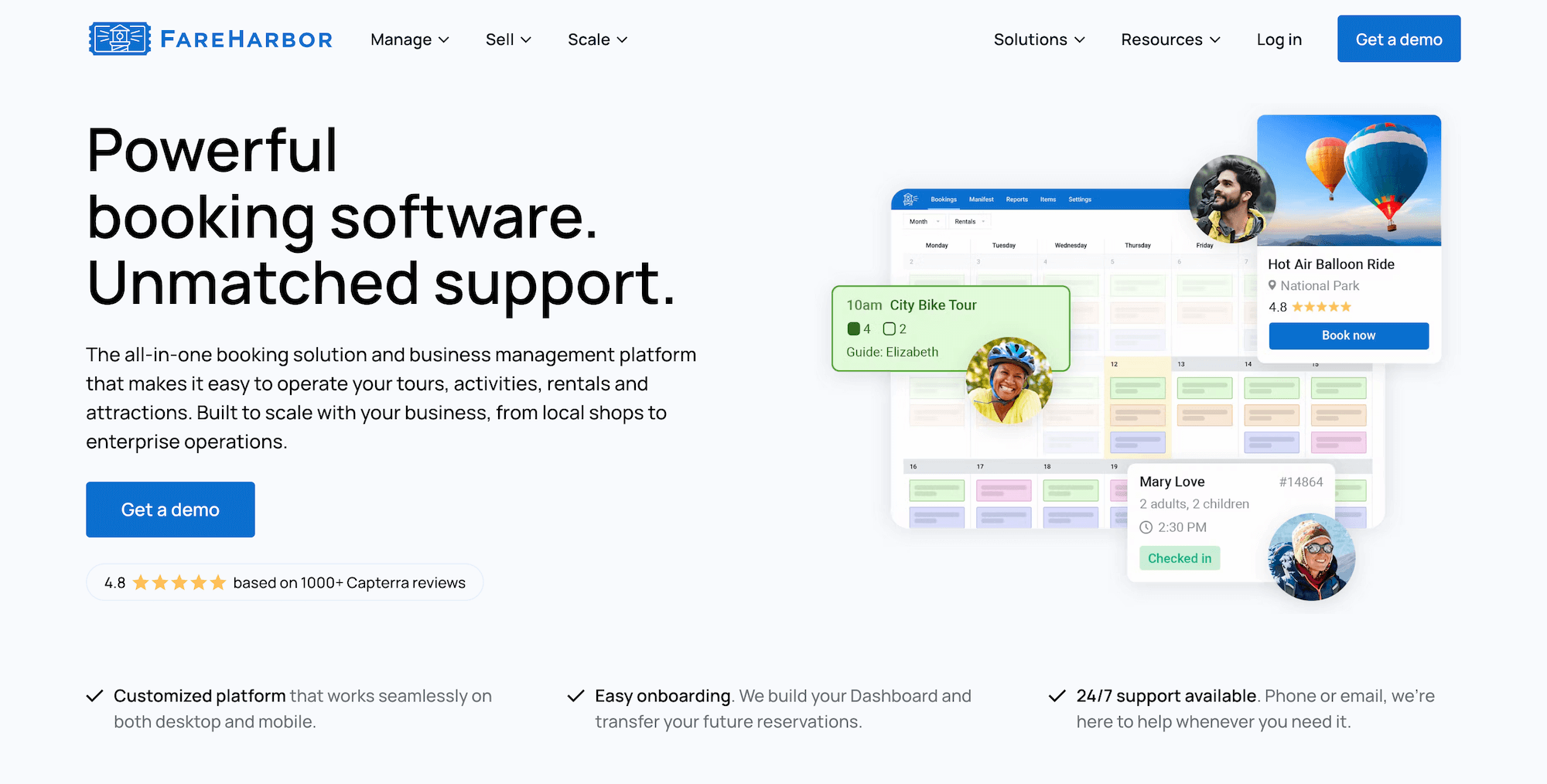
FareHarbor is a Booking.com brand that’s been in the tour and activity space since 2013 and has built one of the largest user bases in the industry. It’s a full-featured platform — online booking, OTA connections, channel management, inventory and staff management, a reseller distribution network (FHDN), digital waivers, automated communications, customer portals, a native POS, and mobile apps. Reviews are strong, and the platform has been actively adding features in recent years.
One feature worth calling out here is the distribution network, FHDN. It’s a reseller network of hotels, travel agents, and affiliate partners who can send bookings your way, which is beneficial if you’re in a market where visitors book activities through concierge recommendations or travel itineraries rather than direct searches.
Where operators tend to pause is on cost, as FareHarbor has increased fees and started charging extra for otherwise standard features.
Booking fees run up to 6% and 8% and are passed directly to customers at checkout — you can’t absorb them even if you want to, which matters when high fees are a key reason customers abandon bookings.
Then we’ve got the add-ons:
- Website building runs $5k a year (or $499/month)
- SEO packages add another $2.2k to $5k
- FareHarbor takes 20% commission on the bookings you earn from its reseller network (FHDN)
FareHarbor may work for operators with the volume and budget to make those numbers work. But for most paintball centres, there are platforms on this list offering comparable tools at a significantly lower cost.
Features
- Website-building services — FareHarbor charges an extra fee for this service
- Online booking engine
- Customisable dashboard to manage all bookings (offline & online) in one place
- Channel management & connections with OTAs like Expedia
- Distribution network (FHDN)
- Product (Inventory) management to list activities & monitor business resources
- Availability management
- Staff management
- Features to improve the customer experience: portals to modify bookings, automated communications, online waiver solutions, fast check-in tools, and memberships
- Reporting
- Native POS (with transaction fees to use) and integrations with Stripe
- Mobile apps
Pricing
FareHarbor charges online booking fees of up to 6% and 8%.
They also charge $5k (or $499/month) for the website-building service, $2.2k or $5k for SEO services (depending on your plan), and 20% commission on all bookings through FHDN.
Read more:
- Best FareHarbor alternatives comparison guide
- Bókun vs. FareHarbor vs. Peek Pro
- Bókun vs. FareHarbor vs. Rezdy
6. Peek Pro
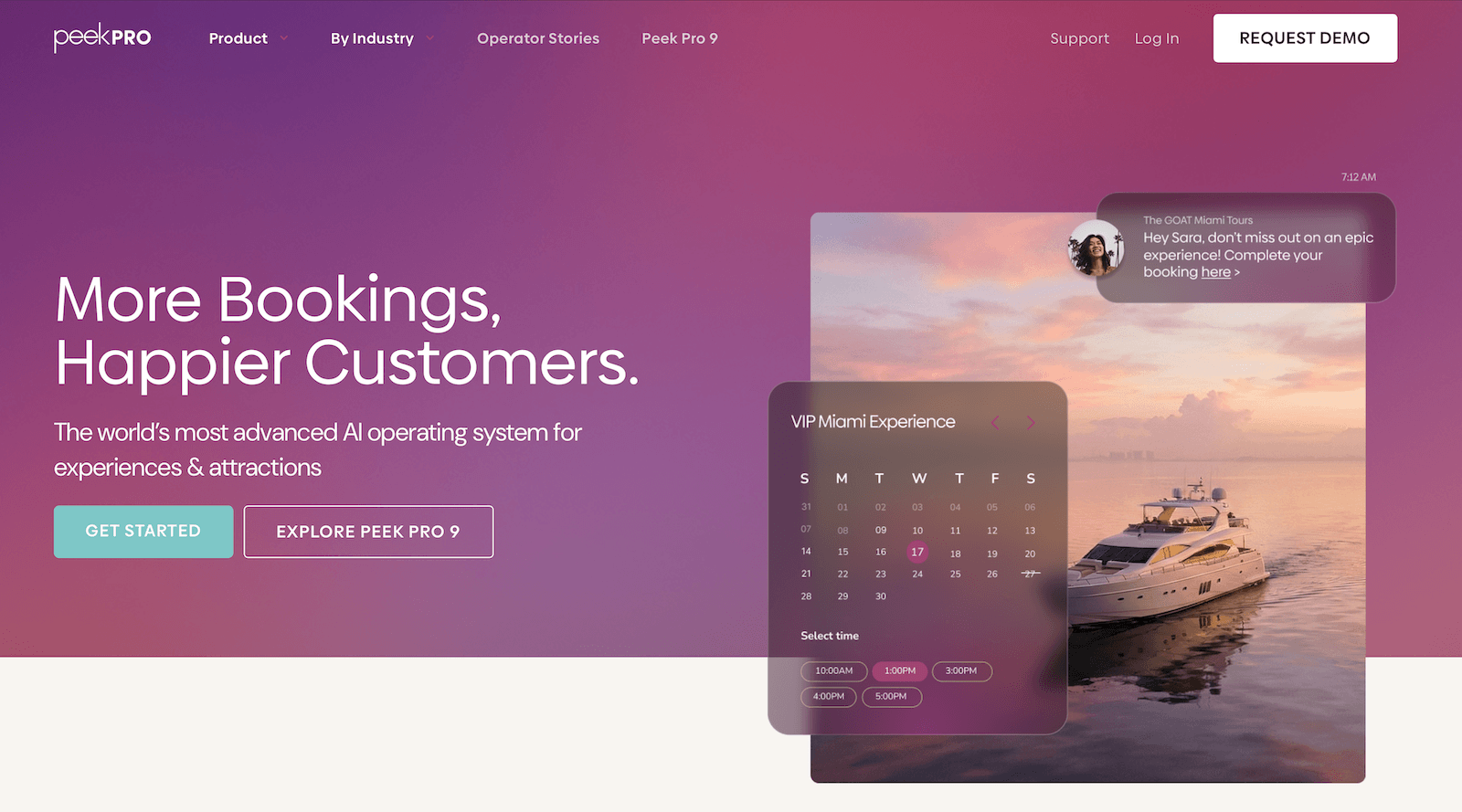
Peek Pro is another well-known tour and activity platform that consistently earns strong reviews — 4.7 stars on Capterra — for its clean interface, ease of use, and solid growth toolkit. The core platform covers online booking, OTA connections, a reseller network, resource management, waivers, a native POS, and mobile apps, and Peek has been actively investing in the product.
The recent Peek 9 release was the platform’s biggest update to date — 40+ new features, including Abandoned Bookings 2.0 with SMS recovery and product segmentation, upgraded waitlists that let guests join multiple dates at once, a new App Store with 15+ integrations, AI workflow automation, booking protection at checkout, and self-rescheduling for guests.
For a business where demand swings hard between a packed Saturday and a near-empty Tuesday, Peek’s toolkit can be super handy. Dynamic pricing that adjusts rates based on how sessions are filling, combined with automated follow-ups for group organisers who started a booking and dropped off, addresses those revenue leaks that most paintball operators just accept as part of the business.
However, like FareHarbor above, the consistent criticism of Peek is its pricing: fees run 6% to 8% per booking, plus merchant service fees of 2.3% + 30¢ per ticket. Some reviews also flag unexpected charges and unclear fee breakdowns at billing time, which are worth being aware of before going in.
Check out more Peek Pro reviews here.
Features
- Online booking engine
- Customisable booking calendar
- Channel management & OTA connections
- Reseller network
- Resource management
- Availability management
- Marketing tools to recapture lost sales, including abandoned booking follow-ups & waitlists
- Add-ons, bundles, memberships, gift cards, vouchers, and promo codes
- Dynamic pricing with AI-driven demand-based adjustments
- Peek Copilot — AI tool for marketing, content creation & workflow automation
- Peek Capital — business financing through Peek’s VC network
- Automated customer notifications
- Digital waivers & fast check-in features
- Native POS & flexible online payment options
- Integrations & API
- Mobile apps
- Reporting
Pricing
Peek Pro charges booking fees as high as 6% and 8%.
Read more: Best Peek Pro alternatives comparison guide
7. Roverd
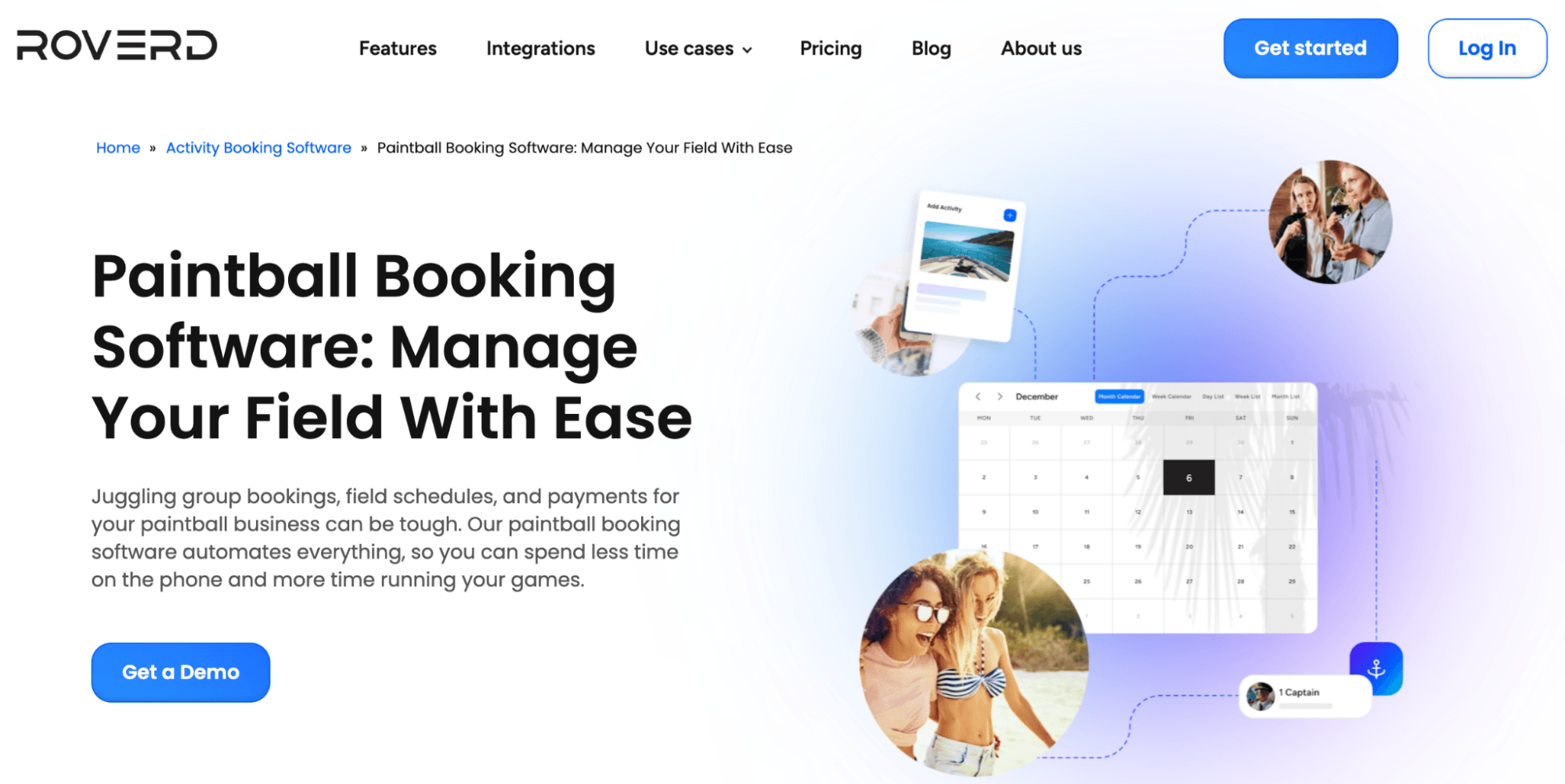
Roverd is a simple, easy-to-use booking platform for tour and activity operators. It’s not the most feature-heavy system on this list, but it covers what most smaller operations need — booking widgets, product and availability management, inventory management, OTA connections, a reseller network, digital waivers, CRM, automated communications, and cancellation management. And it’s designed to be quick to get started with.
Pricing is where you need to pay attention. There’s no monthly subscription, but Roverd charges 5% on every booking. It’s up there with FareHarbor and Peek in terms of pricing, but it doesn’t offer nearly the features those systems do. As we’ve said with high fees, they add up fast.
Find more Roverd reviews here.
Features
- Online booking widgets
- Product management (with options to sell multi-day experiences & offer group rates)
- Connections with OTAs & channel management
- Reseller network
- Advanced scheduling & availability management
- Inventory management
- Reservation management (with options for customers to reserve spots before confirming and paying)
- Digital waivers
- Integrations with major payment processors (e.g., Stripe & PayPal)
- Cancellation & refund management
- CRM & automated customer communications
- Reporting
Pricing
Roverd offers two plans:
- The Standard plan (5% online booking fees) includes all Roverd features, tailored system setup, one-on-one training, and basic support. This plan is recommended for small to medium businesses.
- The Custom Enterprise plans (with discounted booking fees based on volume) include everything in the Standard plan, plus a dedicated account manager and phone support.
8. Sports Carnival
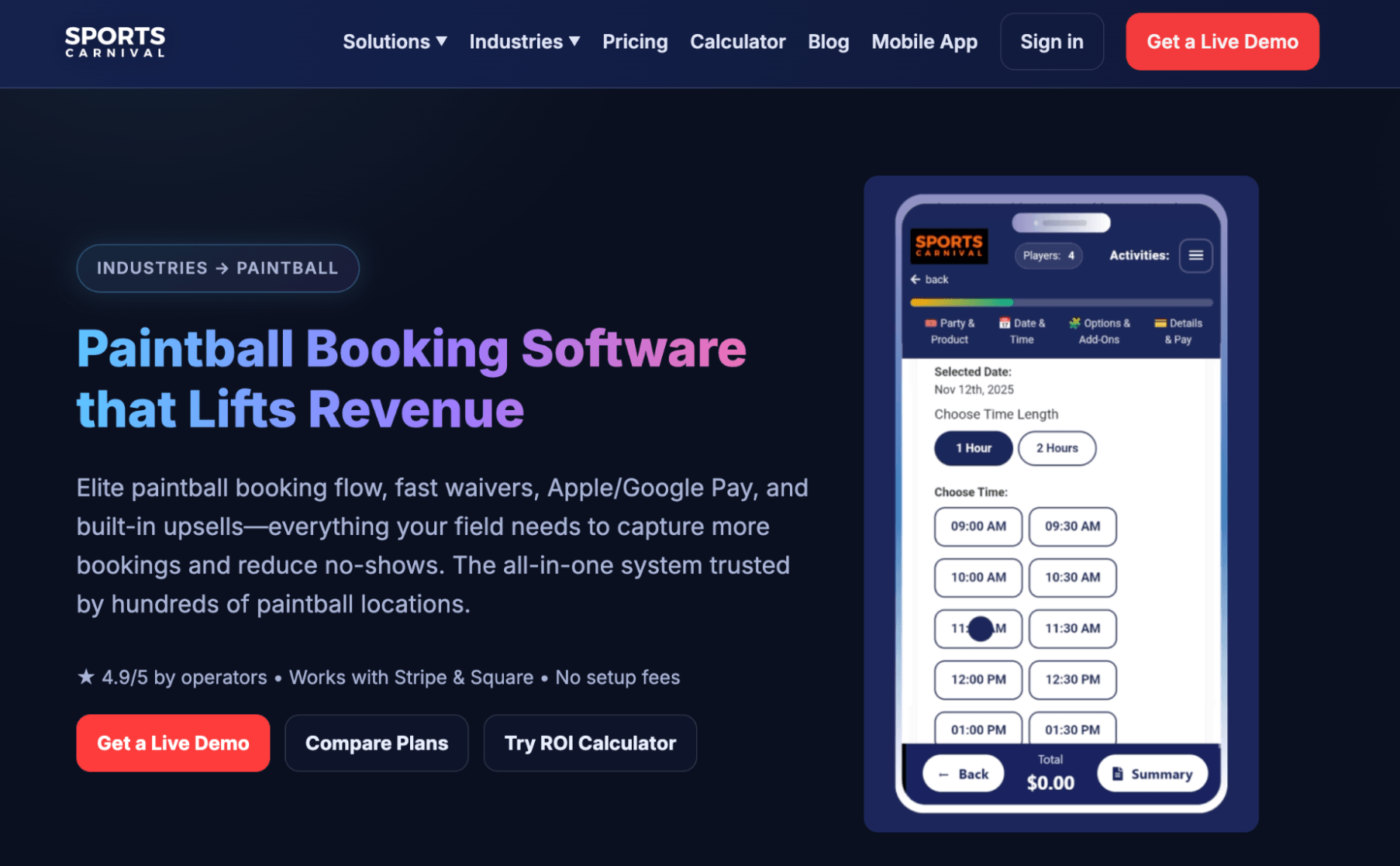
Sports Carnival is booking management software built specifically for sports and entertainment facilities — paintball fields are among its primary use cases, alongside axe throwing, escape rooms, golf simulators, and family entertainment centres.
That focus shows in how the product is shaped: inventory tracking for paint, CO₂ tanks, and rental gear is built into the same system as online booking and POS, so everything stays in sync across walk-ins and pre-booked sessions. Then you get waivers, automated communications, email and SMS marketing, gift cards, coupons, league builders, membership management, and franchise controls for multi-location operators.
The add-on tools are a noteworthy perk for businesses that sell paint upgrades, gear packages, and party extras, as they can increase revenue per booking. Those upsells fire during the online checkout flow rather than as a separate conversation at the front desk, which tends to convert better. The Groupon integration is also worth flagging for operators looking to fill slow weekday slots via deal-based channels.
But the packages and pricing are worth careful consideration. The Starter plan is $99/month with a 5.5% booking fee — operators who deal primarily with group bookings will find that fee quickly eats into their margins. The Growth and Pro plans don’t include that fee, but they’re more expensive than most other activity booking system subscriptions.
At the time of writing, Sports Carnival does not yet have verified online reviews.
Features
- Booking management
- Digital waivers
- Integrated POS & online payment options
- Automated customer communications
- Marketing emails
- SMS messaging
- Registration forms
- Gift cards & coupons
- League builders
- Membership management
- Franchise management tools (for enterprises)
- Reporting dashboards
Pricing
Sports Carnival offers three packages:
- The Starter plan ($99/month with a 5.5% booking fee) supports unlimited bookings and digital waivers.
- The Growth plan ($199/month) includes unlimited bookings, digital waivers, POS, automatic emails, marketing tools, registration forms, gift cards, reporting, and unlimited support. Sports Carnival notes this plan as its most popular package.
- The Pro plan ($299/month) includes everything in the Growth plan plus leagues, memberships, and SMS messaging.
Sports Carnival also offers enterprise solutions that include custom workflows, SSO, franchise scaling tools, advanced reporting, a dedicated CSM, white-glove onboarding, and on-site training.
9. High Trek POS

High Trek POS was built by people who’ve actually run activity venues, and they’re put that experience into their product — with features like online booking, product and resource management, digital waivers, CRM with lead management and quoting, email and SMS, customer portals, group sales, season passes, memberships, a POS, food and beverage management, gift cards, QuickBooks integration, and financial reporting.
Paintball operators may appreciate High Trek’s group sales and corporate event tools, particularly the CRM’s lead management and quoting functionality for handling complex group bookings, as corporate day-outs and large party bookings can make up a significant chunk of revenue.
Operators also like the affordability here. Fees range from 0.7% to 2.5%, depending on volume — the higher your volume, the lower your booking fees.
The noteworthy gap is on the growth side. High Trek doesn’t offer OTA connections or a distribution marketplace, so your reach remains limited to those who find you directly.
Features
- Booking management tools
- Inventory management
- Digital waiver management
- CRM & customer management tools
- Email & SMS management
- Online customer portals
- Group sales tools
- Season & family passes
- Membership management
- Integrated POS
- Gift cards & vouchers
- Food & beverage management — with online food ordering
- Merchandise management
- Financial reporting
- QuickBooks integration
Pricing
High Trek charges a small fee per booking — between 0.7% to 2.5%, depending on booking volume (higher booking volume, lower fees). You can choose to cover fees or pass them to customers at checkout.
10. Anolla

Anolla is a newer platform built around AI — with a multilingual AI assistant that handles booking inquiries in 25+ languages, demand forecasting for scheduling, and dynamic pricing that adjusts rates based on real-time occupancy. Beyond its AI tools, it covers online booking, product and resource management, memberships, prepaid passes, group and private booking management, waitlists, gift cards, CRM, automated communications, and integrations (with a variety of systems).
The dynamic pricing is worth calling out here because it’s well-suited to paintball’s variable demand — automatically adjusting rates by time of day, season, group size, and field type is useful for a business where weekday quiet periods and peak weekend sessions can look very different.
But there are three downsides worth mentioning:
- Anolla doesn’t offer OTA connections, so you can’t win bookings from popular online channels.
- With Anolla being a newer, smaller platform, it doesn’t have many reviews yet (we could only find one), so it’s hard to evaluate real user experiences or the platform’s overall reliability.
- Pricing is not disclosed — we can see that Anolla doesn’t charge a subscription, only booking fees, but those rates aren’t listed online. If you’re interested in this solution, we suggest contacting their team for more details before committing.
Features
- Online booking widgets
- Custom booking forms
- Context-aware AI assistant for player inquiries (25+ languages)
- Product & resource management
- Membership management
- Prepaid passes
- Group & private booking management
- Automated waitlists
- Gift card sales
- Dynamic pricing rules (by time, season, group size, field type)
- Customer management (CRM) with booking history & preferences
- Automated email & SMS communications
- Email campaign tools with audience segmentation
- Time blocking for equipment clean-up & field set-up
- Integration with Stripe payments
- Integrations with Google Analytics, GTM, & Meta Pixel
- IoT integrations
- Mobile apps
- Reporting
Pricing
You can join Anolla’s platform for free by creating an account. They charge per booking you receive, though they do not disclose those rates.
11. LilYPadPOS

LilYPadPOS was originally built for a family entertainment centre in Ontario, Canada — and has since grown into a platform serving indoor play centres, trampoline parks, laser tag arenas, escape rooms, and, of course, paintball facilities.
The feature set covers online booking, a booking calendar, digital waivers, wristband printing for guest identification and capacity tracking, membership management with auto-renewal, gift cards, merchandise, customer self-service portals, staff management, a full POS, QuickBooks integration, and reporting.
The wristband printing capability is a small but mighty tool for paintball operators running multiple sessions simultaneously — colour-coding players by field or game format is a simple way to save confusion on busy days.
Reviewers describe it as affordable and easy to train staff on, with responsive support during business hours. That last part is worth noting: support isn’t available 24/7, which is a consideration for venues whose peak days are Saturdays and Sundays, as you could be left to navigate issues without help from LilYPad’s team.
Find more LilYPadPOS reviews here.
Features
- Online booking engine
- Booking calendar
- Digital waivers
- Wristband printing for guest identification & capacity tracking
- Membership management with auto-renewal & recurring payment processing
- Gift cards & merchandise sales
- Customer self-service portals
- Staff management
- POS with walk-in sales, admissions ticketing, & capacity management
- QuickBooks integration
- Reporting
Pricing
LilYPadPOS offers custom quotes. You must contact the team to learn more.
12. PlaceFull

PlaceFull is a lightweight online booking and marketing platform aimed at small activity and entertainment businesses — it has a dedicated paintball directory and has worked specifically with paintball operators, so it’s not a generic tool being stretched to fit.
The setup is straightforward: you can create and publish listings in minutes, embed a booking widget directly on your website, and accept payments without customers leaving your page. Then, the PlaceFull Marketplace gives your listings some additional discovery beyond your own site, and the Facebook page booking integration lets customers book directly through your social presence — useful for operators who drive a lot of traffic there.
In addition, PlaceFull offers a booking calendar with real-time availability, product management, linked listings (where booking one session automatically blocks overlapping ones), a POS, promo codes, automated reminders, email marketing, and a Groupon integration to run deals.
However, PlaceFull is not a deep operational system — it doesn’t offer resource tracking for equipment or traditional growth drivers like OTA connections or a reseller network. And the pricing is some of the most expensive on this list. Considering it lacks in these key areas, we can’t say it offers the best value for money.
Find more PlaceFull reviews here.
Features
- Online booking engine
- PlaceFull Marketplace — where you can list your experiences on their activity marketplace for additional discovery
- Facebook page booking integration
- Paintball and activity-specific directory listings
- Groupon integration
- Booking calendar with real-time availability
- Product management
- Promo codes per listing
- Linked listings — where you can link multiple sessions, so booking one automatically blocks others at the same time
- POS with card reader option
- Flexible payment options
- Automated communications for automated reminders & email marketing
- Reporting
Pricing
PlaceFull offers two plans:
- The Team plan ($59/month + tax) is for smaller or seasonal paintball operators. It supports unlimited bookings, 10 listings, and 5 users, and includes an interactive booking calendar, Facebook integration, reporting, and email support.
- The Team+ plan ($79/month + tax) is for classes, appointments, and camps, such as arts, crafts, and painting studios. It supports unlimited bookings, listings, and users, and includes everything in the Team plan, plus more advanced reporting and the Groupon integration.
13. BookNow Software
BookNow Software is powered by Salesforce, making it a different kind of product from everything else on this list. The Salesforce foundation offers advanced CRM capabilities that other platforms don’t match — marketing segmentation, multi-touch email campaigns, and customer lifecycle tracking. And layered on top, BookNow offers: an online booking system, EPOS 360 with split payments, waiver management, membership management, upselling tools, QR code self-service check-in, food and drink ordering, and multi-venue support. The platform also integrates with 1k+ other systems via the AppExchange.
For operators with serious CRM or enterprise requirements, BookNow could be pretty appealing.
But there are some trade-offs worth mentioning. First, reviews flag a steep learning curve, as expected with an advanced tool like so. They also note that major platform updates — the POS overhaul in particular — caused significant disruption during rollout. And support is primarily UK-based, which means US operators running weekend-focused businesses are largely on their own during peak hours.
Find more BookNow Software reviews here.
Features
- Online booking system
- Booking management
- EPOS 360 — an industry-specific point of sale with split payments, tipping, & waiver management
- Membership management
- Upselling tools like add-ons
- QR code self-service check-in
- Self-service food & drink ordering
- Salesforce CRM
- Marketing tools like email campaigns & promotions
- Digital waivers
- Multi-venue support & franchise controls
- 1k+ integrations (via the Salesforce AppExchange)
- Reporting
Pricing
BookNow doesn’t share pricing online. You must request a quote with its team for more details.
14. EasyWeek
EasyWeek is a scheduling tool built for salons, clinics, and fitness studios — not tour or activity businesses like paintball venues. But we mention them here because they advertise to this use case, and you may see their name while checking out systems.
EasyWeek offers a clean, simple system for taking direct bookings, managing staff schedules, and automating reminders, starting from free and topping out at $49.99/month. But that’s pretty much all it does. It doesn’t offer tools to win bookings from new audiences — no OTA connections or reseller network — and the group booking tools aren’t designed for high-volume sessions.
For a very small paintball operation with a simple setup and no immediate plans to grow beyond a local audience, it handles the basics without much fuss. For anything more complex, the other options in this list are better suited.
Find more Easy Week reviews here.
Features
- Central booking calendar & real-time availability management
- One-click website builder
- Online booking engine widgets
- Custom form builders
- Product management
- Resource management
- Staff management for scheduling & payroll
- Secure payment options — POS integrations, card terminals, integrations with online payment processors, & QR cashiers
- CRM
- Options to offer loyalty programs & memberships
- Gift cards
- Workflow automation
- Mobile apps for iOS & Android
- Reporting dashboards
Pricing
Easy Week offers a free plan that supports up to 30 bookings and includes many of its essential features. Its paid packages include:
- The Solo plan ($12.50/month) supports one user, unlimited bookings, online payments, customer management, and reporting.
- The Professional plan ($24.99/month) includes everything in the Solo plan, plus support for 5 users, unlimited bookings, and product and resource management. This plan also includes multilingual support.
- The Unlimited plan ($49.99/month) includes access to all platform features, and it supports unlimited staff and bookings. It also includes advanced reporting, gift cards, and staff management tools such as scheduling and payroll.
Finding the best booking software for your paintball business
There’s no shortage of online booking software in this list — but not all of them were built with paintball in mind.
You need a system that can handle the group booking volume, track equipment across concurrent sessions, collect waivers before players arrive, and keep every sales channel in sync so you’re never selling a slot you can’t fill.
And if you want to grow beyond your immediate audience — reaching stag parties planning a weekend away, corporate groups looking for a team day-out, tourists researching things to do — you need real distribution tools, not just a booking widget on your website.
That’s what separates Bókun from most other platforms. Beyond the central calendar, resource management, automated communications, and everything else you’d expect from a solid operations tool, we give you 70+ OTA connections, a Marketplace with thousands of travel industry partners, and affiliate tracking to build your own reseller network. All at $49/month with 1.5% online booking fees.
Want to see Bókun in action? Start your 14-day free trial. No credit card required.
Related reads: