Fishing charters run on a different rhythm than most other tour businesses. You’re juggling boats, captains, and gear. Weather can flip your schedule with little warning. And every boat has a hard passenger cap. So your booking software needs to match how you actually operate, or you’ll be scrambling to get everything in place every time you send a boat out.
Here’s what to look for in a solid system:
- Resource & equipment management. Your booking system should track which boat, captain, and gear are assigned to which trip — not just whether a time slot is open. Otherwise, you’re double-booking a boat or running out of tackle without realising it until you’re at the dock.
- Flexible trip types & pricing. Half-day, full-day, night trips — each with its own duration, capacity, and rate. A platform built for generic activities often forces all of that into one pricing structure, which doesn’t work for charters.
- Tools to cut down no-shows. With a hard cap on seats and no way to backfill last-minute, a no-show is lost revenue you can’t recover — upfront payments, clear cancellation policies, and automated reminders help cover you from those losses.
- Easy rescheduling when plans change. Fishing trips get moved around due to weather more than almost any other tour type. You need a system that lets you shift a booking without a string of phone calls.
- Distribution beyond your own site. Plenty of anglers start their search on OTAs or fishing-specific marketplaces rather than an operator’s website. Your software should connect you to that traffic so you can win bookings when people are searching for fishing charters.
So we put together this guide of the most popular fishing charter booking software to explain how they stack up on these fronts. We start with our system, Bókun, and cover 11 other names.
- Bókun
- Bookeo
- Checkfront
- TripWorks
- FareHarbor
- Peek Pro
- CaptainBook
- The FlyBook
- Vally
- Digital Sportsman
- Reservety
- Anolla
To learn more about Bókun after reading, start our 14-day free trial (no credit card required).
1. Bókun
All-in-one booking, operations & distribution management system for fishing charters
Bókun is a complete operations management system built for the travel experiences industry — tour guides, activity operators, attractions, rental businesses, and everything in between.
We’re a Tripadvisor brand, and we’ve spent over 10 years working alongside tour guides — including a lot of fishing charter operators — to understand exactly where the operational headaches sit. And we’ve built Bókun to fit how our users actually run things.
Our system is flexible to support all types of teams and the most complex behind-the-scenes logistics. And we work with businesses of all sizes, whether you’re a solo captain running one boat or a multi-location operation with a massive fleet.
Bókun is simple to set up, but our team can help you get up and running, making sure the system is dialled in for your operation.
And while the operational side is a huge priority for us, we also place equal weight on the tools that help you sell your charters online and win new bookings. Our long-standing industry experience lets us offer some of the most advanced distribution options. 70+ OTA connections, one of the largest reseller marketplaces around, and affiliate support to get your fishing charters in front of global audiences: anglers looking for the best hotspots to drop a line, travellers visiting your area, families looking for things to do. You’re not just staying afloat. You can actually grow.
We’re one of the highest-rated tour operator platforms — with a 4.7-star rating on review sites like Capterra — because we offer all this at some of the lowest prices you’ll find. One flat subscription ($49/month) with super-low booking fees (1.5%).
Spend less time on tedious admin work. Keep your calendar and pockets full. Reinvest back into what you do best.
In the next sections, we’ll review our core features and how they work for fishing charters. But you can also take Bókun out for a test run with our 14-day free trial (no credit card required).
Bókun’s operational modules to manage daily schedules & back-office processes
The central calendar
The central calendar is your main hub for managing daily schedules and departures.
All your bookings — booked online from your website, OTAs, partner sites, or affiliate links — hit this calendar the moment they’re made. And you can add offline bookings here, like those you get over the phone or when folks walk up at the dock.
Then, when a new booking rolls in, availability updates across every connected channel automatically. If someone books the last seat for a 6 am trip on your website, that trip disappears from Viator, GetYourGuide, and anywhere else you’re listed. Nobody else can grab it. You never book beyond capacity.
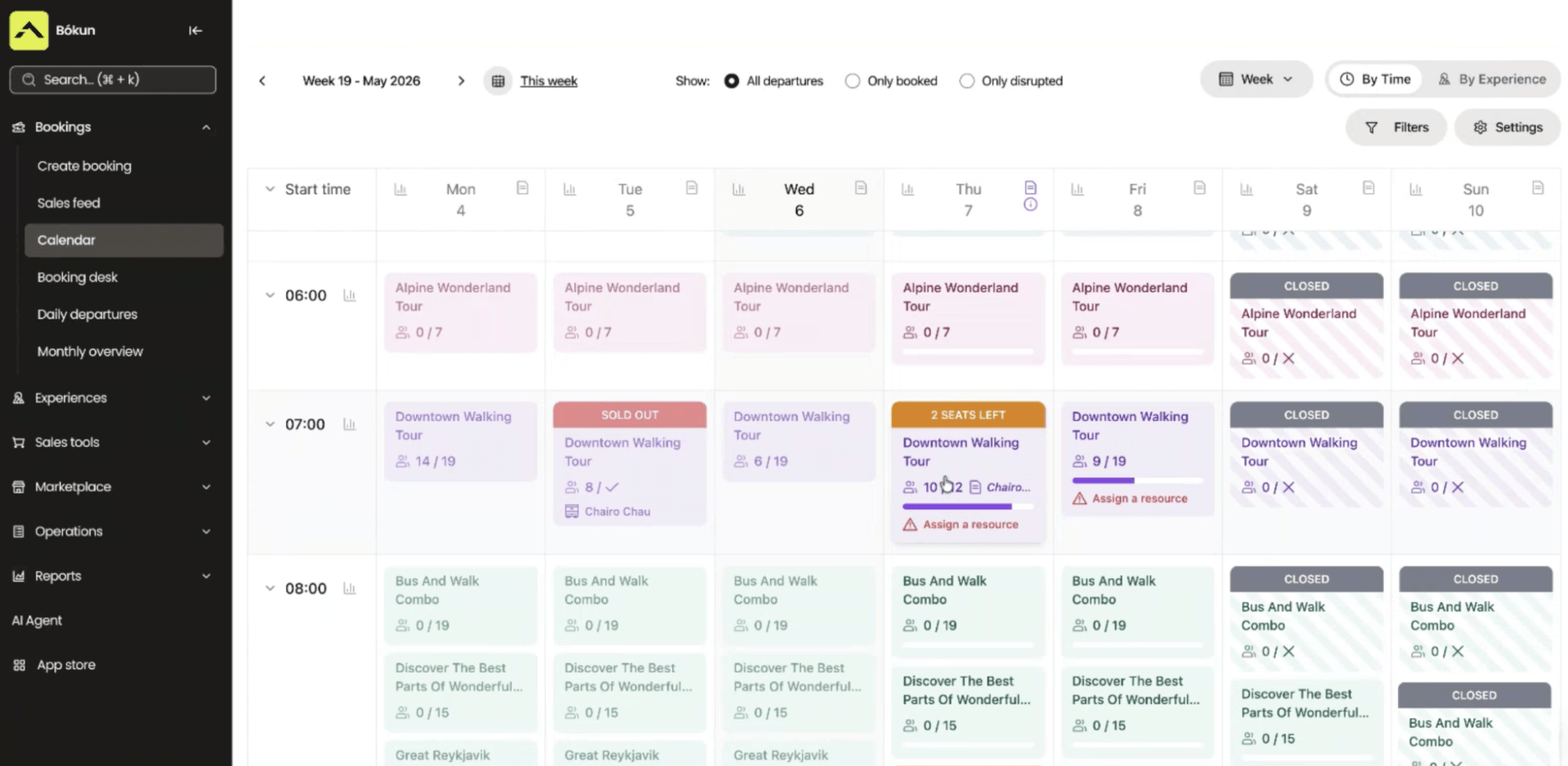
Within bookings, you can see all the details — which captain, which boat, how many anglers, and any gear they’ve booked on top. Need to swap captains or move the trip to a different boat? That’s a change you make right there, not in some separate scheduling screen.
And if bad weather rolls in and throws things off, you can flag every affected departure and fire off a single notification to everyone booked. Customers get a link where they can choose to reschedule or cancel and get a refund. That said, if there’s no realistic path to rescheduling — say the whole week’s blown out — you can make that call, send cancellation notices, and refund the entire batch in one move instead of working trip by trip.
Experiences: Product & resource management
This is where you build out listings for all your fishing charters — a sunrise half-day, an offshore full-day, a night trip for anglers chasing something different after dark. Each one carries its own duration, capacity, resources, and rate, so a four-hour trip and an eight-hour trip aren’t forced into the same booking template.
There are a few ways to build here: import products from your website, pull products over from Viator, or design listings from scratch with our product builder (it guides you through each step, so it’s super easy).
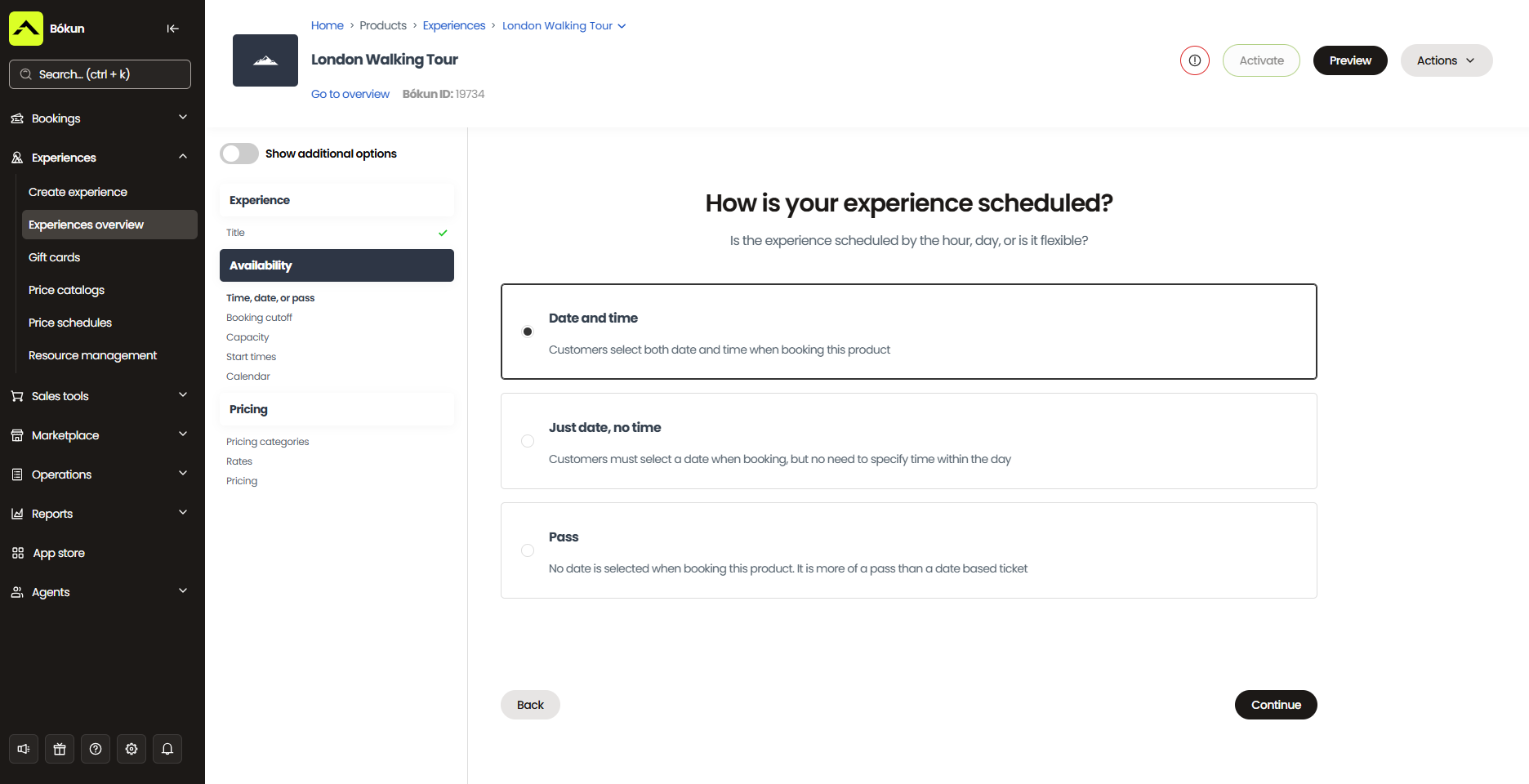
Then, for each listing, you’ll:
- Include basic details. Give it a name, add a description and itinerary, and list out what’s provided, what to bring, and anything to prepare for the trip. Most importantly, you want to attach photos from past trips — your boats, the fish anglers have reeled in, and the water you fish — because that “sneak peek” is what really sells your charters and gets folks off the fence and onto the boat.
- Set your availability. Specify the days and times departures run, the minimum and maximum group sizes, and blackout dates for maintenance days or stretches of the season when you’re closed due to weather.
- Add pricing. Set per-person rates, a flat rate for private charters, bulk discounts for groups, and add-ons like gear rental, extra bait, or fish cleaning. You also choose how people pay: a deposit, full payment upfront, or pay-at-arrival. Most charter operators require a deposit or full payment upfront, since that covers any losses if someone no-shows.
- Link the required resources. You’ll add all your inventory — your full fleet, captains, and gear — to the system, then choose which combination each trip actually needs.
Resource management is what ties a listing to what you actually have to run it. Each trip gets a specific boat, captain, and gear set assigned to it. So the moment someone books your 6 am half-day, the exact boat and captain you link are locked to it.
Try to double-book that boat for another trip at the same time, or send out more rods than you’ve got racked, and the system catches it before it turns into a problem at the dock.
The whole thing supports as many boats and trip types as you’re running, all from one system.
CRM with automated communications
Bókun also includes an in-built CRM that captures customer data as soon as someone begins the booking process. It saves their contact details and anything shared in booking forms — name, email, phone number, fishing experience — along with their full booking history, all in one neat contact book. You can also add other details here yourself, so you’ve always got full context on a customer.
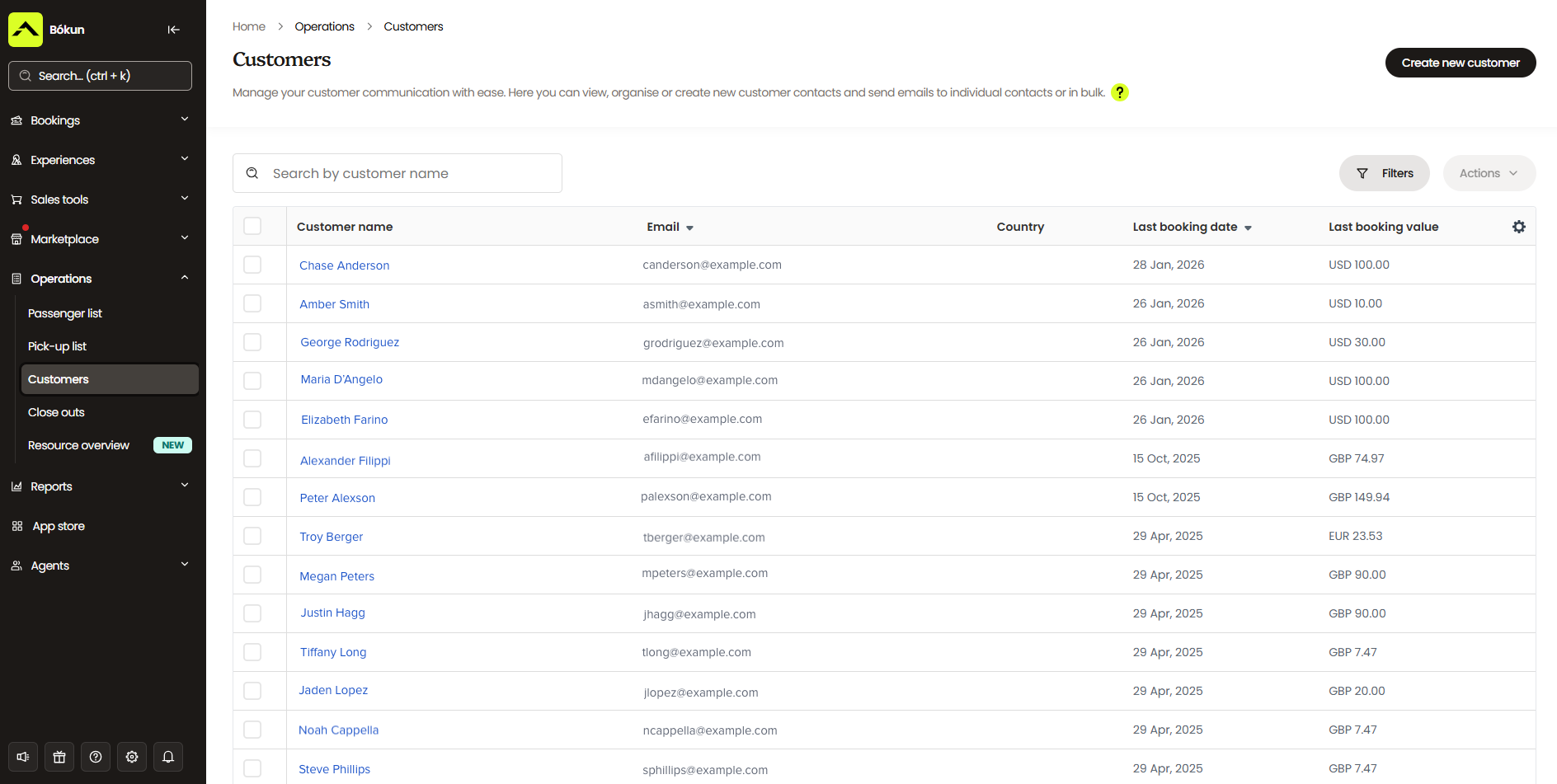
This has three key benefits:
- One, it helps you learn more about your customer base — which audiences you’re winning — so you can put that to use in retargeting.
- Two, it lets you manage customer communications in the same system you manage experiences. Everything’s saved right in Bókun for reference — if a customer emails in with a question, that thread gets saved too so that you can add those details to their contact or booking.
- Three, it saves you from having to purchase and juggle a separate CRM system.
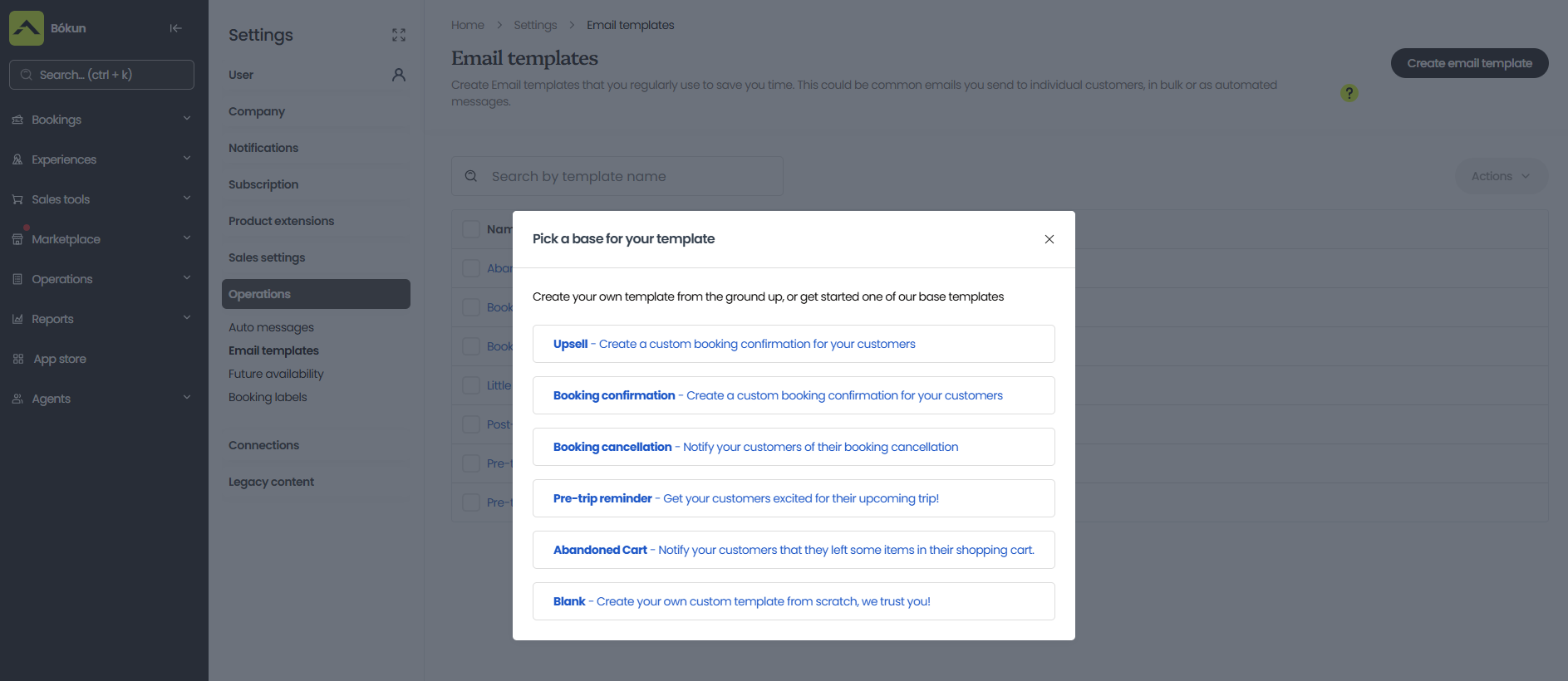
We pair our CRM with automated communications to manage routine touchpoints and power your email marketing campaigns.
When a new booking rolls in, the system automatically sends:
- Confirmations with mobile tickets attached. Convenient for your captains and customers. Anglers can save tickets to their phones instead of printing out paperwork, and your captains can scan folks in at the dock instead of checking names off a list.
- Reminders before the trip. A week before, a day before, or both. You can set this schedule to keep trips top of mind and prevent no-shows.
- Follow-ups after the trip wraps. Great for review requests or a returning-customer promotion.
You can also schedule any type of marketing email through our system. We provide templates for abandoned cart nudges, upsells, and discount codes, but you can build your own too — newsletters, announcements about new trips or boats, seasonal emails timed to when certain fish start running, or “look what our anglers caught” type emails that give past customers a reason to book again.
Self-service portals for customers
Bókun also provides self-service portals that let customers manage their bookings without picking up the phone or emailing your team for help. They can view, reschedule, or cancel reservations, and even purchase add-ons right through the portal. (This is also the portal customers land in when you flag a trip for rescheduling due to weather.)
This cuts down on admin work for your team and allows anglers to make sure they’re set with what they need for the trip. Any changes to bookings automatically reflect in your calendar so you’re always in the loop.
Check-in tools
Bókun’s mobile apps handle check-in wherever your team actually is — the dock, the marina office, a bait shop if that’s where anglers stop first. Any (assigned) captain or crew member logged into the app can pull up the day’s manifest, scan a guest’s mobile ticket, and see who’s checked in and who hasn’t, all in real time.
And since the apps work offline too, a spotty signal at the dock doesn’t slow anything down — everything syncs the moment you’re back in range.
That means your crew always knows exactly who’s checked in, who hasn’t, and can get the boat moving right on schedule.
Reporting dashboards
Bókun’s reporting dashboards offer breakdowns of your bookings and revenue by product, sales channel, and time period, so you can see which trips are booked most often, which add-ons are most popular, which sales channels bring you the most business, and which seasons are your busiest.
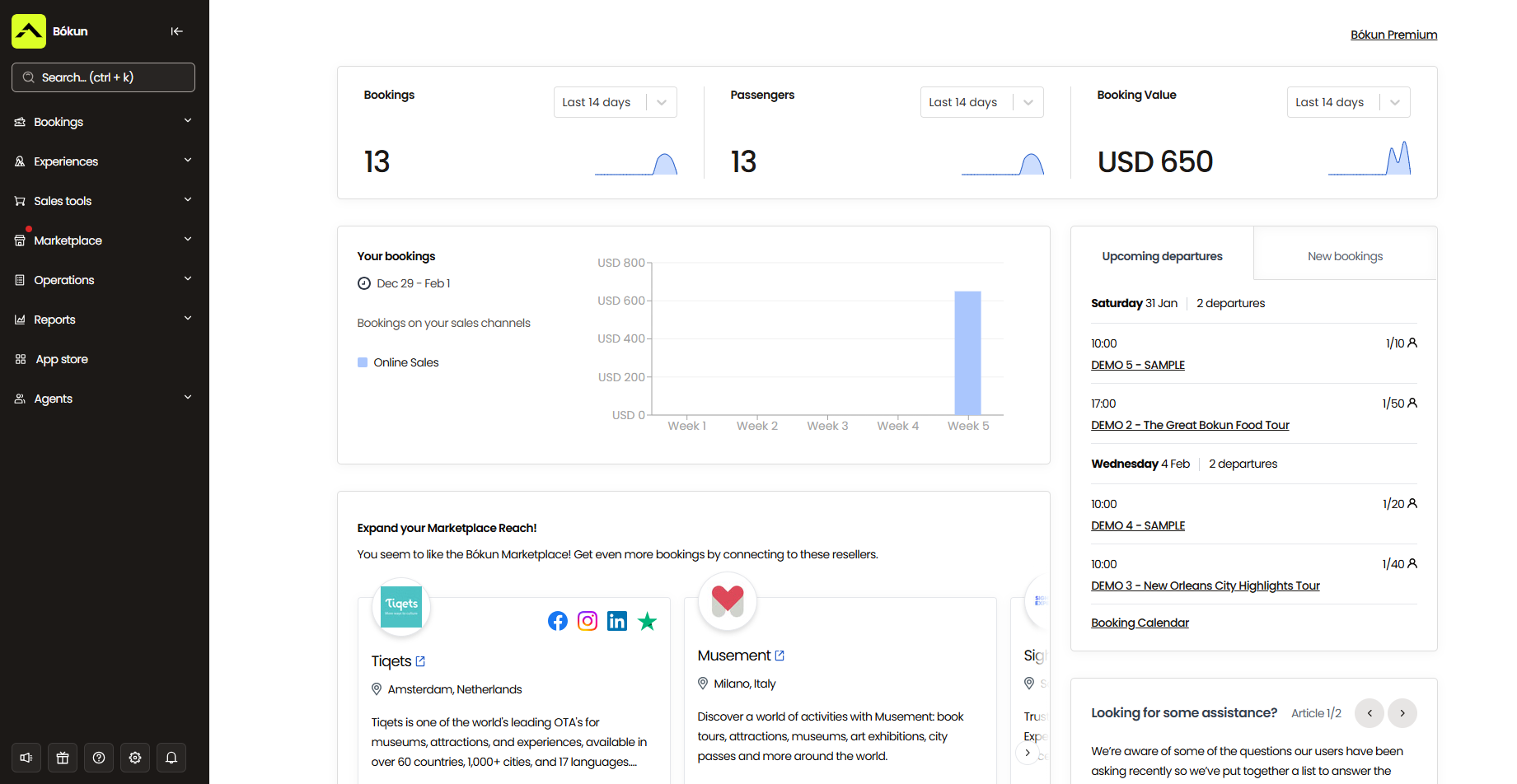
Then you can use these insights to improve your experiences and offerings, double down on the sales channels that work best for you, prepare for busy seasons, and ramp up marketing efforts during slower periods. For example:
- If your night trips barely book but half-day inshore runs sell out every time, add more half-day departures and scale back on night trips.
- If most of your bookings come through Viator and a smaller channel isn’t pulling its weight, put more attention and availability into the one that’s actually working.
- Staff up, stock extra tackle and gear, and add more boats to the schedule ahead of the months your data shows fill up fastest.
- If you can see a slow stretch coming based on past seasons, run an early-booking deal for that window or highlight what that period has going for it — less competition on the water, milder weather, or a species that’s still biting even if it’s not your headline season. And if it’s a stretch where you just can’t run trips at all, use that downtime to start marketing and pre-booking your next big season instead of waiting until the season is already underway.
App Store
Beyond the core toolkit, our App Store lets you add on whatever your operation actually needs. And you can add or remove modules at any time.
Digital waivers are what most charter operators reach for first: send them out with the booking confirmation, get them signed before anyone sets foot on the boat, and have that signed waiver attached directly to the booking so your captain can confirm everyone’s covered right from the manifest — no separate stack of paper to track down at the dock.
Beyond waivers, other add-ons that charter operators tend to pick up include tip management for your crew, SMS messaging for last-minute departure changes, and more advanced reporting if the standard dashboards don’t go deep enough for how you run things.
Bókun’s tools to sell fishing charter experiences online & increase bookings
Enable direct website bookings
Bókun gives you all the tools to make your website bookable. Anglers can check availability, reserve a trip, and check out all in one go. This is not only convenient for your customers — they can book with you 24/7, whenever it actually suits them, without waiting for you to pick up the phone — it also means you’re never missing a booking because you’re out on the water or closed for the night.
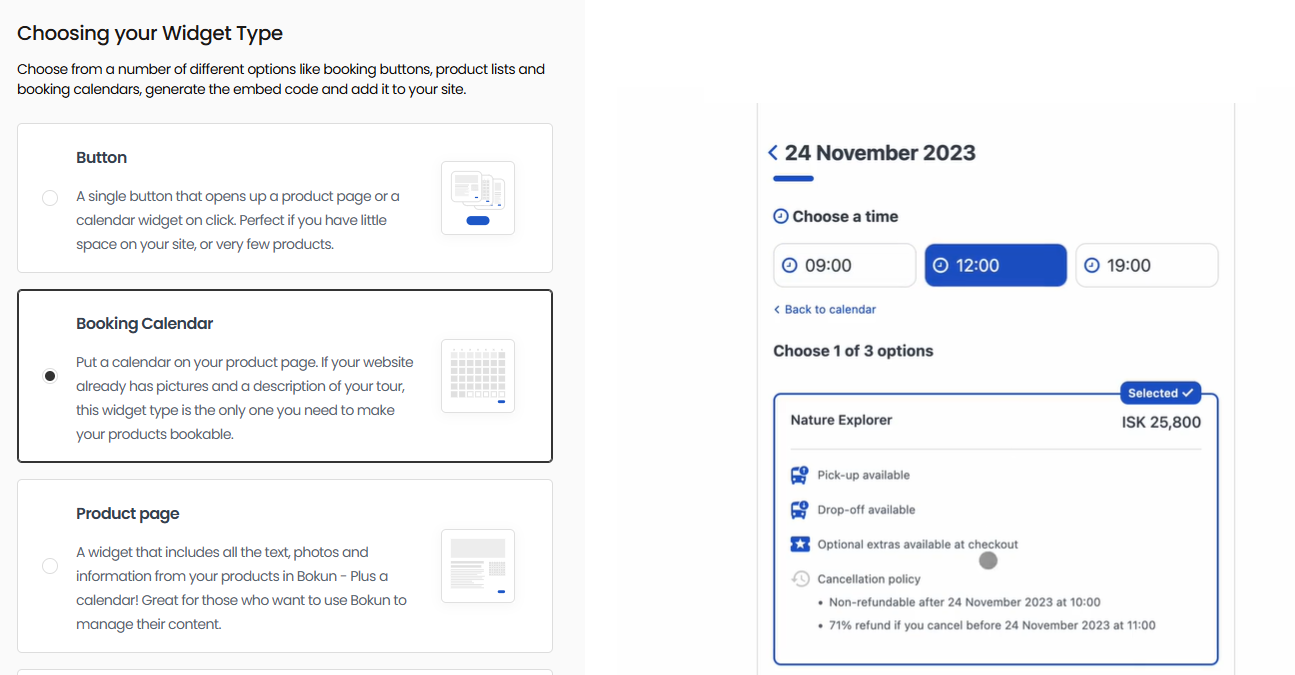
If you already have a site, you can add our booking engine widgets across pages. We provide a variety of styles here — “Book Now” buttons, calendar views, product listings, and product overviews — so you can drop them in wherever makes sense on your existing pages and give customers different entry points to start the booking process.
Read more: How to add a booking system to your website
Our widgets are compatible with nearly all website builders — WordPress, Squarespace, Wix, Weebly, Joomla, and more.
If you don’t have a site yet, our one-click website builder lets you build a professional site fast, no technical know-how required.
Pick a template from our gallery, then make it yours — drop in photos and videos, your logo and brand colours, your own copy about trips. If you want to go further, we also offer SEO tools to build out blog content, translate your site for international anglers, connect Google Analytics, and customise your navigation and buttons. Every site comes optimised for desktop and mobile, with booking widgets already installed, though you’re free to add more or swap them out.
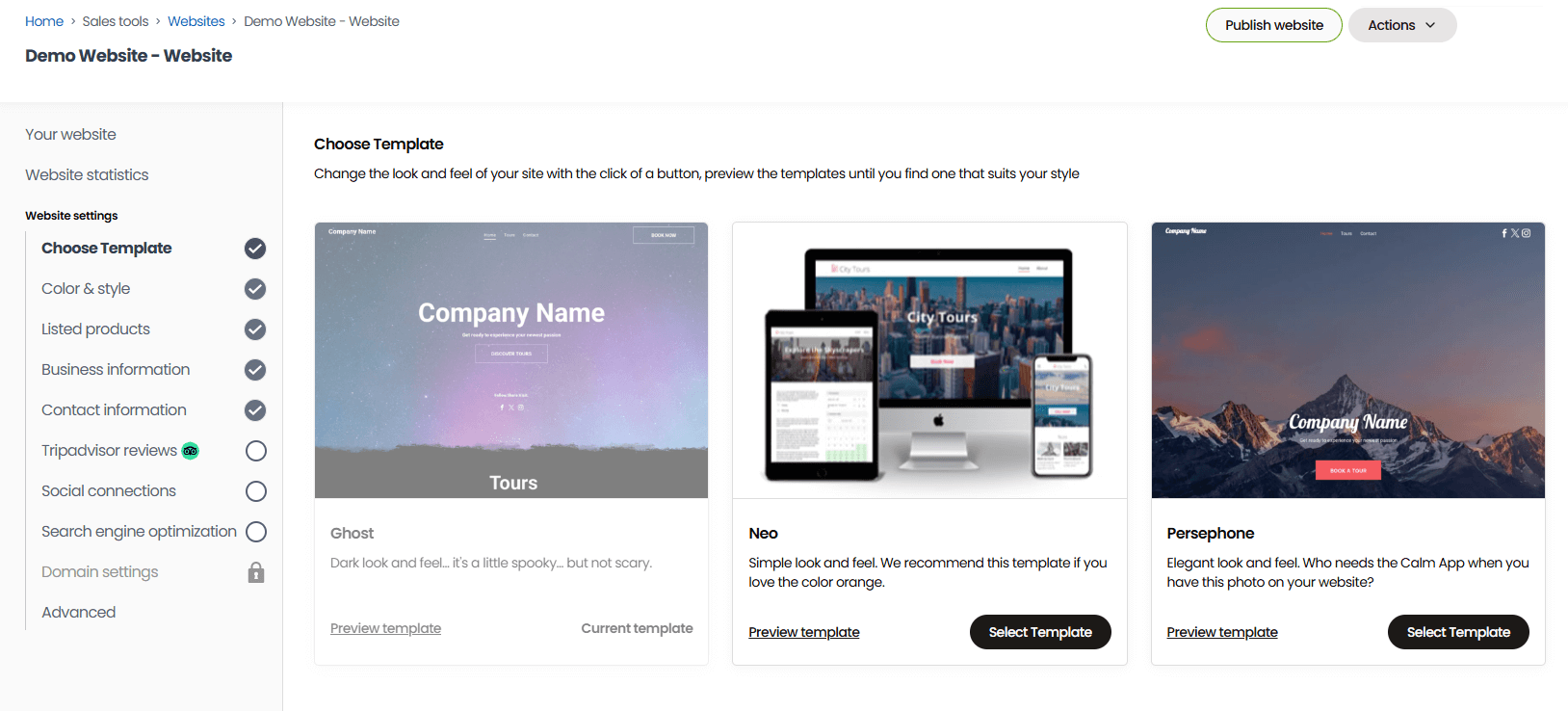
Once you’re happy with your site, you’ll give us your preferred site name, and we’ll handle securing the domain for you — at no extra cost to you.
We also integrate with dozens of online payment processing tools — Stripe, PayPal, Apple Pay, Google Pay, Venmo, Klarna, Rapyd, Worldpay, Braintree, and more — so customers can check out with whatever payment method they prefer (instead of hitting a wall at checkout because you only accept one type of card).
Learn more about ramping up website bookings in our guides below:
- 8 ways to increase direct bookings
- How REDRIB Experiences grew from a startup to a 5-star company with 89% direct online bookings
- How Urban Saunters switched booking platforms overnight and tripled direct bookings in 6 months
- How one diving operator saw a 40% surge in bookings with Bókun
- How Sailing Windermere achieved business growth by accepting online bookings 24/7
Connections with OTAs & online marketplaces
Bókun has the widest variety of OTA and online marketplace connections, and we’re the #1 restech partner across most major platforms.
At the time of writing, we integrate with 70+ sites — Viator, GetYourGuide, Google Things to Do, Airbnb Experiences, Expedia, TourRadar, Headout, Klook, Musement, Civitatis, and more. And we connect with more niche sites too, so you can find sites specific to fishing charters or your area and sell there as well.
We also hold premium partnerships with Viator, GetYourGuide, and Google Things to Do.
- Our Viator Preferred Partnership lets us offer 0% Bókun fees on any bookings that come through Viator, plus free annual subscription checks (12, 24, or 48, depending on your package).
- Our GetYourGuide Premium Connectivity Partnership lets you get your charters visible here and guarantees best-in-class API performance, so bookings sync fast and reliably between the two systems.
- Our Google Things to do partnership lets you skip the standard (lengthy) application process and get your charters listed directly on Google’s search engine and apps.
Most of the platforms on this list have no OTA connections at all — so if you’re trying to reach anglers who start their search on a marketplace instead of your own site, this is where Bókun pulls ahead.
We also wrote the guides below to help you learn more about selling your charters online and how to set yourself up for success:
- The tour operator’s guide to OTA bookings
- How to add your business to Tripadvisor
- How to sell tours on Viator
- How to become a GetYourGuide supplier
- How to become a Civitatis supplier
- How to host experiences on Airbnb
- How to become a TourRadar supplier
- How to sell tours on Expedia
- How to become a Musement supplier
- How to become a Klook supplier
Bókun Marketplace
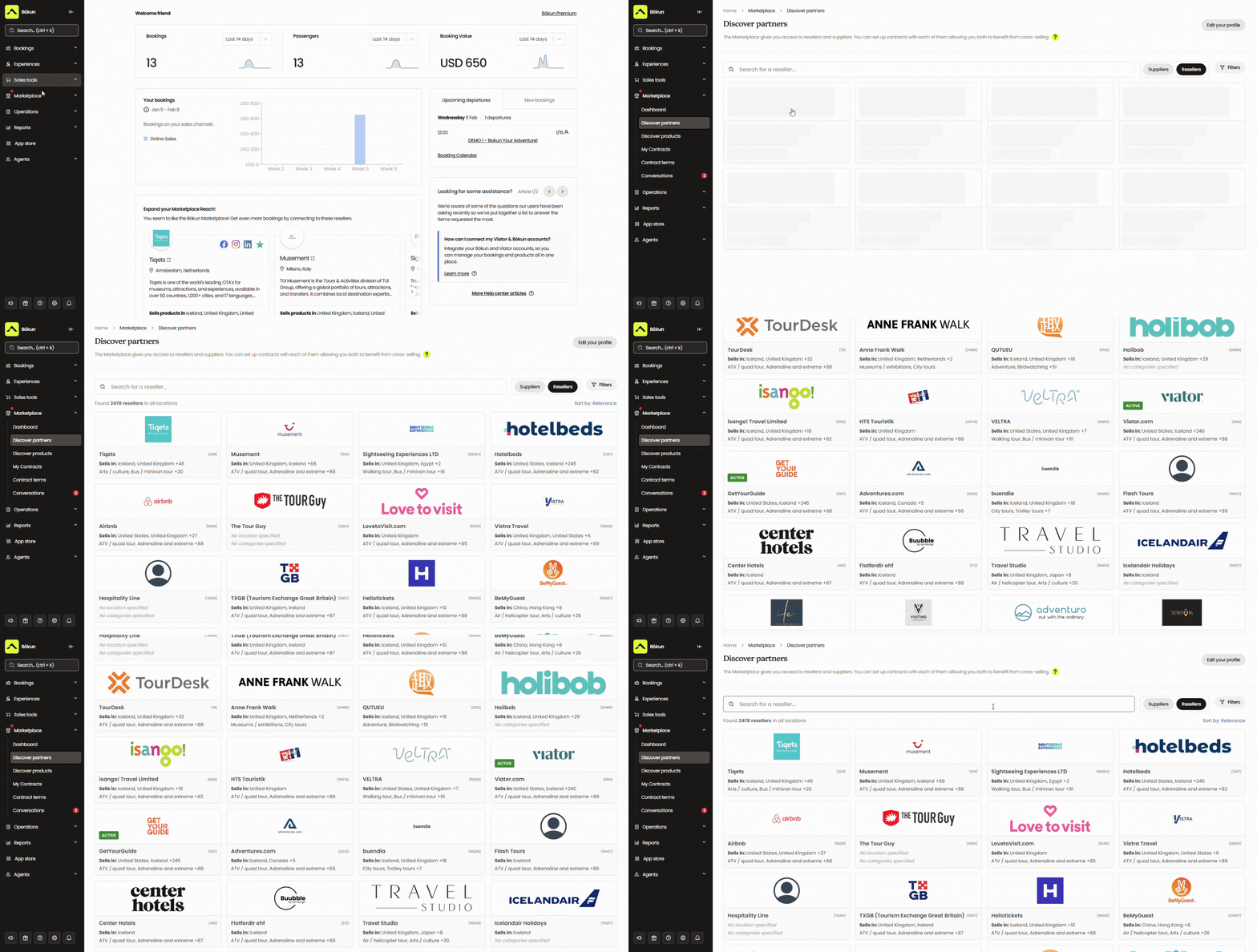
Our platform also has one of the largest in-built partner networks — the Bókun Marketplace — with thousands of travel industry businesses: other tour guides and activity providers, attractions, travel agents, DMCs, rental businesses, accommodation providers like hotels and resorts, transportation services, and more.
There are a few ways to use this network:
- Work with resellers, who promote and sell your charters to their own audience — a hotel concierge desk recommending your trips to guests, for instance, earning you bookings you’d never see on your own.
- Resell others’ services or experiences to earn a commission if you want to add revenue streams outside of running trips yourself.
- Create packages with partners — bundle your half-day charter with a stay at a local waterfront hotel, or pair it with a nearby brewery tour for a full day out on the water and off it.
There’s no cap on how many partners you can work with here — some Bókun customers manage 100+ contracts in the system.
We also give you all the tools to manage outreach, discuss partnership terms, and build out contracts — every conversation and agreement gets saved directly in Bókun for easy reference.
Bókun Referral Tracking
Beyond the Marketplace, Bókun also offers Referral Tracking, letting you build an affiliate network with any business or professional you choose. For fishing charters, that could be:
- Tackle shops and marinas
- Fishing lodges
- Tournament organisers
- Fishing influencers and content creators — YouTubers or Instagram anglers who post catch videos and gear reviews
- Admins of local fishing forums or Facebook groups
- Charter and travel bloggers who cover your region or fishing style
- Tourism boards or visitor bureaus promoting local activities
- Complementary, non-competing guides — a freshwater guide referring saltwater clients your way, or vice versa
You have complete control over this network. Add anyone you wish, set commission rates individually, and choose how each affiliate wins you bookings — with a trackable link or their own dedicated booking hub.
Our reporting dashboards let you measure bookings by source, so you can see exactly which affiliates are actually bringing in business. From there, you can open up more availability to your best-performing partners or find more affiliates who look like them.
Most Bókun users see an average 200% uptick in bookings by leveraging our combination of distribution tools. They can promote their experiences to audiences worldwide, win bookings from travellers they would’ve never reached with their website alone, stay booked out — and above all else, actually achieve real growth.
Check out some of their success stories below:
- Venice Tours achieved a 400% revenue increase through the Bókun Marketplace
- Tour Marbella pulls 54% of its bookings through Bókun Marketplace connections
- Simba Sea Trips sees consistent 20% YOY revenue growth after joining Bókun
- Mare e Vento achieved 87% Channel Manager bookings in just 3 months with Bókun
- How Undiscovered Cotswolds grows bookings across the globe
Bókun’s packages & how to get started
You can start with a 14-day free trial to see if Bókun’s the right fit — no credit card required.
After that, our START plan covers everything we’ve walked through above for $49/month with 1.5% online booking fees. We charge 0% Bókun fees on Viator bookings, and offline reservations are always free.
For operations with more advanced needs, we offer PLUS and PREMIUM enterprise plans. These come with more advanced tools, like agent portals, subvendor management, resource allocation, and Zapier. We also provide enterprise users with dedicated onboarding, priority support, and a yearly strategy call with our team.
Ready to see what Bókun can do for your charters? Cast off with a 14-day free trial.
2. Bookeo
Bookeo is a popular booking system brand that has been around since 2009. It serves a ton of industries and people like Bookeo for its straightforward toolkit, user-friendliness, and affordability. For a charter captain who just wants booking widgets, a calendar, and automated reminders at one flat rate — without paying booking fees on top — it does the job.
It also covers the no-show and rescheduling basics well enough. You can require a deposit or full payment upfront, paired with automated confirmations and reminders. And when weather forces your hand, you can cancel a trip or bulk-cancel a whole day from your calendar. Bookeo notifies everyone affected with a one-click reschedule option built into the email.
Where it comes up short for charters specifically: Bookeo wasn’t built for the behind-the-scenes logistics of fishing trips. There’s no dedicated tool for assigning a specific boat, captain, and gear set to a trip the way resource-heavy operations need — you’re managing that separately from the booking itself. And trip pricing is fairly one-size-fits-all; there isn’t a lot of flexibility for running half-day, full-day, and night trips at different rate structures.
The bigger gap is distribution. Bookeo connects to OTAs, but there’s no reseller network or partner marketplace to plug into.
On top of that, Bookeo caps products, staff logins, and bookings on every plan, so a growing multi-boat operation will hit a ceiling and have to upgrade sooner than they’d like.
Read more Bookeo reviews here.
Features
- Online booking widget (for existing sites)
- Product & availability management
- Customisable booking management calendar
- Staff management
- Channel management & connections with OTAs
- Native POS
- Integrations with online payment processors like Stripe
- Automated communications to send booking confirmations, reminders & follow-ups
- Customer portals to cancel or modify reservations
- Waitlisting tools
- Upselling tools
- Options to sell merchandise, gift cards & vouchers
- Reporting dashboard
Pricing
Bookeo offers three packages — the small business plan is inexpensive, but the other packages get pricier for larger teams, and Bookeo caps products, logins, and bookings across all plans.
- The Standard plan ($39.95/month) supports 20 products, 20 staff logins, and 1,000 bookings per month.
- The Large plan ($79.95/month) supports 40 products, 40 staff logins, and 2,000 bookings per month.
- The X-large plan ($119.95/month) supports 60 products, 60 staff logins, and 3,000 bookings per month.
Read more: Best Bookeo alternatives for activity & experience providers
3. Checkfront
Checkfront is a top-rated system with a strong toolkit for fishing charters. The system lets you:
- Allocate boats, captains, and gear to specific trips, and stop double bookings before they happen.
- Build in seasonal rules and blackout dates so weather variability doesn’t require constant manual upkeep.
- Offer hourly, daily, or multi-day experiences, so half-day, full-day, and overnight charters can each carry their own duration, capacity, and rate.
Digital waivers are a strength, too — you can build separate templates for different trip types (private charters vs. shared trips vs. speciality runs) and collect them automatically at checkout alongside a deposit, which gives you some protection against a last-minute no-show before it happens.
However, rescheduling takes more legwork here than it should: shifting a booking means moving it to a “postponed” status to free up the inventory, then manually rebooking it to new dates yourself once the customer’s ready. There’s no one-click way to cancel a whole day and notify everyone affected at once.
Another catch with Checkfront is cost. It merged with Rezdy at the end of 2023 and now charges $99/month plus 3% on top of every online booking — no small fee for a business running high-ticket trips.
Read more Checkfront reviews here.
Features
- Website builder
- Online booking engine widgets
- Centralised booking calendar
- Availability management
- Channel management & OTA connections
- Partner network
- Product management
- Resource management
- Upselling tools, including options to sell add-ons & bundle products
- Custom form builders and waivers to send to customers before their tours
- Mobile tickets & ticket scanning
- Marketing tools, including customer booking map, customer outreach & ROI tracking
- Integrations with a variety of online payment processors (Stripe, PayPal, Apple Pay, Google Pay)
- POS integrations & invoicing tools
- 50+ integrations & Checkfront API to create custom integrations
- Reporting
Pricing
Checkfront charges a $99/month subscription fee and 3% booking fees. You can either cover the booking fees or pass them along to customers.
Read more: Best Checkfront alternatives
4. TripWorks
TripWorks is another top-rated system — a 4.9-star rating on Capterra — that earns strong marks for its ease of use and robust toolkit. And rescheduling, in particular, gets called out by reviewers consistently. One weather-dependent tour operator said switching to TripWorks saved them two to three hours a day previously lost to manual rescheduling. For a charter business that gets pushed around by wind and swell more than most, that’s a big win.
It also handles resource assignment for guides, boats, and equipment, and dynamic pricing lets different trip types charge different rates with minimal manual upkeep. It also has strong distribution tools to promote your fishing charters across 50+ OTAs including Viator, GetYourGuide, and Expedia — a wide net for filling seats beyond your own site.
The tradeoff is cost and stability. TripWorks charges a 6% booking fee plus a 2.9% + 30¢ transaction fee — among the steepest combinations on this list, working out to roughly 9% per booking, nearly triple what Checkfront charges above. On a $600 charter, that’s over $50 gone before you’ve covered fuel or bait. And several longtime users have raised concerns that, as of late, TripWorks has leaned more heavily toward adding new features than keeping the existing system stable.
Read more TripWorks reviews here.
Features
- Online booking widget (that connects to existing sites)
- Reservation management
- Product management
- Availability management
- Connections with OTAs & channel management
- Reseller marketplace
- Options to sell gift cards & vouchers
- Dynamic pricing
- Digital waiver solution
- Native POS
- Integrations with Apple Pay & Google Pay
- Marketing tools to build PPC campaigns & improve your reach on social media
- Integrations with marketing & business applications
- Reporting
Pricing
TripWorks charges 6% online booking fees and a 2.9% + 30¢ transaction fee per booking.
Read more: Best TripWorks alternatives
5. FareHarbor
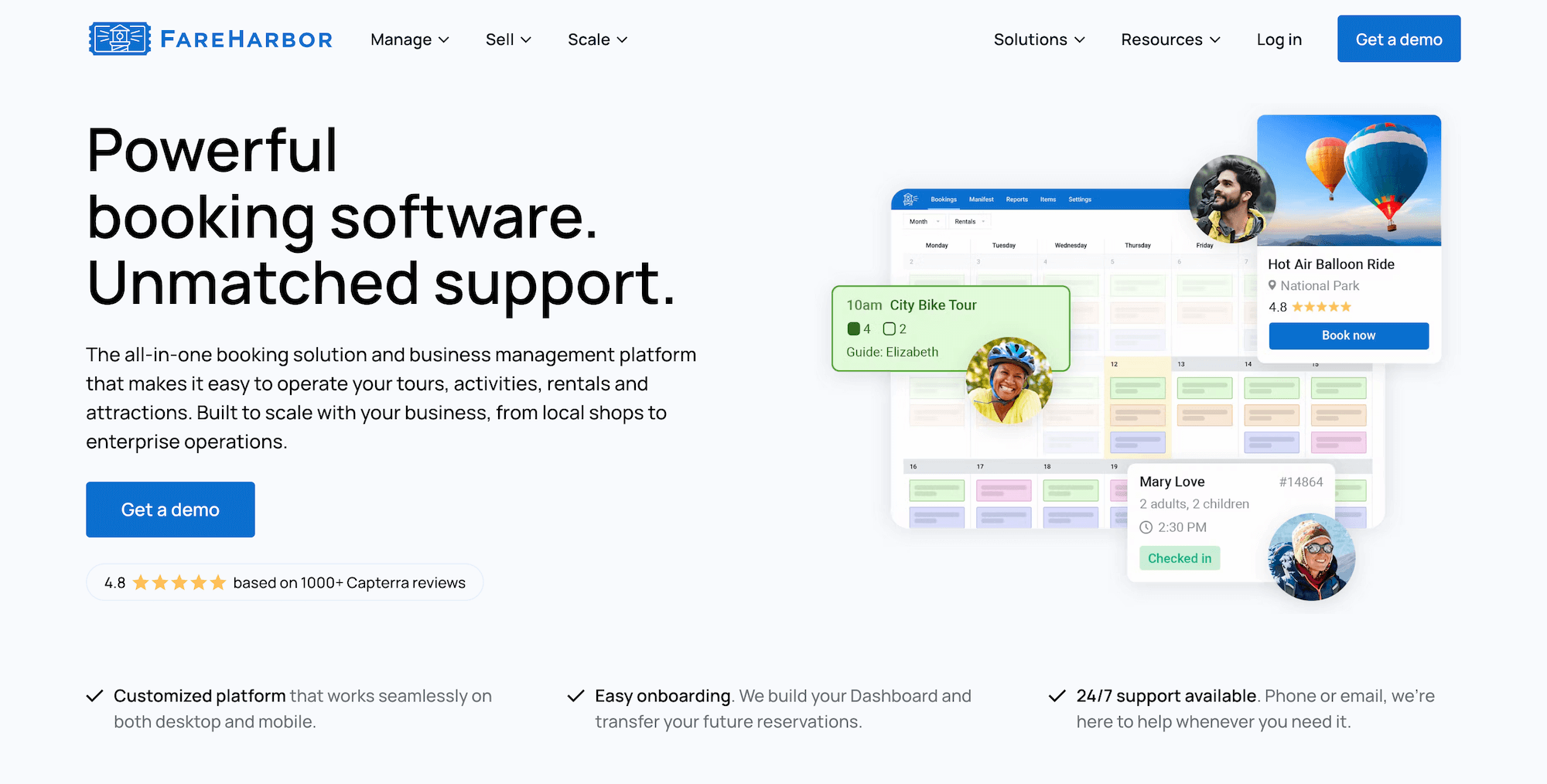
FareHarbor is one of the more established names in this space, and its reputation with fishing charter operators specifically is well earned.
Reviewers running charter businesses consistently point to it keeping their bookings organised through high-volume seasons, and its automated confirmations and reminders get named directly for cutting down no-shows. When weather forces a schedule change, its Availability Updater lets you adjust start times or capacity across multiple trips in a few clicks, and canned cancellation messages go out to everyone affected at once — with online rebooking so customers can pick a new date themselves.
Its inventory tools let you set trip capacities, track equipment and staff availability, and build separate tickets and pricing options for each trip type, so half-day, full-day, and night charters have their own pricing.
The distribution network is the other big draw: FareHarbor is owned by Booking.com and has a ton of OTA connections and an in-built reseller marketplace, so charter operators have plenty of opportunities to earn bookings from new audiences.
But that reach comes at a price. FareHarbor is another expensive option with high fees. Booking fees run as high as 6% and 8%, and on top of that, they charge 20% to 25% commission on any bookings from their reseller network. FareHarbor also charges separately for its website-building and SEO services if you want those add-ons.
Several operators also describe processes that should be quick — adjusting a manifest, editing an item — taking far longer than expected, with a few citing sync issues between the mobile app and the server during busy periods.
Read more FareHarbor reviews here.
Features
- Website-building services (and online booking widgets for existing sites)
- Centralised booking calendar to manage online & offline bookings
- Channel management
- Distribution network — including connections with OTAs and partners
- Inventory management — to create product listings, track equipment and staff availability, set tour capacities, and create tickets and pricing options
- Staff management, to manage staff schedules and assign guides to tours
- Native POS
- Integrations with online payment providers
- Customer portals to cancel or modify reservations
- Flexible check-in features & online waiver solutions
- Options to sell memberships
- Reporting dashboard
- Mobile apps
Pricing
FareHarbor charges booking fees of up to 6% and 8%. They also charge:
- $5k per year (or $499/month) for their website-building service
- $2.2k or $5k per year (depending on your package) for SEO services
- 20% to 25% commission from every booking you earn through the reseller network
Read more:
6. Peek Pro
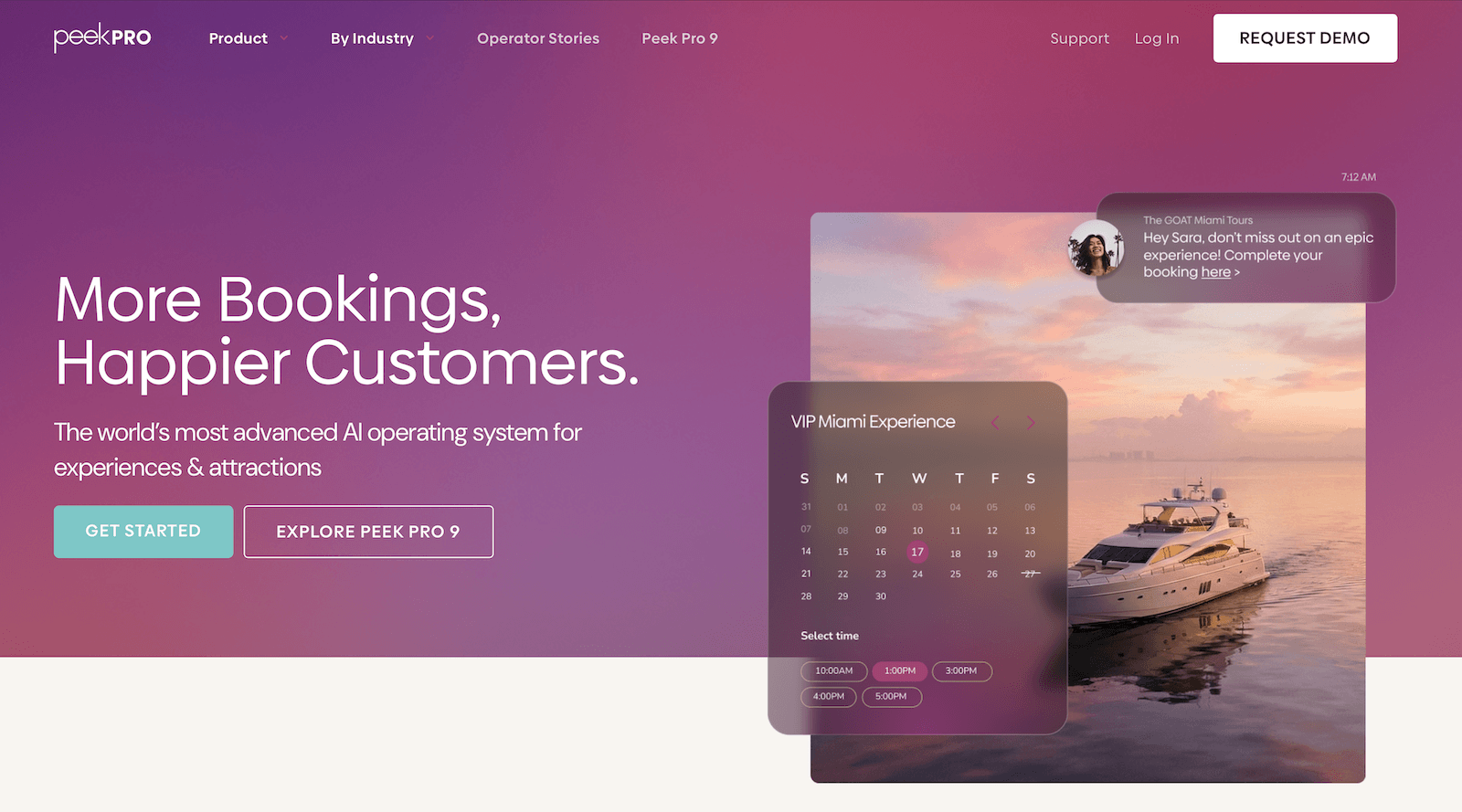
Peek Pro is an AI-powered booking platform built for the tours and experiences industry, and it’s another highly rated one — with a 4.7-star rating. The platform has continued to build out its feature set, most recently with its Peek Pro 9 update, which added 40+ new features. Here’s what works well for fishing charters specifically:
- Resource management is strong. You can bulk tag and assign inventory, equipment, and staff across activities, with real-time availability so a boat or piece of gear can’t get overbooked.
- Dynamic pricing means a half-day, full-day, and night trip can each carry a different rate, one that adjusts automatically based on demand, weather, and other factors — rather than sitting on one fixed structure.
- Automated reminders and a self-service customer portal handle the no-show basics — guests can reschedule their own booking without a call. Worth noting, though, rescheduling here is customer-initiated, not something you push out to an entire day’s bookings at once the way some platforms let you.
The headline feature is Peek.com — Peek’s own consumer-facing marketplace, with 300k+ listed experiences and billions in bookings processed. If you have little to no marketing budget, getting listed there can put your trips in front of people already searching. The only downside here, though, is that guests who find and book you through Peek.com are booking through Peek, not you — so that customer relationship, and the email address that comes with it, belongs to Peek going forward, not your business.
But the consistent complaint about Peek is its high prices. Peek doesn’t publish rates online (anymore), but they’ve historically charged booking fees up to 6% and 8%. And as we’ve said above, those high fees can hit fishing charters especially hard. The other downside is customer support — reviewers note long response times and unhelpful chatbot escalations, with a few operators describing it as the main reason they left.
Read more Peek Pro reviews here.
Features
- Online booking engine
- Customisable booking calendar
- Channel management & OTA connections
- Reseller network
- Resource management
- Availability management
- Marketing tools to recapture lost sales, including abandoned booking follow-ups & waitlists
- Add-ons, bundles, memberships, gift cards, vouchers, and promo codes
- Dynamic pricing with AI-driven demand-based adjustments
- Peek Copilot — AI tool for marketing, content creation & workflow automation
- Peek Capital — business financing through Peek’s VC network
- Automated customer notifications
- Digital waivers & fast check-in features
- Native POS & flexible online payment options
- Integrations & API
- Mobile apps
- Reporting
Pricing
Peek Pro no longer displays pricing online. They’ve historically charged booking fees as high as 6% and 8%. You’ll have to schedule a demo with the Peek team to learn more.
Read more: Best Peek Pro alternatives comparison guide
7. CaptainBook
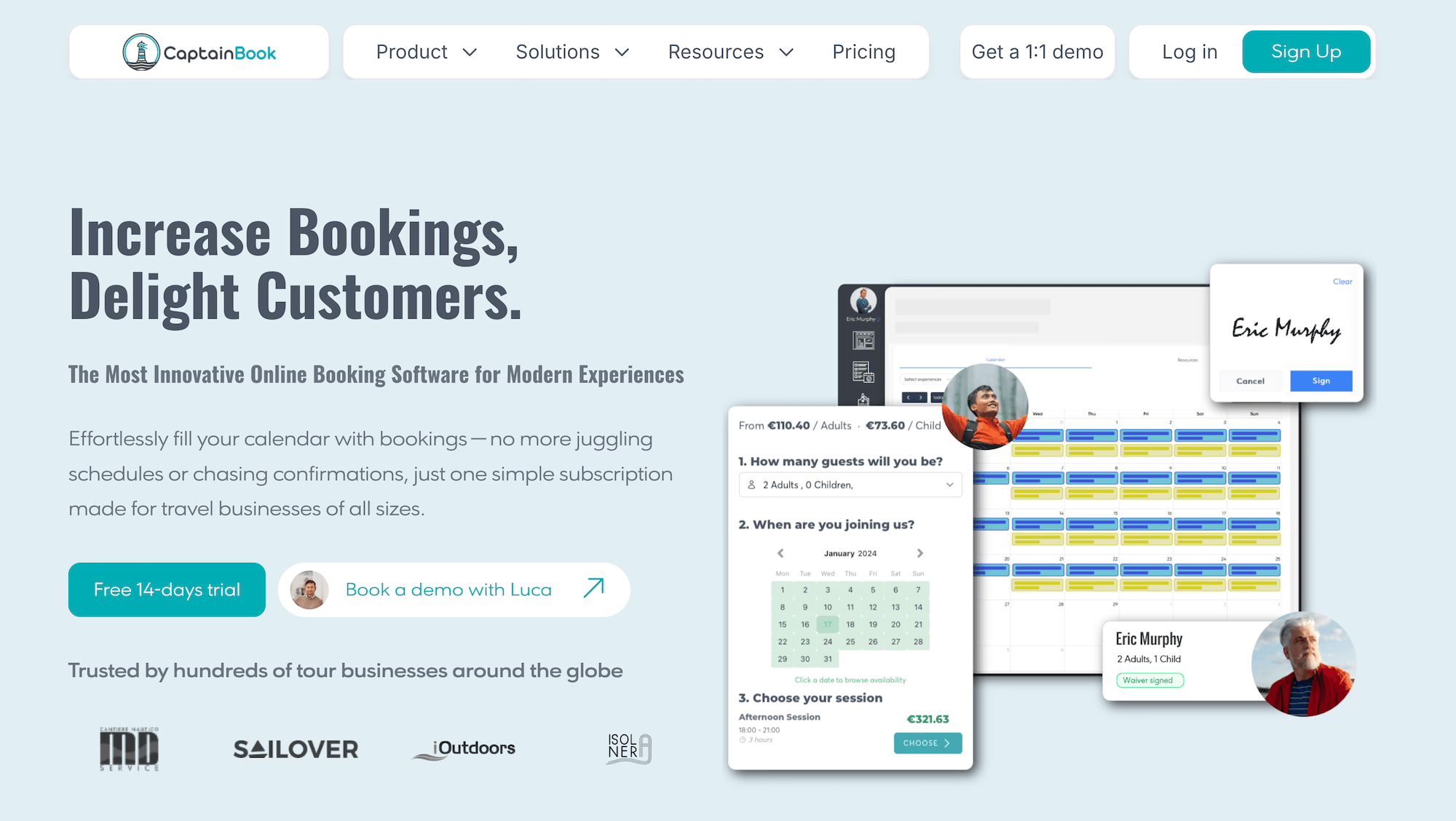
CaptainBook is one of the few platforms on this list built for maritime operators from day one — as the name suggests — and it shows in the details that matter for fishing charters:
- Captain assignment syncs two ways with Google Calendar, so a guide’s real-world availability never falls out of step with what’s bookable online.
- Capacity management works at the seat and station level rather than treating a boat like a generic time slot.
- Deposits collected through Stripe lock in a reservation before the trip, reducing no-shows without anyone handling cash at the dock.
- When weather forces a cancellation, flagging a departure triggers automated rebooking emails to every guest, pushes the cancellation to connected OTAs at the same time, and processes refunds for anyone who doesn’t rebook — all in one action.
- Pricing is simple too — flat subscription tiers with 0% fees on direct bookings, which suits charter operators running higher-ticket trips where a percentage-based fee would add up fast.
Where it’s thinner:
- The entry-level Starter plan doesn’t include partner or affiliate tools, SMS messaging, or digital waivers, so a solo operator who wants them has to jump straight to a pricier tier.
- Trip-type flexibility (half-day vs. full-day vs. night rates) isn’t a headline feature the way it is elsewhere, either.
- CaptainBook’s operator community and integration marketplace are both smaller than the bigger names here — fine if you don’t need dozens of third-party connections, less so if you do.
Read more CaptainBook reviews here.
Features
- Online booking widgets
- Captain assignment with Google Calendar two-way sync
- Station-level & seat-level capacity management
- Channel manager & OTA connections (Viator, GetYourGuide)
- Local marketplace for hotel & reseller partnerships
- Customer relationship management (CRM)
- Staff management
- Automated email & SMS communications
- Digital waivers
- Discount codes & gift certificates
- Automated review collection
- Google Analytics 4, Google Tag Manager & Google Ads integrations
- Point of sale
- Online payments
- Website builder
- Mobile app
- Reporting
Pricing
CaptainBook offers three plans:
- The Starter plan ($54/month with 3.5% OTA booking fees) offers access to basic features andsupports 3 users, 10 products, and 1 resource. This plan does not include partner or affiliate support, SMS messaging, or digital waivers.
- The Extended plan ($219/month with 3% OTA booking fees) supports 10 users, 50 products, 5 resources, 20 partners and affiliates, 100 SMS messages, and 2 digital waivers.
- The Ultra plan ($382/month with 2.5% OTA booking fees) supports unlimited users, 100 products, 20 resources, unlimited partners and affiliates, 500 SMS messages, and 10 digital waivers.
You pay $19.99/month for every Viator or GetYourGuide product in your catalogue (across all plans), but CaptainBook doesn’t charge booking fees on reservations from these sites. They also don’t charge booking fees on website or offline reservations.
8. The FlyBook
The FlyBook has been in this space since 2006, and it’s built for operators running more than just trips — think a charter business that also rents gear, offers waterfront lodging, or sells merchandise. Its rental management module lets you share equipment inventory across both standalone rentals and guided trips from a single dashboard, and its unified cart lets a guest book a fishing trip, a cabin, and gear in a single transaction.
It also offers Kiosk mode that lets guests sign waivers and finalise bookings dockside, useful if you’re taking walk-ups alongside online reservations. And its built-in Rain Checks feature handles the weather-related stuff directly, giving guests a way to rebook a washed-out trip instead of just eating the loss.
Distribution runs through direct OTA connections (Viator, GetYourGuide, Airbnb) plus broader reach through a Rezdy-powered connection. One catch worth knowing: bookings made through an OTA don’t receive FlyBook’s own confirmation, reminder, or follow-up emails — that communication stays on the OTA’s side, so your no-show tooling only fully applies to direct bookings.
However, for a straightforward charter operation without a bunch of extra layers, The FlyBook can be more platform than you need. It doesn’t offer much in the way of trip-type-specific pricing structures, and pricing sits at the higher end — 4% on online bookings or 2% across all transactions, depending on the plan, with full details requiring a demo.
And a few longtime users have also flagged that swapping guides between trips isn’t always as flexible as it should be, which matters if your team reshuffles often around weather.
Read more Flybook reviews here.
Features
- Online booking widget
- Customisable booking calendar with real-time availability.
- Reservation management tools, with features to connect with OTAs, partner with travel agents, and support group sales.
- Rental management, with tools to list rental equipment and sell reservations online.
- Staff and resource management
- Marketing tools to automate customer communications, sell gift cards and vouchers, and offer promo codes and bundle deals.
- Smartwaivers
- Kiosk mode, where customers can book reservations and sign waivers on the fly.
- Payment management tools
- Rain checks
- Land use reporting tools
- Integrations
- Reporting & back-office tools
- Mobile apps
Pricing
The Flybook offers custom quotes based on your business size and requirements. You must schedule a demo to learn more.
9. Vally
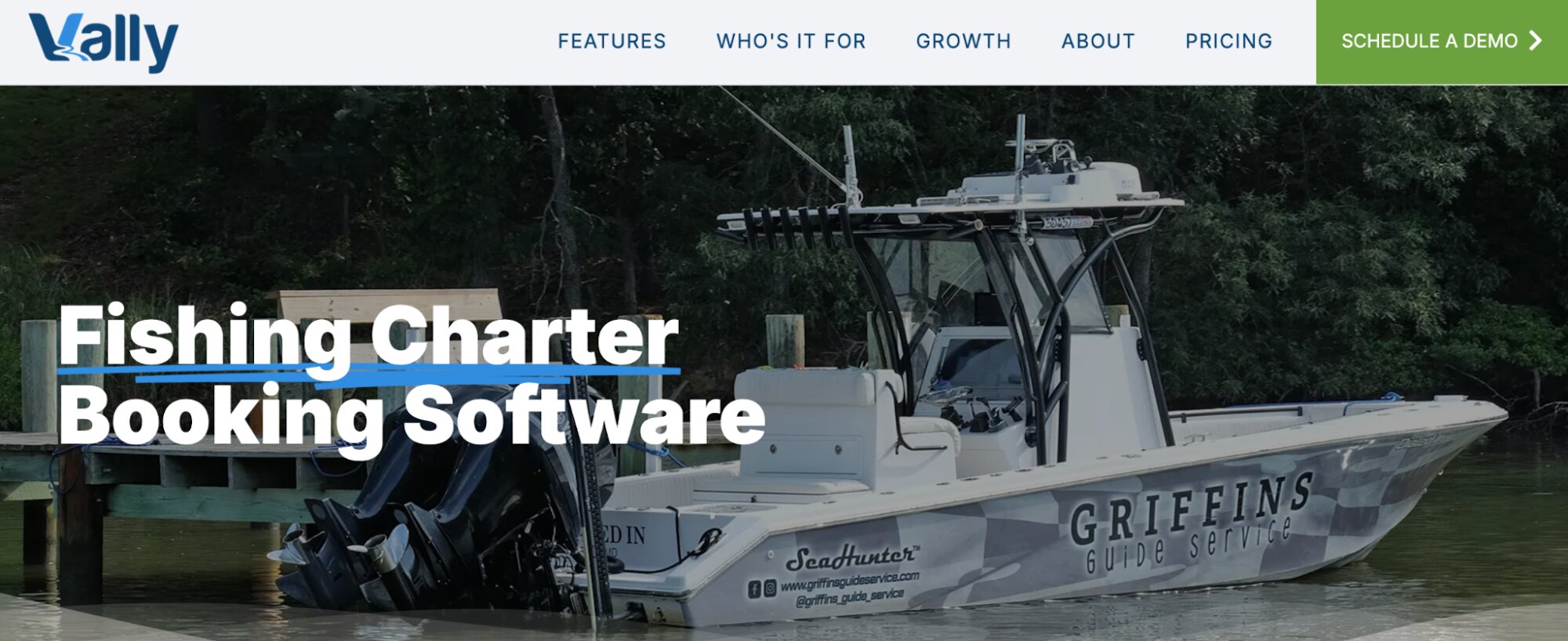
Vally is one of the few platforms here built specifically for outdoor guide businesses — fishing charters, hunting outfitters, and watercraft rentals — and it’s free for operators to use, with no contracts or monthly fees (your customers pay a booking fee at checkout).
Guide and vessel assignment work through a two-way Google Calendar sync, and trips can carry variable start times, durations, and rates by group size, resource, or season — so a half-day and a night trip aren’t forced onto the same structure. Surge pricing also lets you charge more on your busiest days without manual adjustment.
For no-shows and rescheduling, customers agree to a cancellation policy at booking that you can enforce if someone doesn’t show, and reassigning or rescheduling a trip from the dashboard automatically notifies both the customer and any team members attached to it.
The gap is in distribution. Vally has no OTA connections, reseller marketplace, or affiliate tools — so if part of your growth plan depends on being found beyond your own website, this isn’t the platform for that.
All in all, Vally is a strong fit for a solo guide or small charter team focused on running day-to-day operations cleanly; it’s not built for teams trying to plug into wider booking channels.
Worth noting too that Vally is newer to the space and doesn’t yet have a track record of verified third-party reviews to weigh against.
Vally does not yet have verified third-party reviews.
Features
- Online booking engine
- Custom phone, text & email bookings
- Guide, vessel & resource management
- Seasonal availability management
- Two-way Google Calendar sync
- Custom add-ons (equipment, shuttles, etc.)
- Dynamic & surge pricing
- Staff management dashboard
- Automated communications
- Reporting
Pricing
Vally only charges booking fees but does not disclose those rates online. You must contact their team to learn more.
10. Digital Sportsman
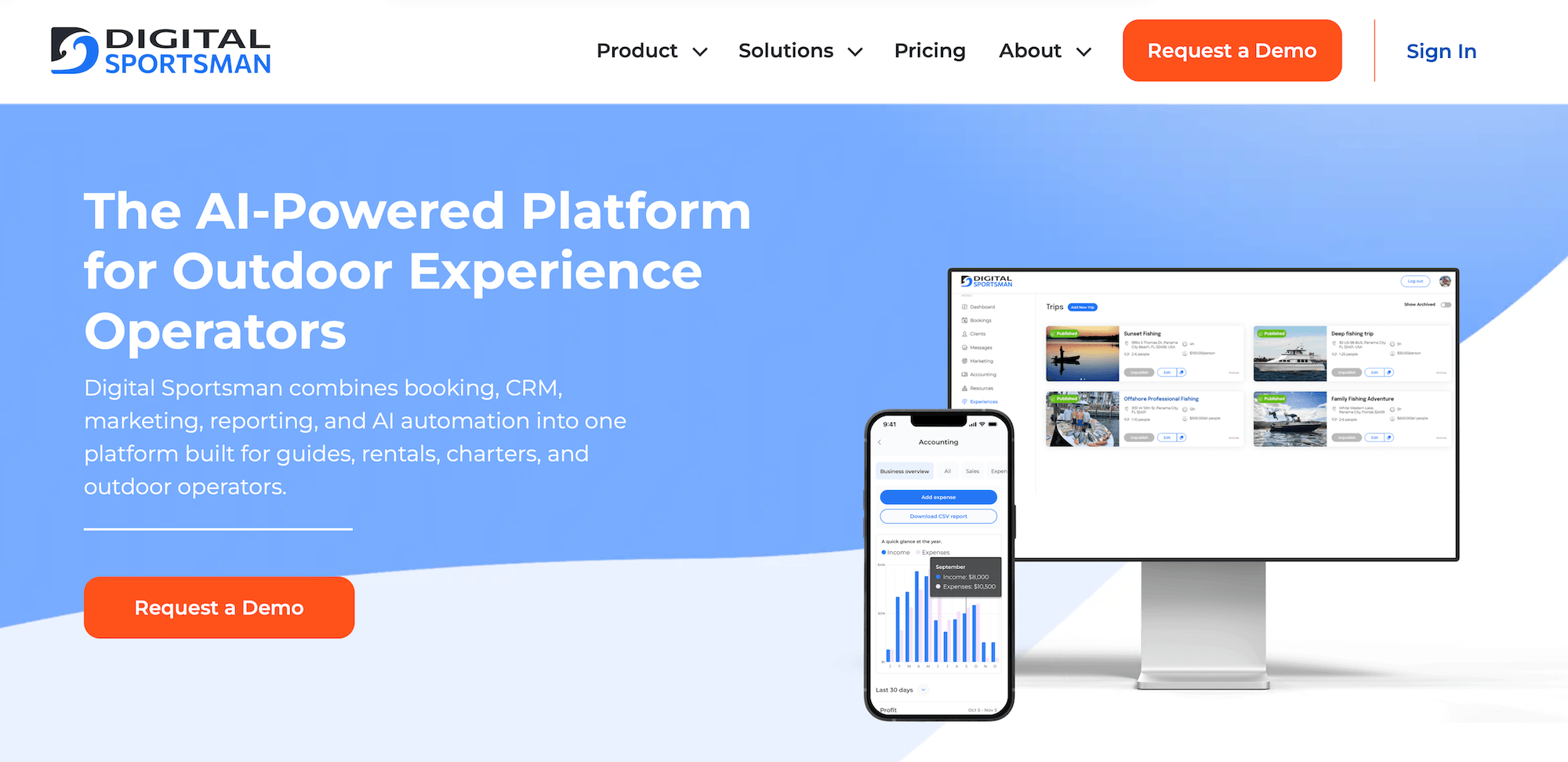
Digital Sportsman is an all-in-one booking and operations management system built specifically for fishing guides and charter captains.
Its smart scheduling tool auto-assigns boats and guides while blocking off gear and vessel availability to prevent double bookings. Trip types (inshore half-days, full-day offshore runs) each have their own pricing rules rather than being flattened into a single rate structure.
For no-shows, deposits and card-on-file are built in — if someone doesn’t show, the system can charge the card automatically under your own rules, no chasing payment after the fact. When weather forces a change, dock managers can swap boat or guide assignments right from their phone, while mass text and email tools notify every affected guest at once rather than one at a time.
Distribution runs through its own commission-free marketplace, so guests can find and book directly without a cut coming out of your revenue. But there’s no OTA integration (Viator, GetYourGuide, etc.) to speak of, so that marketplace is the extent of your reach beyond your own site.
Because it’s a newer platform built specifically for fishing and guide businesses, it doesn’t yet have the volume of verified reviews that older platforms on this list have racked up — so you’re weighing its fit more on feature match than on a long history of user feedback.
Pricing also isn’t published; you’ll need to go through their team for a quote, which makes it harder to compare directly against flat-rate competitors up front.
Digital Sportsman does not yet have verified third-party reviews.
Features
- Online booking widget
- Central calendar with mobile-friendly management
- Resource management
- Smart scheduling that auto-assigns boats and guides and blocks gear/vessel availability to prevent double-booking
- Digital Sportsman Marketplace for direct, commission-free bookings
- Marketing tools, including email, social media & photo gallery
- Customer relationship management (CRM)
- Automated booking confirmations & reminders
- GuideWaiver™ — proprietary digital waiver tool, signed online and stored in the cloud
- Deposit collection via Stripe
- Point of sale
- AI-powered virtual assistant for booking via chat or voice
- Reporting
Pricing
Digital Sportsman does not disclose full pricing details online. You must contact their team to put together your plan and receive a quote.
We can see, however, that they offer two pricing models — you can choose to pay per booking (3% to 6% booking fee) or a flat monthly subscription (custom quote).
11. Reservety
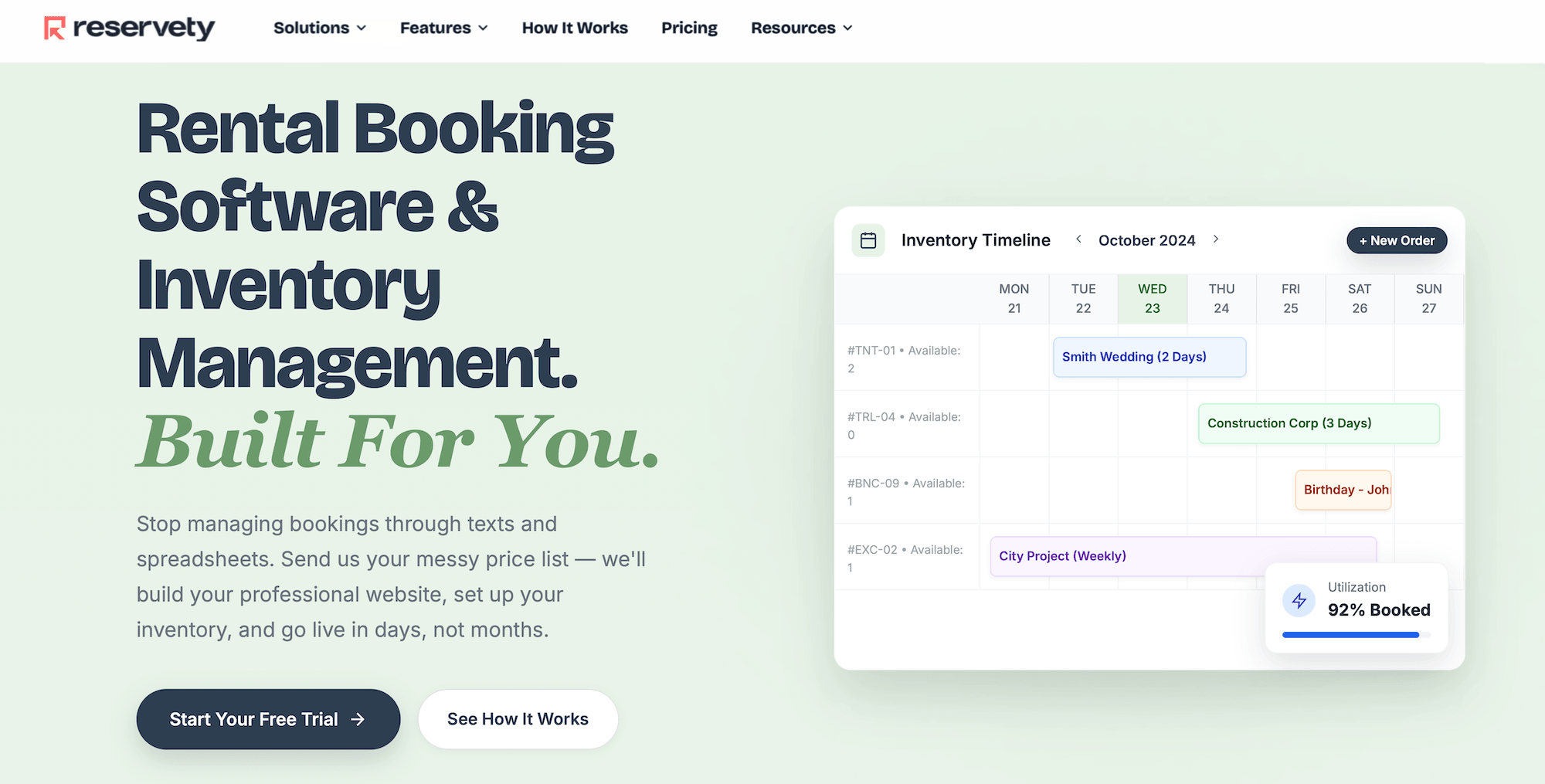
Reservety is a rental booking and inventory management system built for teams offering boat rentals, not necessarily fishing charters. Its core business is equipment, RVs, and party gear — inventory that goes out and comes back, with no guide involved.
But that rental framing shows up in the details that actually matter for a charter.
You can list a guided fishing trip as another item in the catalogue and bundle it with gear rental or a sunset cruise, but the system tracks it the same way it tracks a kayak or a tent — available or booked, nothing more.
Waivers and check-in are built around one renter picking up one item, not a manifest of anglers all tied to a single trip and a single captain.
Deposits are designed to protect against equipment damage or loss — not to protect a captain’s day when an entire group cancels.
And “rescheduling” in a rental system usually means moving one item to a new date; rescheduling a charter means re-coordinating a captain, a boat, and a full group at once, which isn’t the problem this platform was built to solve.
There are also no distribution tools here like OTA connections or a reseller marketplace, so growth beyond your own site isn’t part of the picture.
Reservety can be appealing if you’re running a mixed operation — charters plus gear rental, say — but for a charter-only business, you’d be paying for a platform built around a different core operation than the one you actually have.
Find more Reservety reviews here.
Features
- Online booking widget with professional rental website (built & hosted by Reservety)
- Real-time availability calendar
- Resource & equipment management
- Trip bundling for guided fishing charters, sailing lessons & sunset cruises
- Marketing automation, including abandoned booking emails
- Digital waivers & contracts
- Deposit collection & automated invoicing
- Self-service cancellation & rescheduling, including weather cancellation policies
- Native POS
- Smart lock integration for self-service equipment access
- Crew scheduling for captains & instructors
- Integrations with Stripe, Square, PayPal, QuickBooks, Zapier & more
- Reporting dashboard
Pricing
Reservety offers two plans:
- The Starter plan ($59/month) includes a booking site, product management, flexible package and pricing tools, online payment integrations, digital waivers, automated reminders, SMS & email notifications, quotes and manual phone orders, and invoicing.
- The Professional plan ($99/month) includes everything in Starter plus email newsletters, abandoned cart recovery, lead gen support, affiliate tools, rewards & membership management, supplier management, expense tracking, tip management, digital inspections before/after trips, Zapier, and more.
12. Anolla
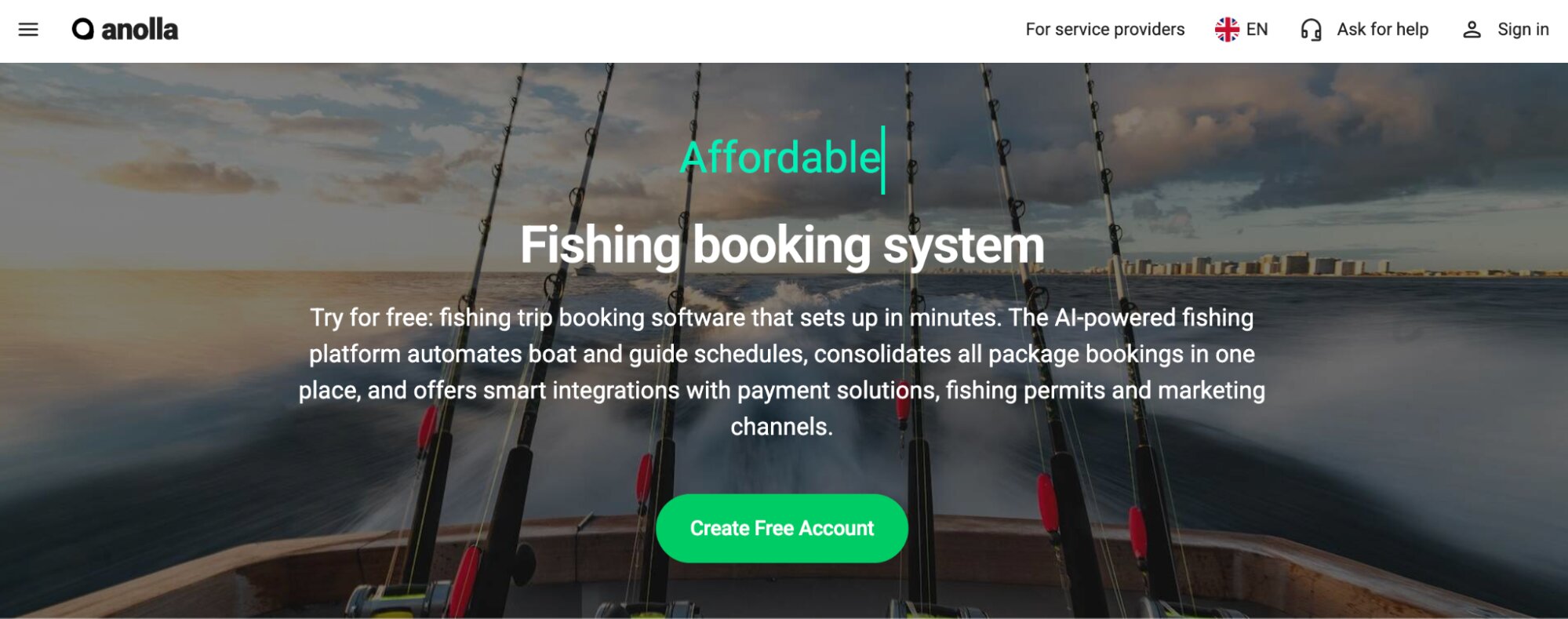
Anolla is a broad activity booking platform built for things like yoga studios, tennis courts, and salons. Its most notable feature is an AI assistant that handles a large share of routine customer questions automatically. So for businesses with simple, repeatable session-based bookings, that automation is the whole pitch.
We’re including Anolla on this list because they advertise to fishing charter operators, so you’ll probably run into their name while researching systems, but their system isn’t really tailored to how fishing charters operate.
There’s no boat, captain, or vessel-specific resource management — Anolla’s product management is built around session slots and equipment classes for studios and courts, not multi-day trip types, weather-dependent scheduling, or maritime safety waivers.
Trip pricing, no-show handling, and rescheduling all follow the same generic session logic rather than anything built for charter operations.
And there’s no OTA or marketplace distribution built for the tours and activities space at all.
It’s a platform built for a completely different kind of business, stretched to cover charters rather than built around how charter operations run.
Features
- Online booking widgets
- Custom booking forms
- Context-aware AI assistant for customer inquiries (25+ languages)
- Product & resource management
- Memberships & recurring subscriptions
- Prepaid passes & multi-session course cards
- Group & private booking management
- Automated waitlists
- Gift card sales
- Dynamic pricing
- Customer management (CRM)
- Automated email & SMS communications
- Email campaign tools with audience segmentation
- Time blocking for set-up & safety briefings
- Integration with Stripe payments
- Integrations with Google Analytics, GTM & Meta Pixel
- IoT integrations
- Mobile apps
- Reporting
Pricing
Anolla charges booking fees but does not disclose those rates. You must contact their team for full pricing information.
The last name to mention on our list is Fishing Booker. You’ll likely see them when comparing fishing charter systems. However, this name isn’t actual booking software. It’s an online marketplace to list your charter experiences and get bookings from Fishing Booker’s audience. It could be worth investing in as another distribution channel, but go in with the right expectations: it’s a place to get more bookings, not a system to run your operation.
Get started with the right booking software for your fishing charter business
Finding the best booking system for your fishing charter isn’t the easiest task. A lot of systems handle booking management well, but very few tackle the operational side of things.
Bókun does both. You get everything to manage your schedules and daily departures, plus resource management for your boats, captains, and gear, rescheduling tools that work even when a whole day needs to move at once, and reporting that shows you exactly where your business is winning. And on top of it all, we give you the tools to actually sell out your trips — from OTA connections and a built-in marketplace to an affiliate network you control yourself.
See what Bókun can do for your fishing charter business by starting a 14-day free trial.
Related reads: