
Cooking class software needs to handle things generic booking tools weren’t built for: station-level kitchen capacity, dietary restrictions that affect what you buy and prep, upfront payments so you’re not ordering ingredients for no-shows, and automated pre-class communications with ingredient lists and arrival info.
The operational requirements are specific, but that’s only half of it. Most cooking class instructors also want to attract more students and need tools that help them grow beyond their existing audiences.
If you want to cover both sides of the coin, look for these features when comparing solutions:
- Central calendar and real-time availability — one view of every class, instructor, and reservation, with availability that updates across all your sales channels the moment a slot fills.
- Workstation and resource management — capacity at the station level, not just the seat count, so ovens, prep stations, and instructor assignments are accounted for in every booking.
- Flexible product configuration — to handle drop-in classes, multi-week courses, private group bookings, corporate team events, and online classes without workarounds.
- Customisable booking forms with structured dietary and allergen capture — so kitchen prep accounts for every guest’s needs before they walk through the door.
- Online booking widgets and website tools — to take reservations directly from your site on any device.
- Connections with online travel agencies and marketplaces — to get your classes in front of travellers searching on OTAs like Viator, GetYourGuide, Tripadvisor, and Airbnb Experiences.
- B2B partnerships, reseller tools, and affiliate support — to create connections with hotels, travel agents, DMCs, and other complementary businesses who can refer guests to your classes.
- Pricing flexibility — for group rates, private class pricing, multi-session packages, prepaid passes, deposits, and gift vouchers.
- Automated communications — to send booking confirmations, pre-arrival emails, and post-class follow-ups without manual work.
- Reporting tools — to see which classes sell best, which channels drive the most bookings, and who’s actually booking with you.
There are typically two types of tools to consider here:
- Class management platforms — built for studios, recurring students, memberships. These tools manage the operational side of things well, but can sometimes miss growth drivers.
- Activity booking software — built for activity providers who take bookings from folks all across the globe. These cover both operations and growth, but the available growth drivers can vary across systems.
To make your search easier, we’ve put together this guide covering the most popular solutions for cooking class businesses, so you can find the system that fits you best.
Best Cooking Class Booking Software
To learn more about Bókun, start your 14-day free trial (no credit card required).
1. Bókun
All-in-one platform for cooking class operators serving travellers & locals
Bókun is a cooking class booking software with a complete toolkit that lets you manage all the complex operational stuff and get your classes in front of new customers.
We’re a Tripadvisor and Viator brand, and we’ve spent over a decade working directly with activity operators — learning about how they manage bookings, hearing what generic software gets wrong, and building the features they asked for. We’ve come to know cooking class businesses deeply: the station-level capacity problems, the dietary capture gaps, the challenge of filling classes beyond your immediate local audience. Bókun was built around those specific needs, so operators can not only run their businesses more smoothly, but actually grow them.
Our system packs in all the tools we listed above while still keeping things simple (you don’t need to be a tech guru to learn the ropes here). We had three priorities when designing Bókun:
- Cover all your daily workflows and automate the tedious, time-consuming ones
- Open dozens of avenues for selling classes online, beyond just your own website
- Make our system accessible to everyone — not only super easy to use, but also affordable for even the smallest teams (with straightforward subscriptions and industry-low booking fees)
And our customers back us here with a 4.7-star rating across review sites. We’re one of the most highly rated solutions around, with customers calling out our all-in-one toolkit, ease of use, value for money, and hands-on customer support.
You can check out some of our reviews here and see how our client Tijon Miami leverages Bókun’s toolkit to organise operations and make their fragrance-making classes available to students across the globe.
We also offer all new customers a risk-free 14-day trial so they can explore our system and make sure it fits exactly what they need before they opt into a plan. But we’ll also review all our core features in the sections below so you can get a sneak peek of everything under the hood.
Bókun’s tools to manage your daily operations
Our central calendar & real-time availability updates
We know cooking class schedules get complicated fast — you’ve got multiple class types running each week, different instructors assigned to different specialities, sessions split between mornings and evenings, and private bookings squeezed in around the public schedule. Trying to track all of that manually in spreadsheets is a headache, and once bookings start coming in from multiple sales channels, it’s a recipe for double bookings and overfilled classes.
Our central calendar puts every booking, every class slot, and every instructor assignment in one place.
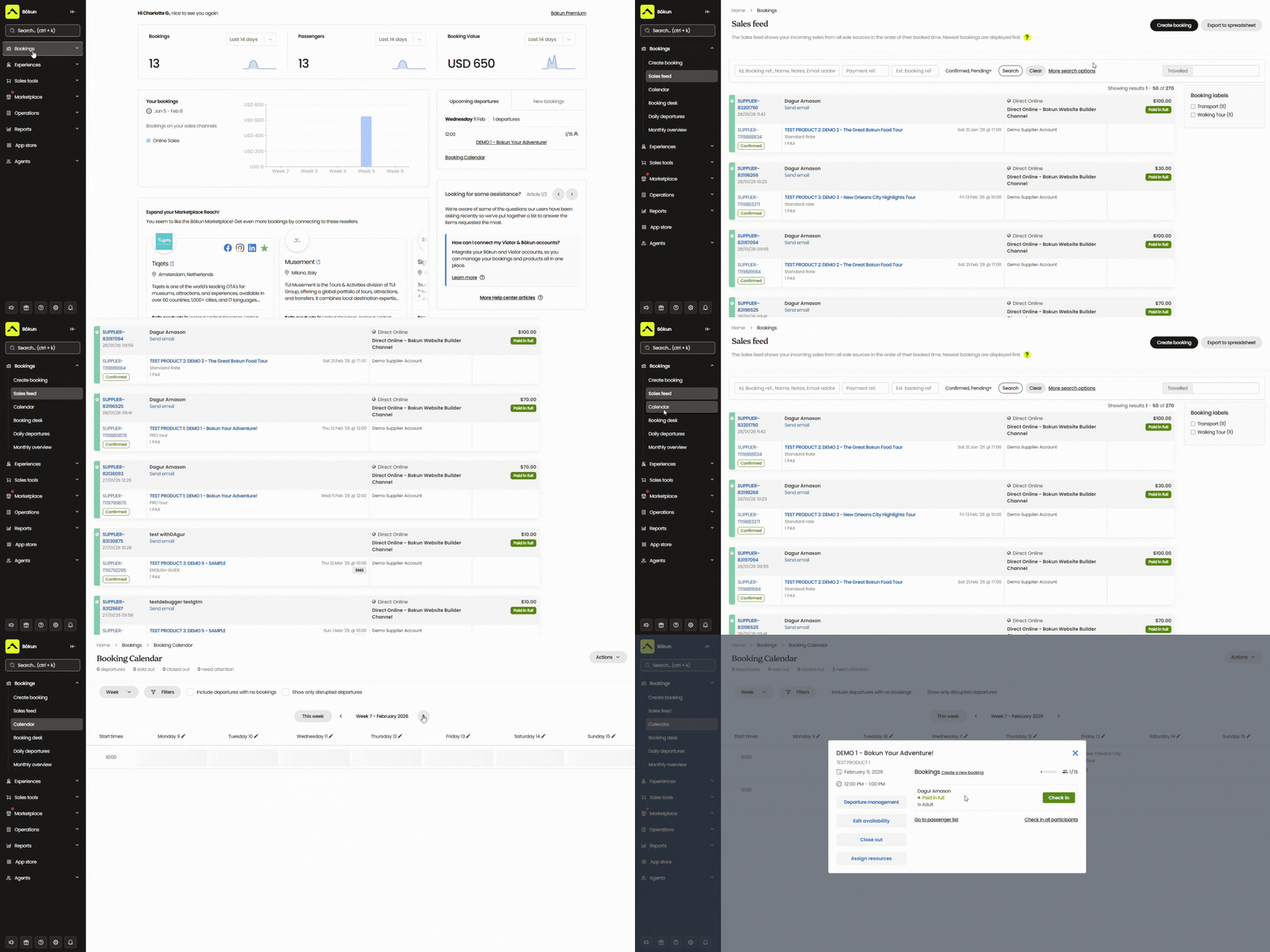
New reservations show up the moment they’re booked, whether they come through your website, an OTA listing, or a partner referral. And as bookings come in, Bókun pushes real-time availability updates back to every channel you’re selling on. When a Saturday knife skills class fills up on your website, that slot is instantly blocked on Viator, GetYourGuide, and any partner sites the class is listed on. You never risk overbookings.
From the calendar, you can also update availability, modify reservations, reassign instructors, and close out classes on the fly. For example, if one of your chefs calls in sick at the last minute, you can assign another chef to their classes or reschedule the booked students with a few clicks.
Instructors can also use the calendar to manage check-ins. They can pull up a class manifest from the desktop or mobile app, see who’s coming, check students in as they arrive, and track no-shows — without needing to be at a reception desk.
Bókun’s listing & resource management for cooking classes
Bókun’s Experiences tab is where you build out your full product line — your different class types, class packages, gift vouchers.
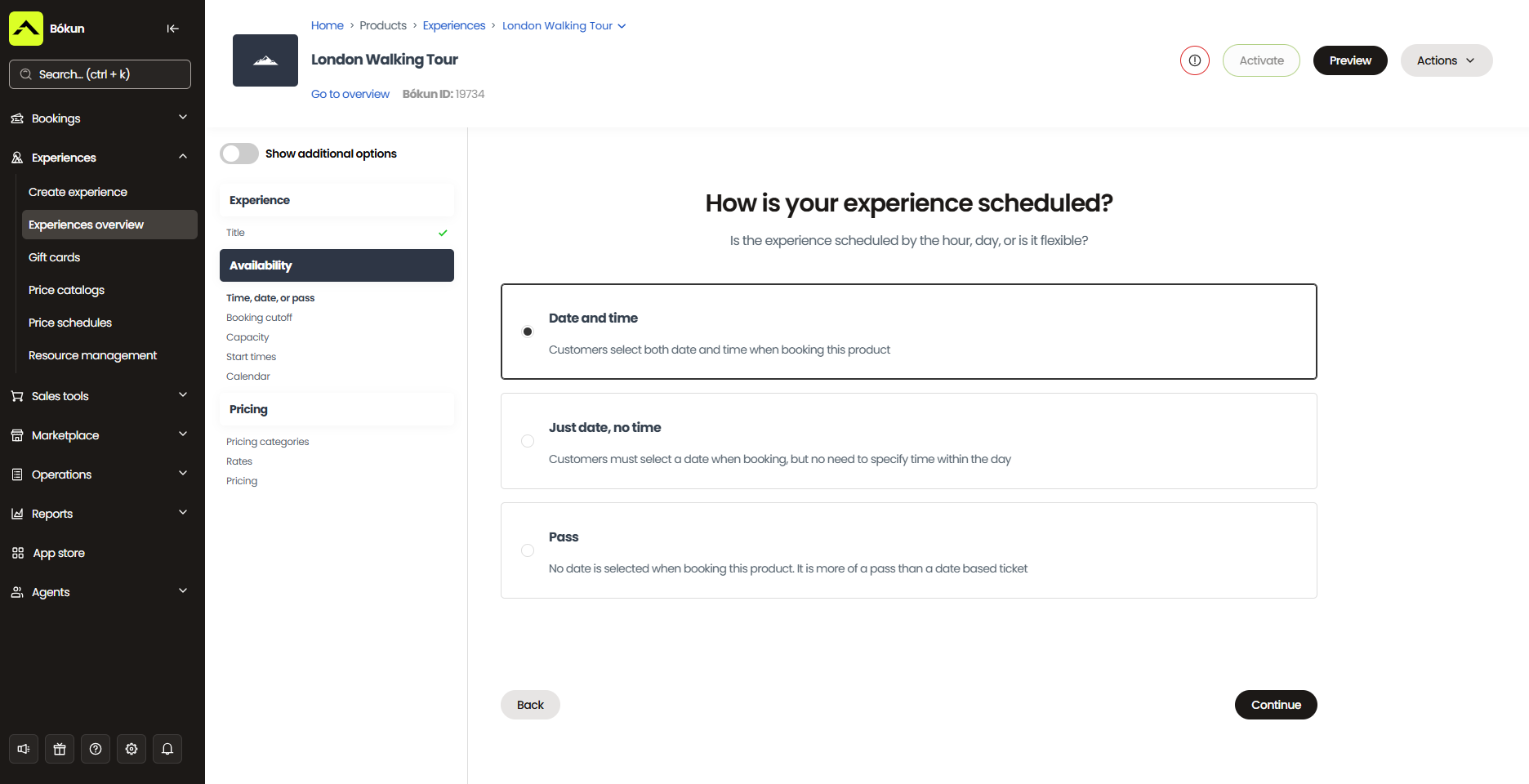
The product builder walks you through each step, and you can create templates from existing listings to build out your product line easily. You can add a gnocchi class from an existing pasta listing in minutes and spinning up a private version of a public class means tweaking a few details rather than rebuilding the whole thing from scratch.
To set up a listing, you’ll include all the big-picture details, such as the class name, location, duration, what students will learn and make, what’s included (ingredients, take-home recipes, an apron), what to wear, age requirements, and dietary accommodations. Then you can add photos and videos of the kitchen, the chef, and the dishes so students get a feel for the class.
Our product builder also lets you offer add-ons (a copy of the chef’s cookbook, a wine or cocktail pairing, a cheese or charcuterie board, a gift bag with specialty ingredients), so students can personalise their experience.
From there, you’ll set availability, pricing, and required resources for each class.
- Availability rules: Choose which days and times your classes run, add minimum and maximum capacities, set booking cutoffs, add buffer time between sessions for kitchen reset and clean-up, and control how far in advance students can book.
- Pricing: Set a flat rate or create pricing categories for different student types (like adult vs. child). You can also require deposits, offer private class rates or bulk discounts for group bookings, and use Bókun’s dynamic pricing tool to adjust rates automatically based on rules you define — for example, you can drop prices as a cutoff approaches if you still have spots open and want to fill them.
- Resources: Assign instructors, kitchen workstations, ovens, equipment sets, and any other physical resources each class requires, then set allocation rules so Bókun knows exactly how to distribute resources across classes.
As we’ve mentioned, the resource management piece is critical for cooking class operators because capacity isn’t just a seat count. It’s the number of working stations, the number of ovens, and the instructor-to-student ratio.
Here’s how to set up resources:
- Start by adding every resource to the system — each workstation, each oven, each instructor, plus equipment quantities like knife sets, mixing bowls, and aprons.
- Add quantities for each so Bókun has a complete picture of your inventory.
- Assign those resources to your class listings — specify which instructors should run it, how many workstations it needs, and what equipment it requires.
- Set your allocation rules (orderly, round robin, sticky, etc.) so the right resources are automatically committed to the right classes, and new bookings are blocked when necessary resources are unavailable.
Now, how this works in practice:
Let’s say you run a sushi class and a pasta class at the same time on Saturday evenings, and you cap each at 8 students in your availability rules. Both classes have their own workstations and instructors — but they pull from the same shared pool of equipment, and you don’t have enough equipment to support each class at max capacity (for example, you only have 12 knife sets). You just want to utilise what you have and fill the classes in whatever way.
Bókun tracks the shared pool across both listings in real time. As bookings come in across both classes, it’s drawing from those 12 knife sets simultaneously. Once the 12th is committed — however that falls across the two classes — both close automatically across every channel. You never end up with more students than equipment, regardless of how the bookings split.
Once everything is configured, it runs in the background so you don’t have to track anything manually or deal with last-minute scrambles.
Bókun’s CRM & automated student communications
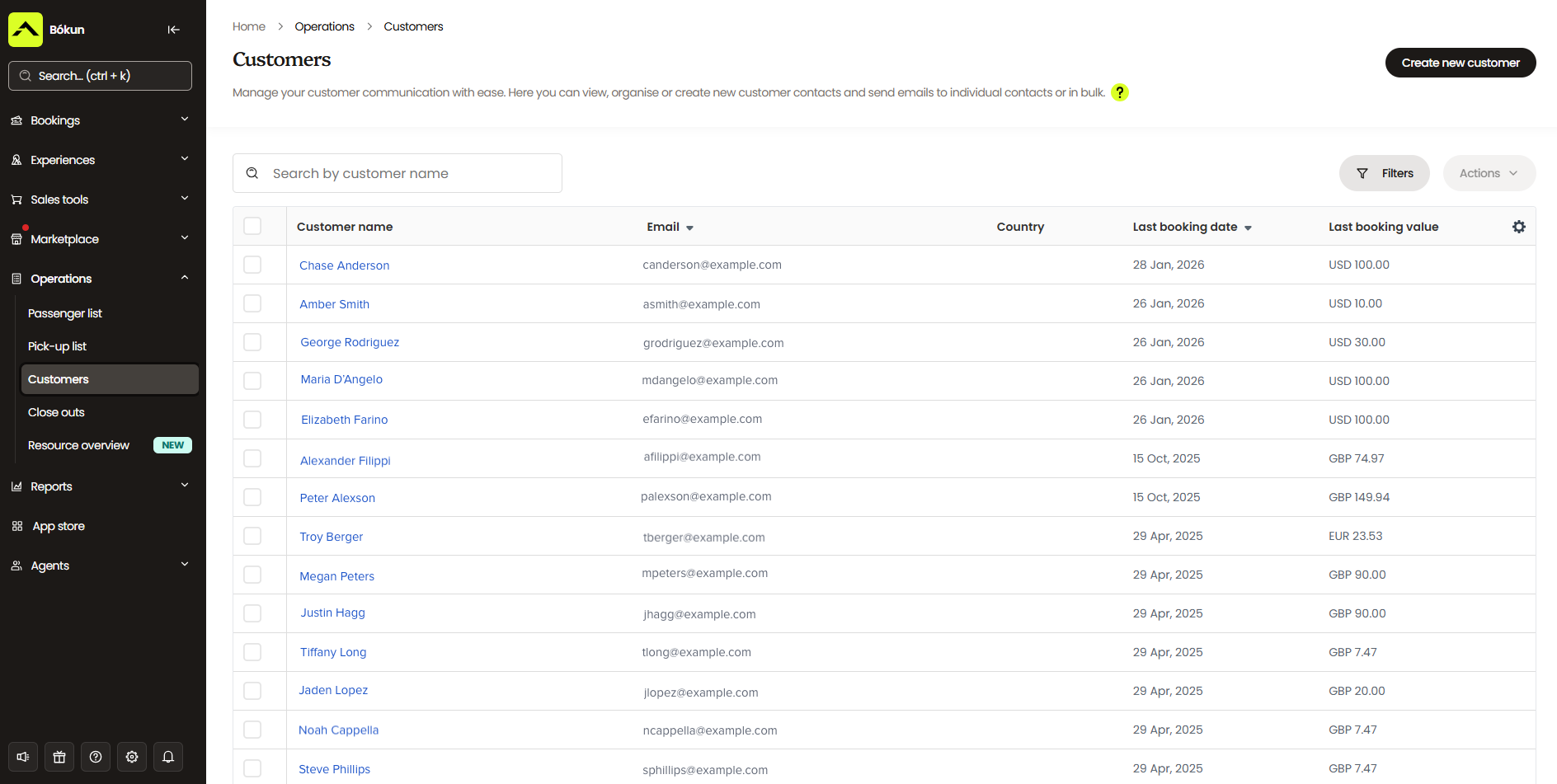
Bókun includes a built-in CRM to manage your customer base and keep communication flowing before, during, and after each class.
The CRM automatically captures customer details from the moment someone starts a booking. So even if they drop off before completing checkout, you still have their information for abandoned-cart follow-ups and retargeting. It stores everything in a centralised contact book: names, contact details, booking history, and any other information they provide in booking forms (such as dietary information).
On that note, our customisable booking forms are essential for cooking classes because they allow students to share dietary intolerances, restrictions, and preferences ahead of time, so your teams can source ingredients and prep kitchens accordingly.
Within these forms, you can include fields for students to:
- Specify whether they have allergies or are gluten-free, dairy-free, vegan, vegetarian, kosher, or halal.
- Provide more context on the severity of their allergy, ingredients to avoid entirely, and religious or cultural considerations.
- Include personal preferences, such as spice tolerance or disliked ingredients.
We also pair our CRM with automated communication tools to handle all routine touchpoints, so you don’t have to manage your email inbox separately.
After a booking is made, our system automatically sends confirmations with mobile tickets, reminder emails (what to wear, what to bring, parking instructions), and post-class follow-ups.
You can customise all of these and attach important documents (waiver links, recipe cards) so guests arrive prepared and your team isn’t fielding the same questions over and over.
Beyond the standard automated emails, you can run other email marketing campaigns through Bókun. We provide templates for discounts, upsells, and abandoned-cart retargeting. But you can also add your own templates for newsletters, seasonal promotions (Valentine’s couples classes, holiday baking workshops, summer barbecue masterclasses), new product announcements, and targeted offers based on past booking behaviour.
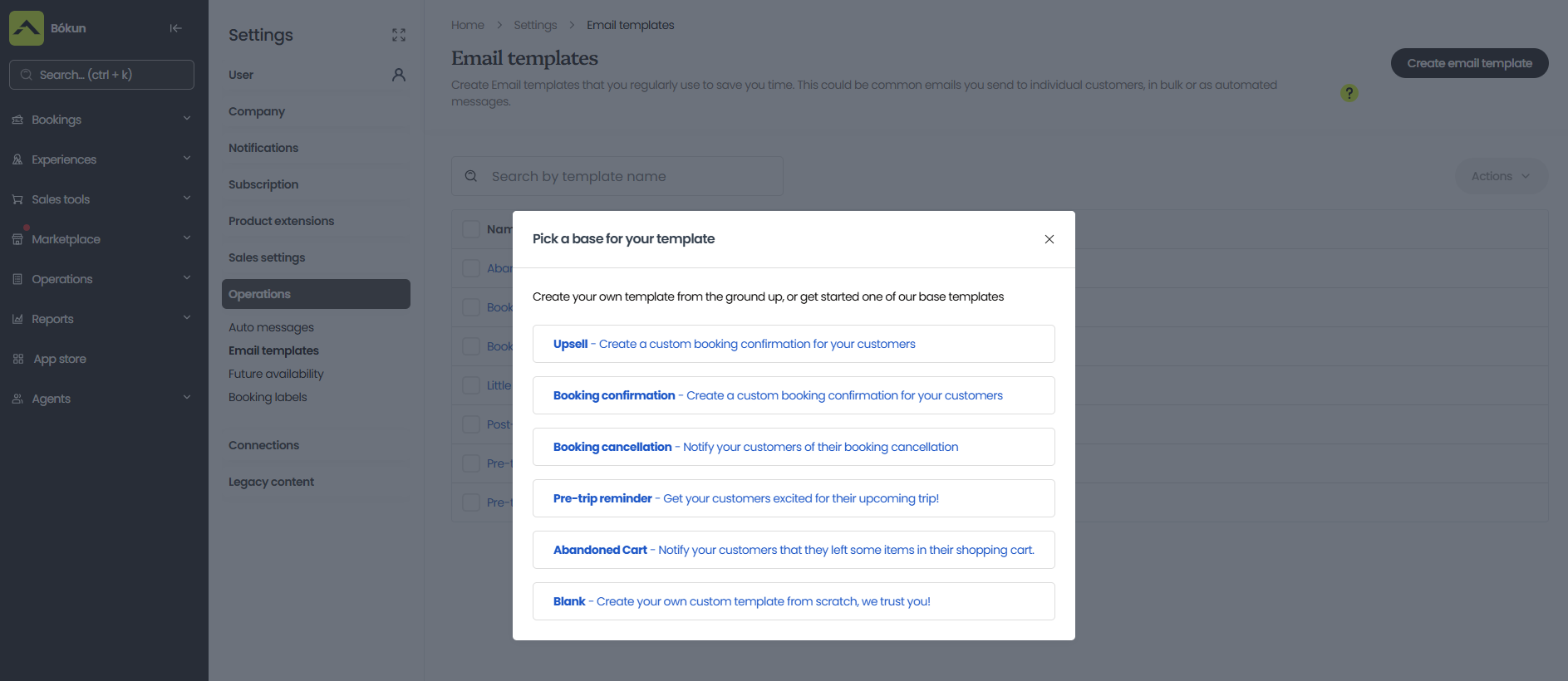
After you set these up, our system can send them out to the right contacts at the right times.
Bókun’s customer self-service & check-in tools
Bókun provides self-service portals that let students manage their own reservations without contacting your team. They can reschedule a class, cancel, change headcount on a private group booking, or update dietary information after the fact — without a phone call or back-and-forth email chain. When they make a change, Bókun automatically sends them an updated confirmation and adjusts the booking on your end.
Then, to simplify day-of check-ins, Bókun supports mobile tickets and ticket scanning. As mentioned above, instructors can pull up class details from the desktop or mobile app, see exactly who’s booked in, check students in as they arrive, and track no-shows.
Bókun’s reporting dashboards
Bókun’s reporting dashboards give cooking class operators a clear picture of where bookings come from and how the business is performing.
We provide reports to measure bookings and revenue by sales channel, class type, and time period — so you can see which OTAs and partners send the most business, which classes drive the most revenue, and when you’re busy vs. slow.
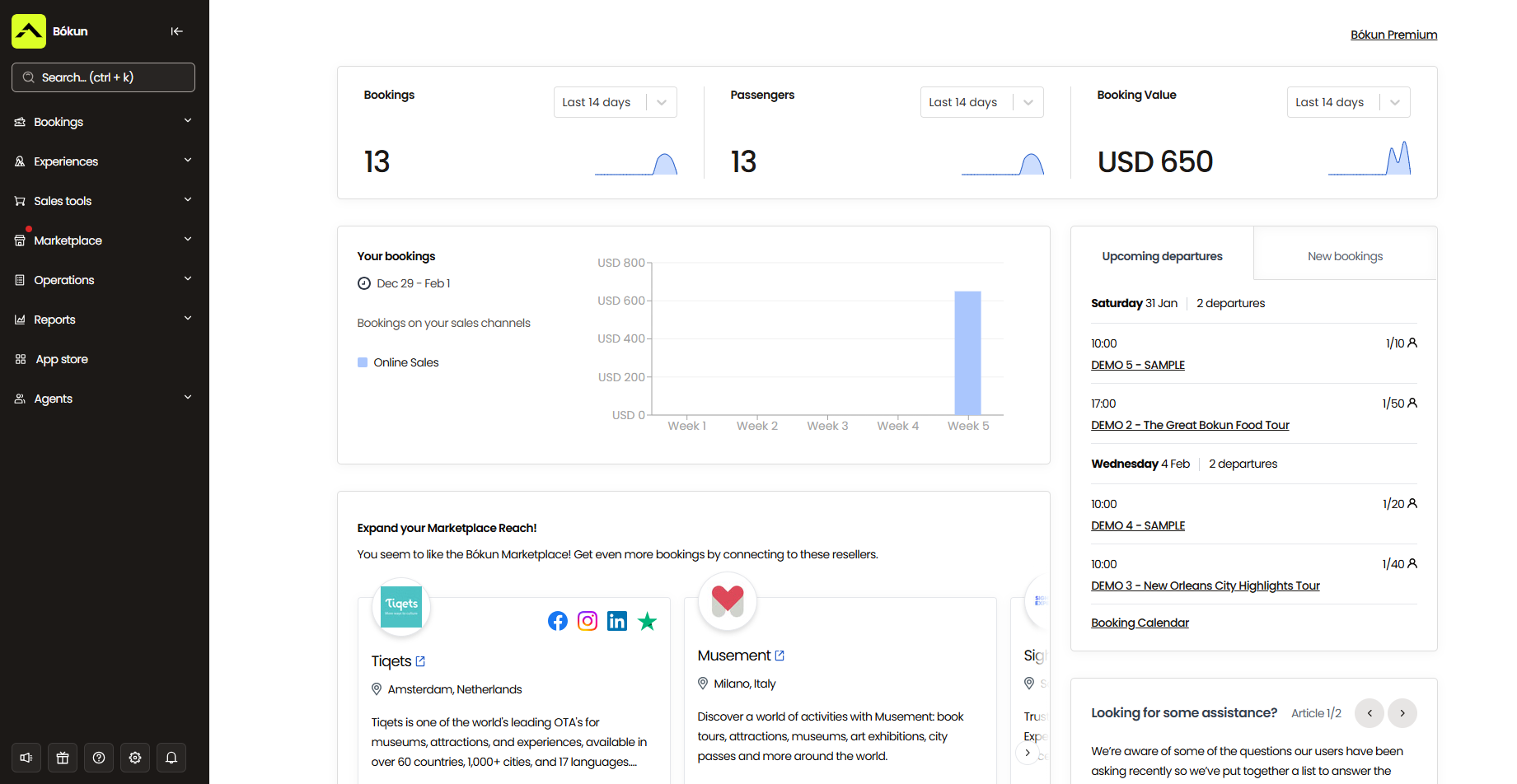
With these insights, you can:
- Scale up the channels bringing in the most bookings (more investment in Viator listings, more availability to high-performing partners)
- Adjust pricing or availability on underperforming class types — or cut them entirely
- Schedule more of what’s popular (extra weekend sessions of knife skills classes if they consistently sell out)
- Prepare extra ingredients and instructor staffing around your busiest weeks
- Plan promotions and new product launches around slower seasons to keep revenue flowing
Bókun also captures customer data that helps you understand who’s booking with you — locals, tourists, couples, families, corporate teams — which feeds into your product mix decisions, marketing campaigns, and retargeting strategies.
Bókun App Store
Bókun’s core modules cover the essentials, but every cooking class business is a little different — a solo chef teaching weekend bread-making classes has different needs than a multi-instructor studio running corporate team events alongside public knife skills workshops.
So we provide the BókunApp Store, where you can supplement your setup with the specific tools your business needs:
- Digital waivers — useful if your classes involve sharp knives or open flames
- SMS messaging for last-minute updates
- Tip management
- Advanced reporting
- Zoom integration if you offer virtual cooking lessons alongside in-person sessions
You can check out all the available apps in our store and tack on what makes sense for your operation.
Bókun’s tools to get cooking classes booked online — from dozens of sources
Most cooking class operators take bookings through one or two channels: usually a website form and maybe a single OTA listing. But Bókun is built to help you expand your reach and win new customers (from all over the globe).
Take direct website bookings
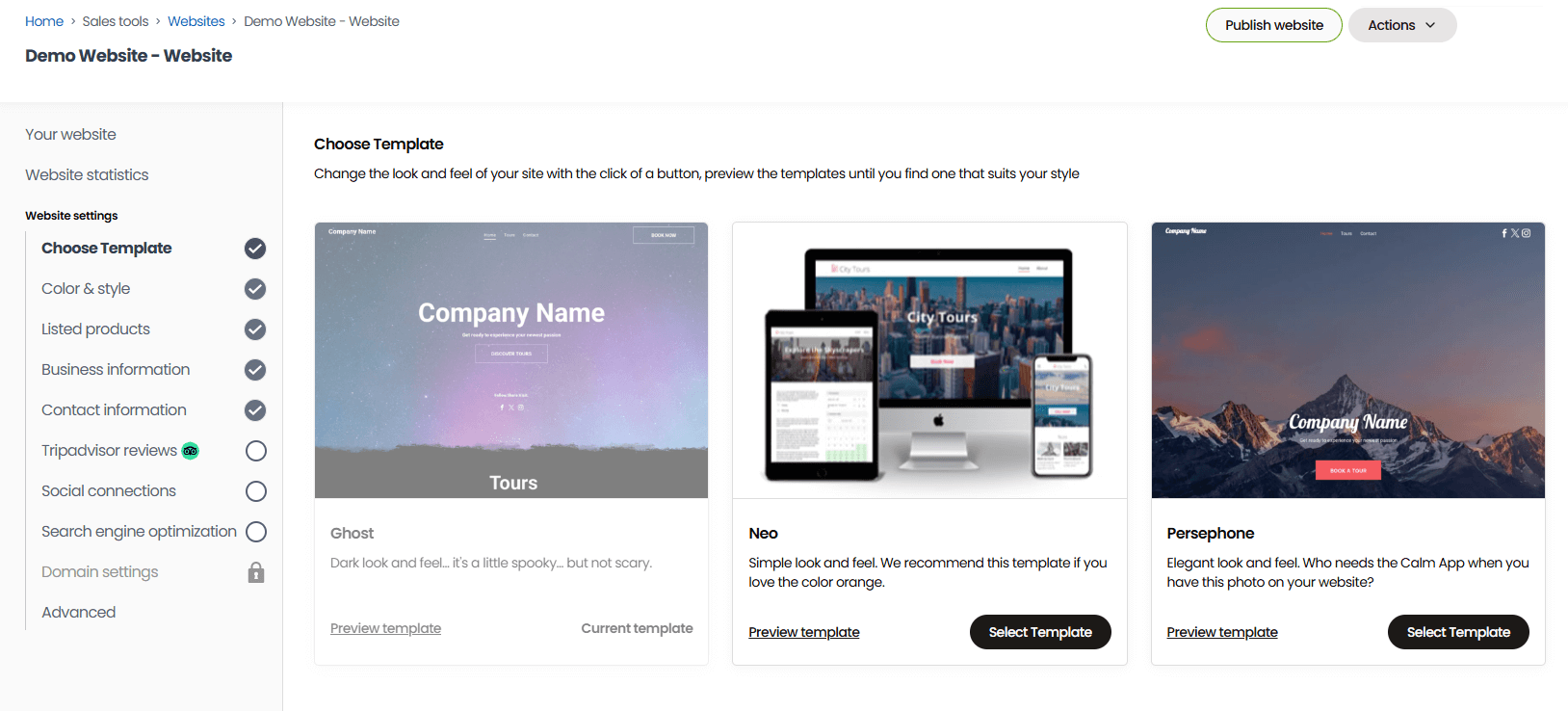
If you already have a website, you canembed our online booking engine widgets to make your site bookable. We offer a few different widget styles — “Book Now” buttons, full product pages, calendar views, and product list overviews — so you can place them across different pages of your site and give folks multiple ways to start a booking.
Students find an available class, pick a time slot, and book directly from your website on any device. The booking flow is mobile-friendly and quick, which matters when most people are researching things to do, like cooking classes, from their phones and want to book instantly.
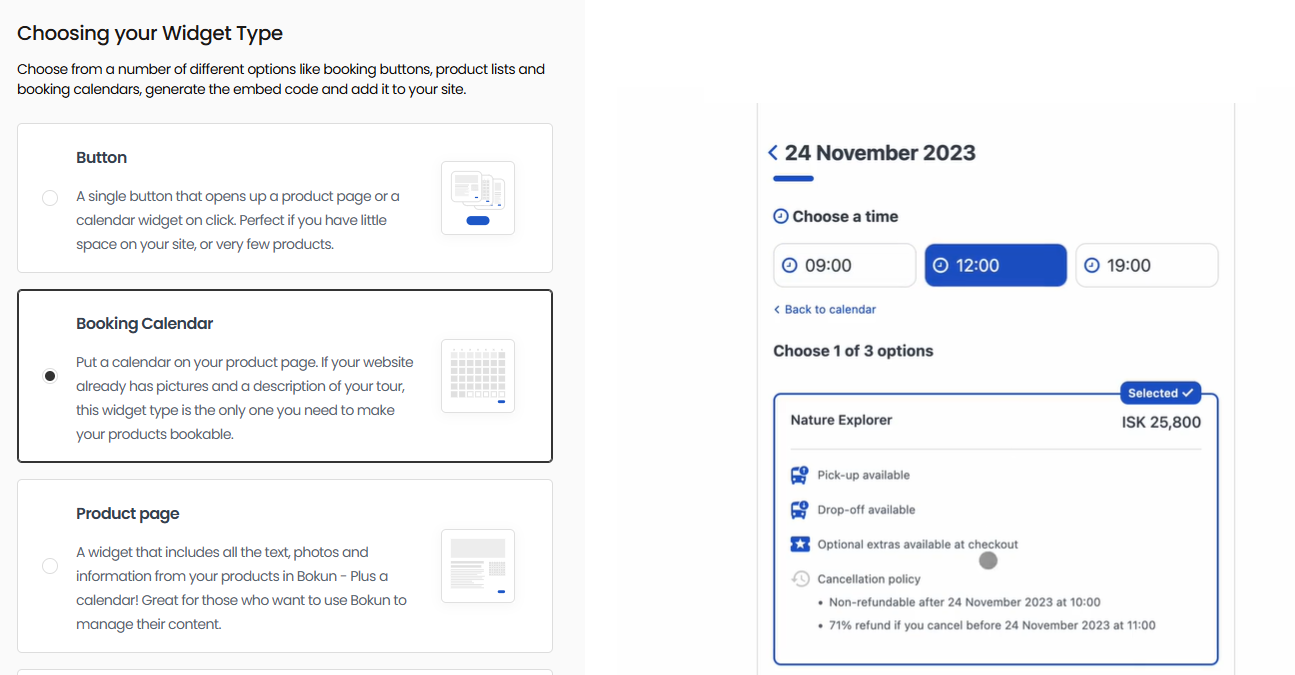
If you don’t have a website (or want to build a new one), our one-click website builder gets you online fast with a bookable site that’s ready to take reservations out of the box. Choose from our template gallery, fill in your business details, and publish — no coding or developer required. Sites come with booking widgets pre-installed and are optimised for desktop and mobile from the start.
Bókun also integrates with dozens of online payment processors — Apple Pay, Google Pay, PayPal, Stripe, Worldpay, Braintree, Klarna, and more — to support the entire booking and checkout flow. You can connect as many payment tools as you like to offer a variety of secure options for your customers.
Learn more about creating a bookable site and maximising direct bookings in our guides below:
- How to create a booking website
- 8 ways to increase direct tour bookings from your website
- Best tour booking plugin for WordPress
And read more about how our customers have done this in our case studies:
- How Your Friend In Reykjavik sparked growth by creating a bookable website to take reservations 24/7
- How REDRIB Experiences grew from a startup to a 5-star company with 89% direct online bookings
- How Urban Saunters switched booking platforms overnight and tripled direct bookings in 6 months
Sell on OTAs & online marketplaces
A bookable website lets customers who already know about you easily reserve classes. Most people are searching for activities like cooking classes online. Locals might use Google, while out-of-towners lean toward OTAs and online marketplaces like Viator, GetYourGuide, Tripadvisor, Airbnb Experiences, Expedia, and Civitatis. So you need to promote your classes across these channels to attract new students — which is why we built Bókun with connections to all of these sites.
At the time of writing, our platform connects with Google and 70+ global OTAs and online marketplaces —major names with massive global audiences, plusniche sites tailored to cooking experiences. And we’re the #1 restech partner across leading sites.
Our partnerships also unlock additional perks for cooking class operators selling through these channels:
- As a Google Things to do partner, our users can instantly enrol in Google’s program and promote cooking classes on the world’s most popular search engine.
- Our Viator Preferred Partnership allows us to offer 0% Bókun booking fees on Viator reservations and (12, 24, or 48) free yearly subscription checks.
- Our GetYourGuide Premium Connectivity Partnership makes it easy to get your cooking classes visible here, and it guarantees best-in-class API performance so the systems work together seamlessly.
We’ve also written guides that show you exactly how to start selling your classes across online channels:
- The complete guide to OTA bookings
- How to sell on Viator
- How to become a GetYourGuide supplier
- How to host experiences on Airbnb
- How to add your business to Tripadvisor
- How to become a Civitatis supplier
- How to sell on Expedia
Partner with hotels, concierges, & other travel-industry businesses
Beyond OTAs, the Bókun Marketplace connects you with thousands of partners in the travel and leisure industry — other tour and activity operators, travel agents, DMCs, accommodations (hotels, resorts, B&Bs), transportation services, attractions, educational institutions, and more.
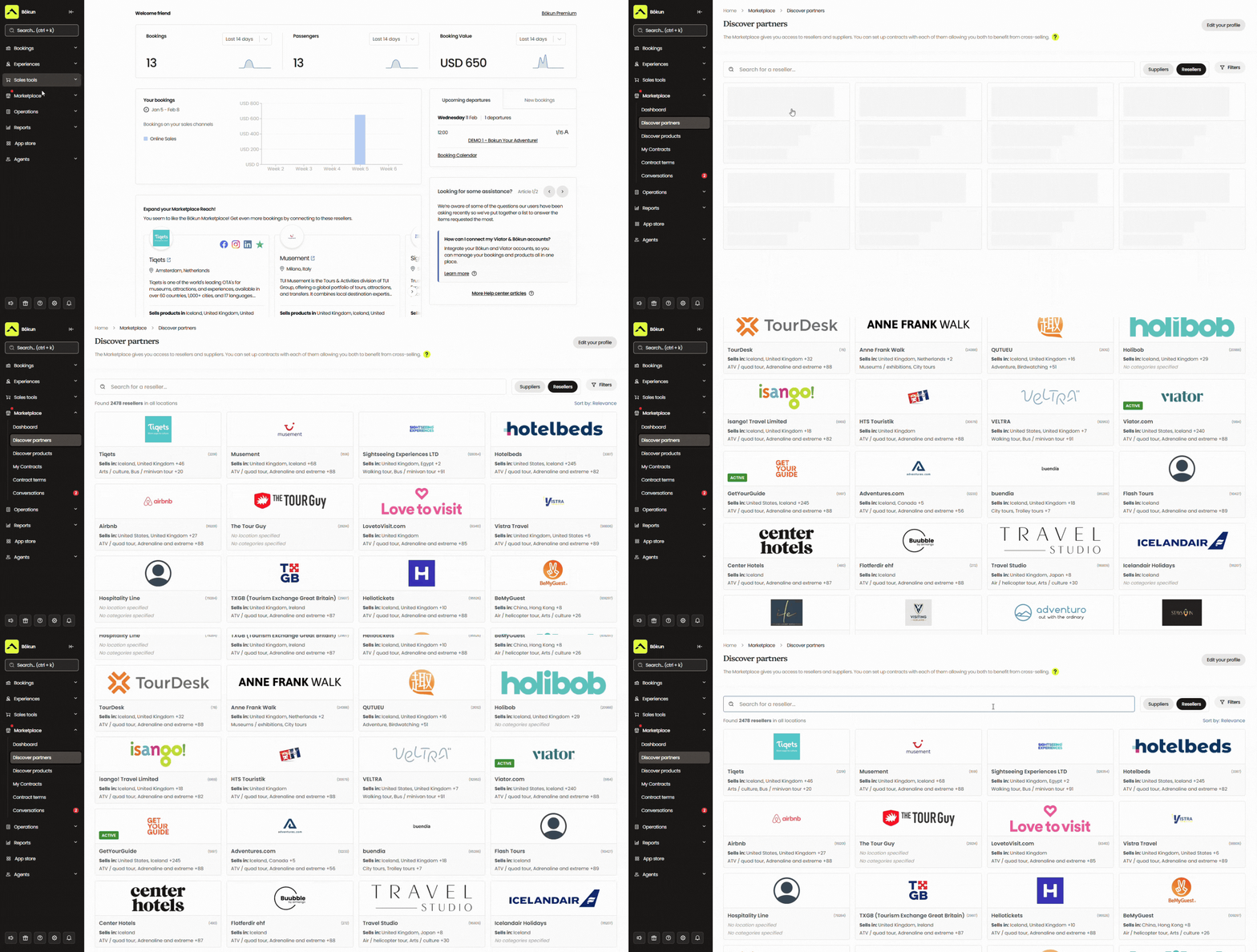
For cooking class operators in tourist destinations, this can be especially helpful in reaching guests from out of town who might not find you online. Their hotel concierge service or another local attraction might be the one to recommend your experiences.
Inside the Marketplace, you can:
- Find resellers to promote your cooking classes to their guests
- Bundle your classes into multi-experience packages with other operators (a winery tour combined with a cooking class, a market visit followed by a sushi-making lesson)
- Earn commission by reselling other providers’ products, adding revenue without running additional classes
All partnerships and contracts are managed inside Bókun, and we don’t cap the number of partners you can work with.
Earn bookings from affiliates
Beyond the Marketplace,Bókun’s Referral Tracking feature lets youbuild an affiliate network with any business or professional you choose — businesses in your area, food and travel bloggers, social media influencers, food magazines, local interest groups, tourism boards, you name it.
You can give each affiliate a trackable link or dedicated booking hub to promote your cooking classes to their audiences and earn new bookings for you. Bókun shows you which affiliates are driving the most bookings, so you can put more effort behind the partnerships that work.
Bókun customers see an average 200% increase in bookings within a year of joining our platform. See how some of those customers have used our system in the case studies below:
- Tasty Tours NYC became a multi-channel success with 381% revenue growth after integrating with Airbnb
- Tour Marbella pulls in 54% of its bookings through connections via the Bókun Marketplace
- Venice Tours achieved a 400% revenue increase through the Bókun Marketplace
- How Diving Centre saw a 40% surge in bookings with Bókun
- Simba Sea Trips sees consistent 20% YOY revenue growth after joining Bókun
Packages & getting started with Bókun
All new customers can start with a 14-day free trial — no credit card required — to explore the platform and get a feel for how everything works before committing to a paid plan.
After your trial, the START plan gives you access to all the core features covered above for $49/month, with a 1.5% online booking fee. We never charge Bókun booking fees on Viator reservations, and offline and in-person bookings (walk-ins, private corporate events booked by phone, gift certificate redemptions) are free.
For larger operations with more advanced needs, we also offer two enterprise-level plans — PLUS and PREMIUM — that include additional tools, including agent portals, resource allocation, subvendor management, and Zapier access. Both plans include dedicated onboarding, priority support, and a yearly strategy call with a Bókun expert.
Start your 14-day free trial to learn more about how Bókun works for you!
2. Bookeo
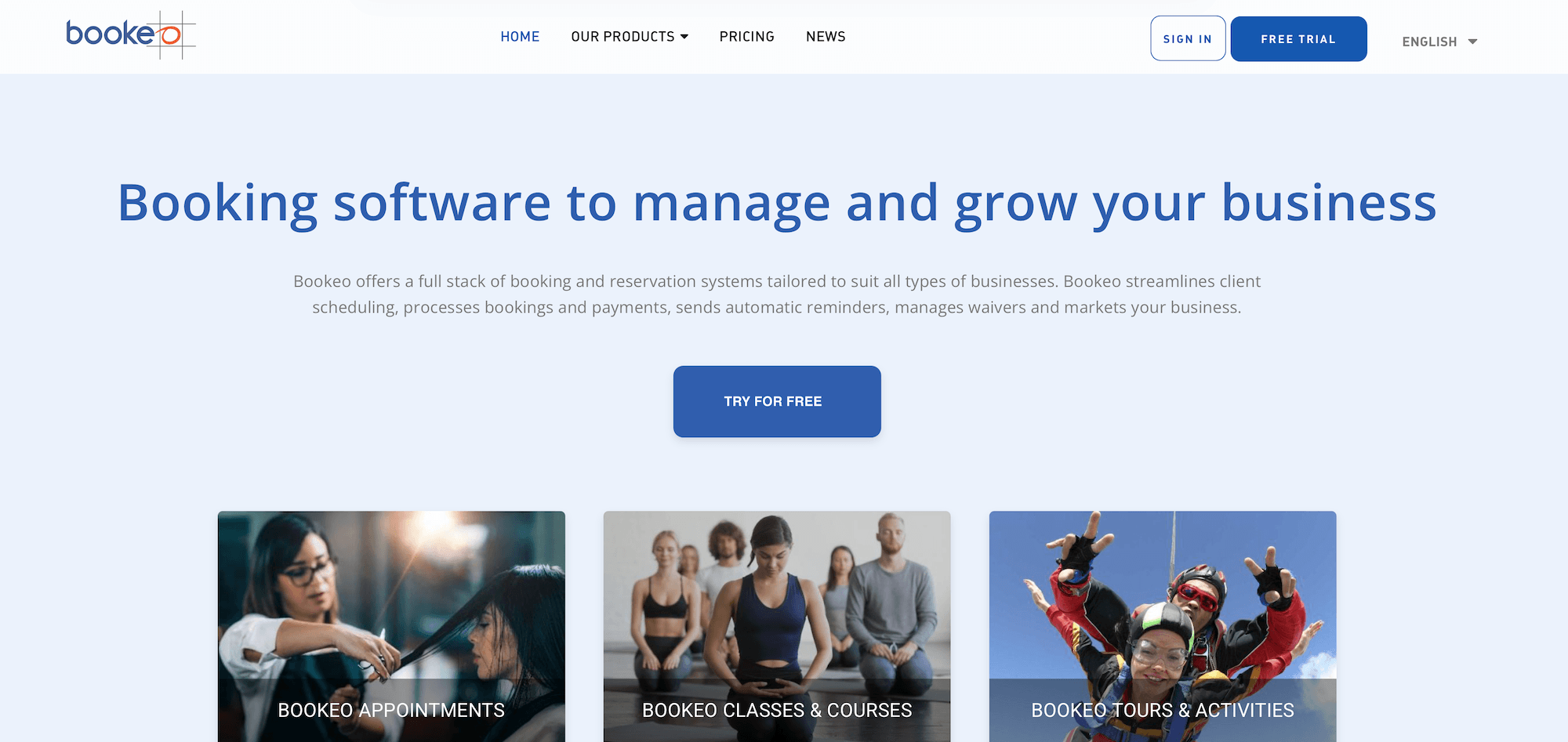
Bookeo is a booking platform with two separate products that can appeal to cooking class operators, depending on how your business is set up:
- Bookeo Classes & Courses — built for schools, studios, and instructors managing class registrations and payments. Bookeo explicitly lists cooking schools as a target use case here. It handles recurring weekly classes, multi-week courses (with late enrolment and drop-in flexibility), personal lessons, memberships, and prepaid class passes.
- Bookeo Tours & Activities — built for tour and activity providers offering group or private experiences. Cooking class operators running one-off sessions, private group bookings, or corporate team-building events may find this product a better structural fit than Classes & Courses, since it’s designed around the experience-booking model rather than the recurring-student model.
The two products are mostly similar in core functionality. They both offer online booking widgets, a customisable calendar, staff scheduling, automated reminders, online and in-person payments, and a student database with intake forms for dietary information and preferences.
However, they differ in some areas that can weigh into your purchasing decision.
The Classes & Courses product goes deeper into the studio model with features like:
- Multi-week course support with late enrolments and drop-in flexibility
- Memberships with auto-renewal and member-only pricing
- Prepaid class passes (5 classes for the price of 4)
- Recurring bookings for repeat students
- Native Zoom integration for virtual classes
Tours & Activities leans into the experience side with features like:
- OTA connections (Expedia is explicitly mentioned as a partner)
- Pricing seasons (variable rates by time of year)
- “Call to book” for last-minute slots
- Guide/vehicle rostering rather than teacher/room rostering
The drawbacks are consistent across both — Bookeo doesn’t offer a ton of tools to get your classes visible to new audiences or to support growth. It offers some OTA connections, but no reseller marketplace or affiliate support.
And Bookeo’s caps within plans are worth noting. The entry-level Standard plan tops out at 20 products and 1k bookings per month. Even the top-tier plan only supports 60 products and 3k monthly bookings. So, bigger teams or businesses looking to scale classes can only work within Bookeo’s limits for so long.
For a small cooking school primarily serving local students with recurring courses and memberships, Bookeo Classes & Courses is a straightforward and affordable option. Operators running experience-style bookings may lean toward Tours & Activities. Either way, operators looking to drive growth need a more distribution-focused solution.
Features
- Online booking widget that connects to existing websites
- Customisable class calendar
- Staff and instructor scheduling
- Teacher/room and guide/vehicle rostering
- Student database with intake forms (dietary restrictions, allergies, preferences)
- Automated booking confirmations, reminders, and follow-ups
- Class memberships with auto-renewal
- Class passes and prepaid packages
- Multi-week course support with make-up class scheduling
- Online payments via Stripe and other processors
- Integrated POS for in-person payments
- Zoom integration for online cooking classes
- Gift voucher sales (online and in-store)
- Waitlist management with automatic notifications
- Pricing seasons (variable rates by time of year)
- “Call to book” for last-minute slots
- OTA and channel manager connections (including Expedia)
- Reporting
Pricing
Bookeo pricing is the same across Classes & Courses and Tours & Activities. They offer three packages within both products:
- The Standard plan ($39.95/month) supports 20 products, 20 staff logins, and 1,000 bookings per month.
- The Large plan ($79.95/month) supports 40 products, 40 staff logins, and 2,000 bookings per month.
- The X-large plan ($119.95/month) supports 60 products, 60 staff logins, and 3,000 bookings per month.
There are no booking fees on top of the monthly subscription — only standard payment processing fees from the chosen gateway.
Read more: Best Bookeo alternatives for activity & experience providers
3. Xola
Xola is a tour and activity booking platform with a clean interface, deep feature set, and 24/7 customer support. It comes up regularly in activity software comparisons and works for cooking class operators serving both locals and travellers.
The platform packs in a lot to manage operations and fuel growth: online booking widgets, OTA connections, a distribution network, inventory and availability management, staff scheduling, a native POS, CRM, marketing automation (including abandoned cart recovery and dynamic pricing), and digital waivers (via Smartwaiver integration).
The pricing structure is the main consideration. Xola charges customers a variable partner fee at checkout, starting at 2.39% + 30¢ per transaction and climbing as high as 6% for international bookings. Some cooking class operators are comfortable passing that fee to customers; others find it dampens conversions. It’s worth running the numbers to understand how those fees will affect customer costs before committing.
Features
- Website building service
- Online booking widgets
- Channel management & OTA connections
- Distribution network
- Availability management
- Inventory management
- Staff management
- Phone booking system to manage offline reservations
- Native point-of-sale (POS)
- CRM
- Marketing tools to promote your tours & retarget customers
- Digital waiver solution
- Customisable tickets (and ticket scanning tools for convenient check-in)
- Reporting
- Mobile apps
Pricing
Xola charges customers a variable partner fee at checkout, starting at 2.39% + 30¢ per transaction and reaching as high as 6% for international transactions.
Read more: Best Xola alternatives comparison guide
4. TripWorks
TripWorks is a tour and activity booking platform built with a heavy emphasis on marketing tools to fuel growth — deep integrations with Google Ads, TikTok, Facebook, and CallRail; abandoned cart recovery; affiliate marketplace tools; and AI-assisted booking features. And it also covers the operational tools cooking class operators need — booking widgets, OTA connections, availability management, resource and staff scheduling, a native POS, digital waivers, and reporting.
A few features stand out for cooking class operators specifically:
- Reservation Drafts capture a student’s contact information early in the booking flow, before they complete checkout — so even if they abandon the process, you still have their details for follow-up. When combined with automated abandoned-cart emails, it’s a good way to win back some of those lost bookings.
- Deep digital ad integrations — Google Ads, Google Analytics 4, TikTok, Facebook, CallRail — connect your booking data directly to your ad campaigns, so you can see which promotions are driving class registrations and optimise spend accordingly. This is useful for cooking class operators investing in paid social or search.
- An affiliate marketplace that lets you build out a reseller network with hotels, concierges, and other local partners.
- Dynamic pricing to maximise revenue on high-demand class slots and fill slower sessions.
But as with Xola, the main thing to watch out for here is cost, as TripWorks charges high fees to use the platform — 6% online booking fees plus 2.9% + 30¢ transaction fees (nearly 9% per booking). This stacks up quickly, especially for high-priced experiences. So again, we suggest doing the math here to see how these fees would affect your margins.
Find more TripWorks reviews here.
Features
- Online booking widget (that connects to existing sites)
- Reservation management
- Product management
- Availability management
- Connections with OTAs & channel management
- Reseller marketplace
- Options to sell gift cards & vouchers
- Dynamic pricing
- Digital waiver solution
- Native POS
- Integrations with Apple Pay & Google Pay
- Marketing tools to build PPC campaigns & improve your reach on social media
- Integrations with marketing & business applications
- Reporting
Pricing
TripWorks charges 6% online booking fees and a 2.9% + 30¢ transaction fee per booking.
Read more: Best TripWorks alternatives
5. FareHarbor
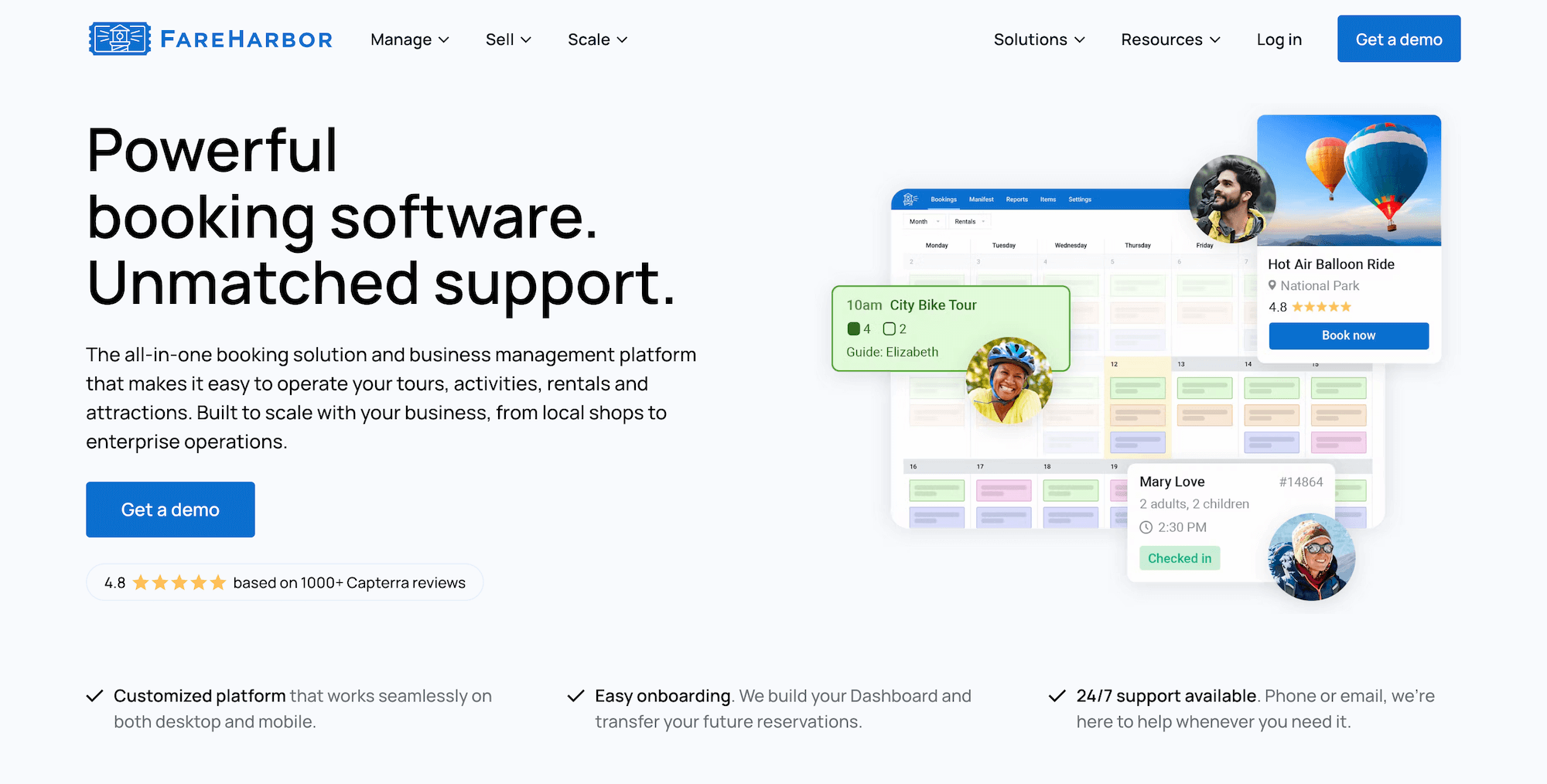
FareHarbor is a Booking.com brand and one of the most well-known names in the tour and activity space, so it’s likely to come up when evaluating activity booking platforms.
The platform covers the full operational stack for cooking class businesses: booking management, a customisable calendar, product and availability management, staff scheduling, a native POS, customer portals, check-in tools, mobile apps, and reporting. It also offers growth drivers like OTA connections and a reseller network (FHDN). Reviewers consistently note that FareHarbor is user-friendly, and the 24/7 support team earns high marks.
The catch is cost.FareHarbor is one of the most expensive options in the category.
For starters, they charge a variable booking fee at checkout, up to 6% to 8% — among the highest in the industry — and the fees are automatically passed to customers at checkout. For a cooking class operator running $500-per-couple private chef experiences, an 8% fee can deter conversions.
Beyond the booking fee, many of FareHarbor’s services come at an additional cost. They charge:
- $5k (or $499/month) for thewebsite-building service — and FareHarbor maintains ownership of your site, so if you ever leave the platform, you have to say goodbye to that site and forfeit the investment.
- $2.2k to $5k for SEO services, depending on your package.
- 20% to 25% commission on bookings earned through their distribution network (FHDN).
You can skip the SEO packages, but you’re going to need a website for direct bookings, and many like to take advantage of FareHarbor’s partner network to win new business. So most folks find themselves paying a pretty penny for FareHarbor.
Features
- Website-building services — FareHarbor charges an extra fee for this service
- Online booking engine
- Customisable dashboard to manage all bookings (offline & online) in one place
- Channel management & connections with OTAs like Expedia
- Distribution network (FHDN)
- Product (Inventory) management to list activities & monitor business resources
- Availability management
- Staff management
- Features to improve the customer experience: portals to modify bookings, automated communications, online waiver solutions, fast check-in tools, and memberships
- Reporting
- Native POS (with transaction fees to use) and integrations with Stripe
- Mobile apps
Pricing
FareHarbor charges customers a variable booking fee at checkout, up to 8%. Website-building, SEO services, and the distribution network are billed separately at the prices listed above.
Read more:
- Best FareHarbor alternatives comparison guide
- Bókun vs. FareHarbor vs. Peek Pro
- Bókun vs. FareHarbor vs. Rezdy
6. CaptainBook
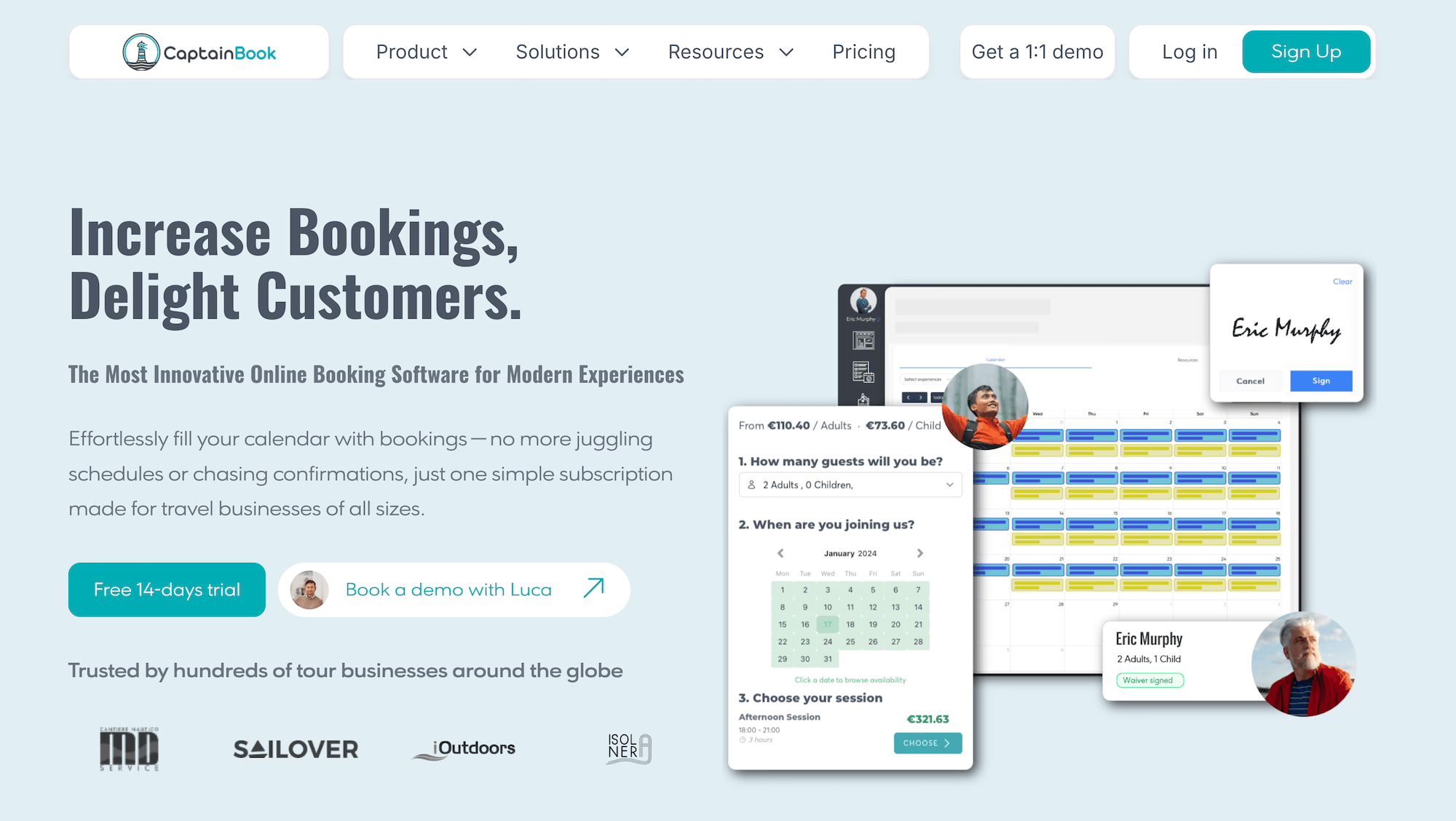
CaptainBook is a tour and activity booking platform with a focus on culinary businesses — they’ve built dedicated solutions for cooking classes, food tours, winery and brewery tours, and agritourism, which sets them apart from most general booking platforms.
With that, a lot of cooking class operators find that CaptainBook’s feature set is tuned for the category: native dietary and allergen capture at booking, ingredient-planning workflows tied to confirmed headcount, and station-level capacity management.
However, the trade-off is in distribution. It only offers a couple of native OTA partnerships, and its partnership tools are less established than those of platforms. So it’s not super appealing to teams looking for ways to attract new students.
Pricing is also worth thinking about here. They offer flat monthly subscriptions and don’t charge booking fees for offline, website, Viator, or GetYourGuide bookings. But subscriptions get pricey quick: $219/month once you need to upgrade from the Starter plan (and many outgrow this plan quickly). And we’d consider the fees for other OTA bookings — 2.5% to 3.5% — somewhat high, given that we typically see brands with expensive subscriptions charge less on booking fees.
All in all, CaptainBook can be a reasonable fit for cooking class operators whose top priority is culinary-specific features (ingredient planning, station-level capacity).
Find CaptainBook reviews here.
Features
- Online booking widgets
- Native dietary & allergen capture at booking time
- Ingredient planning tied to confirmed headcount
- Station-level & seat-level capacity management
- Multi-stop route management (relevant for food tour operators)
- Channel manager & OTA connections (Viator, GetYourGuide)
- Local marketplace for hotel & reseller partnerships
- Customer relationship management (CRM)
- Staff management
- Automated email & SMS communications
- Digital waivers
- Discount codes & gift certificates
- Automated review collection
- Google Analytics 4, Google Tag Manager & Google Ads integrations
- Point of sale
- Online payments
- Website builder
- Mobile app
- Reporting
Pricing
CaptainBook offers three plans:
- The Starter plan ($54/month with 3.5% OTA booking fees) supports 3 users, 10 products, and 1 resource. There is no partner or affiliate support here. The plan also lacks features such as SMS messaging and digital waivers.
- The Extended plan ($219/month with 3% OTA booking fees) supports 10 users, 50 products, 5 resources, 20 partners and affiliates, 100 SMS messages, and 2 digital waivers.
- The Ultra plan ($382/month with 2.5% OTA booking fees) supports unlimited users, 100 products, 20 resources, unlimited partners and affiliates, 500 SMS messages, and 10 digital waivers.
You pay $19.99/month for every Viator or GetYourGuide product in your line-up — across all plans. Though CaptainBook doesn’t charge booking fees on reservations from these channels. There are no booking fees on website or offline reservations, either.
7. Anolla
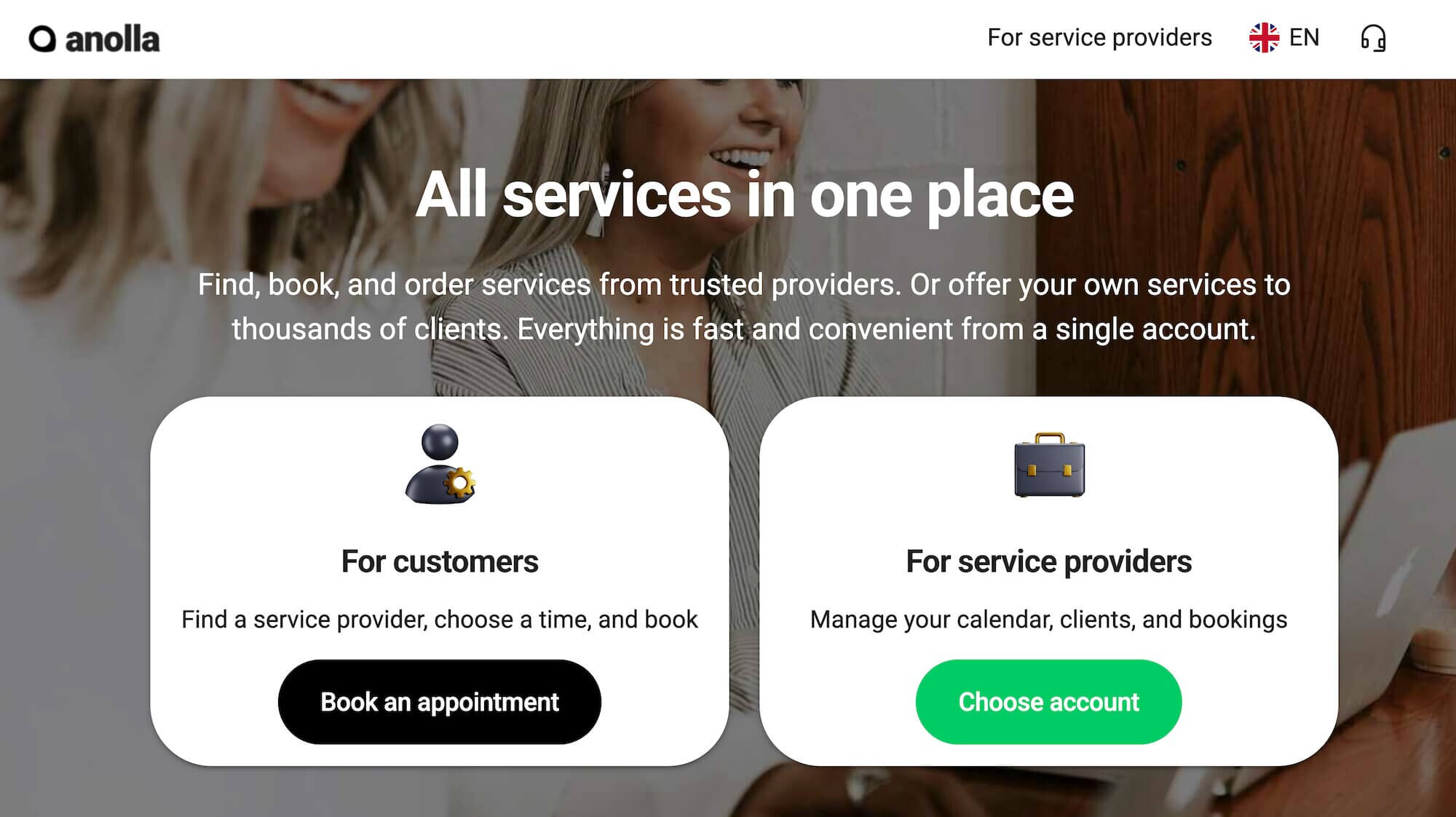
Anolla is a newer class booking platform that targets cooking schools, culinary studios, and experience-based food businesses. And it stands out because its positioning leans heavily on AI: an AI assistant that handles student booking inquiries in 25+ languages, automated communications driven by booking data, and AI-powered demand forecasting for class scheduling.
Its key features include online booking, class memberships, prepaid packages, gift cards, multi-resource booking (multiple kitchens or workstations), automated waitlists, dynamic pricing, and integrations with Stripe, Google Analytics, and Meta Pixel. But, as a smaller, newer player, Anolla doesn’t have the OTA partnerships or travel-industry distribution that other platforms offer.
Anolla pricing is pretty appealing. You can create an account for free, and you only pay fees when you earn a booking. This is nice for seasonal cooking schools or those with variable demand.
However, some of the appeal with Anolla — the AI features, the fee-based pricing — can also create hesitation.
- Some operators aren’t super keen on leaning on AI for customer service, as personal communication and connection is part of the experience.
- Anolla doesn’t disclose booking fees — it just says “a fee applies.” This can make it hard to compare Anolla’s system costs with those of competitors. Before signing up, we suggest asking more about this to make sure you have a clear idea of what you’ll be paying, especially if you see a high volume of bookings.
It’s also worth noting that because Anolla is a relatively new name in the space, reviews are pretty limited. This makes it hard to assess long-term reliability and the overall brand experience.
Overall, Anolla is a possible fit for solo instructors and small culinary studios open to AI-driven workflows and usage-based pricing. It’s less established for multi-location schools or operators interested in more advanced distribution tools.
Features
- Online booking widgets
- Custom intake fields for dietary restrictions & allergies
- Context-aware AI assistant for student inquiries (25+ languages)
- Product & resource management
- Class memberships & recurring subscriptions
- Prepaid passes & multi-session course cards
- Group & private booking management
- Automated waitlists
- Gift card sales
- Dynamic pricing rules (by time, season, group size, chef level)
- Customer management (CRM) with booking history & preferences
- Automated email & SMS communications
- Email campaign tools with audience segmentation
- Time blocking for prep, cleaning, & special events
- Integration with Stripe payments
- Integrations with Google Analytics, GTM, & Meta Pixel
- IoT integrations (smart access control, kitchen equipment monitoring)
- Mobile apps
- Reporting
Pricing
It’s free to join Anolla’s platform. They only charge booking fees, though they don’t disclose those rates.
8. ClassBento
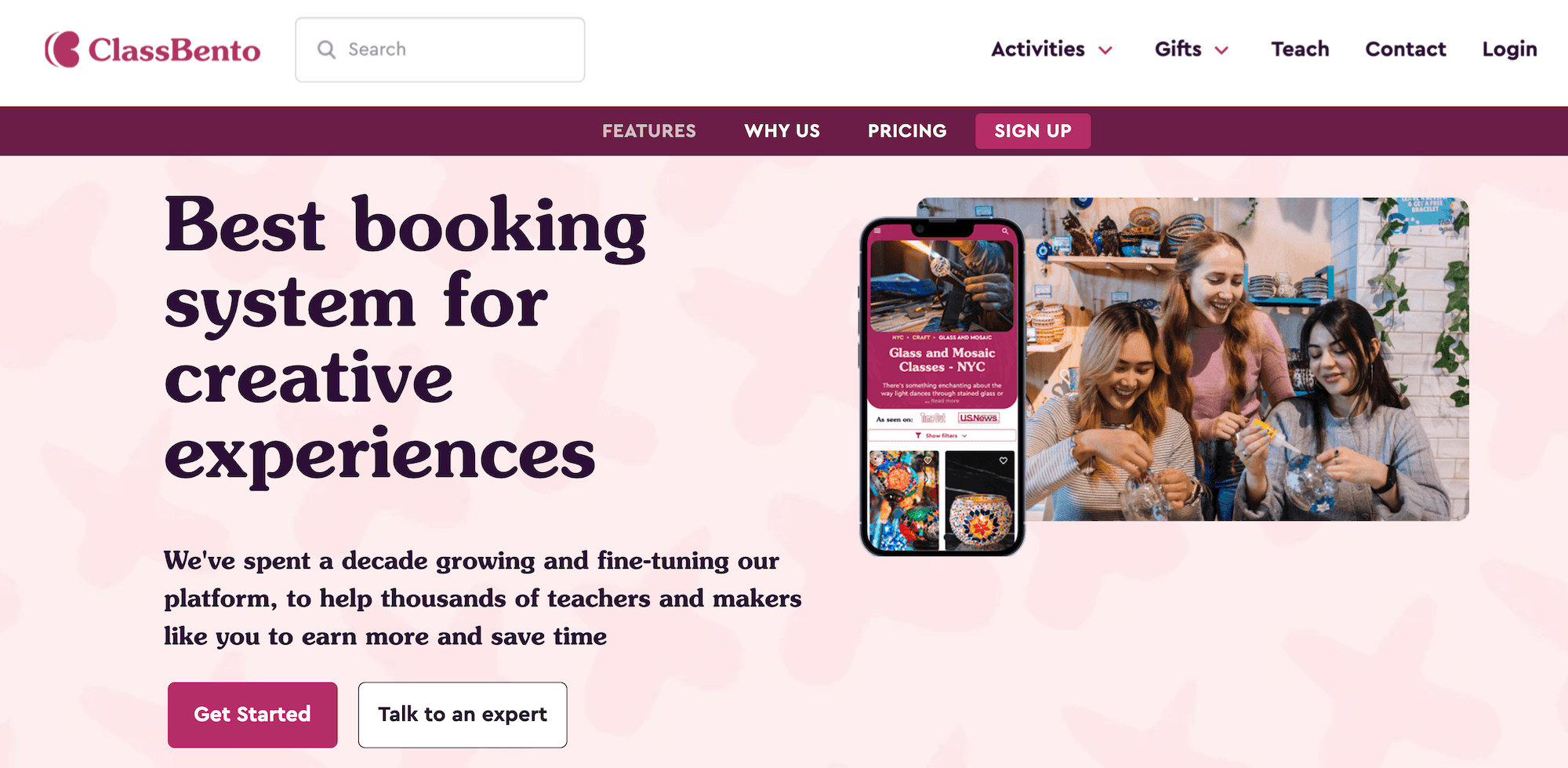
ClassBento is a booking platform built specifically for class and workshop providers — it’s the entire focus here. The platform handles public classes, private group bookings, and corporate events, and providers can even sell gift vouchers here so users can purchase experiences for others.
The thing that makes ClassBento different from most other systems on this list is that it doubles as a consumer marketplace. List your cooking classes on ClassBento, and they show up on classbento.com, where people are actively searching for creative experiences to book. So you’re not just getting booking software — you’re getting a new audience. It also integrates with Google Things to Do, so your classes can surface directly in search results and on your Google Business Profile. (But the distribution tools don’t go much further than that, so if you want more, you’ll have to supplement ClassBento with other sites.)
On the management side, it covers the basics: an embeddable widget for your own site, automated emails and reminders, waitlists, private event requests, custom invoicing, gift card sales, and customer self-service for rescheduling.
ClassBento works on a commission-only basis — no fixed monthly fee. It charges 3.9% + $0.30 per booking from your own website and a 20% commission on bookings that come through the marketplace.
Find more ClassBento reviews here.
Features
- Embeddable booking widget for your own website
- ClassBento consumer marketplace listing (new student discovery)
- Google Things to Do integration
- Public class bookings & private group event bookings
- Custom private event requests & invoicing
- Automated email communications
- Waitlist management with automatic notifications
- Customer self-service rescheduling & cancellation
- Gift card sales
- Loyalty program for repeat students
- Automated review collection
- Add-ons and upsells at checkout
- Google Analytics & Facebook integrations
- Virtual class support
- Reporting
Pricing
ClassBento doesn’t charge any fixed monthly fees — only commission fees from your bookings. It takes 3.9% + $0.30 from website bookings and 20% from marketplace bookings.
However, ClassBento does charge a $29/month fee if you choose to exclude all your listings from its marketplace.
9. Omnify
Omnify is a class and program management platform built for folks running classes, memberships, and multi-location operations. It’s especially useful for those multi-loc teams, with operators managing classes across multiple kitchens, venues, or cities — think a culinary brand with locations in several neighbourhoods, or a cooking school that partners with different kitchen spaces throughout the week.
For cooking class operators, Omnify covers the operational basics: online booking, class scheduling with capacity management, memberships, class packs, automated communications, digital waivers, and a branded service store that functions as the public-facing booking page.
A few features matter for cooking class businesses specifically:
- Multi-location management with centralised reporting — so you can see how a Tuesday pasta class at your downtown kitchen compares to the Saturday sushi workshop across town, all from one dashboard.
- Custom intake fields at booking for capturing dietary restrictions, allergies, and skill level across all locations.
- Class memberships with member-only pricing and exclusive workshop access — useful for building a loyal local following across multiple venues.
- Capacity management at the class level to prevent overbooking at any location.
But the trade-offs are similar to those of other class-management platforms: limited OTA distribution. You don’t get those deep integrations with Viator, GetYourGuide, or Airbnb Experiences that activity booking systems offer. And there is no reseller marketplace, either. Cooking class operators wanting to reach out-of-towners and win their bookings will find the distribution side pretty thin.
Omnify is a solid fit for multi-location cooking schools focused on local memberships and recurring students. It’s less of a fit for operators where travellers and one-off bookings drive significant revenue.
Features
- Branded service store (public booking page)
- Online booking widgets
- Custom intake fields for dietary restrictions & preferences
- Class scheduling with capacity management
- Memberships with auto-renewal & member-only pricing
- Class packs & prepaid packages
- Multi-location scheduling & management
- Digital waivers
- Automated email communications
- Waitlist management
- QR code check-ins
- Online payments (Stripe and other processors)
- Deposits & tips
- Gift cards
- Zoom integration for virtual classes
- Zapier integration
- Mobile apps
- Reporting
Pricing
Omnify offers four packages:
- The Launch plan ($49/month with 3% transaction fees) supports 2 staff members, 200 students, and unlimited bookings.
- The Growth plan ($149/month with 2% transaction fees) supports 5 staff members, 1k students, and unlimited bookings.
- The Accelerate plan ($249/month with 1% transaction fees) supports 10 staff members, 5k students, and unlimited bookings.
- The Custom plan (custom pricing with 0.5% transaction fees) supports unlimited students and bookings and a set number of staff members based on your requirements.
10. SchedulingKit
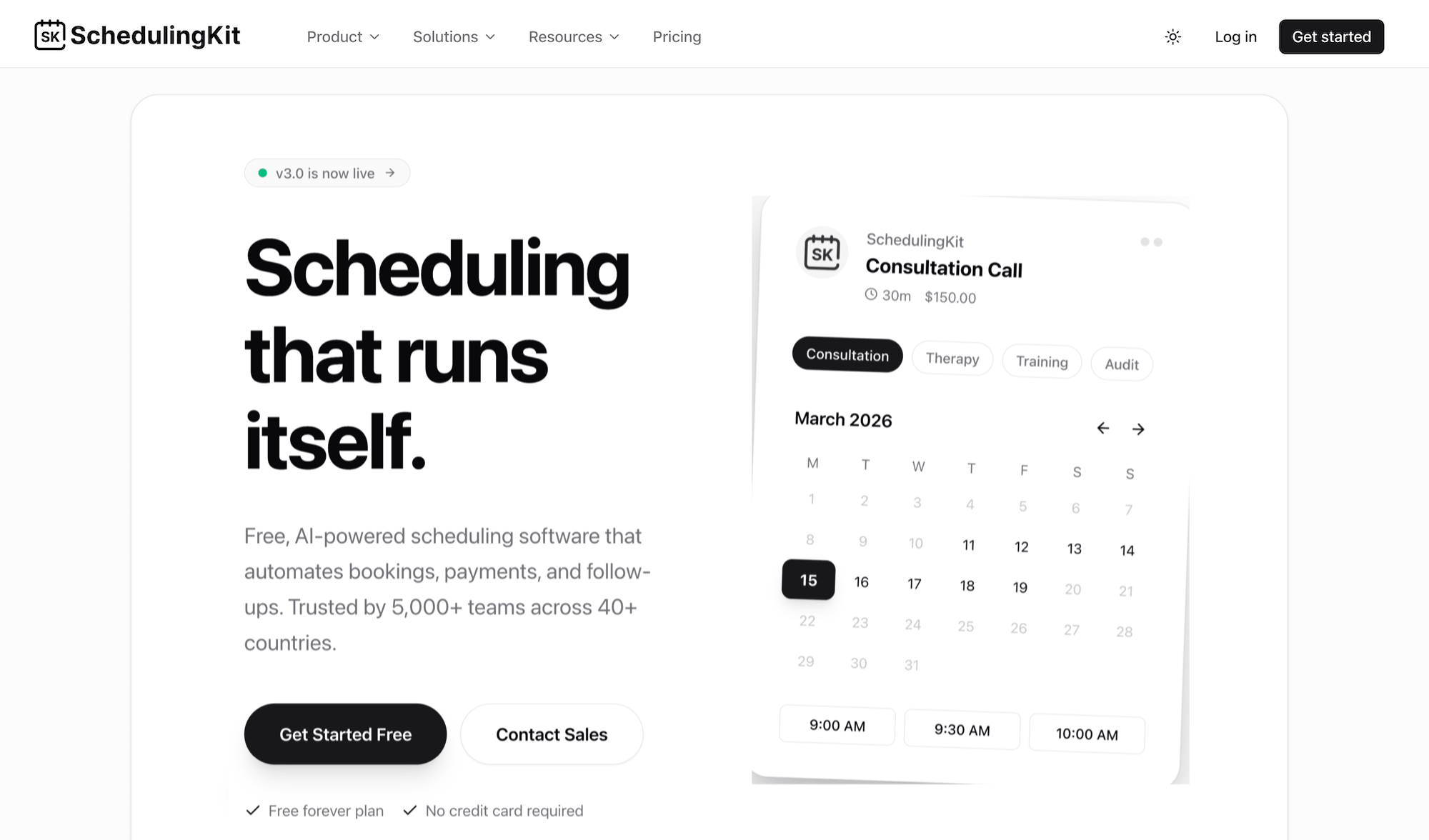
SchedulingKit is a general-purpose scheduling software built for service businesses across 50+ industries — salons, clinics, gyms, consultants, the works.
Cooking class operators can use SchedulingKit; it covers their needs well enough with an online booking page, calendar sync, automated reminders, payments via Stripe and PayPal, staff scheduling, a CRM, and group class booking with capacity limits.
It also offers some handy AI features, like a chatbot that handles booking inquiries around the clock, smart scheduling that optimises your calendar, and an AI receptionist for calls and messages. If you’re a solo chef instructor or a small studio that wants a helping hand in automating the busy work, SchedulingKit could be a good fit.
But cooking class operators running anything beyond the basics will hit limits here pretty quickly. There’s nothing culinary-specific with SchedulingKit — no dietary or allergen capture, no ingredient planning, no station-level resource management. The group booking feature handles class capacity, but it’s built for any group service, not specifically for kitchen operations. And there aren’t growth drivers like OTA connections, a reseller marketplace, or affiliate support.
SchedulingKit is the most affordable option on this list and the easiest to get started with, which counts for something. But for cooking class operators who need cooking-specific operational tools or any kind of distribution beyond their own website, it may feel like a very bare-bones starting point.
Read more about SchedulingKit here.
Features
- Online booking pages with embeddable widget
- Custom intake forms
- Calendar sync (Google, Outlook, Apple)
- Group & class booking with capacity limits
- Packages, memberships, & subscriptions
- Gift cards & vouchers
- Staff & instructor scheduling with round-robin assignment
- CRM & client management
- Automated email & SMS reminders
- Workflow automations (confirmations, follow-ups, feedback)
- Online payments — deposits & full payment (Stripe, PayPal)
- Invoicing
- Deposits & cancellation fees
- Waitlist management
- QR code check-in
- Reserve with Google
- AI chatbot booking
- AI smart scheduling
- Mobile apps
- Reporting
Pricing
SchedulingKit offers a free plan and four paid tiers:
- The Free plan ($0/month) supports 2 team members, 3 event types, 100 bookings, 1 calendar connection, email notifications, and mobile-responsive booking pages.
- The Standard plan ($12/seat/month) supports unlimited team members, unlimited event types and bookings, 6 calendar connections, 50 SMS credits, custom branding, workflows and automations, payment processing, CRM, custom email templates, and SMS notifications.
- The Pro plan ($20/seat/month) includes everything in Standard, plus unlimited calendar connections, 200 SMS credits, team scheduling with round-robin assignment, API access, webhooks, and analytics and reporting.
- The Business plan ($36/seat/month) includes everything in Pro, plus white-label branding and a custom page builder.
11. Mindbody
Mindbody is a class-management platform widely used across fitness, wellness, and education businesses, including studio-style cooking schools. It handles class scheduling, registration, packages, memberships, and retail sales in one system.
Mindbody’s consumer marketplace is the clearest differentiator for cooking class operators. It’s a discovery platform with an existing user base actively searching for fitness, wellness, and class experiences nearby — so cooking schools can get in front of local students who are already browsing, without any additional marketing spend. That’s a different kind of distribution from OTA travel platforms, but it’s useful for operators whose core audience is locals rather than tourists. Mindbody also supports retail sales alongside class bookings, so if you sell cookbooks, knife sets, or branded aprons, it handles that in the same system.
And like Bookeo’s Classes & Courses product, Mindbody goes deep on the studio model: auto-renewing memberships, complex class-pass logic, family accounts, and recurring billing for ongoing students.
But Mindbody falls short in a few places. For example, the marketplace is only geared toward local discovery — there aren’t additional distribution tools here to sell on OTAs or other online marketplaces. And cost is (reportedly) on the high end relative to the rest of the category.
Mindbody is a strong fit for established cooking schools where the core business is recurring local students and memberships. Those wanting to cast a wider net will find it insufficient.
Features
- Class scheduling & registration
- Auto-renewing memberships with member-only access
- Multi-pricing tiers (drop-in, packages, member rates)
- Class-pass & prepaid package management
- Family accounts & household billing
- Consumer marketplace for local discovery (Mindbody app)
- Waitlist management with automatic notifications
- Staff & instructor scheduling
- Online & in-person payments
- Branded mobile app (add-on on higher plans)
- Retail sales (cookbooks, knife sets, branded aprons)
- Gift card sales
- Digital waivers
- Automated email communications
- Email marketing suite (Accelerate plan & above)
- Mobile apps
- Reporting
Pricing
Mindbody offers three packages — Starter, Accelerate, and Ultimate — and offers custom pricing across plans. You must contact their team for more pricing details.
Getting Started with the Right Cooking Class Booking Software
The operational requirements for cooking class software are specific: kitchen capacity, dietary restrictions, and upfront payments. But operations alone won’t fill your classes. Growth means getting in front of new students — on Google, OTAs, online marketplaces like Viator, and through partners and affiliates.
Bókun handles both sides. The kitchen operations run in the background, so you don’t have to track anything manually. And the distribution tools — 70+ OTA connections, a reseller marketplace, affiliate tracking — put your classes in front of audiences you’d never reach through your website alone. And we offer it all at industry-low pricing so you can keep more of what you earn and put that back into offering five-star culinary experiences.
See how Bókun can transform your operations and keep your calendars full by starting a 14-day free trial(no credit card required).