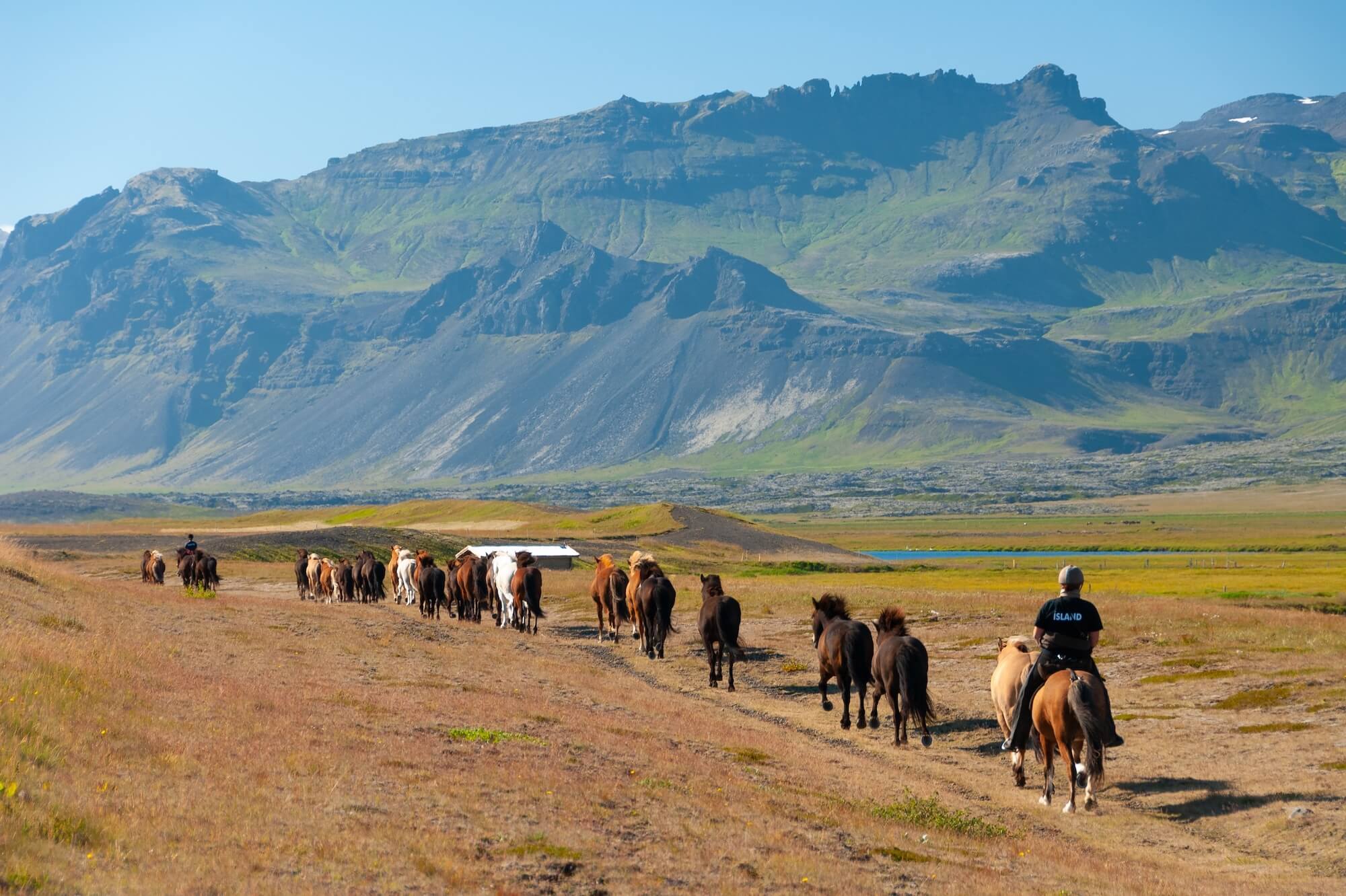
There are three main considerations for horseback riding businesses when comparing booking software.
First, horseback riding businesses typically serve two different kinds of customers. You’ve got your regular riders on a recurring lesson schedule, and then there are one-off bookings from travellers and visitors who want a single trail ride during their trip. Your booking system needs to manage both, so you aren’t juggling multiple calendars and risking overbookings.
Next, it needs to manage all the actual logistics behind rides — which horse and instructor are assigned, what tack and equipment are needed, how many riders a session can safely take, and what happens to the schedule when weather changes throw everything off.
Last, it needs to actively help you bring in new business. There’s a whole pool of potential customers (like those out-of-towners looking for things to do) who won’t find you unless your experiences are visible and bookable on the platforms they’re using to plan holidays.
We put together this guide with the most popular horseback riding booking software, so you can compare them in one place and find the best fit.
To learn more about Bókun after reading, start a 14-day free trial(no CC required).
1. Bókun
All-in-one operations management system to manage your horseback riding experiences & push continuous growth
Bókun is an all-in-one operations management system built for the experiences industry — and part of the Tripadvisor family. Our system builds upon standard booking software with modules to manage everything that happens behind the scenes, your horses and tack, your customer base, and every channel where you sell lessons and trail rides online. You’ve got everything under one roof, so you aren’t juggling a bunch of disconnected systems.
We’ve been in the biz now for over 10 years, working with a wide variety of experience providers — tour guides, activity operators like zipline businesses and laser tag venues, and attractions. Teams from all over the globe, of all sizes, from small one- or two-person operations to multi-location franchises. Our system is super flexible to support it all. And our team can help you get set up or answer questions as you go, to make sure Bókun is tailored exactly to what you need.
We make our system accessible to everyone with super-low pricing (and some of the lowest booking fees in the industry, at only 1.5%) and a straightforward, user-friendly toolkit that doesn’t require any training. Anyone can join Bókun and be up and running in just an afternoon.
And Bókun is one of the most top-rated systems in the booking industry. Our users rate us 4.7 stars on review sites like Capterra, calling out the all-in-one toolkit, ease of use, hands-on support, and value for money.
But what sets us apart most from other systems is our distribution tools. We offer more ways to grow your bookings than any other system: 70+ OTA connections, one of the largest partner networks, with thousands of travel industry businesses, and affiliate support to build out your own network. You’re not only managing what you’re already doing, you’re actually able to grow and serve more customers.
We offer a 14-day free trial (no CC required), so all our users can explore the platform and make sure it’s the right fit before paying for anything. You can start yours here. But we’ll also take you through our core features below so you can see exactly how they work for you. We’ll start with our modules to win you new bookings and customers, then move into everything to manage your stable and schedule.
Bókun’s tools to sell your horseback experiences online & win bookings from new audiences
Tools to create a bookable website
Making your website bookable is one of the easiest ways to get new bookings because it lets your riders reserve lessons or trail rides online, easily and instantly. They don’t have to call or email and wait to hear back on availability — there’s none of that long back-and-forth where you risk losing customers because they lost interest or found something else to do that day.
So we offer simple online booking tools so you can do this without a bunch of technical work. And if you don’t have a website yet, we’ve got you covered there too.
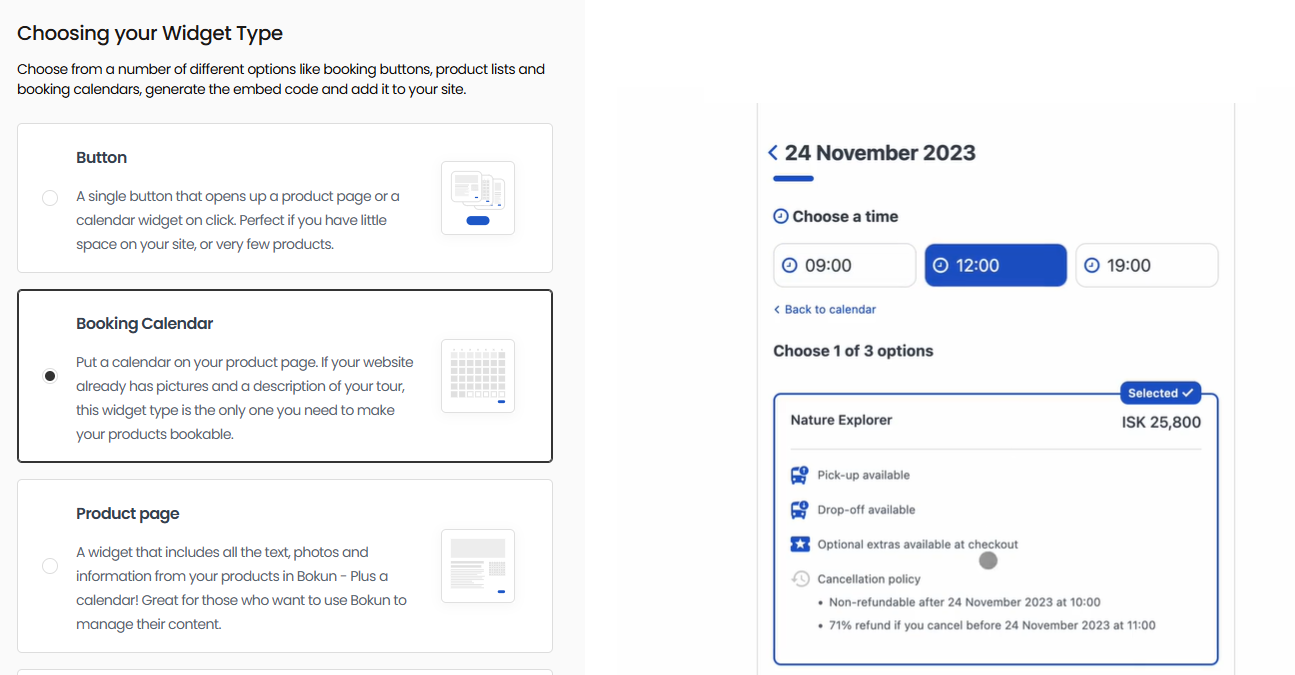
If you already have a website, you can drop our booking engine widgets in. We give you the code, you paste it onto your site. You can add as many booking widgets as you want. We typically recommend a booking widget on each page so customers can start the process wherever they land on your site. Makes it super easy for them and helps you see more bookings, since people don’t have to hunt down a specific page.
And we provide a variety of widget styles here so you can mix it up. There are straightforward “Book Now” buttons and calendar views, but we also offer product listings and product overviews so you can add widgets for different product types (ex., lessons vs. trail rides).
Read more: How to add a booking system to your website
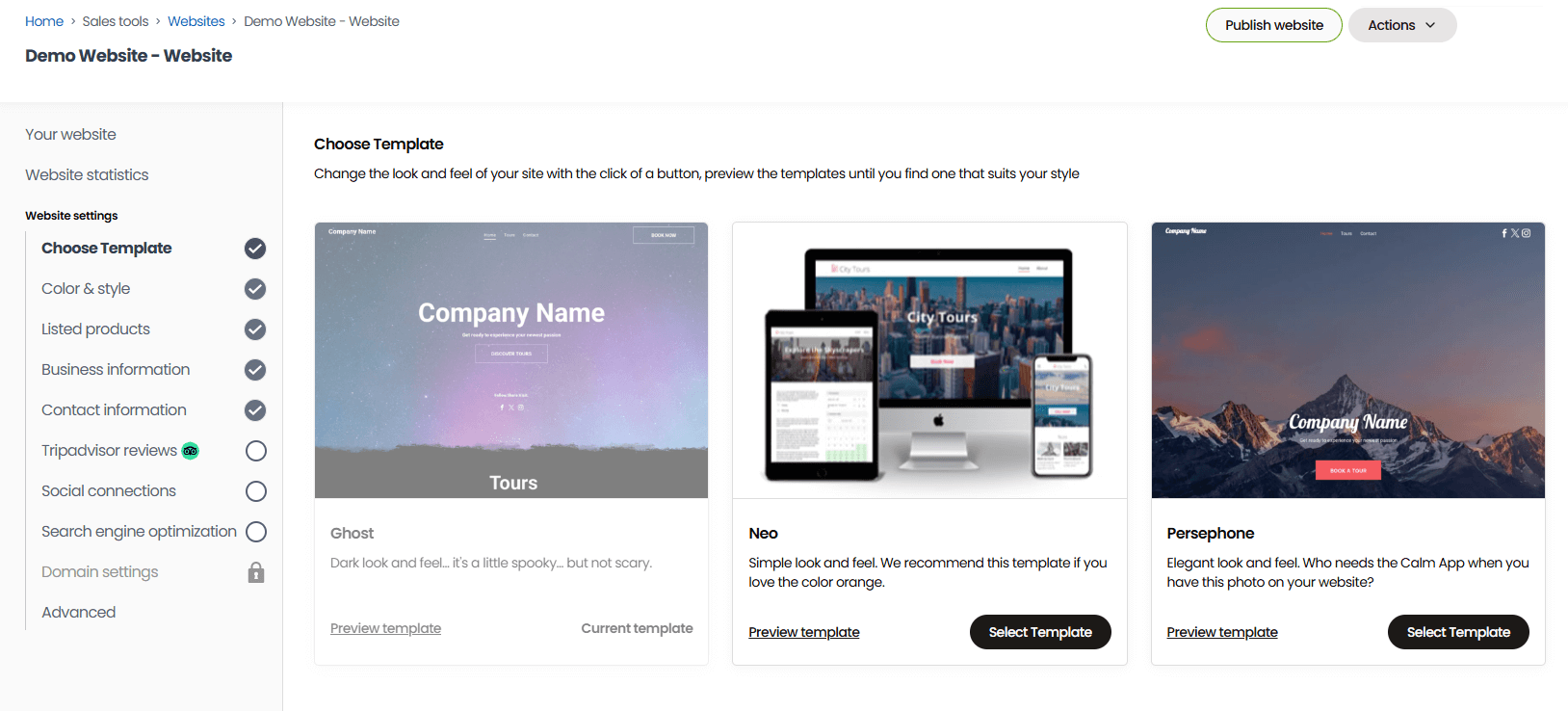
If you don’t have a website, you can use our one-click website builder to get up and running. Our sites come optimised for desktop and mobile, with booking widgets already installed, so all you have to do is choose your favourite template and fill it in. You can add your business and contact information, brand logos and colours, pictures of your horses and facilities, details about your trainers and guides, whatever you like.
And if you are more tech-savvy, you can use our advanced SEO tools to build out even further. Add custom CSS, adjust the site nav, publish blog content, translate your site into different languages, connect Google Analytics.
When you’re ready to launch, we’ll secure and register your site name so you don’t have to hassle with that or cover those costs.
Then, the last step here is to connect online payment processing tools. We integrate with a ton of them — Apple Pay, Google Pay, Stripe, PayPal, Venmo, Klarna, Rapyd, Braintree, Worldpay, and so on — so you can give your customers a variety of payment options. This improves booking conversions because customers can choose how they want to pay; they aren’t abandoning a booking at checkout because their card or wallet of choice isn’t supported.
Learn more about how to turn your website into a 24/7 booking engine in our guides and case studies below:
- 8 ways to increase direct bookings
- How REDRIB Experiences grew from a startup to a 5-star company with 89% direct online bookings
- How Urban Saunters switched booking platforms overnight and tripled direct bookings in 6 months
- How one diving operator saw a 40% surge in bookings with Bókun
- How Sailing Windermere achieved business growth by accepting online bookings 24/7
Growth drivers to reach new audiences
Connections with OTAs & online marketplaces
Plenty of your future customers — especially the ones booking a one-off trail ride while visiting the area — start their search on a travel site like Tripadvisor or Viator. Not your website. They don’t know about you yet! So we built Bókun with dozens of OTA and online marketplace connections so you can promote your rides on those sites and be found where people are searching.
We currently connect with over 70 sites: huge brands like Viator, GetYourGuide, Google Things to do, Airbnb Experiences, Expedia, Civitatis, Klook, Trip.com, TourRadar, Headout, and Musement, along with more niche sites tailored to specific activities and regions.
You can connect as many sites as you like and mix and match your sales channels. Connect with those bigger names like Viator to reach massive, global audiences. And plug into marketplaces built around outdoor and equestrian tourism in your area to get in front of folks looking for exactly what you offer.
And a bonus of being a Tripadvisor brand is that we’re the #1 restech partner across major platforms, and we hold premium partnerships with some of the leading names — earning you extra benefits when you start selling online.
- Our Viator Preferred Partnership means 0% Bókun fees on any booking that comes through Viator and free annual subscription checks (12, 24, or 48, depending on your package).
- Our GetYourGuide Premium Connectivity Partnership gets your listings live faster and keeps bookings syncing reliably between the two systems.
- Our Google Things to do partnership skips you past the standard application process straight to being listed on Google’s search and maps results.
We also put together these guides so you can learn more about each site and how to win bookings from them:
- The tour operator’s guide to OTA bookings
- How to add your business to Tripadvisor
- How to sell tours on Viator
- How to become a GetYourGuide supplier
- How to become a Civitatis supplier
- How to host experiences on Airbnb
- How to become a TourRadar supplier
- How to sell tours on Expedia
- How to become a Musement supplier
- How to become a Klook supplier
Bókun Marketplace
On top of OTAs, Bókun runs its own reseller network — the Marketplace — with thousands of travel and leisure businesses ready to partner up: other tour and activity operators, attractions, travel agents, destination management companies (DMCs), accommodation providers like hotels and resorts, transportation services, and more, spread across the globe.
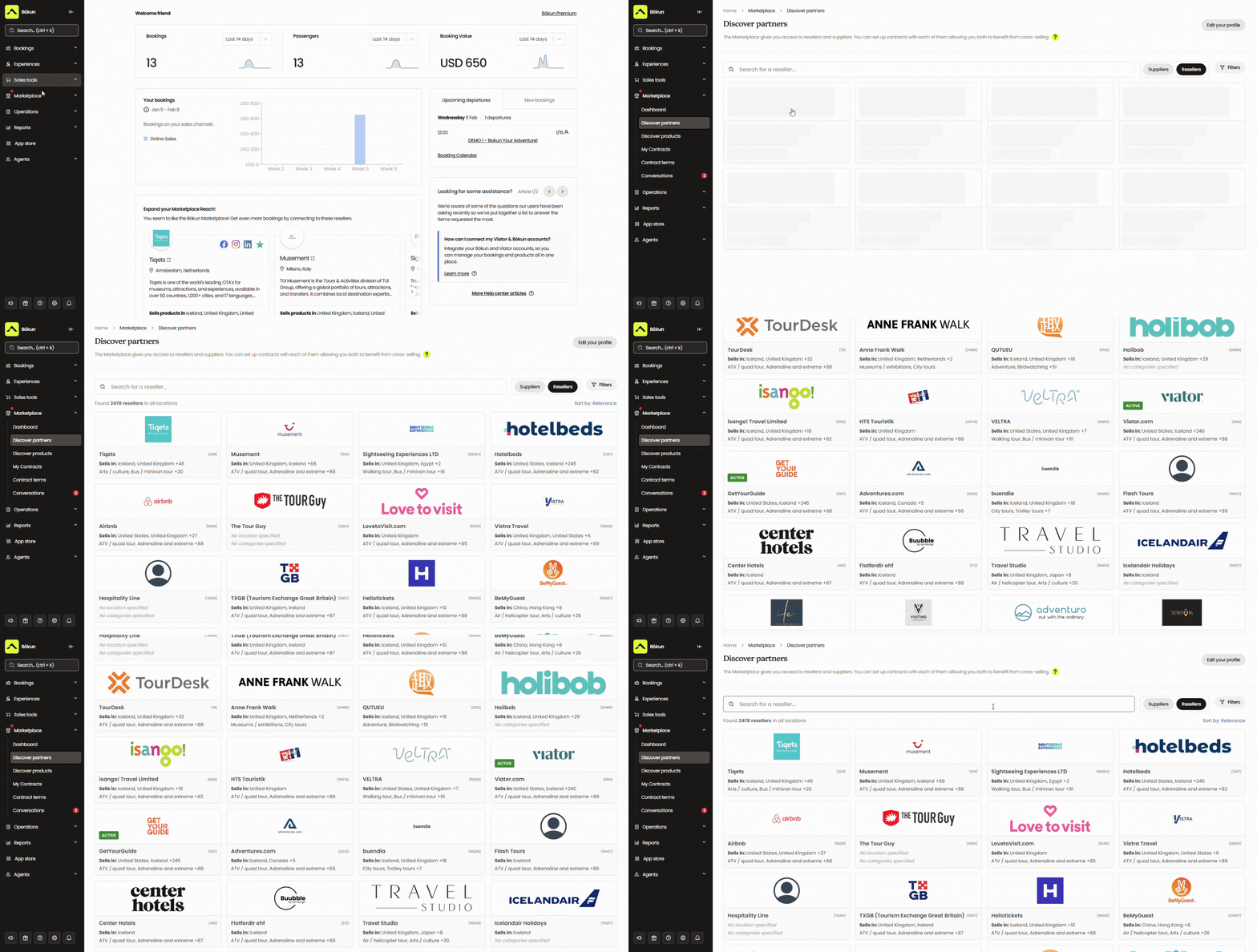
There are a few ways to put this network to work:
- Team up with resellers who’ll put your lessons and trail rides in front of their customers — a travel agent building a multi-day itinerary for a family, for instance, and adding your trail ride as an activity.
- Resell others’ services or experiences to earn commissions and add revenue streams outside of what you offer.
- Build packages with partners in the network, pairing a trail ride with a stay at a nearby B&B or a ticket to a local attraction for another day of fun.
And we give you all the tools to manage partner relationships. You can handle outreach, negotiate terms, and store your communications and contracts all in one place.
See how some of our teams use the Bókun network in our case studies below:
- International Friends generates $500K in sales via Bókun Marketplace
- Mega Zipline Iceland leverages 100+ reseller contracts to scale business to new heights
- Venice Tours achieved a 400% revenue increase through the Bókun Marketplace
- Tour Marbella pulls 54% of its bookings through Bókun Marketplace connections
- Simba Sea Trips sees consistent 20% year-on-year revenue growth after joining Bókun
Bókun Referral Tracking
Referral Tracking takes this a step further by letting you build an affiliate network with anyone who makes sense for your business — not just partners already in the Marketplace. For a horseback riding business, that could be:
- Local farms, ranches, or agritourism operators who send visitors your way
- Petting zoos or animal sanctuaries nearby
- Equestrian content creators on Instagram or TikTok — barn life, training tips, or trail content
- Travel bloggers who cover your region
- Tourism boards or visitor centres promoting local things to do
- Hotels, campgrounds, or B&Bs near your stables
And you’re in control of the whole thing. Choose your own partners, add as many as you wish, and set commission rates individually. You can give partners a trackable link or their own dedicated booking page for their audiences to book directly with you.
Our reporting shows you how many bookings each affiliate sends your way, so you can keep building out your network with the types of partners that work best for you.
Bókun’s back-office tools to keep your schedules straight & your rides smooth
The central calendar
The central calendar is where you can see all your bookings and manage your schedules. Every booking lands here the second it’s confirmed, whether it came through your website, an OTA, a partner site, an affiliate link, or someone booking in person at your stables.
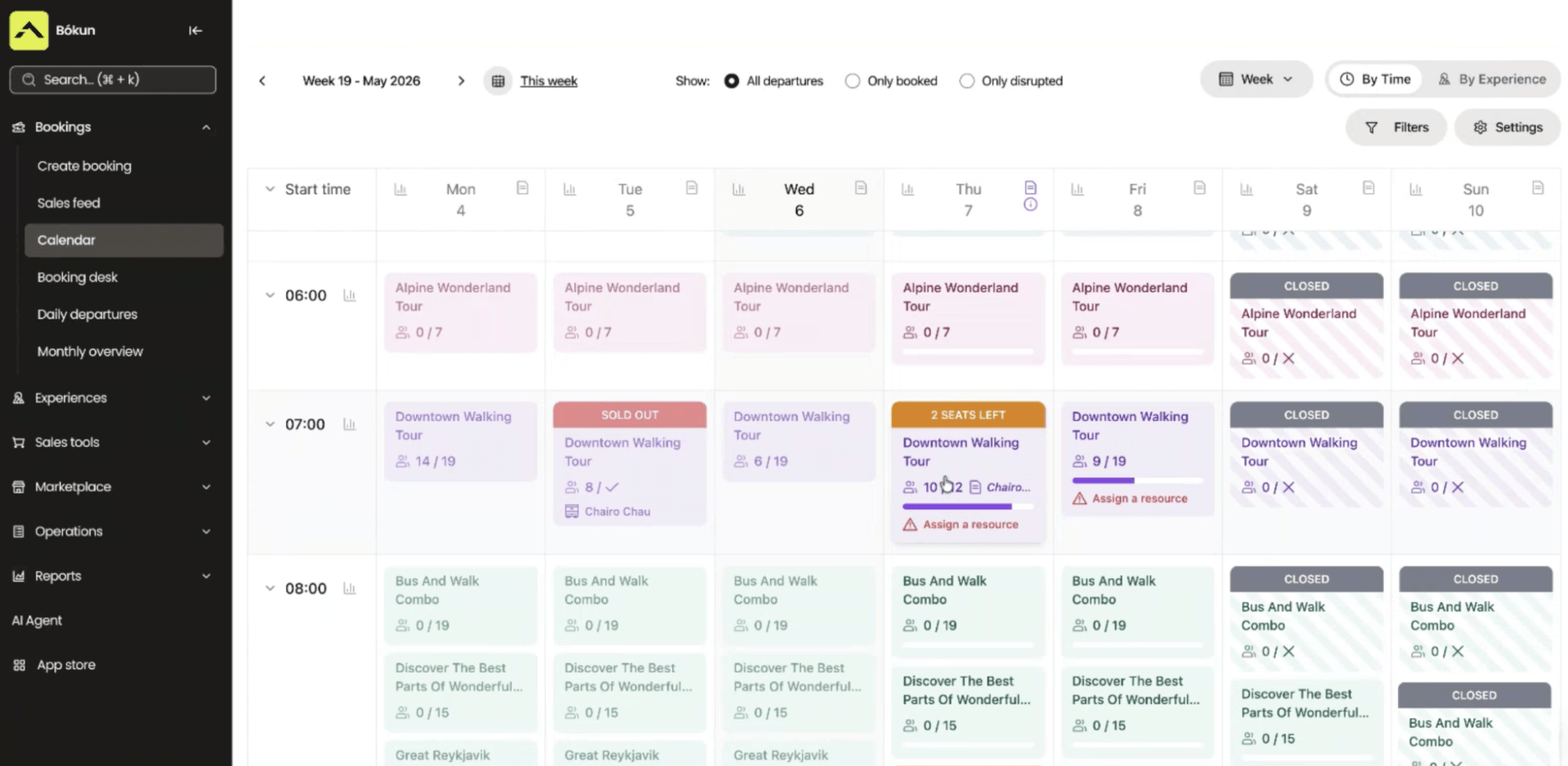
Real-time updates run in the background, too. The moment a slot fills up on one channel, it disappears from every other channel you’re connected to. For example, say your morning trail ride caps out at 12 riders. No matter how those spots fill — a few through your website, a few through an OTA, one that calls in directly — the second that twelfth spot’s booked, the ride shows as full everywhere else you sell it. Nobody else can book that ride. You never risk double bookings or selling over capacity.
Click into any booking on the calendar, and the full picture’s right there: rider count, which horse and instructor or guide are assigned, and any add-ons attached. And if you need to make any changes — reassigning a horse, swapping a trainer, or shifting a departure time — you can do it directly from that screen.
Horseback riding businesses deal with weather disruptions differently than most — a storm can shut down an outdoor arena for the day, ground conditions after heavy rain can make trails unsafe well past when the rain itself stops, and extreme heat can rule out afternoon rides for the horses’ sake even on a clear day. Our Disrupted Departure feature handles this at the departure level: flag every booking tied to that time slot, and riders get a self-service link to either pick a new date or cancel for a refund, so you’re not calling down a list one person at a time.
For situations where offering a new date doesn’t make sense — a multi-day weather system, or a season that’s already fully booked with nowhere to shift people to — Mass Cancellation clears every affected booking and processes the refunds in one action, and closes out that slot automatically so it can’t get booked again by mistake.
There’s also Mass Mail, for anything that doesn’t require touching the booking itself — a note that morning lessons are starting later because of fog, or a heads-up on a changed meeting point. One message goes out to everyone booked that day, so nobody’s left guessing whether their ride is still on.
Experiences: product & resource management
The Experiences tab is where you’ll build out listings for everything you offer — group and private horse-riding lessons at different skill levels, trail rides at different times of day, and longer scenic rides for visiting travellers who want more time in the saddle.
There are a few ways to get started here:
- Use the product builder (it takes you step by step through the process, so it’s super easy and you don’t miss anything).
- Save an existing listing as a template so your next similar one takes minutes instead of an hour.
- Import products straight from your current website or from Viator if you’re already listed there.
But let’s say you’re starting from scratch.
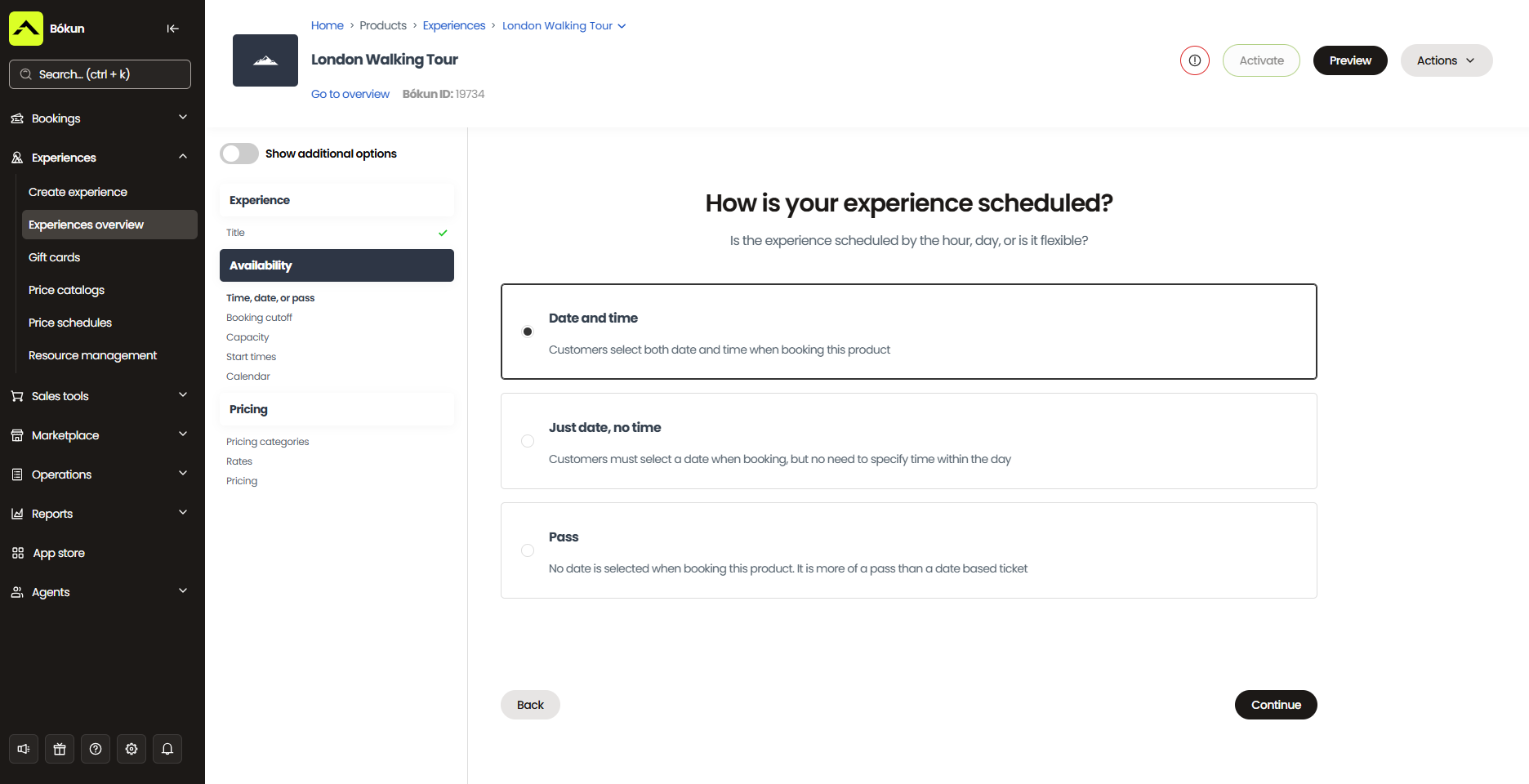
The first thing you’ll do is add the basic details: a name for the lesson or ride, a description of what it covers or where you’ll be riding, who it’s suited for (first-timers, experienced riders, kids), and anything riders should know before showing up — footwear, weight limits, what to bring. Photos matter a lot here too — a shot of a rider mid-trail or working with a horse in the arena does more to convert a booking than the description ever will.
This is also where you’ll add on extras riders can book alongside their ride, like a professional photo package, a trailside snack pack for longer rides, or a pre-ride add-on where kids get some time to brush and feed the horse before setting off.
Next, you’ll set availability.
For trail rides, choose the days and times you run them, set your minimum and maximum group size, and add blackout dates for the days you’re closed.
For lessons, you can set your availability to repeat, so the same weekly time slot stays on your calendar without you having to rebuild it each time. Riders can then book into that slot as it opens up each week. And if you sell lesson packages instead of single sessions, pass products let a rider work through a set number of visits — a 6-lesson bundle, say — rather than booking and paying one at a time.
From there, you’ll add pricing. You’ve got a few options here, so you’re not locked into one rate structure across your listings.
You can set a flat rate for trail rides, charge per rider for group lessons, and set a separate rate for one-on-one time with an instructor. Bulk discounts help you land bigger bookings too — a birthday party, scout troop, or a family booking a trail ride together while they’re visiting the area.
And payment options are flexible: take the full amount upfront, collect a deposit, or let people pay on arrival.
Last are resources. You’ll add your horses, saddles, bits, and other tack, along with your trail guides and lesson instructors, into the system as individual resources, each with its own details.
From there, you link them to your listings so Bókun always knows what a given lesson or ride actually needs — a trail ride might require six horses and a guide, while a private lesson needs a specific horse, trainer, and saddle for that rider.
Once a booking comes in, those specific resources are locked to that time slot and won’t show as available for anything else scheduled at the same time. You can also set a rest period per horse, so one that just finished a ride doesn’t get pulled into another session before it’s had a break.
CRM with automated communications
Bókun includes an in-built CRM so that every rider who books with you — whether it’s a one-off trail ride or a recurring lesson slot — automatically gets a contact profile in Bókun, built from the moment they first reach out or start a booking.
Name, contact details, and full booking history all live in one record, so if a regular lesson student calls asking about last month’s booking, you’re not digging through old emails or a paper ledger to find it.
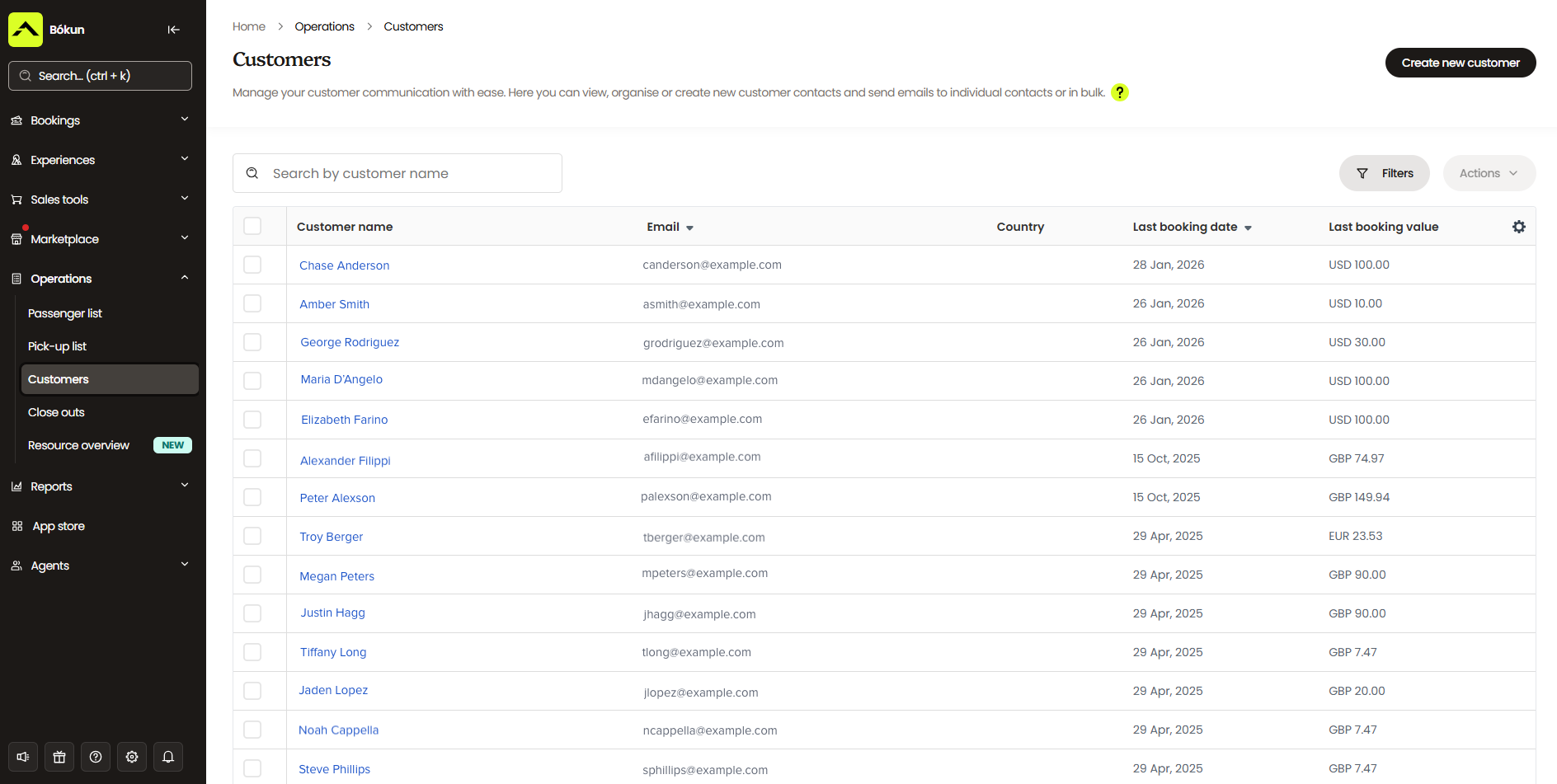
You can build on that profile yourself too — riding experience level, any horse they’ve clicked with before, allergies or things worth flagging before a ride. The next time that person books, whoever’s working the desk has the full picture without needing to ask again.
Bókun backs this up with automated communications that handle the routine stuff for you.
The moment a booking comes in, riders get a confirmation with a mobile ticket attached. (You can also use our digital waivers add-on to send those out automatically — more on those later.)
Automated reminders go out ahead of the ride too, timed however you like: a week out, the day before, or both, which cuts down on people simply forgetting they booked a 7 am lesson.
And once a ride wraps, our system sends follow-up emails — a review request, a “come back for your next lesson” nudge, whatever fits.
You can also build out full marketing campaigns from here: seasonal promotions for peak riding weather, a re-engagement email to a lesson student who hasn’t booked in a while, or an announcement when you add a new trail route or evening ride to your schedule. There’s a gallery of ready-made templates to start from, or you can build your own from scratch.
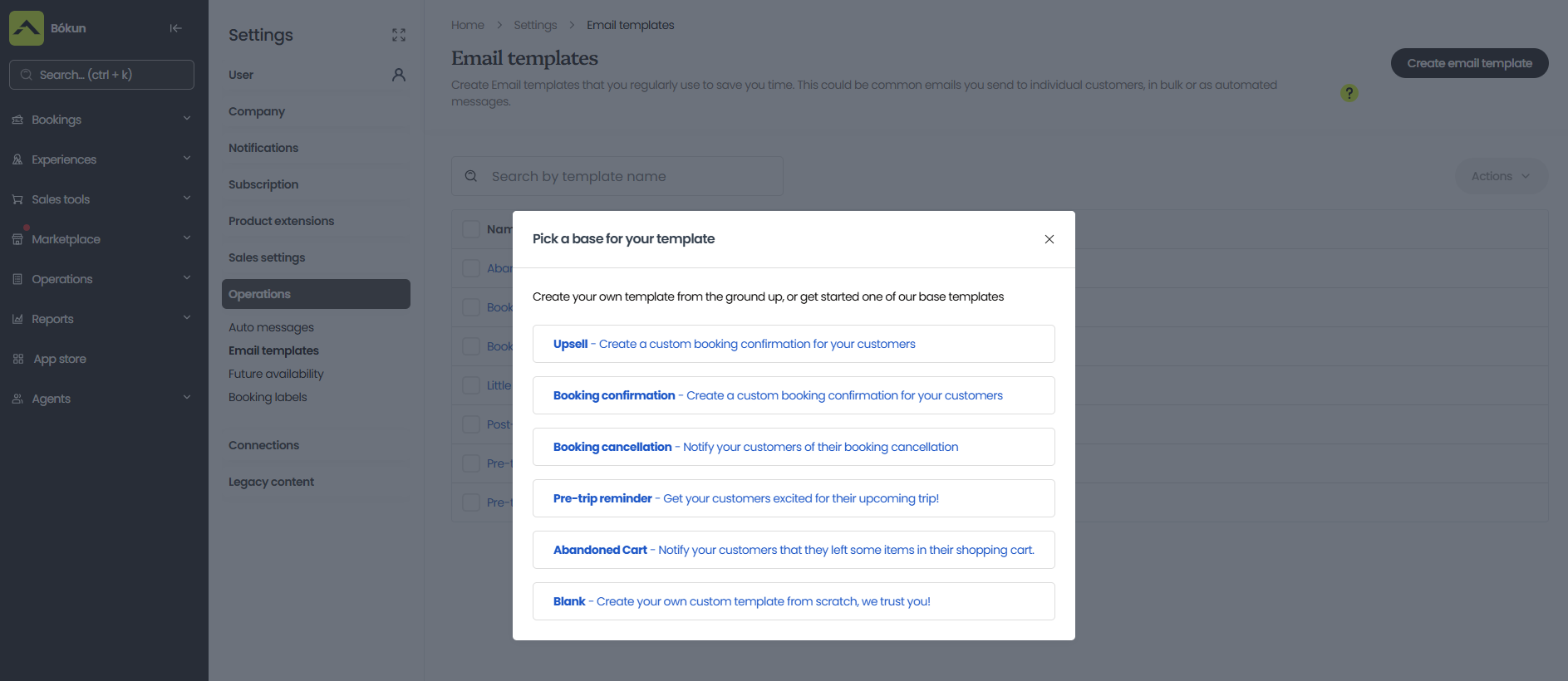
Between the contact profiles and the automated sends, you’re running less like a business juggling a notebook and a group text, and more like one with an actual record of who your riders are and what they need.
Self-service portals for customers
Every booking confirmation comes with a link to a self-service portal, so riders can handle their own booking without calling or emailing your team. From there, they can view their reservation details, cancel if plans change, or add on something extra, like a photo package they skipped at checkout but decided they wanted after all.
This matters more for a horseback riding business than it might for other tour types, since weather and ground conditions can force a change on short notice. If you flag a departure through Disrupted Departure, this is the portal where riders actually make that call themselves — pick a new date or cancel for a refund — instead of you having to work the phones to track everyone down individually.
Any change made through the portal automatically updates your calendar, too. So if a lesson student reschedules their Tuesday slot to Thursday, that shift reflects immediately on your end. There’s no separate step where you have to manually adjust the booking to match what the rider just did.
For a team running a full lesson roster on top of trail rides, this cuts a real chunk of admin time. Riders aren’t waiting on a callback to move a lesson around their schedule, and you’re not spending your morning fielding reschedule requests one at a time.
Check-in tools
On the day of a ride or lesson, Bókun’s mobile apps for iOS and Android put check-in wherever your team actually needs it — the stable office, a trailhead a mile from any WiFi, wherever riders are meeting up that morning. The apps work whether you’ve got signal or not, and everything syncs the moment you’re back in range, so a dead zone at the trailhead doesn’t hold up a lesson or delay a ride from heading out on schedule.
Whoever’s running check-in can pull up the day’s roster, scan a rider’s mobile ticket, and see who’s arrived and who’s still on their way, all in real time. The manifest also shows which horse, saddle, and guide or instructor are assigned to each rider, so there’s no last-minute scramble matching people to mounts once everyone’s standing around in the yard.
Reporting dashboards
Bókun’s reporting dashboards break your bookings and revenue down by listing, sales channel, and time period, so you can see what’s actually selling, which channels are bringing you the most business, and when your busiest and slowest stretches tend to hit.
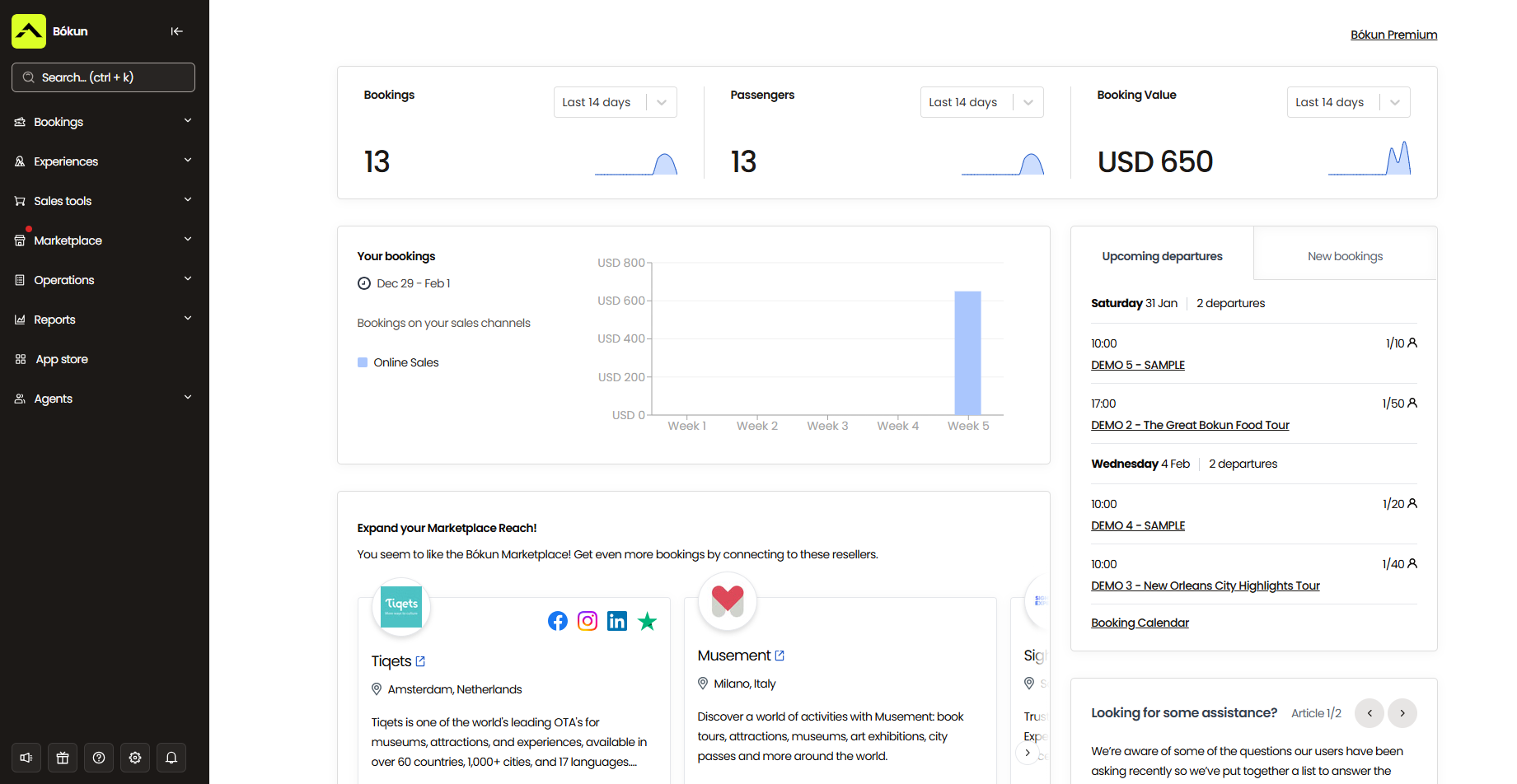
Then you can use that data to figure out what’s working, what needs attention, and where to focus next.
For example, you can use this to fine-tune your product line.
If your beginner group lessons stay booked out while intermediate slots barely fill, that’s likely just where your rider base actually is. You can open up more beginner availability to attract more students and hold back on intermediate slots until the numbers show riders are ready to move up and there’s real demand for the next level.
If a particular add-on keeps selling well — the photo package, a trailside snack pack — offer more of it. Add a few photo package tiers, stock up on snack pack options, whatever keeps that momentum going.
You can also dig into where your bookings are coming from, so you can lean into what’s working and pull back on what isn’t.
If a solid chunk of your trail rides come through Viator, add more listings and availability there. If a niche site tailored to outdoor or equestrian tourism is performing well, look for others like it and test whether they bring in similar results.
And since your busy and slow stretches will show up clearly in the data, you can plan around both.
Ahead of your busiest months, make sure you’ve got enough guides and instructors on the schedule, your horses are in shape for a heavier workload, and you’ve got enough tack to support demand.
For slower stretches, dig into what’s actually driving the dip and see if a promotion or seasonal offer helps close that gap. And if your business is seasonal by nature, use the quiet months to prep for what’s coming and get a head start on marketing the season ahead.
App Store
Beyond everything covered above, Bókun’s App Store lets you add on extra functionality as your operation actually needs it. You can turn any of these apps on or off whenever you like.
As mentioned above, the digital waiver add-on is a convenient module for riding businesses. Every ride and lesson carries a real physical risk, so you need a signed waiver on file before anyone’s near a horse. This module sends waivers out alongside booking confirmations so riders can sign and return them digitally. Bókun automatically attaches the signed copy to the booking, so whoever’s running check-in can confirm a rider’s coverage without chasing down paper forms.
Beyond waivers, a few other modules tend to come in handy for riding businesses.
- Tip management. This lets riders tip their guide or instructor after the ride, right through Bókun, instead of fumbling for cash or a card at the end of the day.
- SMS messaging. Worth having for anything time-sensitive — a weather delay, a last-minute change to where riders should meet — since a text tends to get seen faster than an email, especially by someone already on their way to the stables.
- Custom reports. For those who want more specific detail than the standard dashboards cover, this module lets you build your own reports and filter by whatever matters to you — cancellation reasons, how often a specific horse gets booked, which discounts are actually getting used, that kind of thing.
Bókun’s packages & how to get started
You can try Bókun out with a 14-day free trial, no credit card required, so you’ve got time to actually run it against a real week of lessons and rides before committing to anything.
Our START plan covers everything we’ve walked through above — the calendar, resource management, CRM, reporting, distribution tools, all of it — for $49 a month, with online booking fees of just 1.5%. Bókun fees are waived for anything booked through Viator, and offline bookings, such as a trail ride booked in person at your stables, are always free.
For larger operations — a multi-location riding school or an equestrian business running at a volume that requires more hands-on support — we offer PLUS and PREMIUM plans. These add tools like agent portals, subvendor management, and Zapier integrations, along with dedicated onboarding, priority support, and a yearly strategy call with our team to help you keep growing.
Ready to see what Bókun can do for your riding business? Start your 14-day free trial today.
2. Bookeo
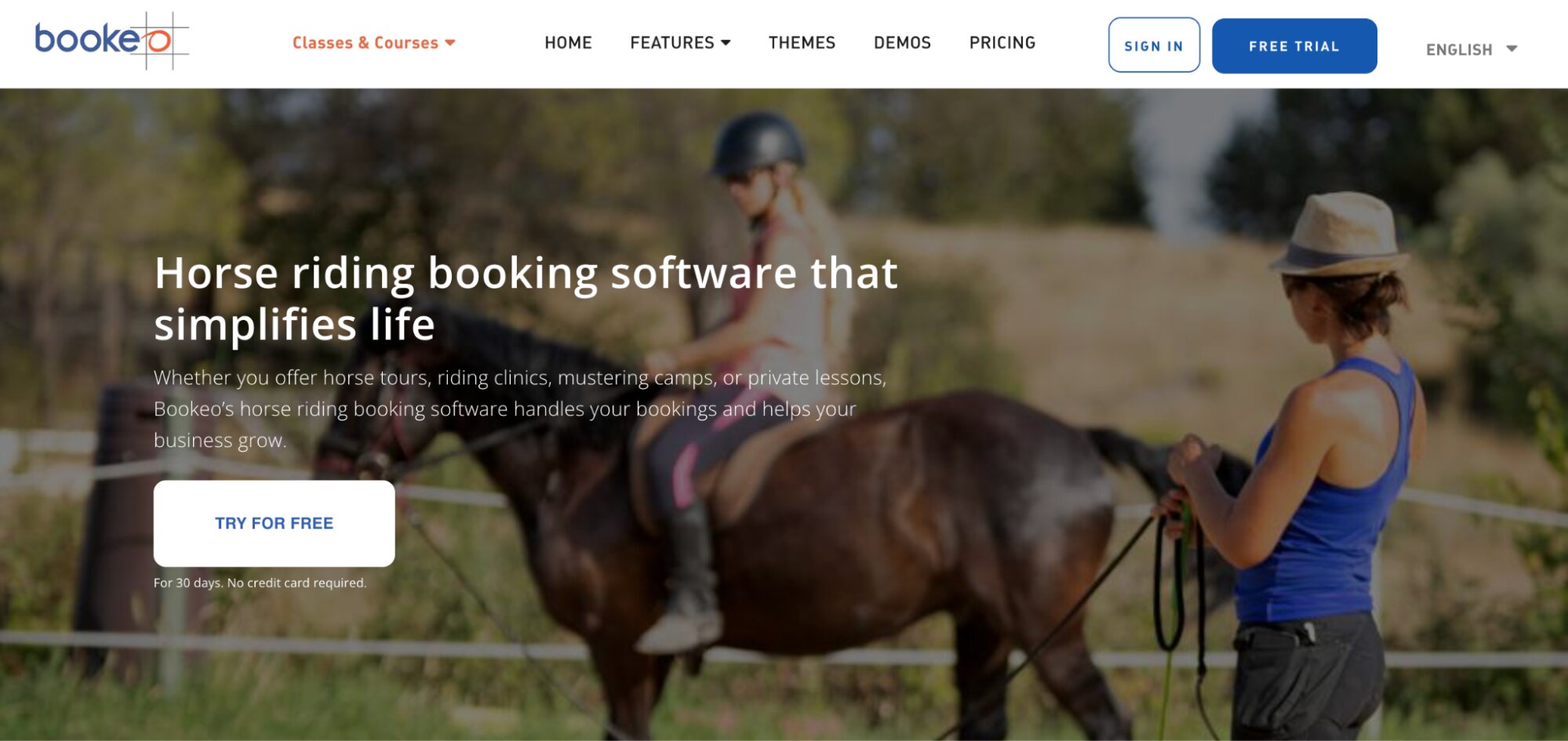
Bookeo is a well-known name because it offers a variety of booking solutions to support different industries. For horseback riding businesses, it offers two separate products. The one that fits you best depends on what you’re booking. Classes & Courses handles lesson-style bookings — regular weekly classes, courses, and private lessons — while Tours & Activities is built for trail rides, treated the same as any other guided tour.
For the lesson side, Classes & Courses delivers well on recurring bookings. Riders can book the same weekly slot on an ongoing basis, and the system supports membership-style pricing with special rates and members-only lesson slots — a real point in Bookeo’s favour if regular students are a core part of your income. Waiting lists let riders join the queue for a popular class, so if someone drops out, the next person in line gets notified and can grab the spot.
For trail rides, Tours & Activities lets you set up a fixed weekly schedule for regular rides, a one-off special event, such as a full-moon ride tied to a specific date, or an open-schedule tour where riders pick their own start time within the windows you allow. Rescheduling is built in too — customers have an easy way to move to a new date rather than you handling that by phone.
Resource assignment works the same way in both products. You set up your horses, tack, and instructors or guides as individual resources, then assign them to specific lessons or trail rides. Once assigned, that horse or guide is locked to that booking, so the same one can’t get pulled into two things scheduled at once.
The trade-off is that these are two separate Bookeo subscriptions, not a single unified account. A horseback riding business running both lesson programmes and trail rides would need to run both products side by side, with separate logins, separate pricing plans, and no shared resource pool between them. If the same horse or instructor works both lessons and trail rides in a given week, there’s no single system tracking that horse’s full schedule — you’d be checking two separate calendars to make sure nothing overlaps, which runs against the exact problem a combined booking system is meant to solve.
Beyond the two-account setup, distribution is another area to weigh. Both products connect to OTAs directly, but neither includes a reseller network or partner marketplace — so you don’t have as many options to earn new bookings or grow your customer base.
On the day-to-day experience, Bookeo earns a 4.3-star rating on Capterra, and reviewers consistently praise how easy it is to pick up — several mention getting new staff comfortable with it within a day.
Find more Bookeo reviews here.
Features
- Online booking widget (for existing sites)
- Product & availability management
- Customisable booking management calendar
- Staff management
- Channel management & connections with OTAs
- Native POS
- Integrations with online payment processors like Stripe
- Automated communications to send booking confirmations, reminders & follow-ups
- Customer portals to cancel or modify reservations
- Waitlisting tools
- Upselling tools
- Options to sell merchandise, gift cards & vouchers
- Reporting dashboard
Pricing
Bookeo offers three packages — the small business plan is inexpensive, but the other packages get pricier for larger teams, and Bookeo caps products, logins, and bookings across all plans.
- The Standard plan ($39.95/month) supports 20 products, 20 staff logins, and 1,000 bookings per month.
- The Large plan ($79.95/month) supports 40 products, 40 staff logins, and 2,000 bookings per month.
- The X-large plan ($119.95/month) supports 60 products, 60 staff logins, and 3,000 bookings per month.
Read more: Best Bookeo alternatives for activity & experience providers
3. Rezgo
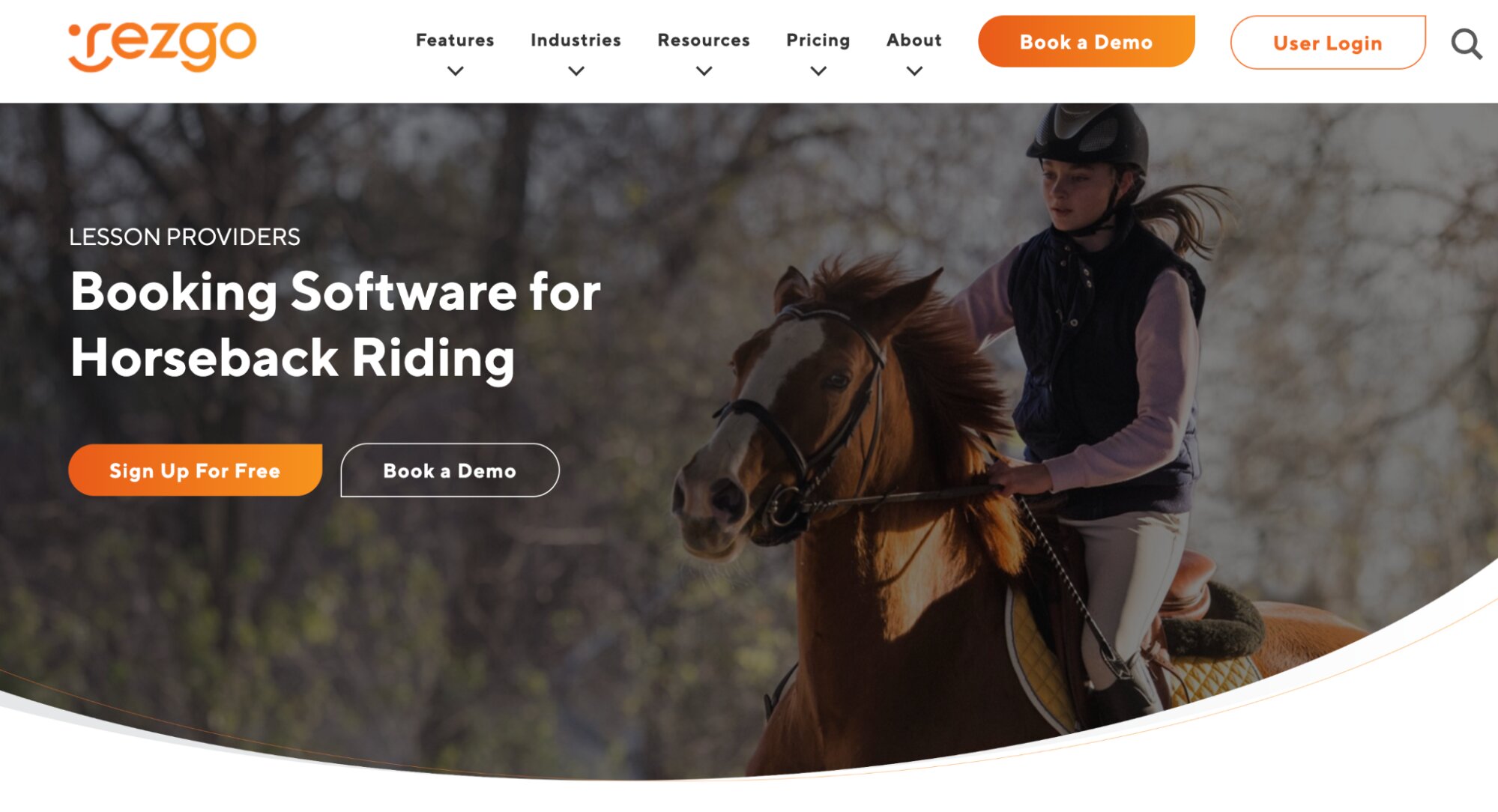
Rezgo is a popular booking system because it operates on a subscription-free, pay-per-booking model rather than a flat monthly fee, which keeps the entry cost low for smaller stables — you only pay when a ride or lesson actually gets booked.
On the two customer types, Rezgo runs lesson-based businesses (ski schools, surf schools, and other instructor-led operations) and tour or adventure businesses through the same system, rather than splitting them into separate products. So that means recurring lesson slots and one-off trail ride bookings sit on the same calendar, with a single view of what’s scheduled and who’s assigned to it.
On logistics, Rezgo’s resource management tools let you set up horses, tack, and staff as individual resources and assign them to specific rides or lessons, so a horse or guide already booked for one session won’t show as available for another at the same time. Digital waivers are built in and go out automatically with booking confirmations. And for weather-related changes, Rezgo supports automated email and SMS messaging to notify everyone booked for a given day at once.
On distribution, Rezgo connects with OTAs and includes a reseller network with support for concierge desks — useful if you have a lot of hotels or resorts in your area that can send guests your way. However, the network doesn’t include much more than that. So if you want to partner up with other types of businesses, you have to make and manage those connections yourself.
Rezgo holds a 4.7-star rating on Capterra, with customers frequently praising the ease of use and the responsiveness of the support team.
Features
- Website builder
- Online booking widgets (for WordPress sites)
- Open API to develop custom online booking solutions
- Customisable booking calendar
- Connections with OTAs & channel management
- Reseller network
- Concierge services (to support concierge relationships)
- Live & dynamic availability
- Resource management to monitor equipment availability
- Flexible pricing tools & multi-currency features
- Options to sell gift cards & merchandise
- Integrations with popular payment gateways (e.g., Stripe & PayPal)
- Native POS
- Invoice management
- Guest waivers
- Fast check-in tools, like mobile tickets
- Reporting
Pricing
Rezgo charges a 4.9% booking fee for online reservations and a 0.9% fee for POS bookings.
Read more: Best Rezgo alternatives
4. Roverd
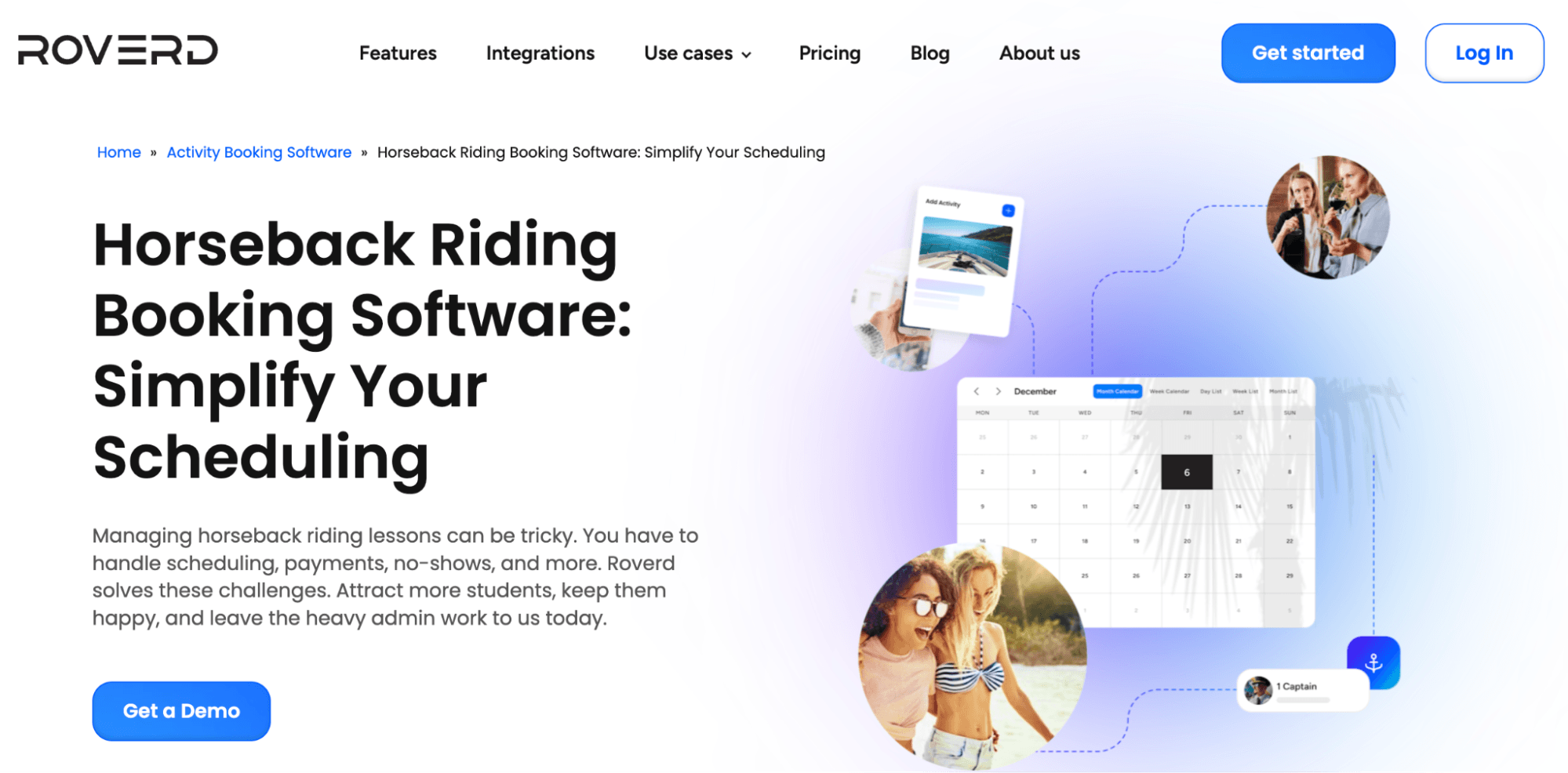
Roverd is a strong choice for horseback riding businesses because it supports both of your primary customer types, offers strong resource management, and gives you several ways to sell online.
Roverd supports recurring appointments and membership-style scheduling for lessons, alongside schedules for one-off trail ride bookings — both run through the same booking widget and calendar rather than separate systems. Automated reminders and self-service rescheduling are available for both booking types, which reduces the back-and-forth of managing changes manually.
The resource management tool lets you add your horses, tack, and staff to the system and assign them to specific rides or lessons. Once assigned, the system won’t let anything get double-booked into another slot at the same time.
And on the distribution side, Roverd offers a built-in channel manager, OTA connections, and a reseller portal. The reseller portal is a convenient one because it gives partners a dedicated booking page with access to your live availability, so they can book directly rather than calling to check what’s open. The system also automates commission tracking on the reseller side, so you don’t have to calculate partner payouts by hand.
The only thing with Roverd is that it hasn’t earned a ton of reviews. We can only find one. So it’s hard to gauge actual customer experiences — the usability, how the platform holds up at scale, the level of customer support, those kinds of things.
Find more Roverd reviews here.
Features
- Online booking widgets
- Product management (with options to sell multi-day experiences & offer group rates)
- Connections with OTAs & channel management
- Reseller network
- Advanced scheduling & availability management
- Inventory management
- Reservation management (with options for customers to reserve spots before confirming and paying)
- Digital waivers
- Integrations with major payment processors (e.g., Stripe & PayPal)
- Cancellation & refund management
- CRM & automated customer communications
- Reporting
Pricing
Roverd doesn’t disclose pricing details online; if you’re interested in this option, contact their team for rates.
5. BookSpot
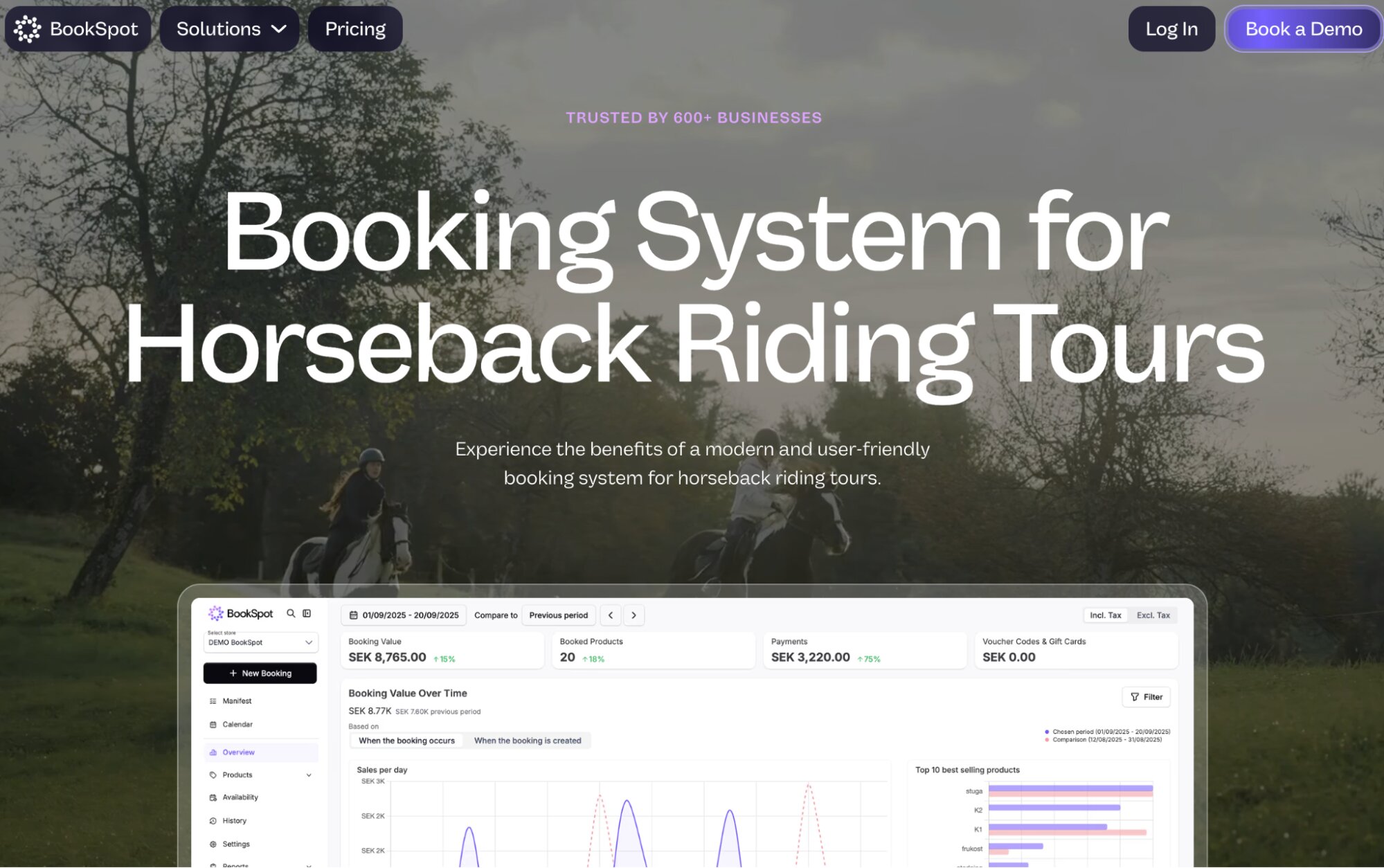
BookSpot started as an in-house fix — a Swedish kayak and paddleboard rental company built it because nothing on the market worked for them — and has grown into a system used by 600+ activity operators across the Nordics. And it works pretty well for horseback riding centres.
- Its resource management module lets you add horses, guides, and tack to the system as shared assets, so booking a horse for a private lesson prevents it from also appearing as available for a group trail ride running at the same time.
- It offers automated bulk messaging, so when weather forces a change, you can message everyone booked for a given day in one go. There’s also an optional add-on that lets riders reschedule themselves without you getting a phone call about it.
- They’ve built out distribution too, and it goes further than most on this list: the major OTAs are covered, Viator and GetYourGuide among them, plus a reseller network where you bring on agents to sell your rides, set commission per agent, and track how each one’s performing.
Users also like that BookSpot only charges a fee when a booking actually comes through — you aren’t stuck paying subscription fees during your slow months.
However, lesson management is the murky part here. BookSpot’s FAQ claims it handles “riding lessons” alongside trail rides, but nothing in its materials explains how — it doesn’t touch on recurring weekly slots, membership pricing, or any of the actual mechanics. If lessons are a real chunk of your business, you should ask them more about this before committing.
At the time of writing, BookSpot doesn’t have any verified third-party reviews.
Features
- Online booking widget
- Real-time availability & capacity management
- Resource management, with shared capacity across guides, equipment & vehicles
- Product & pricing management, including bundles & packages
- Add-ons & gift card sales
- OTA connections
- Automated email & SMS communications
- Rebooking & cancellation protection
- Multi-language booking experience
- Online payment integrations
- Reporting
- Mobile apps
Pricing
BookSpot offers custom quotes based on your business size and requirements.
6. SuperSaaS
SuperSaaS is a general-purpose online booking system (as the name suggests). It isn’t built specifically for horseback riding or even for tours and activities — it’s used by gyms, salons, driving instructors, meeting rooms, and dozens of other businesses for basic booking management. Horse riding businesses just so happen to be one of the listed use cases.
However, this general-purpose setup actually works in favour of equestrian centres that primarily offer lessons, since recurring bookings are baked into the core of how it works: individual lessons, group classes, and waitlists are all handled the same way SuperSaaS handles a recurring pilates class or a driving lesson. Then it also covers one-off bookings like trail rides — you set them up the same way as a lesson, just without turning on the recurring option.
The platform also handles resource management pretty well. Horses, tack, and arenas can be added as individual resources, so the same horse can’t get booked into a lesson and a trail ride at once — it’s the identical logic SuperSaaS uses to stop two people claiming the same meeting room in its other verticals.
Weather is where it falls short: there’s no way to message everyone booked for a given day at once, so shifting a whole day’s rides means working through each booking individually rather than in bulk.
The platform also doesn’t have any distribution tools to get you found by new audiences. It’s built for businesses whose customers already know to look for them directly, not for pulling in travellers browsing Viator or Tripadvisor. So if you want to lean into online sales channels to drive bookings and growth, SuperSaaS isn’t your best fit.
Find more SuperSaaS reviews here.
Features
- Online booking widget
- Real-time availability calendar
- Registration approval to control who can book
- Equipment rental add-ons
- Automated confirmations & reminders
- Cancellation policy management
- Credit-based booking system
- Integrations with Google Calendar, Outlook, Zoom, PayPal & Zapier
- Multi-language support
- Dynamic pricing
- Reporting & data export
Pricing
All SuperSaaS packages come with all core features. Plans vary based on the number of supported users and bookings.
The free plan supports 50 users and 50 bookings.
Paid plans range between $9 and $48 per month. They support 100 to 1.5k bookings; all paid plans support unlimited users. Compare plans on the SuperSaaS site here.
7. Indexic
Indexic’s booking product, aReservation, is built primarily around rental and equipment-heavy tour operations — boat rentals, jet skis, golf carts, ATVs, bikes — and that shows clearly in where the platform’s strengths and gaps sit for a horseback riding business.
Let’s start with the good here.
The resource management is pretty strong: you can add staff, horses, and tack as individual resources, capture photos of equipment condition at checkout, and set up geofencing so bookings stay within your service area. The platform also offers an auto-cancellation and rescheduling feature that contacts everyone on a reservation list by email, text, and phone at once if weather forces a change, and lets them pick a new date without you working the phones.
And Indexic offers connections to major OTAs where you can sell your rides online. TripAdvisor, Expedia, Viator, Google, Groupon, and GetYourGuide. A solid lineup.
Now, where things start to slip.
Indexic doesn’t seem to support lesson-based businesses, such as riding academies. We searched Indexic’s site and found no evidence of recurring lesson scheduling or membership-style pricing — the kind of thing you’d need to run a weekly lesson roster properly. Everything in their materials points to one-off tour and rental bookings. If lessons make up a decent share of your revenue alongside trail rides, that’s worth weighing carefully before you commit.
And while Indexic does offer some distribution tools. It lacks a reseller network or any type of affiliate support. The options are limited here.
Indexic holds a 4.9-star rating on Capterra, with particularly strong marks for customer service (a perfect 5.0).
Find more Indexic Reservation reviews here.
Features
- Online booking engine widgets
- Integrated point of sale (POS)
- Centralised booking calendar
- Resource management
- Early return auto monitoring
- Rental image captures
- Combo products
- Dynamic pricing
- Integrated digital waiver solution
- Partnerships with national insurance carriers to underwrite renters’ insurance
- Automated communications
- Abandoned cart recovery
- Mobile tickets & check-in tools
- Geofencing to keep bookings within your service area
- Staff scheduling tools
- Reporting dashboards
Pricing
Indexic offers two solutions: aReservation (the online booking system) and Online Waivers.
- If you’re interested in aReservation, you must book a demo to receive a custom quote.
- Indexic charges 15¢ per waiver signed and requires a $30/year minimum spend.
8. Anolla
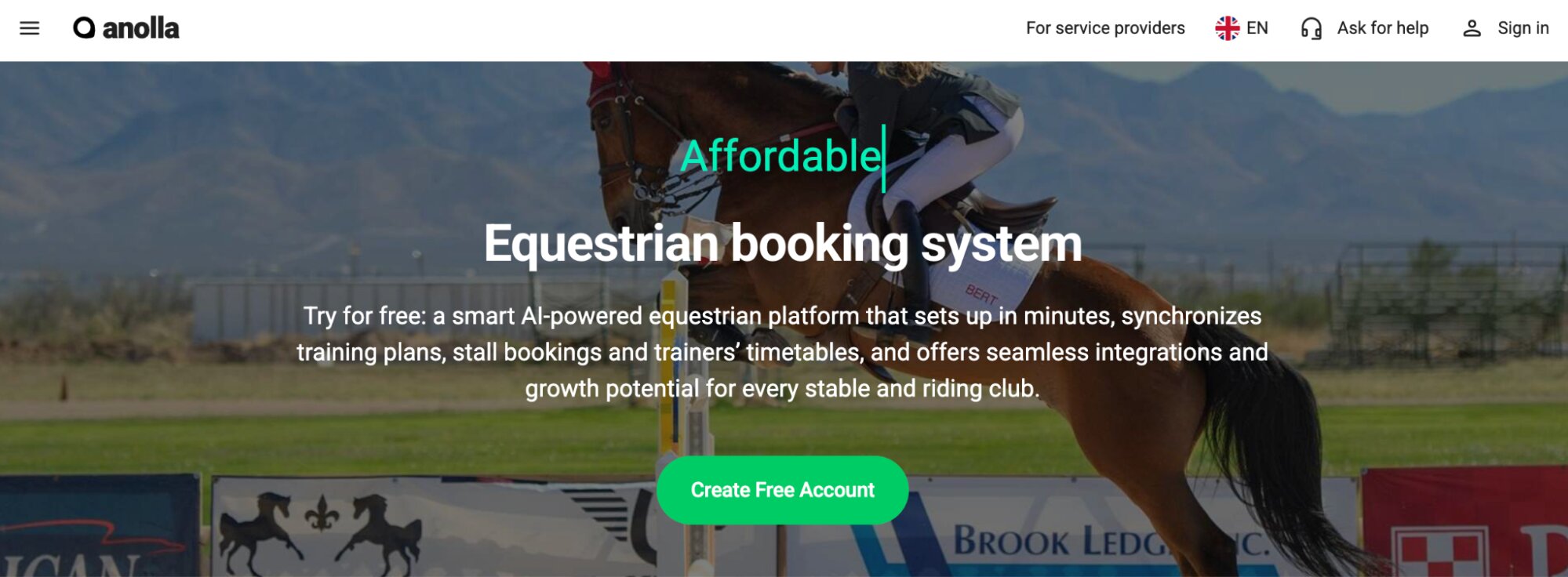
Anolla is a scheduling platform built for gyms, studios, salons, and other membership-based service businesses — and the brand now also markets to horseback riding businesses. So we include Anolla on this list because you’re likely to run into them when comparing booking systems, but they’re not really a top recommendation for us, for a few reasons.
But, like above, we’ll start with the good here first.
- Anolla works well for recurring bookings. It was built around membership-style scheduling — weekly lesson slots, package pricing, and horse-and-trainer assignment are all core to how the system works. It also supports one-off bookings for trail rides or day camps.
- Resource management lets you link horses, arenas, paddocks, riding equipment, and coaches to specific lessons and camps, so nothing gets double-booked. Stalls can be treated as their own bookable resource too, so if you board horses or rent out stall space, that’s tracked the same way as a lesson slot. You can also block off rest or maintenance time on a horse or arena, so nobody accidentally books over it.
- The platform offers automated waitlists. When a lesson or camp spot opens up, riders get notified automatically, instead of you having to work through a list by hand.
- Riders can buy prepaid ride passes — a block of 10 lessons, say — and the system tracks how many they’ve used automatically, instead of you keeping a paper tally.
- It includes an AI assistant that handles routine booking questions — availability, rescheduling, cancellations — around the clock, in 25+ languages, which could take a decent chunk of admin off your plate. (Though one thing we couldn’t confirm here is if the AI bot handles weather-related rescheduling automatically.)
Why don’t we recommend it?
For starters, the only two reviews we can find on the platform are not good. Granted, these reviews are from Trustpilot, so we take them with a grain of salt. But we can’t find any other reviews online to counter these.
On top of that, Anolla’s own website seems a little misleading. It quotes a lot of specific numbers on its marketing pages — a 4.7-star value for money rating, a perfect 5.0 for functionality, “79.3% of inquiries resolved by AI,” and more — and credits all of it to Capterra. But, as we mentioned, Anolla doesn’t have any other online reviews. There’s nothing on Capterra. None of those numbers can be traced back to a real source. And the exact same figures show up word-for-word across Anolla’s gym, martial arts, and campground pages, which tells you they’re placeholder marketing copy, not anything actually measured.
So, again, we’re mentioning Anolla here because you’re probably going to run into them when researching booking systems. But we would definitely be leery of them.
Find more Anolla reviews here.
Features
- Online booking widgets
- Custom booking forms
- Context-aware AI assistant for rider inquiries (25+ languages)
- Product & resource management
- Memberships & recurring subscriptions
- Prepaid passes & multi-session course cards
- Group & private booking management
- Automated waitlists
- Gift card sales
- Dynamic pricing
- Customer management (CRM)
- Automated email & SMS communications
- Email campaign tools with audience segmentation
- Time blocking for set-up & safety briefings
- Integration with Stripe payments
- Integrations with Google Analytics, GTM, & Meta Pixel
- IoT integrations
- Mobile apps
- Reporting
Pricing
Anolla charges booking fees but does not disclose those rates. You must contact their team for full pricing information.
9. Vagaro
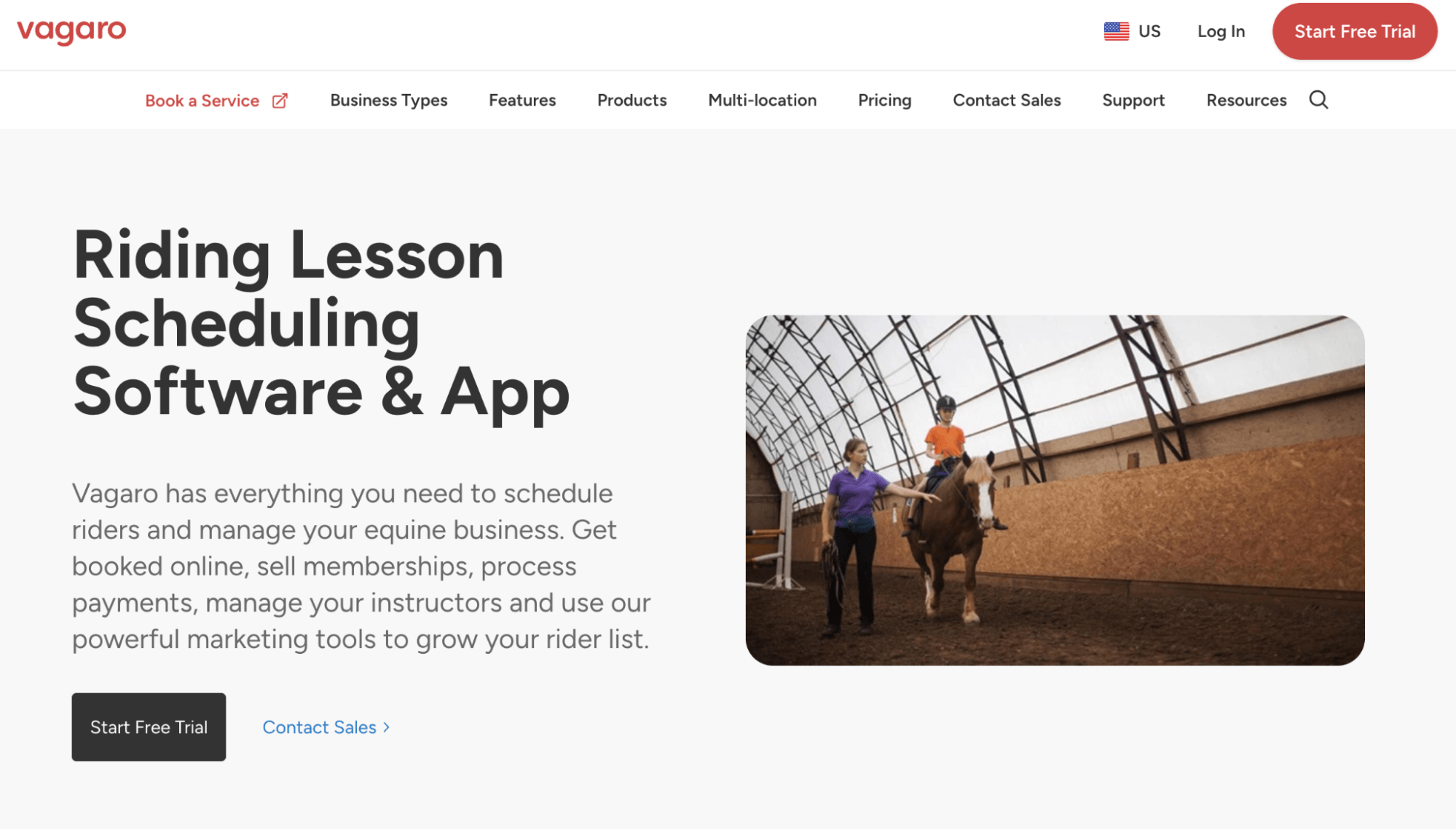
Vagaro works differently from most names on this list because its booking software and a marketplace rolled into one. You can list your lessons (or trail rides) here, and Vagaro puts them in front of its own audience — the Vagaro app, Vagaro.com, plus Yelp, Instagram, and Facebook — and when someone finds you there, they book straight through Vagaro’s calendar. Discovery and booking sit on the same platform. Though it’s worth noting, there aren’t other distribution tools here like OTA connections; discovery is entirely through Vagaro’s connections.
The other thing to be clear about here: Everything about how Vagaro’s actually built points toward the recurring lesson rider more than the one-off trail visitor. There’s a multi-instructor calendar view so you can see every trainer’s schedule on one screen, capacity limits per class, membership pricing with autopay for regular students, and self-check-in by phone, smartwatch, or membership card. So while you can list trail rides as a service here, those aren’t mentioned anywhere in Vagaro’s marketing; it’s not really what the platform was designed around.
That lesson-first design shows up in the smaller details too. For example, Vagaro’s SOAP Notes let you tie clinical-style notes to a rider’s profile. In an equestrian context, that’s a handy running record — a trainer flagging a saddle fit issue, an injury to watch, or how a rider handled a particular horse — attached directly to that person rather than living in a separate notebook.
As for keeping your horses and tack straight, Vagaro’s Resources tool lets you add a horse, a saddle, or anything else in limited supply as a bookable item, then tie it to a lesson so it can’t get booked into two things scheduled at once. Vagaro auto-assigns the first available resource, though you can swap it manually if needed. Then you can add staff scheduling for your instructors on top, so you’ve got a fairly complete picture of who and what’s committed on a given day.
One thing to test before relying on it for a packed schedule: some users report that resource conflicts aren’t always flagged when booking from the mobile app, so it’s worth double-checking that with your own setup.
Find more Vagaro reviews here.
Features
- Online booking widget (website, social media & marketplace)
- Calendar management with appointment blocking & waitlists
- Vagaro Marketplace for client discovery
- Customer relationship management (CRM)
- Digital intake forms, consent forms & waivers
- Resource management (horses, tack, equipment)
- SOAP Notes tied to rider profiles
- Multi-instructor calendar view & staff scheduling
- Self-check-in (mobile, smartwatch, membership card)
- Payment processing & native POS
- Payroll tools
- Email & text marketing automation
- Memberships, packages & gift card sales
- Reporting
- Mobile apps
Pricing
Vagaro pricing ranges from $30 to $90 per month, depending on how many bookable calendars you require. They also have multi-location plans but do not disclose pricing for those online. If you’re interested in this option, you can use Vagaro’s pricing tool to get a quote that fits your business.
10. Open Campground
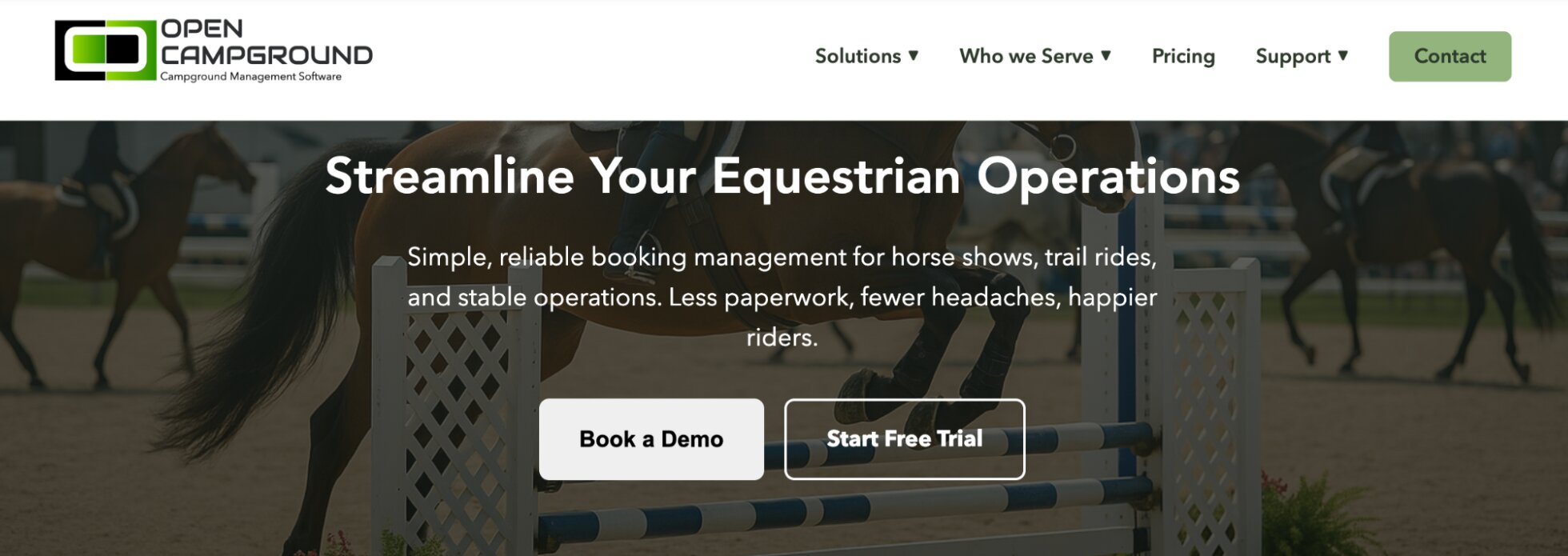
Open Campground is also a little different from the other tools we’ve discussed so far. This one’s more geared toward horseback riding businesses or stable owners who manage equestrian events like horse shows, clinics, or boarding operations — where the scheduling problem looks less like “book a lesson slot” and more like “who’s in stall 12 this weekend.”
Its core is a visual booking grid covering stalls, paddocks, RV spots, and vendor areas, with drag-and-drop assignment and real-time updates so nobody’s left wondering whether a stall’s free. It also covers multi-day event planning and class/division scheduling, with automatic notifications when something changes and built-in weather delay management for outdoor events.
Payment collection covers stall fees, entry fees, and vendor payments online, with partial payment options and refund management, so you’re not chasing cheques or handling cash at events. It also supports membership and association pricing tiers, which matter if you run discounts tied to a riding association or club, plus group booking management for larger entries.
However, one downside here is that Open Campground doesn’t offer any OTA or reseller distribution. Like a few other tools on this list, it’s built for people who already know to book with you directly, not for pulling in new business from travel platforms.
And a gap worth flagging for boarding operations specifically: despite managing stalls and boarding contracts, there’s no evidence in Open Campground’s materials of horse health or farrier tracking. This is stall and event management, not an equine health record system — if that’s something you need, you’ll want to pair it with something else or look elsewhere.
Find more Open Campground reviews here.
Features
- Visual booking grid for stalls, paddocks & vendor areas
- Online & in-person booking management
- Group reservation management
- Add-ons
- Online payment & POS integrations
- Automated guest communications
- Membership tracking & association discounts
- Digital e-signature
- SMS messaging
- CRM
- Inventory management
- Staff permissions
- Reporting dashboard
Pricing
Open Campground offers three packages:
- The Core plan ($4 booking fee) includes all essential features like online booking management, in-person booking support, group reservations, add-ons, online payment and POS integrations, email templates, reporting, and staff permissions. And it supports unlimited bookings.
- The Premium plan ($299/month with 50¢ booking fees) builds on the Core plan with a website builder, marketing automation, digital waivers, CRM, SMS messaging, inventory management, integrated accounting tools, and guest video calling. It also includes free onboarding and priority support. Open Campground notes this as the most popular plan.
- The Enterprise plan (custom pricing) includes access to all features, plus more advanced tools, like payroll processing, HR & employee management, invoicing, document storage, and multi-property management. This plan also comes with a dedicated account manager.
Finding the best online booking system for your horseback riding experiences
Bókun gives you one system for your entire operation — lesson riders and trail visitors on the same calendar, horses and tack tracked down to the ride, and the largest variety of distribution tools to bring in customers who don’t know you yet. Try it free for 14 days.
Related reads: