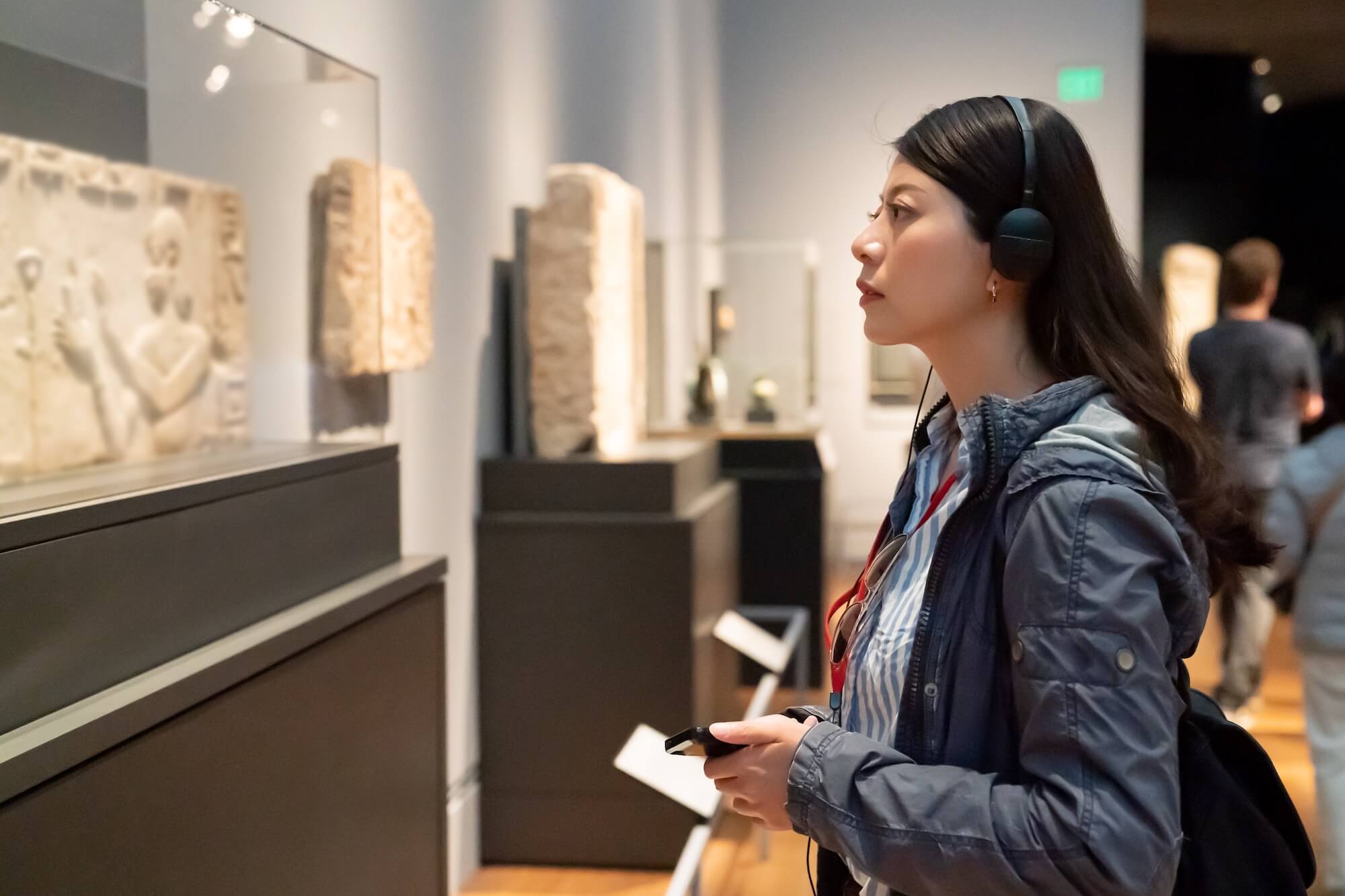
A good museum booking software supports both you and your customers. It organises your back-office operations and opens up new avenues to reach more visitors, while making the whole booking experience easier for customers.
More specifically, it should let you:
- Sell tickets from a variety of channels — not just your website, but on OTAs and online marketplaces, and through partners and affiliates
- See all ticket sales in one central calendar
- Set capacities so you don’t oversell
- Manage all ticket types — day passes, events, memberships, combo packages
- Keep in touch with customers to promote new exhibits and events, push membership sales, and encourage repeat visits
- Report on sales so you can plan your marketing and growth strategies
It should let your customers:
- Easily book tickets in advance online, or quickly purchase them on the day
- Personalise their visit by booking access to special exhibits, guided tours, or events
- Learn more about and purchase memberships
So we compiled this guide of popular museum booking systems so you can compare all the best names in one place. We start with our system, Bókun, and cover 11 other systems.
- Bókun
- Beyonk & BookingHound
- TripWorks
- Singenuity
- Doubleknot
- Ticketure
- Anolla
- Veevart
- RocketRez
- Tix
- AudienceView
- Blackbaud Altru
To learn more about Bókun and explore our toolkit, start a 14-day free trial (no credit card required).
1. Bókun
All-in-one booking & operations management system for museums
Bókun is our all-in-one system built specifically for the travel and tourism industry — museums, attractions, tour operators, activity providers, and experience businesses of all sizes.
We’re part of the Tripadvisor and Viator family and have spent the last decade-plus working with teams across the globe. With that experience, we’ve built and refined our system to give operators everything they need to not only run operations, but actually grow their business.
On the operations side, Bókun includes:
- A central calendar to see all bookings (no matter where they come from) in one place
- Real-time availability updates across all your sales channels
- A product builder with pricing, availability, and resource management
- A CRM paired with email templates and automated communications
- Customer check-in and management features
- Reporting dashboards
Our goal here is to automate all your back-office work — like updating calendars and managing customer emails — and prevent issues like overselling tickets or double-booking experiences. This way you can put more into what you really care about, like adding new exhibits and events, and offering your customers new unforgettable experiences.
On the growth side of things, we offer:
- Connections with 70+ global OTAs and online marketplaces, so you can promote your museum experiences on the sites people use to find and book things to do. You can get your listings on major search engines like Google and sites like Viator, GetYourGuide, Airbnb Experiences, Civitatis, and more. And we’re the #1 restech partner with these names, earning our customers extra perks when selling through those channels.
- An in-built partner network (Marketplace) with thousands of travel industry businesses — other museums and attractions, tour and activity operators, accommodation providers like hotels and resorts, transportation services, travel agencies, DMCs, educational institutions, and more. Here, you can establish partnerships to drive new ticket sales, diversify your offerings, and add new revenue streams. At the time of writing, we have *the largest* partner network in the space. And we don’t limit the number of partners you can work with.
- Affiliate support via Referral Tracking. You can build out an affiliate network with any business or professional you wish to work with (they don’t need to be in our partner network) and sell tickets to their audiences. You have complete control over this network, so you can add as many affiliates as you’d like, negotiate commission rates with each individually, and see who’s winning the most business for you.
We keep all of this super simple and affordable, so anybody can use our system.
There’s zero training required to get started in our system — learning and using it isn’t some difficult or time-consuming process. Most of our customers say they can get onboarded and set up in just an afternoon. (But we’re always around to help out if you have questions about anything.)
On top of it all, we offer some of the lowest rates around. Our subscriptions are budget-friendly for everyone (you can access all our features for $49/month), and our booking fees sit at just 1% to 1.5%.
Because of all this, we’re one of the most highly rated systems in the space — earning a 4.7-star rating on Capterra.
In the next sections, we talk more about our core toolkit so you can get a sneak peek at Bókun and how to use our system. But we also offer a 14-day free trial (no credit card required) so you can explore yourself, learn the ins and outs, and see if Bókun is the right solution for your museum.
How Bókun works for you
Sell museum tickets everywhere
Let’s start with your website. Bókun’s online booking engine widgets are compatible with any website builder, and you can embed them on your site in just a few clicks.
We offer a variety of widget styles — “Book Now” buttons, calendar views, product overviews, and product lists — so you can give visitors different entry points into the booking process depending on where they land on your site.
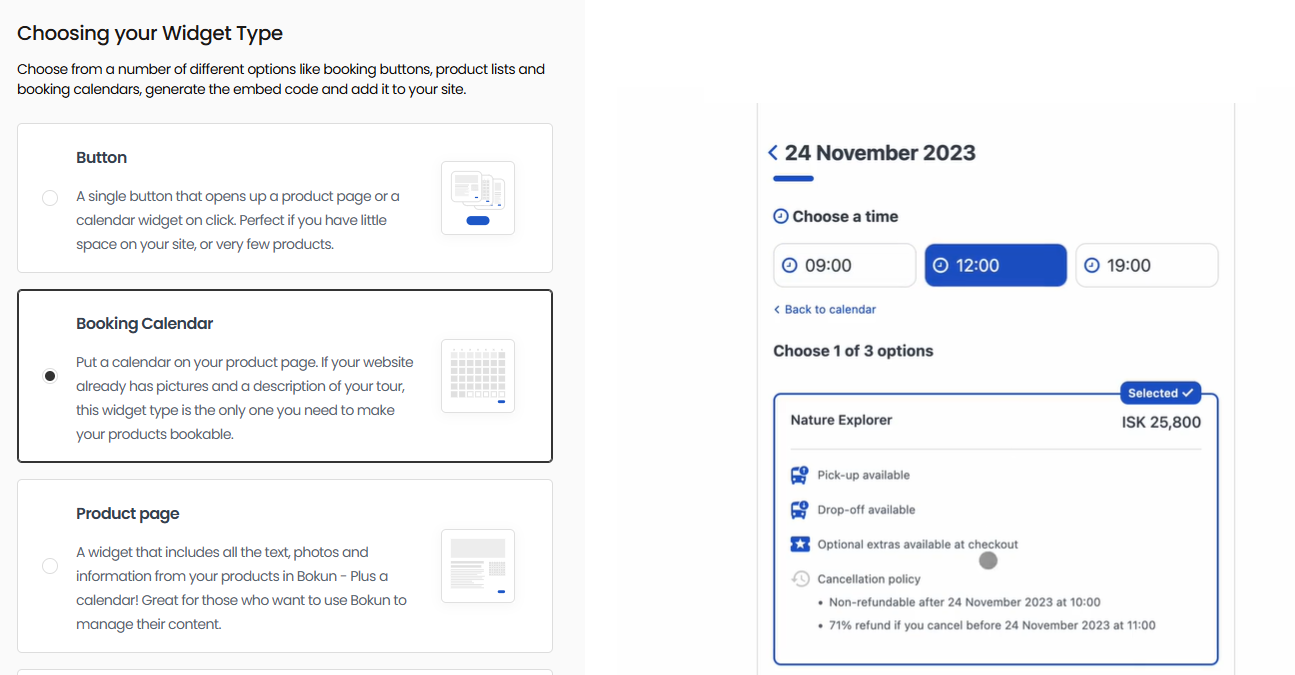
Once a customer starts booking, they’re walked through a quick and simple checkout flow, designed to reduce drop-offs and abandoned carts. And at checkout, we support a wide range of payment integrations — PayPal, Apple Pay, Google Pay, Klarna, Worldpay, Stripe, and more — so customers can pay however they prefer, wherever they’re booking from.
(No website yet? We have a one-click website builder with ready-made templates. Sites come optimised for desktop and mobile out of the box, with booking widgets pre-installed, so you can get up and running quickly.)
Read more: How to add a booking system to your website
Beyond your website, our system helps you win ticket sales from new customers with OTA and online marketplace connections, our partner network, and affiliate support.
You can connect with as many OTAs and online marketplaces as you wish — there are no caps here, add or remove channels at any time through our Sales Tools feature. We work with both global sites and more niche-specific ones tailored to particular activities or destinations, so you can include a mix and sell tickets to all kinds of audiences.
Some more details on our partnerships:
- We’re a Viator Preferred Partner and waive Bókun booking fees on all Viator reservations. We also offer Viator users free annual subscription credits (12, 24, or 48, depending on your plan) so you can save money when adding new experiences here.
- We’re a GetYourGuide Premium Connectivity Partner, so it’s easy to get your museum experiences visible on their platform. This partnership also guarantees best-in-class API performance, so the systems work together seamlessly in real time.
- We’re an official Google Things to do connectivity partner, so our customers can instantly join Google’s program (skipping the lengthy application process) and promote their experiences at the top of search results and in Google’s many apps.
We also have detailed guides to help you learn more about these online channels and how to get started selling on them. Check them out below:
- The complete guide to OTA bookings
- How to sell experiences on Viator
- How to become a GetYourGuide supplier
- How to host experiences on Airbnb
- How to add your business to Tripadvisor
- How to become a Civitatis supplier
- How to sell on Expedia
You can use our partner network (Marketplace) to:
- Work with resellers who can promote and sell your museum experiences to their audiences
- Connect with suppliers and resell their experiences or services to earn commissions
- Create bundled packages with partners — great for visitors planning a full day or weekend of experiences
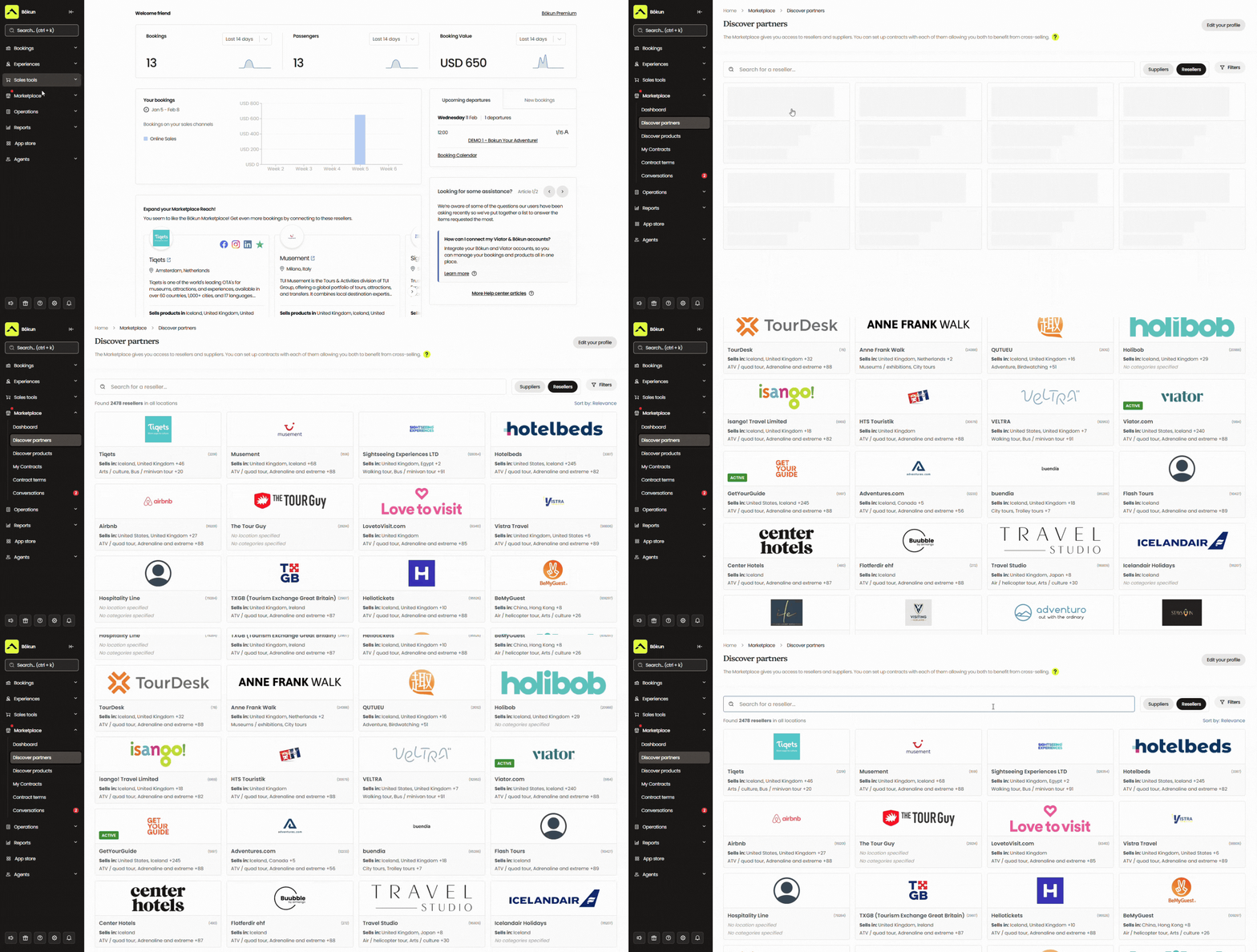
We give you all the partner management tools to facilitate outreach and discuss contract terms. You can store all communications and contracts in our system to keep an organised log of all your partners in one place. We’ll even alert you of contracts up for renewal so you can be proactive here — keep your winning partnerships and negotiate new terms (or drop) the ones that aren’t doing as much for you.
Then Bókun Referral Tracking takes partnerships further by letting you build an affiliate network with any business or individual outside the Marketplace — on your own terms.
And as with OTAs, we don’t cap the number of partners or affiliates you can work with.
Finally, customers who prefer to buy tickets in person can do so — and you can add those bookings directly to Bókun, so they’re accounted for. (And we never charge booking fees for offline ticket sales, so you can manage in-person bookings for free.)
See all bookings in one central calendar
Every ticket sale — whether it comes through your website, an OTA, a reseller, or an affiliate — automatically lands in your Bókun central calendar. (And you can add those in-person sales here for a unified view of everything.) You can see exactly who’s booked day passes, who’s signed up for special exhibits or events, and all the reservation details for each.
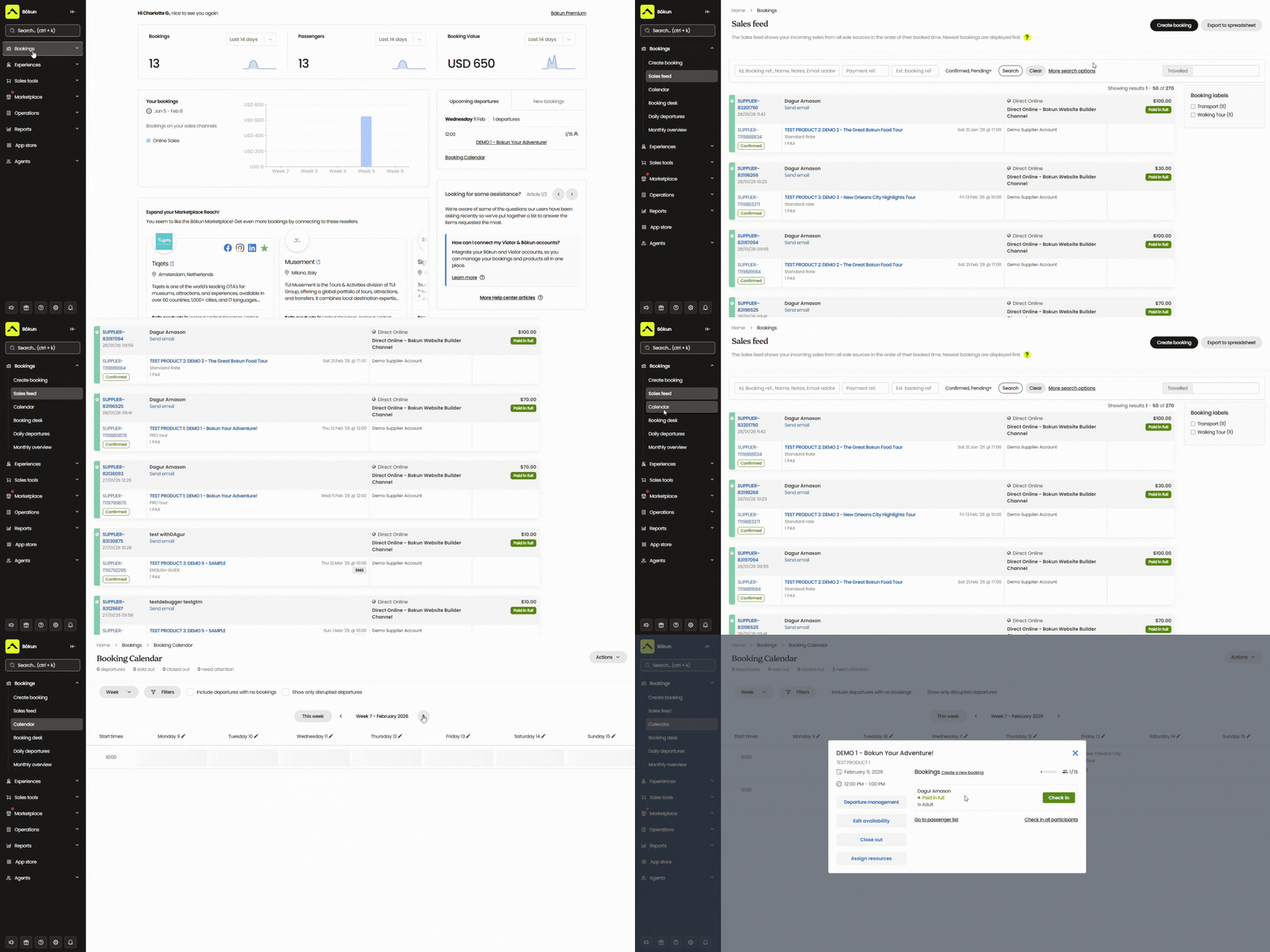
The calendar updates in real time as new bookings come in, and pushes those updates back to all your connected sales channels, so you never have to adjust anything manually. When capacity is reached for a time slot or experience, the system blocks new ticket sales.
And if anything needs changing, you can do it straight from the calendar — modify bookings, shift availability, or reassign staff to experiences without jumping between different tools.
Manage all ticket types: day passes, events, memberships & more
Bókun’s Experiences tab is where you create and manage everything you sell. You can build listings for:
- General day passes
- Guided tours, special exhibits, or events
- Memberships
- Combo packages (like a day pass bundled with a special exhibit or evening event)
The product builder walks you through each step — you’ll add descriptions, photos, pricing, and availability as you go, so nothing gets missed. It’s straightforward enough that you don’t need to be a creative designer or developer to set up your listings.
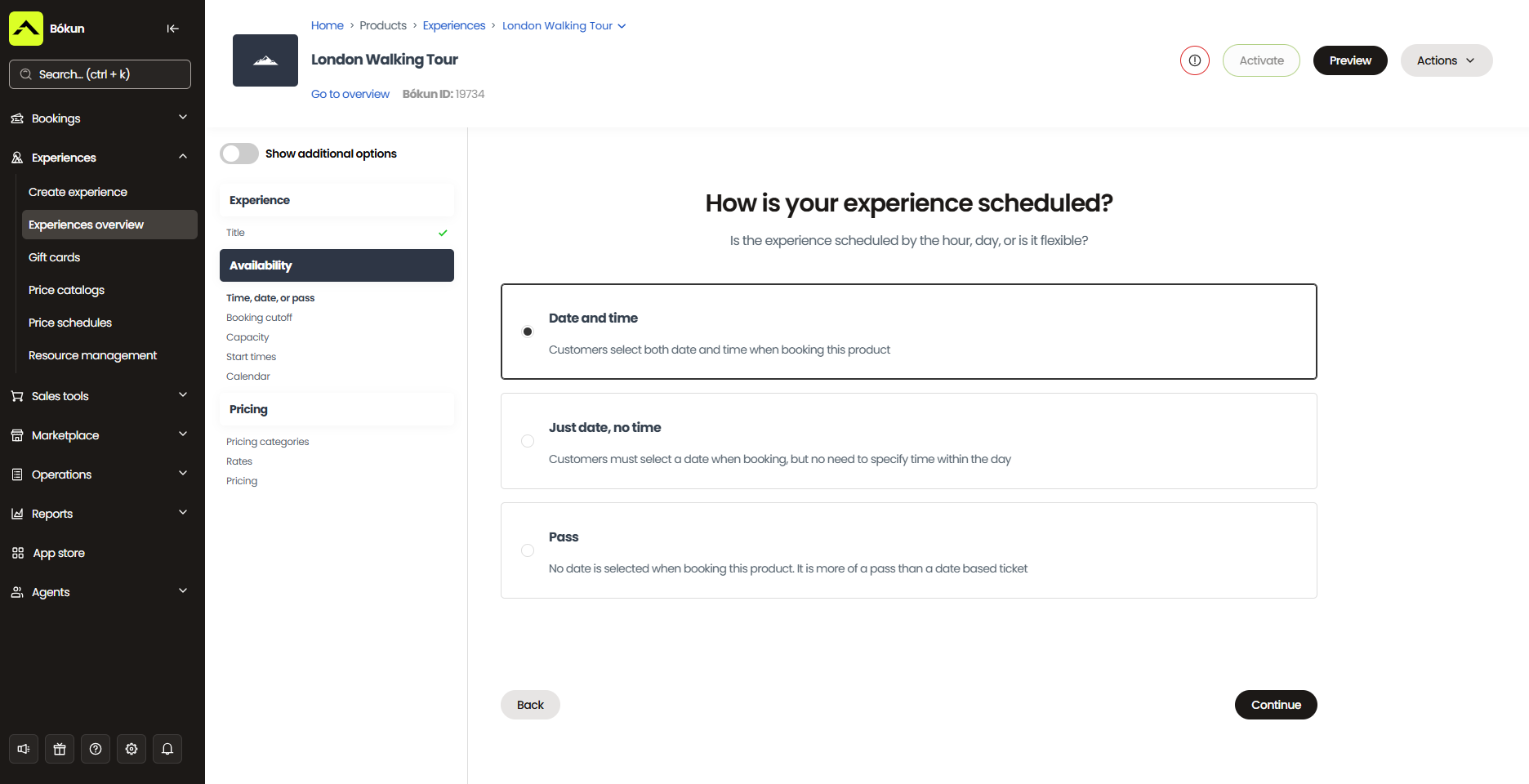
You can also offer add-ons for smaller extras visitors might want to tack on — audio guides, guided tour upgrades, exhibition catalogues, or café vouchers, for example.
When setting pricing, resources, and availability, you can:
- Offer flat rates or tiered pricing (children, adults, seniors, students, ex-forces)
- Provide bulk discounts for groups — school field trips, after-school programmes, coach parties
- Add dynamic pricing rules to automatically optimise rates based on set conditions — charge more during peak seasons or busy weekends, offer lower rates during slower stretches to drive bookings, reward early-bird bookers with discounts, increase prices for last-minute bookings, and set different prices per sales channel
- Assign resources to each listing — guides, equipment, or anything else your visitor experiences require — so nothing gets double-booked across your programme
- Choose available days and times for each ticket type, and set capacities to keep full control over the visitor flow
For guided tours, special exhibits, and events, you’ll select the specific days and times they run and cap the number of tickets available per slot — so a 20-person guided tour stays at 20 people, and the system blocks new sales once you’re full.
For general day passes, you have a bit more flexibility. Rather than setting a single daily capacity limit, you can set up timed entry windows (say, 9 am to 11 am, 11 am to 1 pm, and so on) with a capacity for each. This spaces out arrivals throughout the day so you’re not hit with 400 people through the doors at once — and visitors get to pick a window that suits their plans.
Keep an updated customer contact list & automate communications
Bókun’s CRM captures new customer information every time someone books with you (or even starts the booking process) — storing names, email addresses, booking details, and any other information provided. It builds into a clean, organised contact list you can reference and use in your marketing strategies.
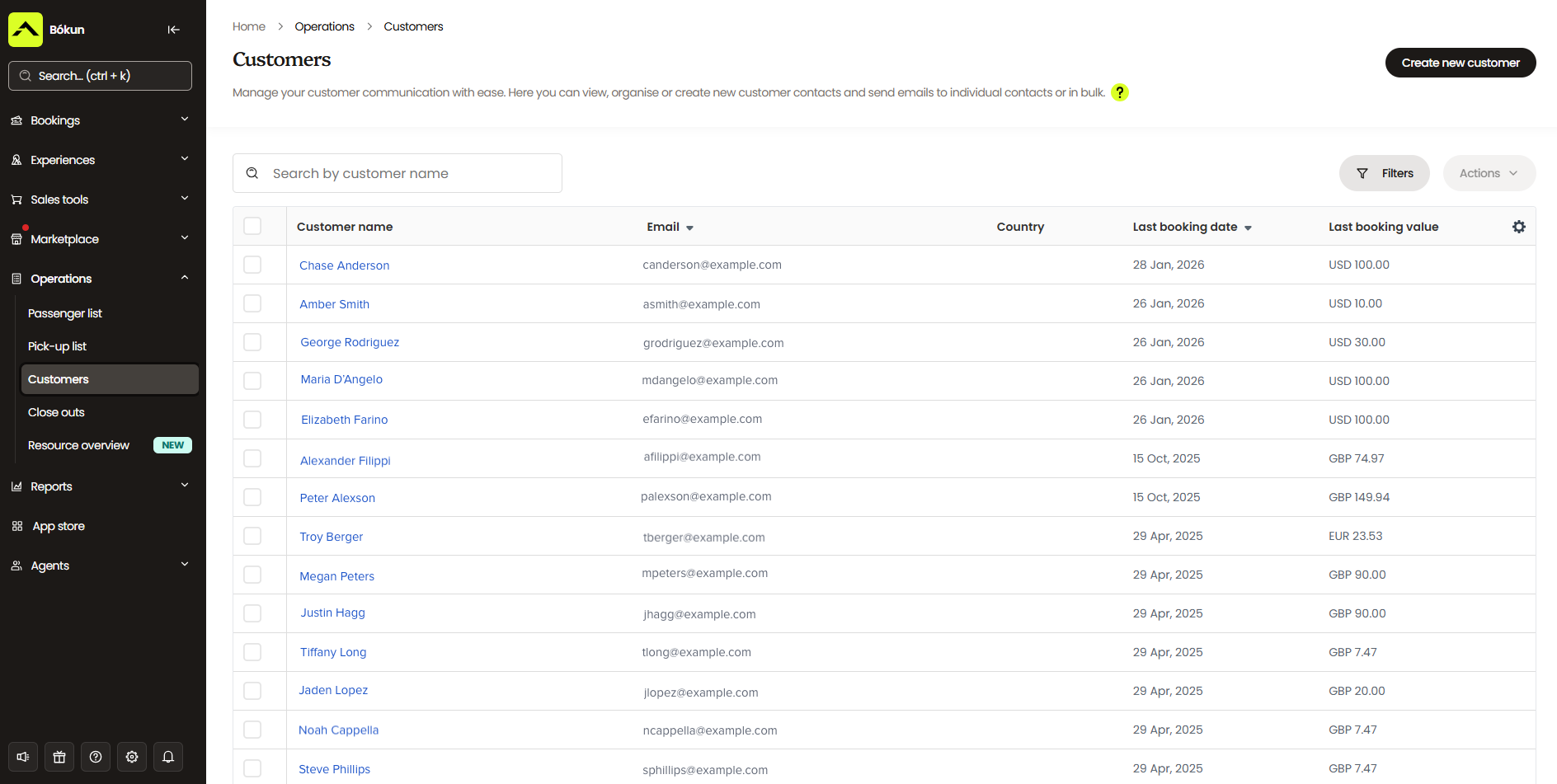
Over time, this gives you a clearer picture of who your visitors actually are — whether you’re attracting mostly families, school groups, couples, solo visitors, or a mix. For museums building a loyal local audience — annual pass holders, membership holders, regular school programme participants — you can track visit history and use that to inform how you follow up with different customer types.
On the communications side, Bókun automates the emails your team would otherwise be sending manually. Every customer gets a booking confirmation, a visit reminder before they arrive, and a follow-up afterwards. Beyond that, you can set up and schedule a whole range of other email types:
- Abandoned cart emails for visitors who started booking but didn’t finish
- Announcements for new exhibits, events, or experiences
- Newsletters and seasonal promotions
- Membership renewal reminders
We provide a gallery of templates to work from, so you’re not starting from scratch. You can customise each one and add your own templates to cover any other communications your team sends regularly.
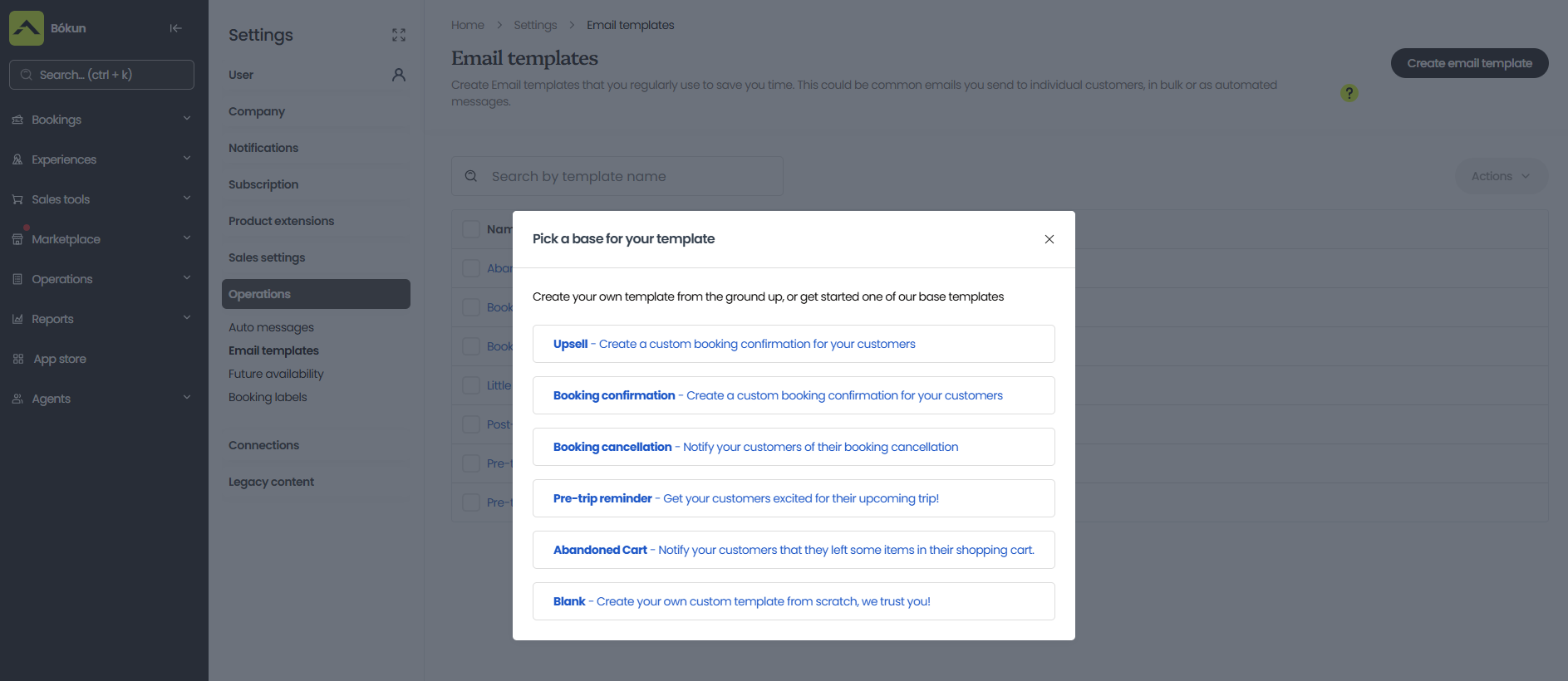
Read more: Best CRM systems for tour operators & attractions
Report on sales & revenue
Bókun’s reporting dashboard gives you a clear view of how your museum is performing — ticket sales, revenue, and visitor data across multiple categories. A few things you can dig into:
- Ticket volume by time slot or period, so you can identify your busiest days, peak seasons, and slower stretches
- Sales by product type — day passes, guided tours, special exhibits, memberships — so you know which experiences are drawing the most interest
- Channel and partner performance, so you can see exactly where your bookings are coming from
- Customer breakdown — whether you’re attracting more families, groups, solo visitors, first-timers, or returning guests
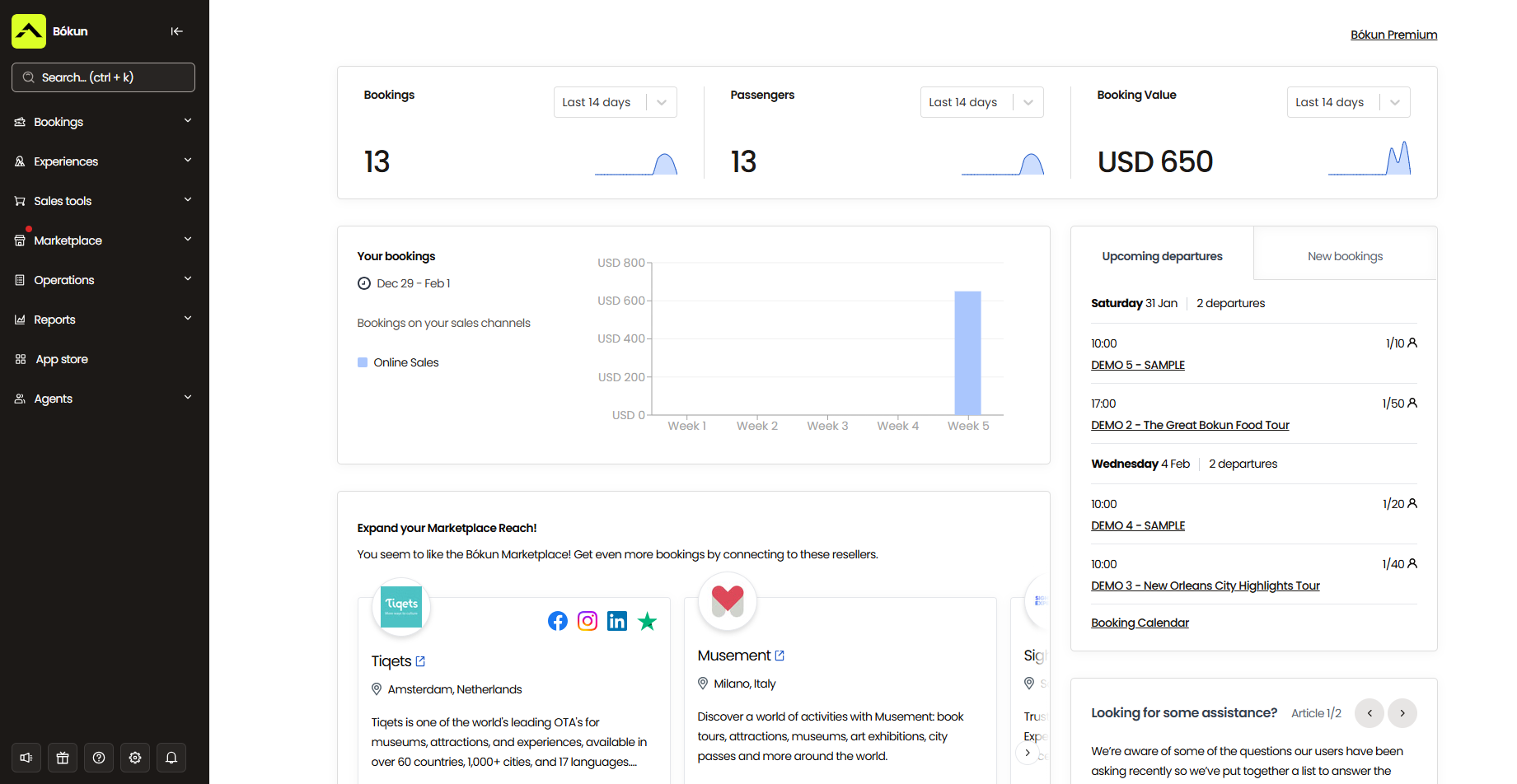
And you can use these insights to make smarter decisions across every part of your operation.
On the staffing and planning side, you’ll know when to bring in extra staff for busy periods and when to get creative during slower stretches — whether that’s launching a new exhibit, running a seasonal promotion, or adding a new type of experience to drive foot traffic.
On the experience side, you can see which ticket types and experiences are selling well and which aren’t, so you can make informed calls about what to keep, what to retire, and what gaps in your programme are worth filling.
On the channel and partner side, you’ll see which sites, resellers, and affiliates are actually winning you bookings and which aren’t pulling their weight — so you can add more products and availability where you see real results.
On the customer side, you can track whether visitors are coming back, who’s converting to memberships, and whether you’re reaching the audiences you’re targeting. That feeds directly into your marketing — more targeted campaigns, better-timed promotions, and follow-up communications that actually resonate.
Bonus: Bókun App Store to supplement core features
Everything covered above comes included in our START plan — so all Bókun users have the full toolkit from day one, no upgrades required.
But if you need to extend beyond the core, our App Store offers a range of additional modules you can browse and add at any time. Things like SMS messaging, tip management, digital waivers, and more — so you can build out your setup to fit exactly how your museum operates.
How Bókun supports your customers
Easily book with you, however they wish
Customers can find and book with you however suits them — through your website, via an OTA, or in person on the day.
And once they’ve booked, they don’t need to call or email your team if something changes. We offer customer self-service portals that let them view upcoming bookings, make modifications, or cancel with just a few clicks. Any updates feed straight back to your central calendar, so your team is always in the loop without lifting a finger.
Get a personalised experience with you
A lot of visitors don’t realise everything you offer until they’re already at your door. They book a general day pass, show up at noon, and only then discover you have a guided tour running at 4 pm or a special exhibit that closes at 3. If that doesn’t fit their plans, they miss out — and so do you.
By showing everything you offer online — day passes, guided tours, special exhibits, events, combo packages, add-ons — visitors can plan their trip properly before they arrive. They can book a guided tour upgrade, add an audio guide, grab tickets to an evening event, and put together a full day’s itinerary in one go. It makes for a better visit, and it means more revenue per customer before they’ve even walked in.
Join your membership program
Visitors can browse all your membership options and purchase online, at their own pace, without any pressure. No getting handed a leaflet at the door, no trying to digest pricing tiers while a queue builds up behind them, and no snap decisions they later regret.
That low-pressure environment makes a real difference. When people have the time and space to weigh up the details properly, they’re more likely to commit — and less likely to cancel afterwards. More online membership sign-ups mean more people with a reason to keep coming back.
Getting started with Bókun
All new customers get access to a 14-day free trial to explore the platform and see if it’s the right fit — no credit card required.
After the trial, you can move into our START plan at $49/month, with a 1.5% booking fee on online ticket sales. Bókun booking fees are waived on Viator reservations, and we never charge fees on offline bookings. The START plan includes everything covered in this guide, with no limits on bookings, sales channels, or partners.
For larger teams with more advanced requirements, we also offer two enterprise-level plans: PLUS and PREMIUM. These come with additional features like agent portals, subvendor management, resource allocation tools, and Zapier integrations. We also offer enterprise teams guided onboarding, priority support, and free yearly strategy calls with a Bókun expert.
Want to see how Bókun can support your museum operations? Start your 14-day free trial (no credit card required).
2. Beyonk & BookingHound
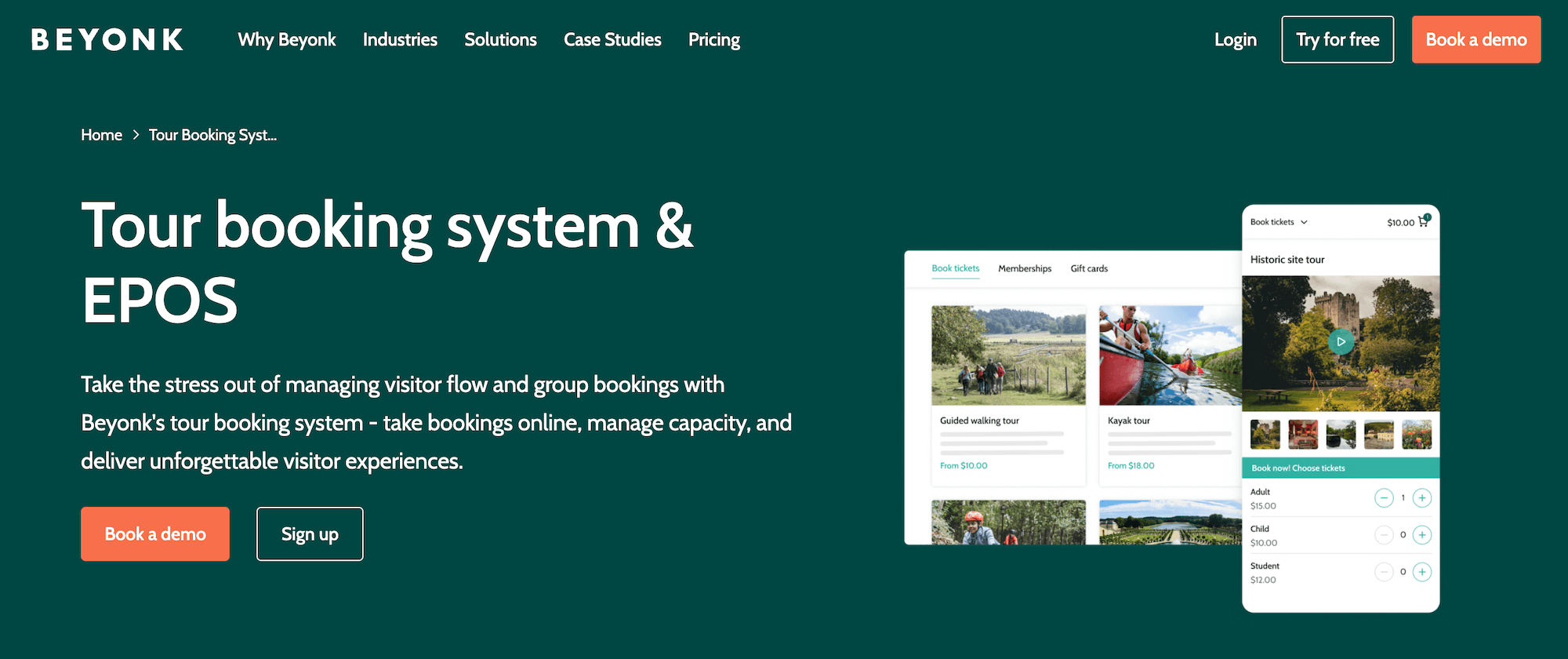
Beyonk and BookingHound are sister platforms under the same company.
- Beyonk started out as a flexible booking solution for tour operators and activity providers.
- BookingHound was built for high-volume attractions that need robust ticketing tools, such as capacity management, waitlisting, timed entry, and membership and season pass sales.
Beyonk acquired BookingHound’s ticketing platform in 2022 and has since expanded its own feature set to cover much of that same ground.
For museums, Beyonk is the more natural starting point — it handles both the day-to-day operations side and the growth side well. Beyonk even claims up to 45% reduction in admin time through self-service tools and automation.
The platform supports online ticketing, timed entry, capacity management, membership and season pass sales, self-service kiosks, abandoned-cart retargeting, automated communications, OTA integrations, and a reseller marketplace. And its setup lets you pick and choose which features you use — activate what you need, skip what you don’t — keeping things manageable for smaller teams.
User reviews are strong (4.9 stars on Capterra), and the most consistent theme is the customer support. Reviewers frequently cite it as the primary reason they choose Beyonk over competitors — and why they stayed.
Now, if your museum has particularly complex ticketing requirements, BookingHound’s deeper toolset is worth exploring alongside Beyonk.
The main drawback for both platforms is the 4% booking fee — it sits on the higher end compared to several options on this list. Some users also say that reporting tools could use improvement.
It’s also worth noting: both platforms have their strongest presence in the UK, so museums outside the UK should check availability in their area before committing.
Find more Beyonk reviews here & BookingHound reviews here.
Features
- Online booking widget
- Custom checkout workflows
- Channel management & OTA connections
- Reseller marketplace
- Tools to manage online or in-person payments
- Options to cross-sell products & offer add-ons
- Options to sell gift cards & issue discount codes
- Dynamic pricing
- Options to offer free events
- Automated customer communications
- Content management system (CMS)
- Affiliate codes
- Reporting
- Analytics tools from Meta and Google
Also available in Beyonk:
- ePOS system
- Staff & schedule management
- Zapier integrations
Only available in BookingHound:
- Online ticketing tools
- Capacity management system & waitlisting tools
- Options to sell memberships or season tickets
- Options to sell merchandise
- Customer self-service portals
- Questionnaires
- Abandoned cart retargeting
Pricing
- Beyonk charges a 4% booking fee for each online reservation. Tour operators can cover this or pass it to travellers. There are no subscription fees here.
- BookingHound charges $38/month plus a 4% booking fee.
Read more: Best Beyonk & BookingHound alternatives comparison guide
3. TripWorks
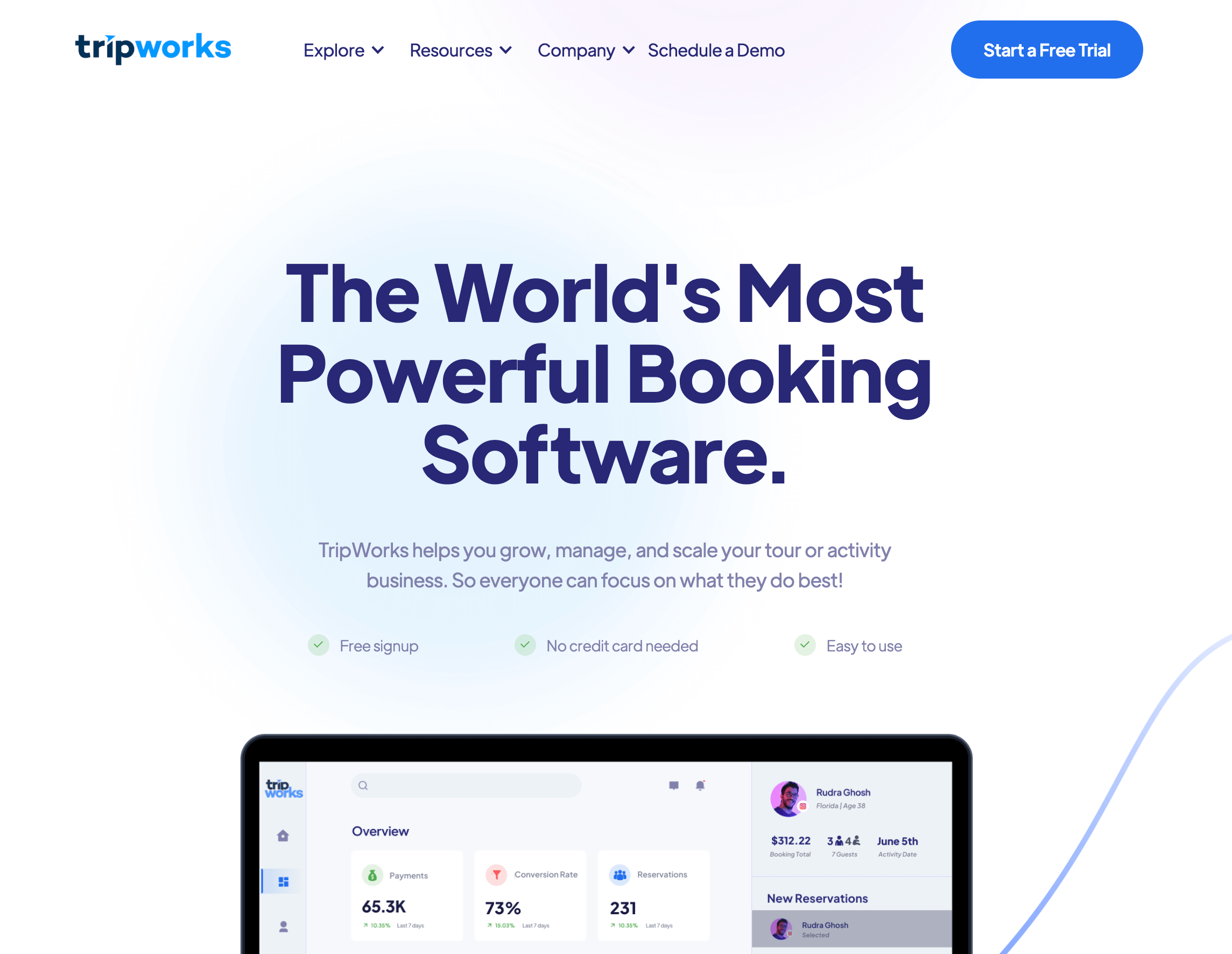
TripWorks is a booking platform that has expanded its solution towards museums and larger attractions looking for advanced operational and marketing tools. It stands out with its suite of marketing and conversion-boosting features: abandoned cart recovery, dynamic pricing with granular controls (seasonal, last-minute, channel-based, group-based), and deep integrations with Google Analytics 4, TikTok, Google Ads, and more. For museum operators wanting to fuel growth with digital marketing strategies, these features can be super helpful.
Users consistently praise TripWorks’ modern design, dedicated account managers, and development team that actively updates functionality based on client feedback. It earns a 4.9-star rating on Capterra.
The main concern is cost. TripWorks charges 6% booking fees plus a 2.9% + 30¢ transaction fee — nearly 9% of every booking goes to fees. You can choose to absorb these fees or pass them to customers. But when you absorb them, it can eat into your margins. When you pass them, you risk deterring customers from completing checkout (some reviews even note drops in conversion rates because of fees). Moral of the story: the fees are worth careful consideration here.
Find more TripWorks reviews here.
Features
- Online booking widget (that connects to existing sites)
- Reservation management
- Product management
- Availability management
- Connections with OTAs & channel management
- Reseller marketplace
- Options to sell gift cards & vouchers
- Dynamic pricing
- Digital waiver solution
- Native POS
- Integrations with Apple Pay & Google Pay
- Marketing tools to build PPC campaigns & improve your reach on social media
- Integrations with marketing & business applications
- Reporting
Pricing
TripWorks charges 6% online booking fees and a 2.9% + 30¢ transaction fee per booking.
Read more: Best TripWorks alternatives
4. Singenuity
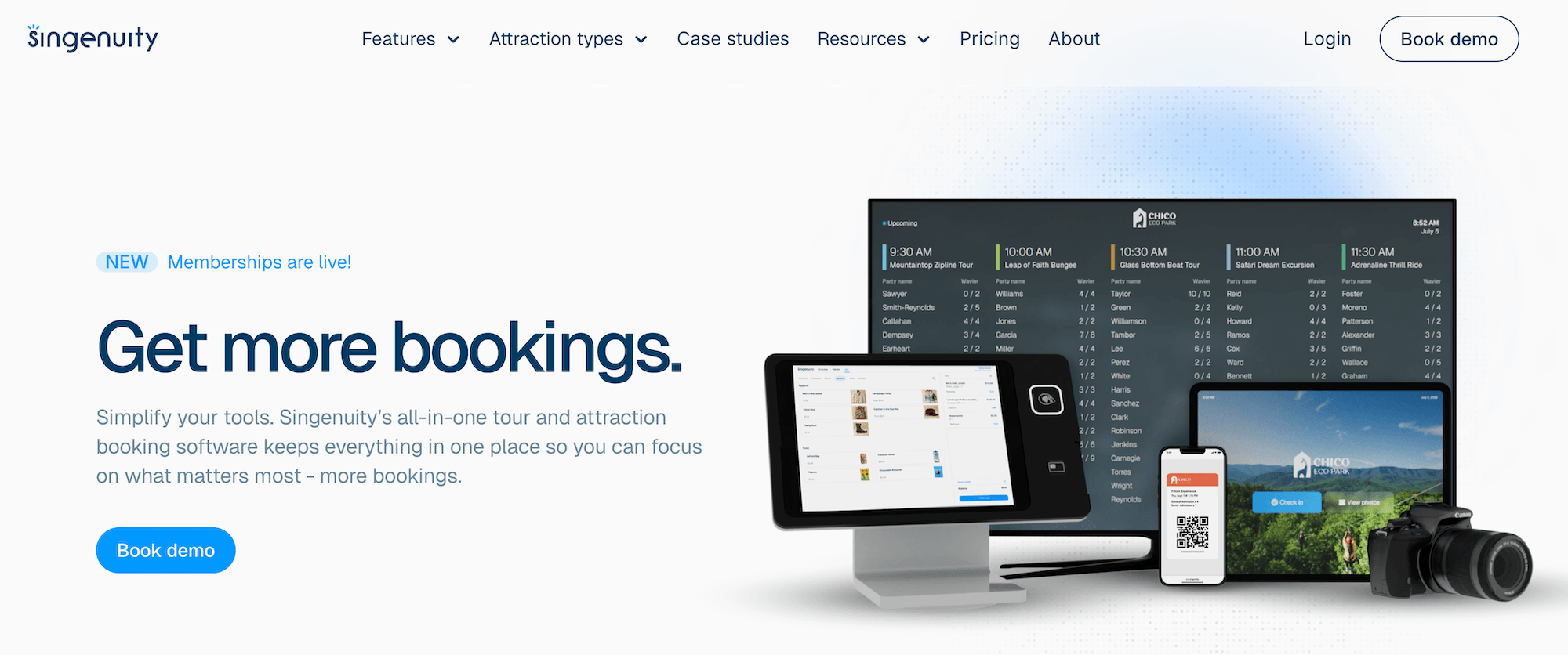
Singenuity is a tour and attraction booking platform with a dedicated museum offering, built with a particular focus on group bookings and school visits — an important audience for many museums. The platform handles the complexity of large group reservations well: step-by-step booking guides for teachers, automated follow-up communications, invoicing for educational groups, and flexible payment options that accommodate both credit cards and purchase orders.
Beyond group management, Singenuity has operations covered with an online booking engine, timed entry, capacity management, POS, and a self-service kiosk for on-site sales. And it lets you reach new audiences via OTA connections. Another notable feature: its photo capture, which lets you snap and sell visitor photos during their visits — a nice revenue stream for interactive or family-focused museums.
However, as with the names above, Singenuity’s fees are worth some thought. They charge a 4% fee like Beyonk and BookingHound, and automatically pass it on to customers at checkout. We suggest considering your ticket prices and how these fees will affect customers’ costs before committing.
Find more Singenuity reviews here.
Features
- Online booking engine
- Self-serve kiosks
- Centralised booking calendar
- Availability management
- OTA connections & channel management
- Affiliate network & reseller tools
- Packages & combo products
- Priority booking tools for time slot optimisation
- Digital waiver management
- Photo capture & sales
- Transportation management
- Integrated POS
- CRM & customer management tools
- Automated communications
- Abandoned booking recovery
- Multi-language support
- Reporting
Pricing
Singenuity charges your customers a 4% booking fee at checkout. This makes the platform virtually free to use — the risk is that high checkout fees can deter customers from booking.
5. Doubleknot
Doubleknot is an operations management platform built specifically for nonprofits and cultural attractions — museums, zoos, aquariums, nature centres, and botanical gardens. It’s been in this space long enough to serve more than 300 admission-based nonprofits across North America and continues to grow in popularity.
The platform offers an all-in-one toolkit with ticketing, memberships, event and programme registration, group bookings, point-of-sale, donations, and CRM. Its real differentiator is the fundraising support. You can manage donors and donations in the same system you manage general ticket sales and memberships — giving you a complete view of all your customers and their history with your organisation. This can be useful for museums that rely heavily on donations and need insights to design new fundraising campaigns.
However, as a pure operations management tool, Doubleknot does not offer the same distribution options as other systems: no OTA connections, reseller marketplace, or affiliate support.
Another tradeoff is complexity. Reviewers describe Doubleknot as powerful but not always intuitive — it can take time for teams to get fully up to speed, and some note that completing simple tasks requires more clicks than it should.
Find more Doubleknot reviews here.
Features
- Online booking engine
- Centralised booking calendar
- Timed entry & capacity management
- Ticketing for general admission, events & programmes
- Group bookings & field trip management
- Membership management
- Fundraising tools
- Donor/donation management
- Point of sale (POS) & mobile sales app
- CRM & customer management
- Automated communications & email marketing
- Reporting
Pricing
Doubleknot doesn’t list pricing online. You must request a demo for a custom quote.
6. Ticketure
Ticketure is a cloud-based ticketing, POS, and membership platform built specifically for museums, zoos, aquariums, and high-volume visitor attractions. It covers the operational basics well with online ticketing, timed entry, capacity management, membership management, self-service kiosks, and automated customer communications. Ticketure can also help you win ticket sales from new audiences with OTA connections and reseller ticketing.
What makes it stand out is how it handles donations. Donation prompts sit naturally within the ticket purchase flow — visitors are offered the chance to give at checkout, rather than as a separate ask. Ticketure clients reportedly generated $4.1M in visitor donations through online prompts in 2025 alone. This is huge for museums where donations are an essential revenue stream.
Users also appreciate Ticketure’s CRM integrations — particularly the Salesforce one — that helps them dig deeper into customer details and pull insights for retargeting, so they can keep the customers they’ve already won coming back.
But Ticketure is a little complex to learn. Users consistently call out the reporting module (built on Kibana) for its steep learning curve. Reviewers often say they need to lean on the support team to get the most out of it.
Find more Ticketure reviews here.
Features
- Online booking engine
- Centralised booking calendar
- Timed entry & capacity management
- Ticketing for general admission, events & memberships
- Donation prompts within the ticket purchase flow
- Donor/donation management
- Group sales management
- Self-service kiosks
- Point of sale (POS)
- OTA connections & third-party distribution network
- Reseller ticketing
- CRM integrations (including Salesforce & Microsoft Dynamics)
- Automated customer communications
- Mobile tickets
- Ticket scanning
- Reporting (via Kibana BI suite)
Pricing
Ticketure doesn’t list pricing online. You must request a demo for a custom quote.
7. Anolla
Anolla is a general booking and scheduling platform built primarily for service businesses — salons, clinics, studios, rental companies, and similar. It isn’t purpose-built for museums or visitor attractions (despite them marketing their software to museums).
The platform includes the essential booking management tools you’d expect: a central calendar, online booking widgets, customer management, and automated communications. And it can appeal to museums with its membership management.
But the gaps are significant for a museum context. There’s no timed entry or capacity management. And Anolla is more operations vs. growth, so it lacks distribution tools like OTA connections.
If you’re looking for a platform built with museums in mind, you’ll find more purpose-fit options on this list.
Find more Anolla reviews here.
Features
- Online booking engine & booking widgets
- Centralised booking calendar
- Group bookings management
- Resource management
- Membership management & loyalty programmes
- Prepaid passes & punch cards
- Recurring subscriptions
- Waitlist management
- Dynamic pricing
- CRM & automated customer communications (email & SMS)
- Email marketing campaigns
- 24/7 AI assistant for customer inquiries
- Payment processing (Stripe, Montonio)
- Multi-language support (25+ languages)
- Mobile apps
- API & integrations (Google Calendar, Google Analytics, Meta Pixel)
- Reporting
Pricing
You can get started with Anolla for free. With your free account, you get access to a central calendar and booking management, tools to create a business profile, client management, and translation support.
You can add to your free plan with paid features. Some of these include membership management, product management, online checkouts, Stripe integrations, invoicing, SMS messaging, and Mailchimp.
8. Veevart
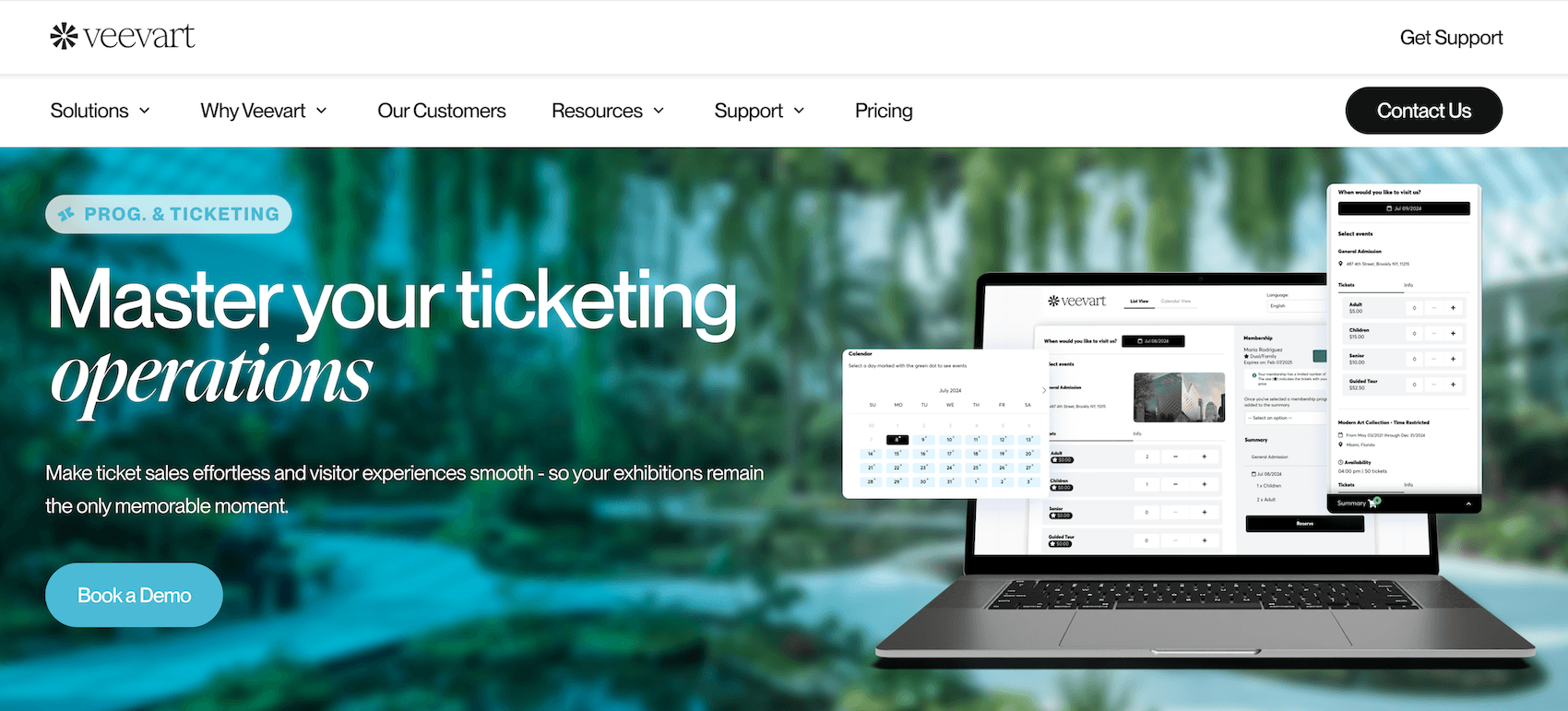
Veevart is a Salesforce-based platform built exclusively for museums, cultural institutions, galleries, and auction houses. That Salesforce foundation is what sets it apart — for institutions already in the Salesforce ecosystem, it can be a straightforward add to the tech stack.
The platform supports ticketing, POS, memberships, fundraising, gift shop, rentals, and collection management. It’s also worth noting the donor management side — like Doubleknot, Veevart connects visitor and donor records in the same system, which can be helpful for museums running active fundraising programmes alongside general admissions.
However, Veevart lacks on the growth side. It doesn’t connect with OTAs or include a reseller marketplace. If reaching new customers is a priority for you, Veevart won’t fit the bill.
Another potential downside here is the learning curve. Multiple reviewers note the transition felt overwhelming at first, particularly around reporting, and that some staff find navigation unintuitive. It’s a powerful system, but it definitely requires some training.
Find more Veevart reviews here.
Features
- Online booking engine
- Centralised booking calendar
- Timed entry & capacity management
- Ticketing for general admission, events & memberships
- Group bookings management
- Membership management
- Fundraising tools
- Donor/donation management
- Collection management
- Gift shop & retail management
- Rentals management
- Point of sale (POS)
- CRM (Salesforce-based)
- Automated communications & email marketing
- Mobile app (for iPad)
- Reporting
Pricing
Veevart doesn’t list pricing online. You must book a demo for a custom quote.
9. RocketRez
RocketRez is a cloud-based ticketing and operations platform that has made a clear push into the museum market. It offers a dedicated museum ticketing system and has worked with institutions like the Audain Art Museum.
This platform covers ticketing, memberships, group bookings, gift shop retail, and food and beverage in one connected system — and handles the full group booking workflow well, from school field trip enquiries to corporate event quotes.
It also does well on the growth side: RocketRez connects to OTAs and offers a reseller network to reach new audiences.
Reviews here are mostly positive. Users praise the customer service team and onboarding support. They also frequently call out the Relay feature — an AI-powered guest communication tool that sends automated SMS and email messages before, during, and after a visit. It can power upsells, review requests, and post-visit follow-ups, among other things, and users report it has driven real revenue lifts.
One thing RocketRez misses, though, is detailed reporting. Users say you can see high-level numbers, but it’s hard to dig into the details.
Find more RocketRez reviews here.
Features
- Online ticketing engine widget
- OTA connections & reseller network
- Channel management
- Centralised booking calendar
- Timed entry & capacity management
- Ticketing for general admission, events & memberships
- Group bookings & event management
- Photo capture & sales system
- Upsells, cross-sells & promo codes
- Gift shop & retail management
- Food & beverage management
- Inventory management
- Staffing & staff scheduling
- Dynamic pricing
- Point of sale (POS)
- Self-service kiosks
- Relay — AI-powered guest communication tool (SMS & email)
- RocketPass mobile app for guests
- Ticket scanning
- API
- Reporting
Pricing
RocketRez offers custom quotes — you must contact their sales team to kickstart pricing conversations.
10. Tix
Tix is a general-purpose cloud-based ticketing solution that serves a broad range of venues — music venues, theatres, colleges, festivals, and museums. It covers core ticketing workflows for both online and box office sales. It also includes barcode scanning, CRM with customer purchase history, email marketing, donation and membership processing, season packages, and reporting.
Users tend to like Tix for its straightforward, affordable pricing model: $0.25 per box office ticket and $1.50 per online ticket — with no monthly subscription fee. For museums with lower ticket volumes or those that sell primarily at the door, Tix can be a pretty cheap option.
However, Tix isn’t built specifically for museums. You don’t have as much control over your products or availability, as there’s no timed entry or capacity management by time slot. It also misses on the growth side.
The best way to think of Tix is straightforward daily operations management. You don’t get a lot of advanced tools, and it doesn’t support growth by helping you get in front of new audiences.
Features
- Online booking engine
- Box office ticketing tools — with seat selection & graphical maps
- Membership & season package management
- Donation processing
- CRM & email marketing tools
- Multiple ticket delivery methods (e-tickets, thermal printing, pre-printed)
- Barcode scanning & ticket validation
- Payment gateway integrations (Stripe, Square, Authorize.net, PayPal & more)
- Reporting
Pricing
Tix charges booking fees for in-person and online ticket sales:
- $0.25 per ticket for box office sales (walk-up, in-person sales)
- $1.50 per online ticket (tickets sold through desktop and mobile devices)
11. AudienceView
AudienceView has its roots in the performing arts and live events space but has expanded to serve museums, attractions, universities, and festivals. For museums, it covers essentials such as online booking and availability management, timed entry, capacity management, membership management with tiered benefits and auto-renewal, POS, CRM, and automated communications. And on the growth side, AudienceView offers channel management and OTA connections.
But the criticism that comes up most often is complexity — navigating the interface can feel clunky and complicated, and some users find it dated. And while AudienceView doesn’t publish pricing publicly, reviews suggest that it can be out of reach for smaller organisations.
Find more AudienceView reviews here.
Features
- Online booking engine
- Centralised booking calendar
- Timed entry & capacity management
- Ticketing for general admission, events & memberships
- Membership management with tiered benefits & auto-renewal
- Fundraising tools (recurring donations, campaign storefronts)
- Donation prompts within checkout flow
- Donor/donation management
- Dynamic pricing
- OTA connections & channel management
- CRM & automated communications
- Point of sale (POS)
- API & integrations
- Reporting
Pricing
AudienceView offers custom pricing — you must request details to learn more.
12. Blackbaud Altru
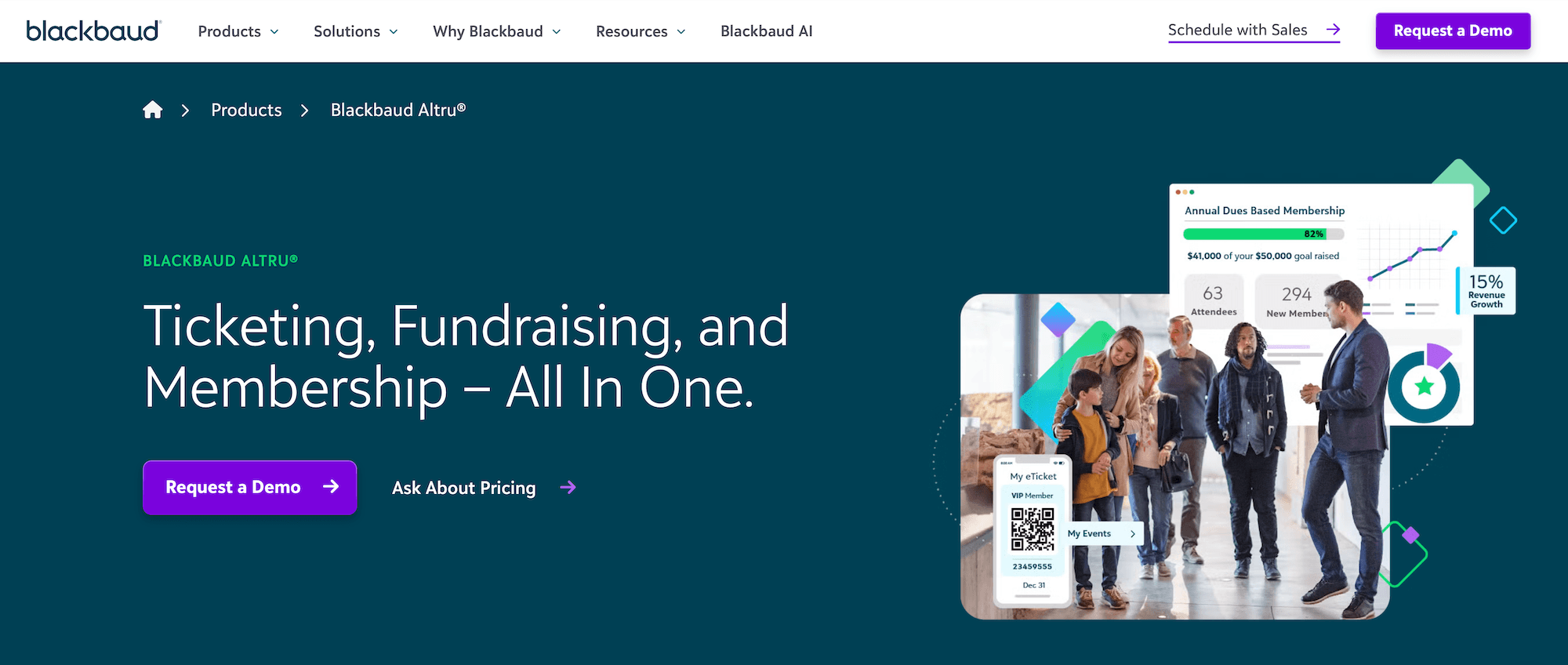
Blackbaud Altru is a cloud-based CRM, ticketing, and fundraising platform built specifically for cultural and general admission nonprofits — museums, zoos, aquariums, science centres, botanical gardens, and historical sites. It covers admissions, timed entry, group bookings, POS, merchandise, self-service kiosks, digital membership cards, and fundraising, all from the same database.
What sets Altru apart is the depth of its fundraising tools. Like Doubleknot and Veevart, it connects ticketing, memberships, and donor records in one place — but Altru takes this further than most, with tools specifically designed for large-scale donor cultivation and fundraising campaigns. For big institutions where a visitor might also be a member, a donor, and a programme participant, that unified view is really convenient.
But Altru’s advanced system comes with some trade offs. While reviewers consistently describe it as powerful, they also say it’s hard to navigate. It poses a pretty steep learning curve that can slow implementation and make it hard to onboard staff. And the cost is substantial — annual contracts reportedly start around $12k to $20k for smaller venues, with larger institutions often paying $60k or more. So it’s not really a realistic fit for small or independent museums.
Find more Blackbaud Altru reviews here.
Features
- Online booking engine
- Centralised booking calendar
- Timed entry & capacity management
- Ticketing for general admission, events & programmes
- Group bookings management
- Membership management with digital membership cards
- Fundraising tools
- Donor/donation management
- Merchandise & inventory management
- Point of sale (POS)
- Self-service kiosks
- CRM, automated communications & email marketing tools (with prospect research)
- Reporting
Pricing
Blackbaud Altru doesn’t list pricing online — you have to request pricing details from its team.
Find the best museum ticketing software for your organisation
Good museum booking software makes life easier on both sides of the transaction. Your team gets organised operations and the tools to sell across multiple channels. Your visitors get a smooth, flexible booking experience that lets them plan their visit properly before they arrive.
Bókun covers the full picture — without any steep fees or learning curve. You get complete operations management, some of the most impressive growth drivers in the industry, and full support from our team, at some of the lowest rates you’ll find.
See how Bókun can transform your operations and drive new foot traffic by starting a 14-day free trial today!
Related reads: