Point of Sale (POS)
Sell anywhere with
Bókun POS
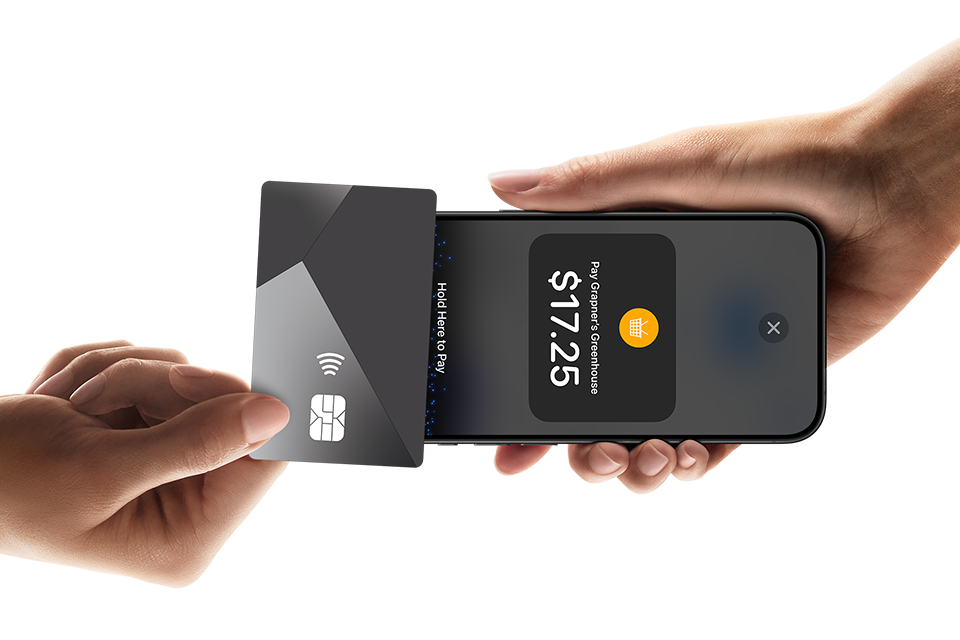
Take in-person payments anywhere with Point of Sale (POS) terminals or Tap to Pay. For faster transactions, more revenue, and happier customers.
-
Make sales anywhere
-
Update bookings instantly
-
Keep customers happy
Sell on the spot.
Make more sales.
Being able to take payments wherever your customers are means more sales. With our POS integration, you can process payments at ticket counters, mobile kiosks or on the go. All while letting people pay how they want.

Seamless payments.
Instant updates.
More sales shouldn’t have to mean more work. With Bókun, when a customer pays, everything flows straight into our system.
-
Payments and bookings sync automatically
-
Transactions appear as Paid in Full, keeping records accurate
-
Use a POS terminal at fixed locations, or Tap to Pay on mobile and tablet for sales on-the-go

Make life easier
for customers
Guests can pay on the day, with the method they prefer. Faster checkouts, shorter queues – and more time to enjoy the experience.


Bókun × Stripe:
Seamless payments, anywhere
We’ve teamed up with Stripe to make in-person payments effortless. Use Stripe Tap to Pay, as well as a Stripe POS terminal, and take payments anywhere.
-
Accept payments at ticket counters, kiosks, or on the move.
See availability

Already using Bókun?
To set up and use Bókun POS, read our step-by-step guide.
Frequently Asked Questions
How do I setup the Bókun POS integration?
Setting up Bókun POS is simple and only takes a few minutes. Here’s how you do it, step-by-step.
1. Activate POS in Bókun
Connect your payment provider account in the vendor dashboard.
2. Choose how to take payments
Select to send to a POS terminal.
3. Sell on the go
Your customer taps or inserts their card to pay and the transaction is processed securely.
4. Get instant confirmation
The payment is marked as as ‘Paid in full’ in Bókun for seamless record-keeping
Need more details? Read our full setup guide here.
What Point of Sale (POS) payment providers does Bókun integrate with?
We currently integrate with:
- Stripe POS Terminals
- Stripe Tap to Pay on iPhone
- Stripe Tap to Pay on Android
Are more POS payment providers coming?
Yes! Additional payment providers will be available soon.
Which countries support POS payments?
Availability depends on the payment provider’s supported regions. You can check country availability for Stripe POS terminals and Stripe Tap to Pay here.
What are the Bókun fees for POS payments?
When processing payments through our partnered POS solutions, you’ll pay:
- Your standard payment provider credit card fees
- The Bókun booking fee based on your plan:
- PRO & START – 1.5%
- PLUS – 1.25%
- PREMIUM – 1%