
A high-quality paragliding online booking software needs to do a few jobs well: keep your calendar straight, manage all the behind-the-scenes logistics to prep for flights, fill your fly days with passengers, and get you through the days the wind won’t play ball.
Very few systems check all these boxes. They might keep your bookings in order and help you prep for flights, but most don’t account for no-fly days, and even fewer have tools to fill your calendar.
When you’re comparing systems, you want to look for features like:
- A central booking calendar. You’ve got bookings coming in from all over: your website, OTAs, partners, phone calls, and walk-ups. You need one calendar where you can see them all. And when a flight fills up, it should close everywhere you sell it, so you’re never selling a spot you don’t have.
- Pilot and wing capacity. Each flight needs a pilot and a wing, plus a harness and a helmet for both the pilot and the passenger. Your software should track every piece of gear and close the slot when any of it runs out.
- Custom booking forms. Your pilots need each passenger’s weight to pick the right wing, so you want booking forms that ask for it upfront. That way, the pilot knows what they’re working with before anyone gets to launch. You can use these forms to collect other details too, like age or whether they’ve flown before.
- Digital waivers. Every flight carries real physical risk, so you need a signed waiver on file before anyone’s clipped in. Digital waivers go out with the booking confirmation, so passengers sign before they get there and you can spend your time at launch on the safety briefing.
- Distribution across OTAs, partners, and affiliates. A lot of your passengers are travellers planning a trip to your area. They’re doing that planning on sites like Viator, GetYourGuide, and Google, or asking their hotel what’s good nearby, and they won’t find you unless your flights are listed in those places. So look for a system that gets you on OTAs and in front of local partners and affiliates.
- Gift vouchers. Tandem flights make great birthday and holiday gifts, and vouchers bring in money before the season even kicks off. You want a system that sells vouchers online and tracks each one through to the flight it’s redeemed on.
- Bulk rescheduling & cancellations. When the wind picks up, or the weather turns, you could have a whole day of passengers to move. Calling down a list one person at a time eats your whole morning. Look for tools that let you reschedule or cancel all of those flights at once and let passengers pick their new date themselves.
- Deposits & upfront payments. Taking a deposit or full payment at booking helps cut down on no-shows and last-minute dropouts.
- Transparent pricing. You should be able to see what a system costs, subscription and booking fees included, without booking a demo first.
To help in your comparison shopping, we compiled this guide of all the most popular paragliding booking software — starting with our system, Bókun.
To learn more about Bókun after reading, start a 14-day free trial — no credit card required!
1. Bókun
All-in-one booking, operations & distribution management system for paragliding operators
Bókun is an all-in-one operations management system for the experiences industry — part of the Tripadvisor and Viator family. We’ve been working with activity operators, big and small, from all across the globe, for over 10 years.
Paragliding businesses of all kinds use Bókun to run their flights: tandem operators, flying schools, and adventure companies running paragliding alongside canyoning, rafting, or ziplining.
Our system covers all four jobs we talked about above. It keeps your calendar organised, tracks every pilot, wing, harness, and helmet on the schedule, and it gets you through no-fly days without hours on the phone. Most of all, it brings in passengers who’d never have found you on their own — and we do this better than any other system in this guide.
When we built Bókun, we focused on three things:
- We wanted to cover the entire operational side of your business, so you only need one system to run it all. You’re not paying for separate tools to manage bookings, scheduling, and customer emails, or jumping between them to get through a morning.
- We wanted to give you as many ways as possible to win new customers. We connect with 70+ OTAs, and we’re the #1 restech partner across all the major sites, with advanced partnerships with some of the biggest names in travel. The Bókun Marketplace is one of the largest partner networks in the industry. And our affiliate tools let you earn bookings from anyone you want to work with, whether that’s a guesthouse down the road or a paragliding creator on Instagram.
- We wanted to make Bókun accessible to everyone, including the smallest teams just getting online. The features are super user-friendly, so you don’t need any training to get started. And our booking fees are just 1.5% (well below the 4% to 8% that other brands charge).
All of this is why we’re one of the most top-rated systems around — 4.7 stars on Capterra.
In the next sections, we’ll walk you through our core features and how they work for paragliding businesses. We’ll start with the growth drivers that keep your fly days full, then move into the operational side of things. (But if you’d rather explore Bókun yourself, start a 14-day free trial.)
Tools to fill the days you can fly
Connections with OTAs & online marketplaces
Getting operators onto the big travel sites was our top priority when we built Bókun’s growth tools. Millions of travellers book through sites like Viator and GetYourGuide — those are the names they know and trust, especially when they’re booking something like a tandem flight with a company they’ve never heard of. If you want to win their business, you need to be selling where they already book.
With Bókun, you can connect with all of the major sites from one dashboard: Viator, GetYourGuide, Google Things to do, Airbnb Experiences, Expedia, Civitatis, Klook, Trip.com, Headout, TourRadar, Tiqets, Musement, and Groupon. We also integrate with niche platforms built around specific destinations and activities.
And we’ve gone a step further with three of the biggest names. Our advanced partnerships with them come with extra perks for you:
- Our Viator Preferred Partnership lets us offer 0% Bókun fees on any booking that comes through Viator, plus free subscription checks every year (12, 24, or 48, depending on your plan).
- Our GetYourGuide Premium Connectivity Partnership gives you a faster, stronger connection, so your listings go live sooner, and bookings sync reliably between the two systems.
- As an official Google Things to do partner, we get your flights onto Google Search and Maps directly through our platform — without the typical application process or waiting period.
You can browse all the options in the Sales Tools tab and connect as many as you wish. There are no caps.
You’ve also got a ton of control over how you sell on these sites. You choose the specific flight types and time slots you open up to each one. You can go broad and open your whole schedule, or start with a couple of flight types on a new site and add more once you see how it performs. Our reporting tools show you which sites bring you the most business, so you can tweak your strategy and double down where you’re most successful.
If you’re new to selling on any of these sites, we’ve put together guides to help you get started:
- The tour operator’s guide to OTA bookings
- Best OTA booking systems for tour operators
- How to sell tours on Viator
- How to add your business to Tripadvisor
- How to become a GetYourGuide supplier
- How to get listed on Google Things to do
- How to become a Civitatis supplier
- How to host experiences on Airbnb
- How to become a TourRadar supplier
- How to sell tours on Expedia
- How to become a Musement supplier
- How to become a Klook supplier
- How to become a Headout supplier
- How to become a Trip.com supplier
- How to become a KKday supplier
Bókun Marketplace
Beyond OTAs, we also built Bókun with a diversified partner network, Marketplace, featuring thousands of travel industry professionals — other activity and tour operators, attractions, accommodation providers like hotels and resorts, transportation services, rental companies, travel agents, DMCs, and more. You’re automatically added to the network when you join the platform.
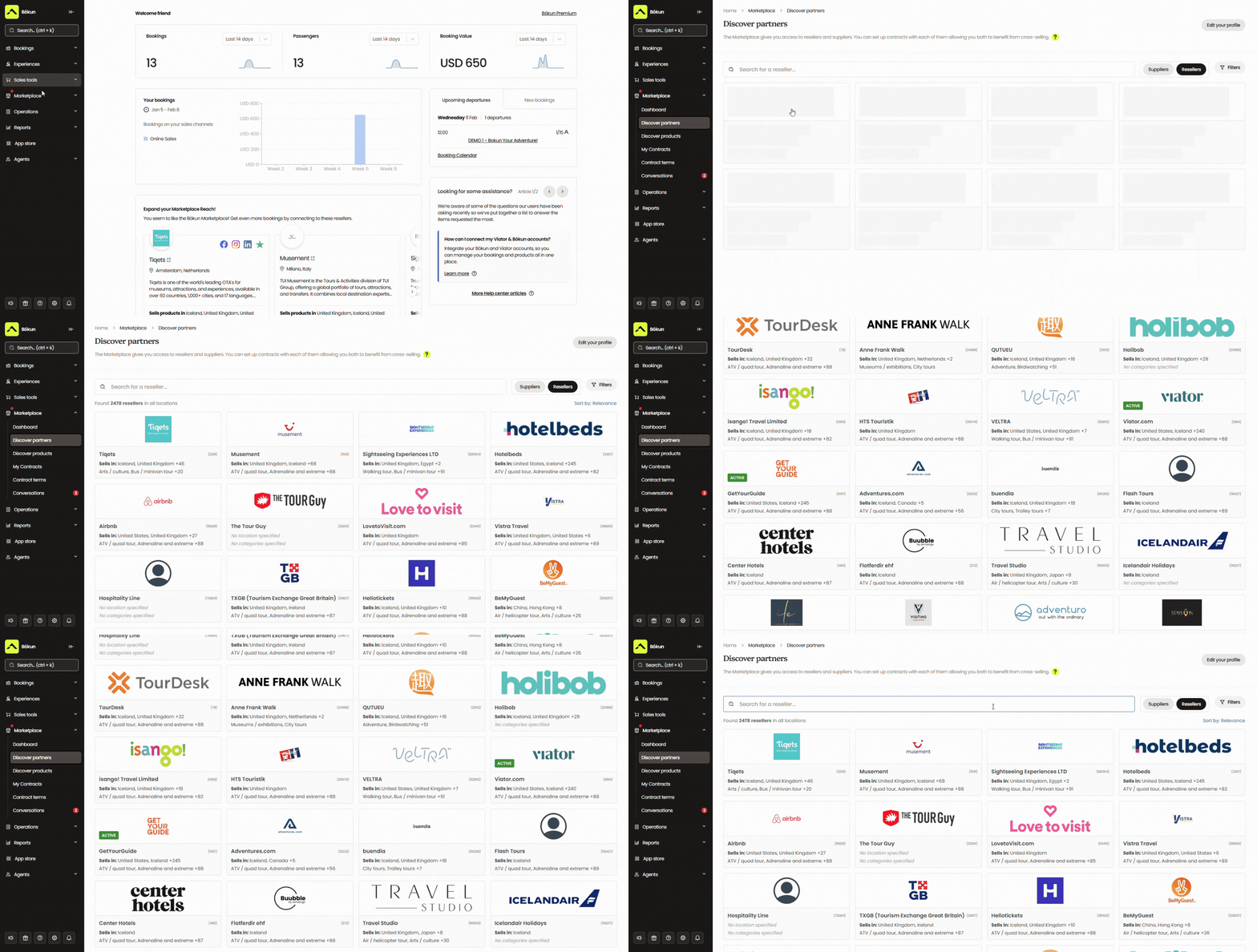
There are a few ways to put this network to work:
- Team up with resellers who’ll sell your flights to their own customers. A travel agent building a trip for a client might add a tandem flight as one of the activities, or a hotel might offer your flights to its guests.
- Resell other businesses’ experiences or services for commission. This is an easy way to bring in new revenue — and even more beneficial when you’re already selling at capacity and want to explore different revenue streams.
- Build packages with partners in the network, like a tandem flight paired with a kayaking experience from another operator, or a paragliding day bundled with a hotel stay.
We also give you all the tools to manage these partnerships. You can search the network by business or product type to find the right partners, then reach out, negotiate terms, and build contracts right in Bókun. All your communications and documents are saved in one place.
See how some of our operators use the Marketplace in the case studies below:
- Tour Marbella pulls 54% of its bookings through Bókun Marketplace connections
- Venice Tours achieved a 400% revenue increase through the Bókun Marketplace
- Simba Sea Trips sees 20% YoY revenue growth since joining Bókun
- International Friends generates $500K in sales via Bókun Marketplace
- Mega Zipline Iceland boosts online sales and adds new revenue streams with 100+ Bókun Marketplace contracts
Bókun Referral Tracking
Bókun Referral Tracking lets you build your own affiliate network with anyone who makes sense for your business, not just partners in the Marketplace. For a paragliding business, that could be:
- Paragliding and adventure-travel creators on Instagram, TikTok, or YouTube
- Tourism boards and visitor centres promoting things to do in your area
- Hostels, campsites, and guesthouses near your launch or landing sites
- Outdoor gear shops
- Nearby cafés and bars
- Event planners looking for bucket-list experiences for group trips, like stag and hen parties
You’re in complete control of this network. You can add as many affiliates as you like and set each one’s commission rate individually. Every affiliate gets a trackable link or their own dedicated booking page, so their audience can book straight with you. And our reporting shows which affiliate each booking came from, so you can see who’s sending you the most passengers and go looking for more partners like them.
Website builder & booking widgets
Of course, you’ll want passengers to be able to book straight from your website, too. Plenty of people will find you directly, through Instagram, a Google search, or a friend’s recommendation. A bookable site lets them grab a flight the second they decide they want one, instead of messaging you and waiting to hear back on availability. (And when enquiries do come in over WhatsApp or Instagram, you can send people straight to your site to lock in their spot.)
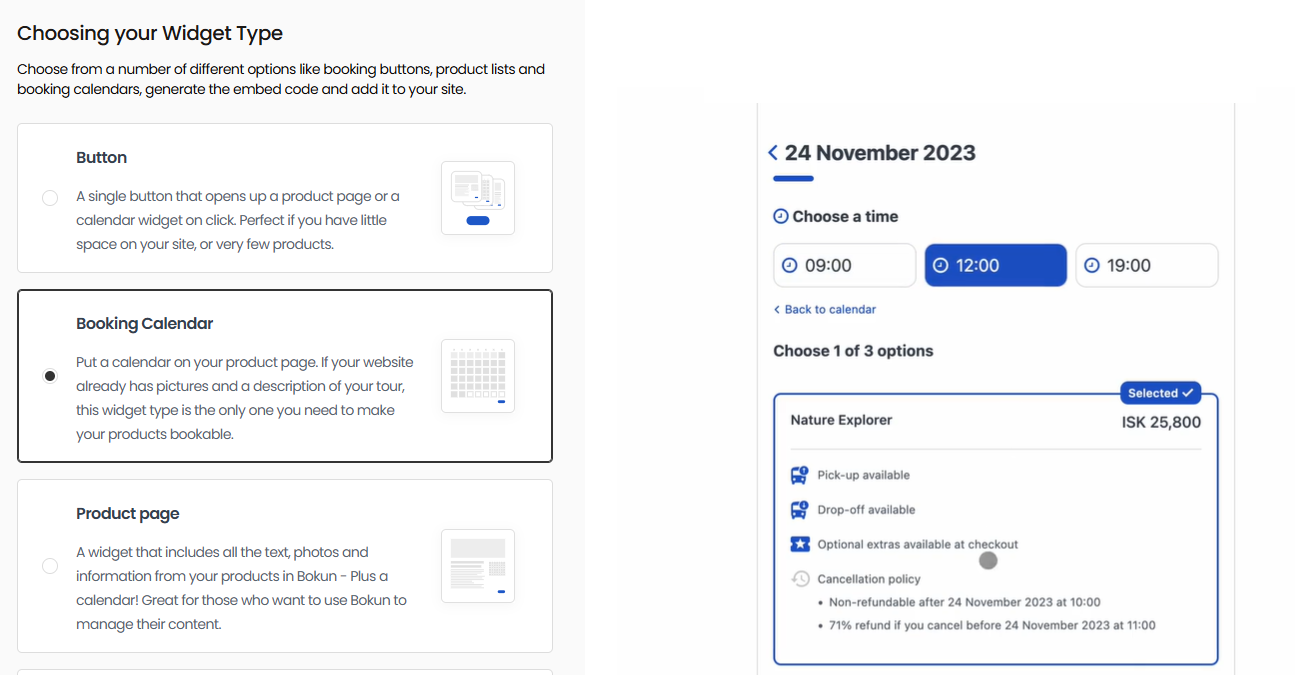
If you already have a website, you can add our booking engine widgets. They work with nearly all website builders, including WordPress, Squarespace, Wix, and Weebly. You can pick from a few styles: “Book Now” buttons, calendar views, product pages, and product lists. We usually recommend a widget on every page, so passengers can start booking wherever they land on your site.
Read more: How to add a booking system to your website
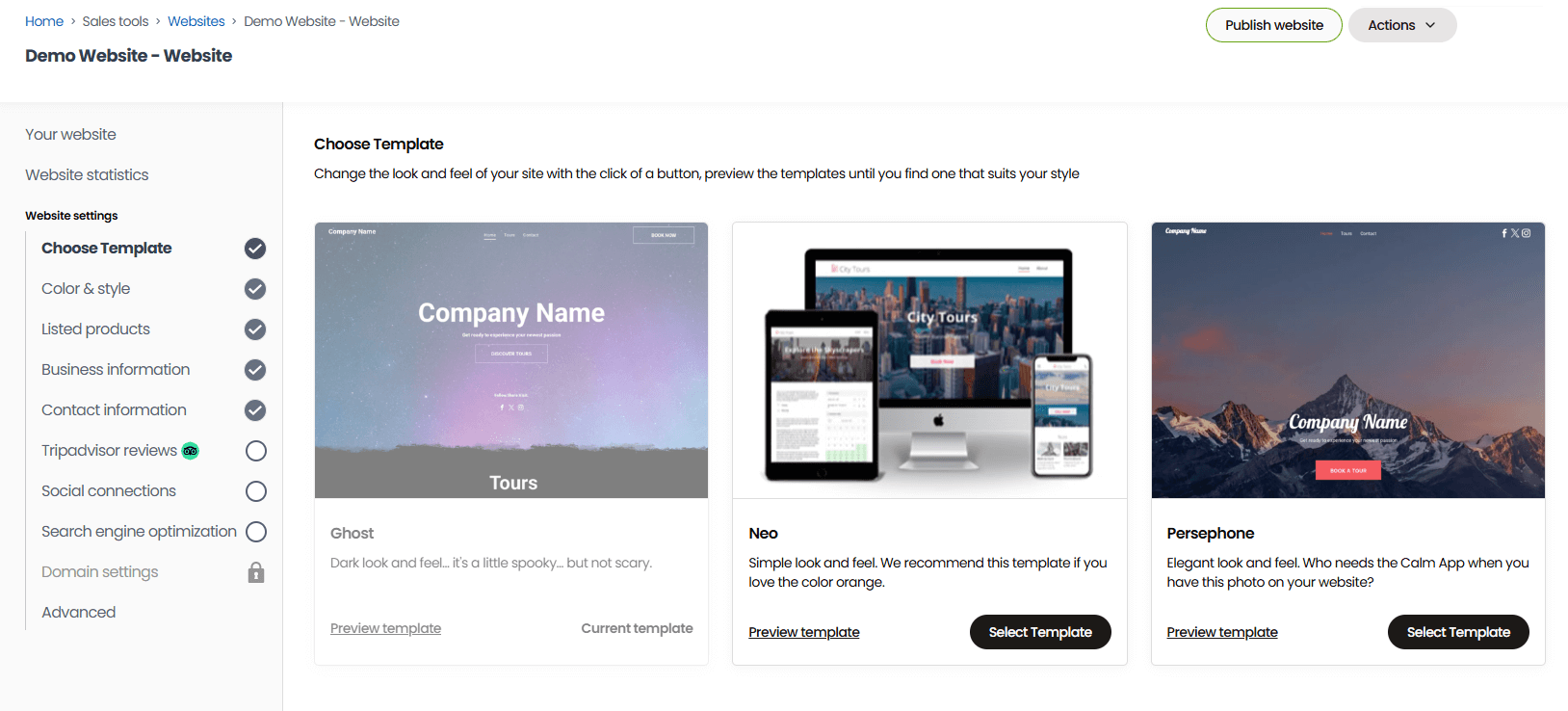
If you don’t have a website, our one-click website builder gets you up and running fast. All you have to do is pick a template and fill it in with your flights, your launch sites, photos and videos from past flights, and a bit about your pilots. The templates come optimised for desktop and mobile with booking widgets already installed, and we secure your domain for you.
Read more:How to create a booking website
For the more tech-savvy, we also offer advanced website features: custom CSS, SEO tools, a blog, translation for international visitors, and a Google Analytics integration.
The last step to make your site bookable is connecting a payment processor, so that passengers can confirm times and complete checkout in one go. Bókun supports this full flow by integrating with dozens of payment processing tools — Stripe, PayPal, Apple Pay, Google Pay, Klarna, Venmo, Worldpay, Braintree, and more. Passengers can pay however they like. Nobody abandons a booking at checkout because their card isn’t supported.
Read more: 8 ways to secure more direct bookings from your website
Tools to run your flights & manage bookings when the weather turns
The central calendar
The Bókun central calendar gives you your whole schedule in one place, so you don’t have to check a bunch of different inboxes and dashboards to work out who’s flying when.
Every online booking lands in the calendar automatically, the second it’s confirmed, whether it came through your website, an OTA, a Marketplace partner, or an affiliate link. You can add offline bookings here too, like phone calls and walk-ups (those are always free).
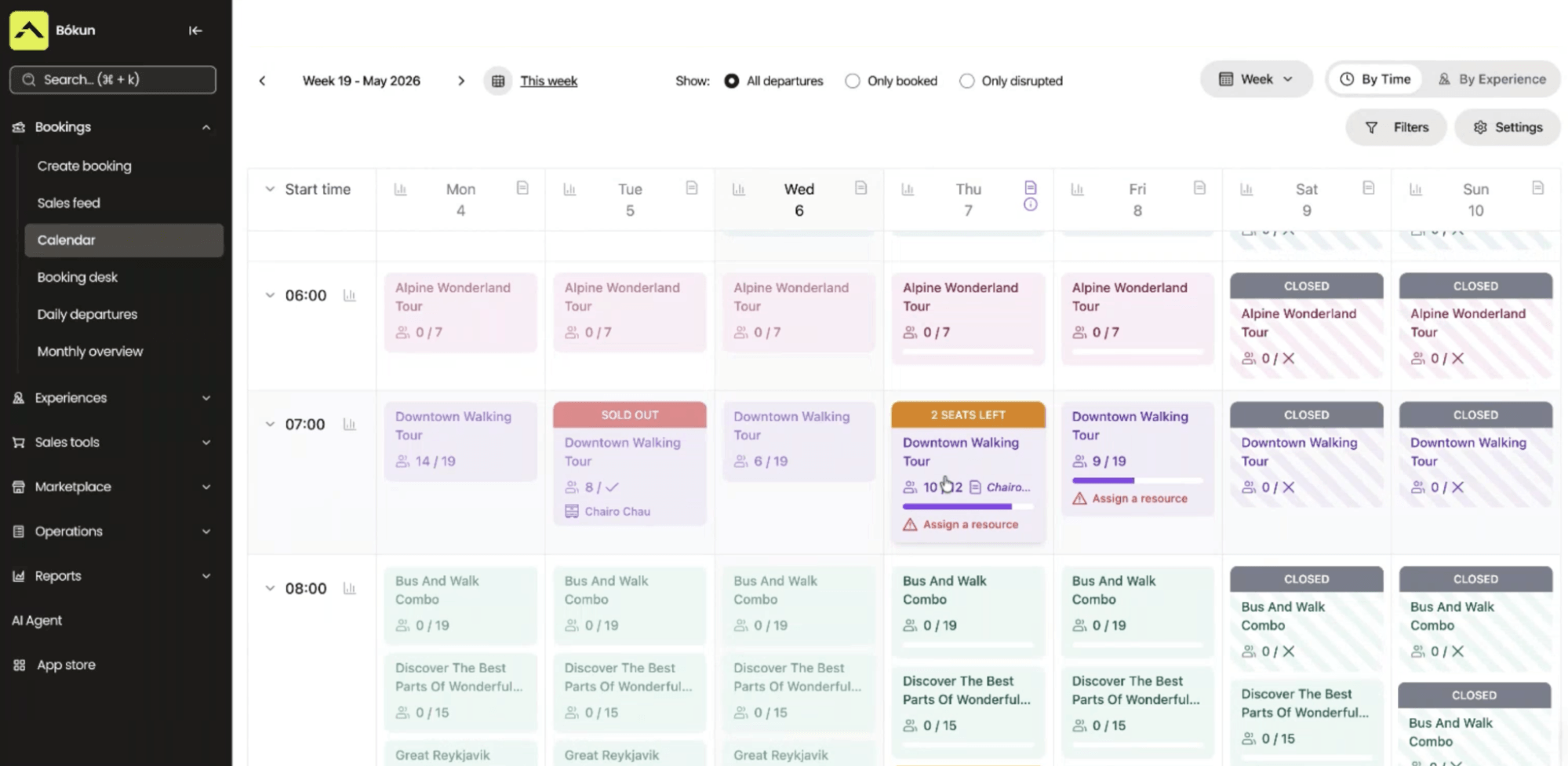
Click into any flight to see who’s booked and which pilot and gear are assigned to each passenger. You can also edit bookings here if plans change. For example, if a pilot calls in sick, you can move another pilot onto their flights for the day. Or if a wing fails its pre-flight check, you can swap in a spare before the next passenger is up. You can also reschedule or cancel flights here when the weather turns.
The Bókun calendar also powers real-time availability updates across every channel you sell on. Say your 10 am slot has three pilots free. The moment those three spots are booked (one through Viator, one through your website, and one you add after a phone call), the slot shows as full everywhere else. Nobody can book a fourth passenger into a flight you don’t have a pilot for.
Disrupted Departure, Mass Cancellation, & Mass Mail
Now, for the days the wind won’t cooperate. Say the forecast looked flyable last night, but by 7 am it’s gusting well past your limits, and you’ve got a full morning of tandems booked.
Bókun’s Disrupted Departure feature lets you deal with all of those bookings at once. Select the affected bookings on the calendar and flag the departure. Every passenger gets a notification with a link to their self-service portal, where they choose a new date or cancel for a refund. Flagging the departure also closes it to new bookings.
Sometimes there’s no good date to move people to, like when you’re about to close out the season and your last few weeks are fully booked. Mass Cancellation cancels every affected booking and processes the refunds in one go.
Mass Mail is for updates that don’t require a reschedule or cancellation. If the wind switches direction and you’re flying from a different launch, or the morning slot gets pushed back an hour while conditions settle, you can send one message to everyone booked that day.
Check-in tools at the launch site
Bókun also offers check-in tools through our iOS and Android apps, so your team can run check-in wherever passengers meet you, whether that’s an office in town, the landing field, or the launch itself.
Pull up the day’s manifest, and you’ll see every passenger booked on each flight, along with the pilot and gear assigned to them. As people turn up, your team scans their mobile tickets to check them in. So before the van heads up to launch, you can see at a glance who’s checked in and who hasn’t turned up yet.
The apps also work without signal, so a dead zone doesn’t hold up check-in or delay flights. Your team keeps scanning tickets as normal, and everything syncs once their phones are back in range.
Multiple team members can check passengers in at the same time, too. If some passengers are meeting you at the office in town and others are heading straight to the landing field, you can have someone at each spot checking people in, and it all goes onto the same manifest.
Tools to set up your flights & kit out every passenger
Bókun’s Experiences module is where you build listings for every flight you sell and connect them to the pilots and gear they need. You can build each listing step by step with the product builder, save one as a template for similar flights, or import your listings straight from your website or Viator.
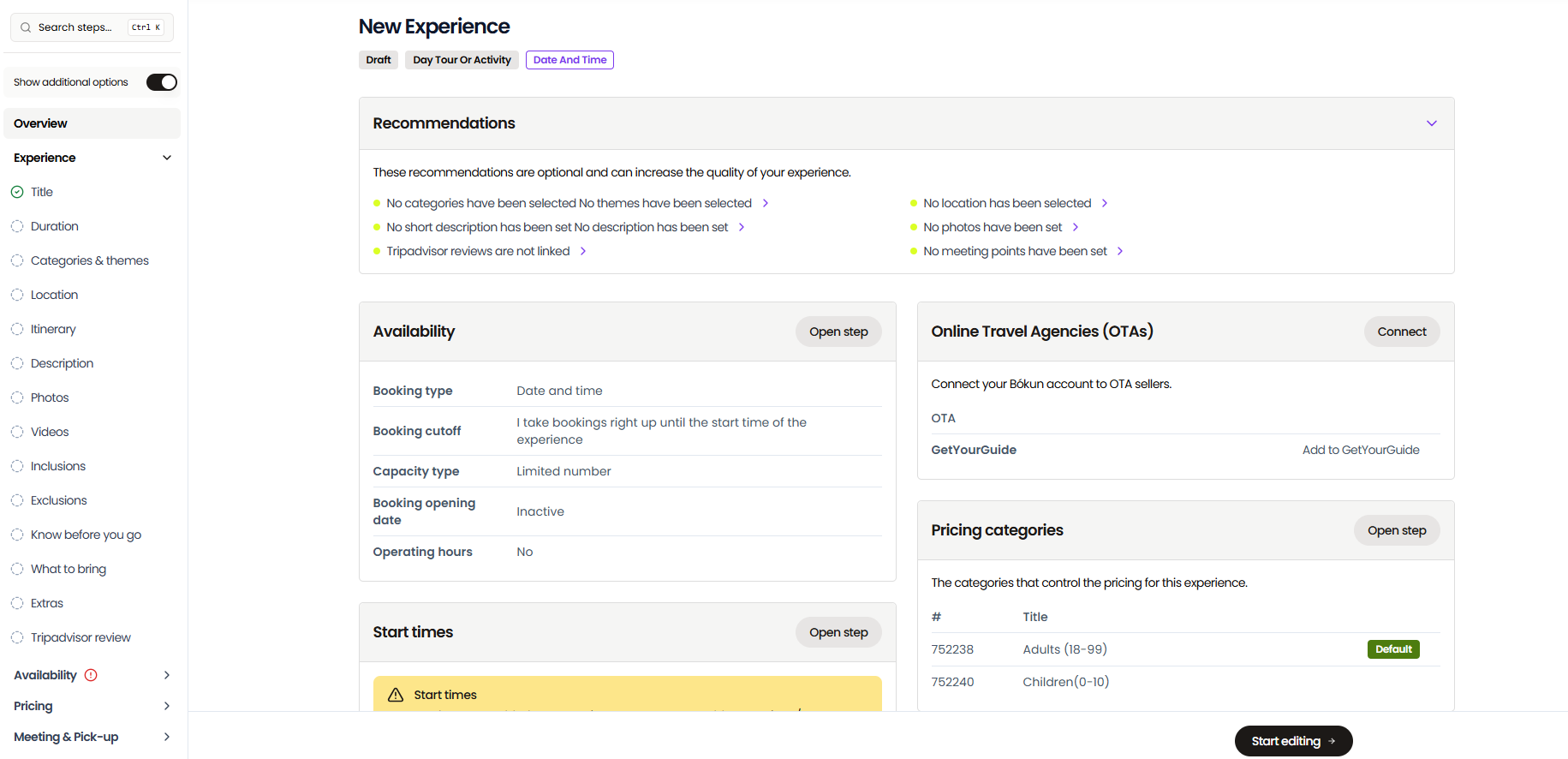
Building your flight listings
Most paragliding operators sell a few different flights — a short morning discovery flight for first-timers and kids, a longer thermal flight in the afternoon, a cross-country flight for passengers who want an hour or more in the air, an acrobatic flight for thrill-seekers, and a sunset flight. You’ll want to create dedicated listings for each of your flight types.
You start here by giving each flight a catchy name and outlining the main details passengers need to know before they book:
- Where to meet, whether that’s your office in town, the landing field, or a cable car station.
- Your launch and landing sites.
- How long they’ll be in the air, and how long the whole experience takes. A 15-minute flight can easily be a two-hour trip once you add the drive up, the briefing, and set-up at launch.
- Your weight range and minimum age.
- What to wear, like sturdy closed-toe shoes and an extra layer, since it’s often colder at launch than in the valley.
- What’s included (all the flight equipment) and what passengers can add on.
- Photos and videos from past flights.
Then you’ll list the add-ons you want to offer at checkout. For example, a photo and video package of their flight, a shuttle pick-up from town, or a lift ticket up to launch if you fly from a cable car station.
Setting your flight times
Next, you set the availability for each paragliding experience by selecting the days and times it’s offered. Discovery flights typically run in the calmer morning air, thermal and cross-country flights often go out in the afternoon, and sunset flights can take the last slot of the day.
You can also add booking cutoffs, so your pilots know who’s flying with enough notice. And set blackout dates for the months and days you’re not in the air — if you only run thermal flights in spring and autumn, you can limit that listing to those months.
Collecting weight & other passenger details
Custom booking forms let you ask every passenger for the details your pilots need before the flight. Weight is the big one. Tandem wings are certified for a set weight range, so your pilots need each passenger’s weight to pick the right wing. Making it a required field means it’s on every booking before anyone turns up.
You can also ask for:
- Each passenger’s age, if you have a minimum age for kids.
- Any health conditions that could affect the flight, like back or neck problems, heart conditions, or pregnancy.
- Whether they’ve flown before.
Every answer is saved in the booking details and in the passenger’s profile in our CRM for easy reference.
Pricing your flights
Each flight type gets its own per-passenger price, so a cross-country flight can cost more than a discovery flight. You can add bulk discounts for groups booking several tandems at once, like a family or a stag or hen party. And dynamic pricing adjusts your rates automatically based on rules you set — you could charge more on summer weekends, or drop the price on a slot that still has pilots free as the booking cutoff gets closer.
You also choose how passengers pay: in full upfront, with a deposit, or on arrival.
It’s also worth mentioning: if the weather grounds a flight, the passenger’s payment stays with their booking when they move to a new date.
Tracking your pilots, wings, & the rest of your gear
Our resource management tools make sure every booked flight has a pilot and all the necessary gear. You add your inventory in two layers: resource types and the individual resources inside each one. For a paragliding business, that could look like:
- Tandem pilots, with each pilot added individually
- Tandem wings, with each wing added individually and its weight range in the name
- Pilot harnesses, each with its reserve parachute packed in
- Passenger harnesses, split by size, including kids’ harnesses
- Helmets, split by size
- Radios
- Shuttle vans, each with its seat count (if you drive passengers up to launch)
Then you link those resource types to your listings, so Bókun knows exactly what each flight takes: one pilot, one tandem wing, one pilot harness with its reserve, one passenger harness, two helmets, and one radio.
Next, you set allocation rules, so Bókun knows how to assign everything when a booking comes in:
- Pilots can be assigned automatically, with each passenger getting their own pilot. You can set Bókun to rotate flights between your pilots, which keeps the work evenly spread, or assign them in a set order.
- Radios and shuttle vans can be assigned automatically, too. Each flight takes a radio from your pool and two seats in the van, one for the pilot and one for the passenger.
- Wings, harnesses, and helmets depend on size and weight, so you’ll assign those manually after the booking comes in. Wings and reserves are rated for the combined weight of the pilot and passenger, so check the passenger’s weight on the booking and assign a wing in the right range. Then add a pilot harness, a passenger harness, and helmets that fit both.
Once everything’s assigned, it’s all locked to that slot, so the same pilot or wing can’t end up on two flights at once. And when you run out of pilots or any piece of gear for a given time, that slot closes on every channel you sell on.
You can also add buffer time to each pilot, so they have time to pack their wing and get back up to launch before their next flight. And when a wing is due for its inspection, or a pilot harness is out while its reserve gets repacked, you can close that one resource without touching the rest of your kit.
Selling combo products & gift vouchers
Combo products let you bundle a tandem flight with another experience into one listing. If you also run canyoning or rafting, you can sell a flight and a day on the river together. Or you can team up with a partner operator to offer a package neither of you could sell alone.
Gift vouchers are part of Bókun’s core features, so you don’t pay extra to sell them. You can add a gift card widget to your website so people can buy straight from you, and promote vouchers to past passengers through your email campaigns. Done well, vouchers can make up a solid share of your sales. Mega Zipline Iceland, for example, makes 8.8% of its gross booking value from gift cards.
Tools to manage all your customers & communications
CRM
Bókun also offers an in-built CRM, so your passenger records live in the same system as your bookings. A passenger’s profile is created the moment they start a booking (so even someone who drops off before paying ends up in your records, and you can follow up with them with an abandoned cart nudge).
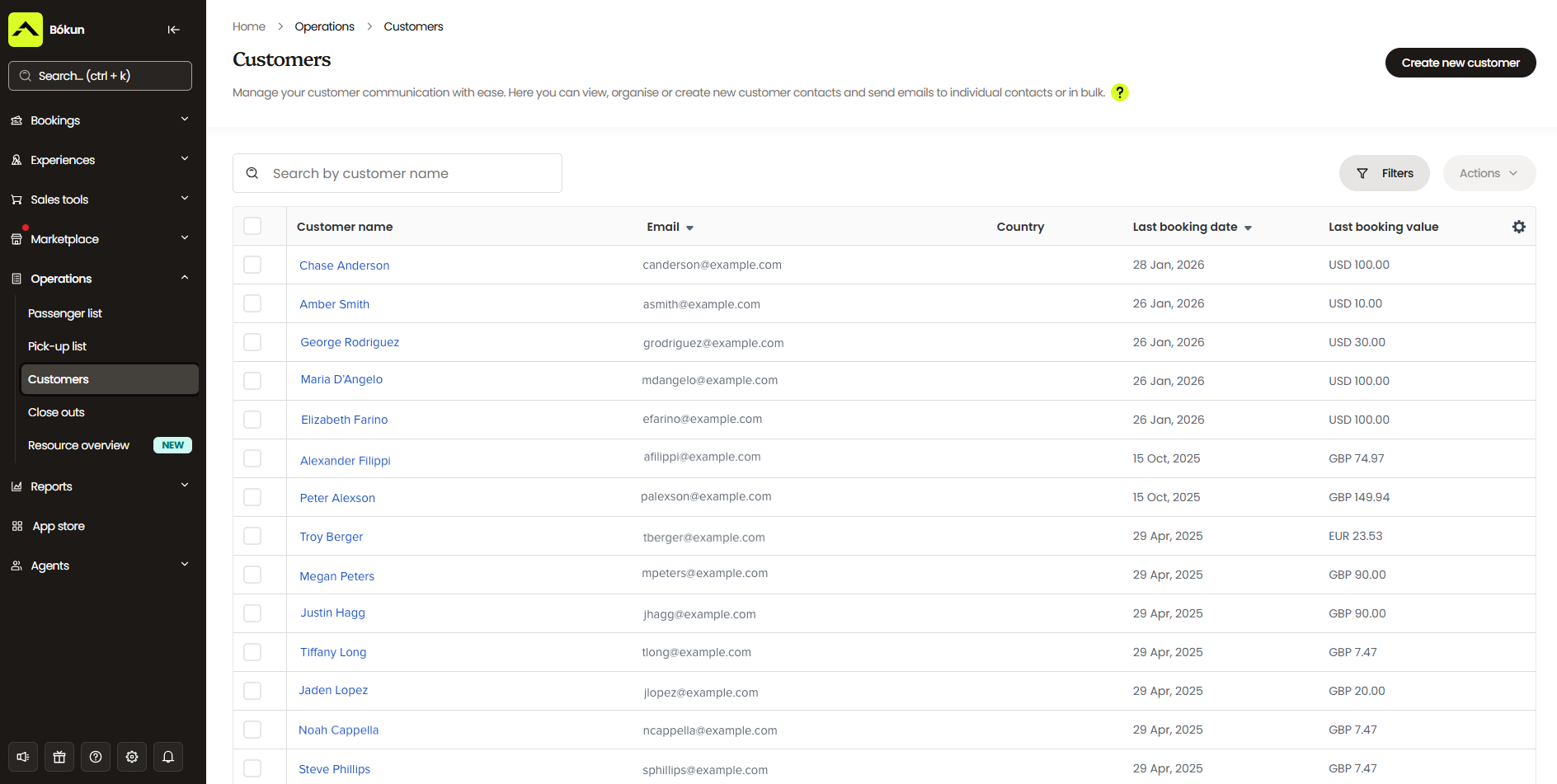
Each profile holds their contact details, full booking history, and every answer from your booking forms, like their weight and whether they’ve flown before. Your team can add their own notes, too, like a passenger who mentioned they’re nervous about heights, so their pilot knows before launch. Or one who loved their discovery flight and wants to come back for a longer one.
Having all your customer data at your fingertips tells you a lot about who’s actually booking with you, which helps shape your marketing.
For example, if most of your passengers are first-timers, you’ll know to lean on your discovery flights and photo packages in your promotions. If a good chunk have already done a thermal flight, an offer on a cross-country flight makes more sense.
And when a promotion is ready to go, you can pull up exactly those passengers in the CRM and send it to them.
Automated communications
We pair our CRM with automated communications, which powers both the standard emails that go out with every booking and your email marketing. We offer templates for both sides of things, so you can quickly tweak each message instead of writing every email from scratch.
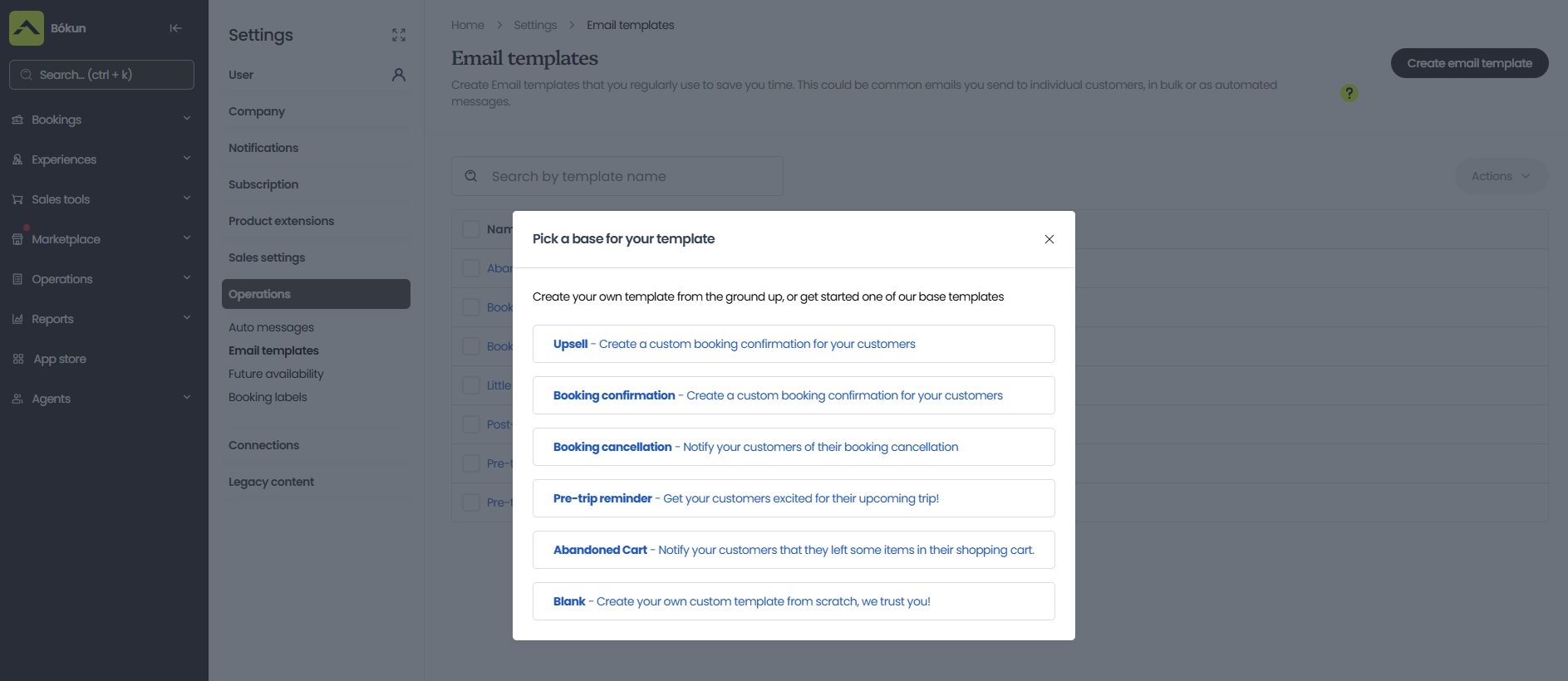
On the standard side, passengers get their confirmation and mobile ticket as soon as they book (and a digital waiver if you’ve added that module), reminders timed however you like, and a follow-up once they’ve landed.
These automated reminders come in especially handy for paragliding. Launch and landing sites rarely have a street address, so your meeting point probably isn’t somewhere passengers can just plug into Google Maps. Use the reminder to send clear directions and where to park. It’s also a good time to go over what to wear again. Someone who booked their flight weeks ago probably won’t remember the note about sturdy trainers or boots in your listing, and you don’t want them showing up to launch in Crocs.
Send a follow-up to thank passengers and ask for a Tripadvisor review while the flight’s still fresh. You can also drop a discount code in there for anyone already itching to get back up in the air, whether that’s later in the season or the next time they’re in the area.
On the marketing side, there are templates for abandoned cart emails, upsells, and discount codes. You can also build your own for newsletters, seasonal promotions, an early-season offer to past passengers, or an announcement when you add a new sunset flight.
Self-service portal for passengers
Bókun also offers a self-service portal for passengers, linked from every confirmation email. Passengers can view their booking and buy add-ons they skipped at checkout, like the photo and video package. They can also reschedule or cancel (where your cancellation policy allows), all without messaging you.
Any change they make updates your calendar automatically. If a passenger moves their flight to another day, their original slot opens back up, and that pilot is free for someone else to book.
The portal is also where passengers end up when you flag a Disrupted Departure on a no-fly day. They pick their new date there, instead of going back and forth with your team.
Bókun reporting dashboards
Bókun reporting dashboards break down your bookings and revenue by flight type, sales channel, and time period.
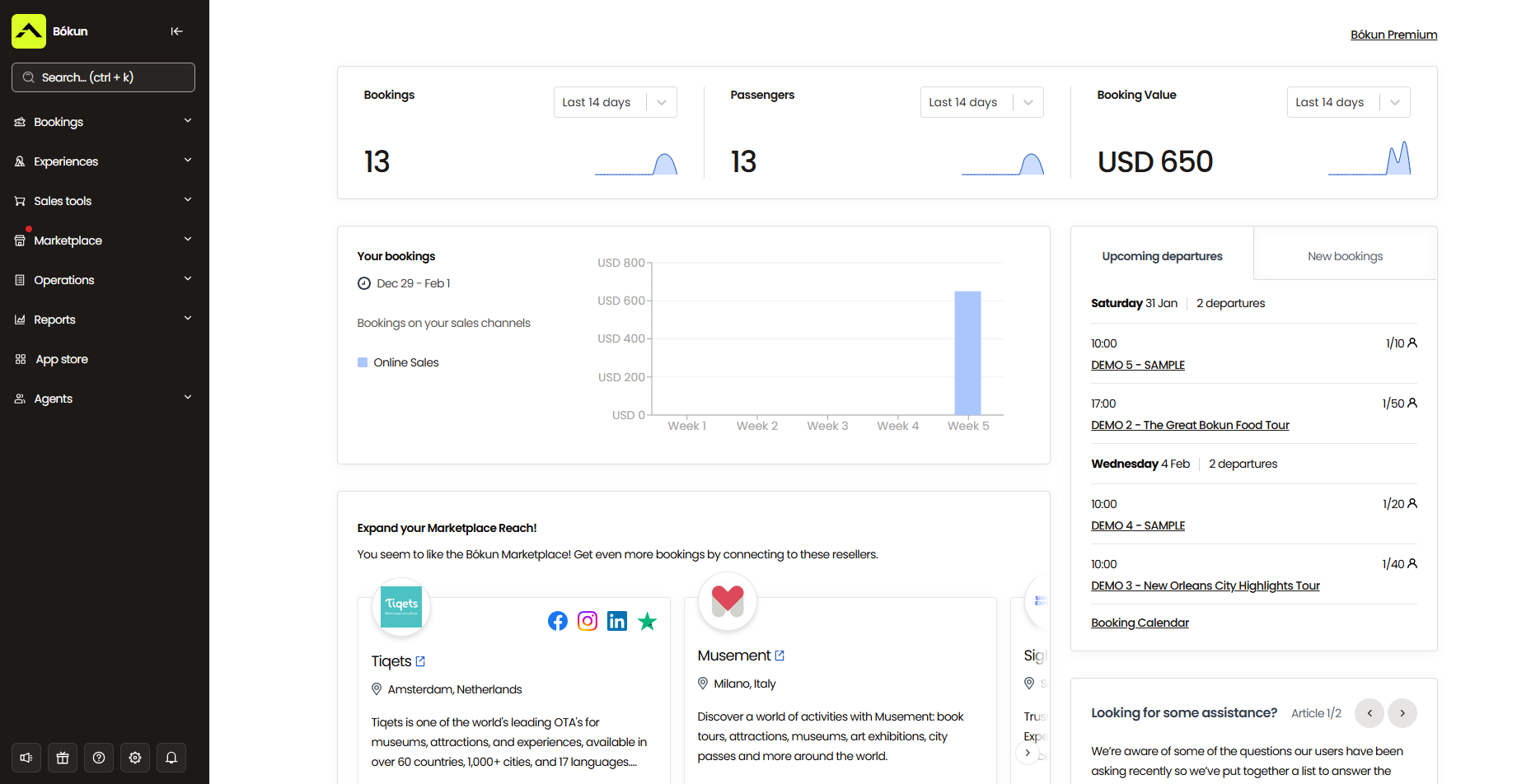
That data shows you what’s working and what isn’t, so you can make calls about your flights, pricing, sales channels, and marketing strategies based on real numbers instead of gut feel.
A few ways paragliding operators can put it to use:
Start with your flight types. If your morning discovery flights sell out every day while afternoon thermal slots sit half empty, that’s a sign to promote your thermal flights harder, or test a lower price on them. The same goes for add-ons. If most passengers go for the photo and video package, you could build it into a premium flight. If hardly anyone does, it might be worth another look at the price.
The dashboards also put all your sales channels side by side. So instead of checking OTAs, Marketplace partners, and affiliates separately, you can see in one place where your passengers are actually coming from, and add more listings and availability where you’re earning the most bookings.
Then there’s timing. Your busiest weeks show up clearly in the data, so you can line up enough pilots before peak season arrives instead of scrambling once it’s here. And for quieter stretches, like midweek or the shoulder months, you can plan ahead with discount codes, an email campaign to past passengers, or a tweak to your dynamic pricing rules to fill those flights.
For more detail, the Custom Reports app in our App Store lets you build your own reports around the questions that matter to your operation. For example:
- How many flights each pilot flew over a week or month, so you can see who’s carrying the heaviest load and keep the schedule fair before anyone burns out mid-season.
- How many flights each wing has done, so you can see when one’s getting close to its next full service and plan around the time it’ll be away.
- Weather cancellations by month and flight type, so you can see where your season is most at the mercy of the forecast. If afternoon thermal flights get grounded more in high summer, when storms tend to build in the mountains, you might open fewer of those slots in July and point more passengers toward morning flights.
Bókun App Store
The Bókun App Store features extra modules you can switch on as you need them (and turn off again whenever you like). A few that suit paragliding operators:
- Digital waivers. Waivers go out with the booking confirmation, so passengers read and sign them before flying day. The signed copy attaches to their booking, so your team can see who’s signed before anyone heads up to launch, without a stack of paper forms in the van.
- SMS messaging. This lets you text passengers alongside your emails, so you’ve got another way to reach them with time-sensitive updates.
- Tip management. Passengers often want to tip their pilot once they’ve landed, but not many bring cash along for a flight. This lets them tip straight from their phone through Bókun.
Bókun packages & getting started
You can try Bókun free for 14 days (no credit card required), so you can set up your flights, add your pilots and gear, and see how it runs before you commit to anything.
Our START plan includes all the core features we’ve covered above for $49 a month, with 1.5% online booking fees. We never charge Bókun fees on Viator bookings, and offline bookings, like a walk-up at your landing field, are always free.
For larger operations with more advanced needs, we also offer two enterprise-level plans: PLUS and PREMIUM. These add extra tools like agent portals, subvendor management, resource allocations, and Zapier integrations. Enterprise users also receive dedicated onboarding, priority support, and a yearly strategy call with our team.
Ready to take your paragliding business to new heights? Start your 14-day free trial.
2. Roverd
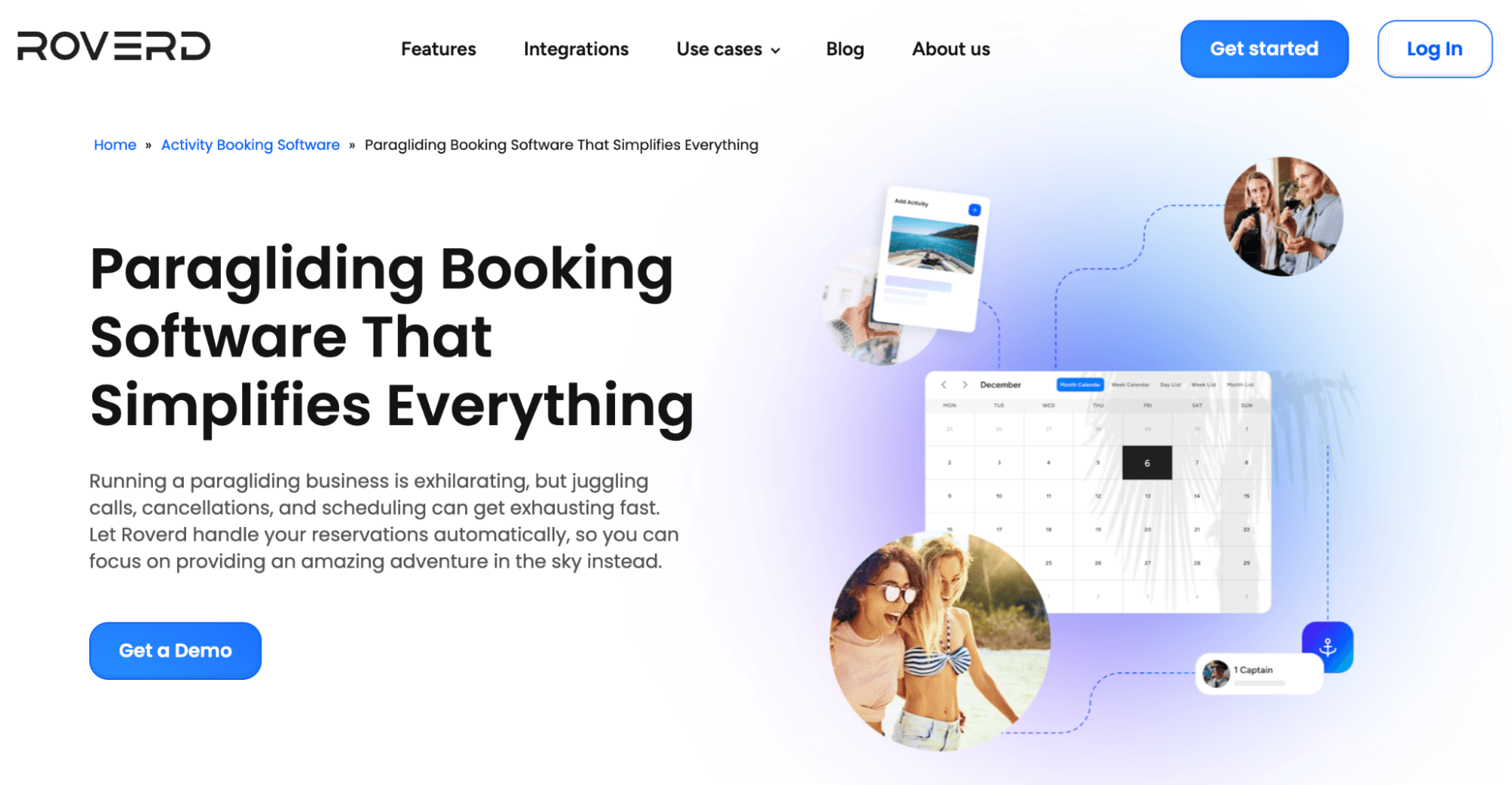
Roverd is online booking software for tour operators, activity providers, and rental businesses. It’s a popular choice for smaller teams and seasonal businesses because Roverd offers all features to all users and only charges booking fees — no tiered packages or monthly subscriptions.
For paragliding, the operational basics are covered:
- Passengers book tandem flights based on your live pilot availability, so they can only pick times you actually have a pilot free.
- You can assign pilots and ground crew to specific launch sites or flights, and they can check their assignments on their phones.
- Waivers are signed online during booking, before payment goes through, so nobody’s filling in forms at launch.
- Automated SMS and email reminders carry the meeting point, what to wear, and any last-minute weather updates.
- You can take full payment or a deposit upfront, set your own cancellation policy, and process refunds in a few clicks.
But there are some gaps worth weighing:
- We couldn’t find any tools for moving a whole morning of flights at once when the wind picks up, so you’d likely be handling those changes booking by booking.
- Roverd’s paragliding pages only mention scheduling pilots and crew. There’s nothing about tracking wings, harnesses, or other equipment.
- Viator is the only OTA connection we could find. And Roverd’s reseller portal is for partners you already work with, like a local hotel or tour operator. There’s no wider network to find new partners through.
- While pricing is simple, the fees here are kind of steep — 5% on every online booking. So a $200 tandem costs you $10 per flight. Over a busy season of 1k flights, that’s $10k in fees coming straight out of your margins.
- There’s only one review of Roverd we can find online, so it’s hard to say how it holds up for other operators.
Find more Roverd reviews here.
Features
- Online booking widgets
- Product management (with options to sell multi-day experiences & offer group rates)
- Connections with OTAs & channel management
- Reseller portals
- Advanced scheduling & availability management
- Inventory management
- Reservation management (with options for customers to reserve spots before confirming and paying)
- Digital waivers
- Integrations with major payment processors (e.g., Stripe & PayPal)
- Cancellation & refund management
- CRM & automated customer communications
- Reporting
Pricing
Roverd doesn’t charge a subscription fee. Instead, it charges a 5% booking fee on every online booking. Larger businesses can contact their team about an Enterprise plan with discounted booking fees.
3. TicketingHub
TicketingHub is ticketing and reservation software for tours, activities, and attractions, used by 480+ operators in 65 countries. Like Roverd, it gives every user every feature, with no subscription — you just pay a fee on each booking.
Two of its tools work especially well for paragliding. First, you can tie availability to your pilots, so a slot only shows as open when there’s a pilot free to fly it. Second, there’s the Magic Link. Every passenger gets a link to move their own booking to another date, so when the wind grounds a morning of flights, passengers can pick a new time themselves instead of waiting on you to rebook them.
TicketingHub is also strong on distribution. It connects with Viator, GetYourGuide, and other marketplaces, and it includes a reseller portal where agents can book their guests in, plus affiliate links that show which partner sent each booking.
Where TicketingHub falls short is gear. It can link slots to your pilots, but it doesn’t say it can track wings or harnesses. Its own paragliding page even admits that equipment needs testing against your set-up, so you’d want to see how that works in a demo first.
TicketingHub pricing is also worth a closer look. Its 3% fee applies to almost every booking you take — that includes online bookings and any in-person bookings paid by card. Only cash sales are fee-free.
Find more TicketingHub reviews here.
Features
- Online ticketing engine widget
- Availability management
- Waitlists
- Channel management
- Reseller network
- Team management
- CRM & automated communications
- Customer portals
- Multi-currency support
- POS integrations
- Reporting dashboard
Pricing
TicketingHub charges a 3% fee on every booking, including online and in-person card bookings. Cash sales are free. Businesses selling over $2.5M a year can get custom pricing.
Read more: Best TicketingHub alternatives
4. Retveno
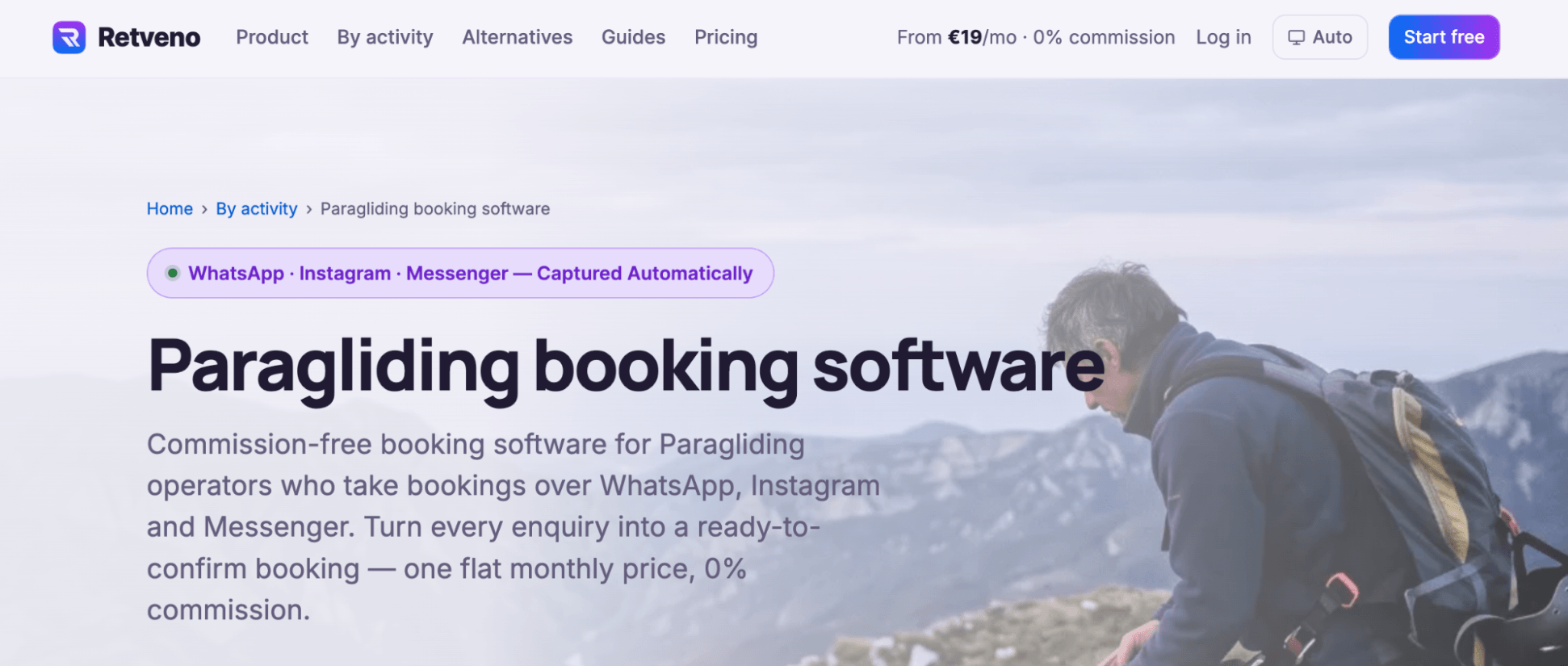
Retveno is booking software for small operators who take most of their bookings over WhatsApp, Instagram, and Messenger. Instead of passengers booking and paying on a website, Retveno is built around those DM conversations.
When someone messages you about a flight, Retveno reads the conversation and turns it into a pending booking, with their name, date, group size, and contact details filled in. You can also paste in a screenshot of an enquiry from anywhere else.
From there, it gives you a few handy tools for running your flights:
- Each booking can capture the passenger’s weight, age, and preferred flight window.
- When the forecast shifts, you move the departure on one calendar, and passengers get a reminder with the new time.
- A departure manifest opens on your phone with every booking detail, and you can export it to CSV.
- A profitability calculator shows what each departure earns once you’ve covered pilots and shuttles.
The big catch is that the whole booking process runs through you. Every booking stays pending until you review and confirm it, so passengers have to wait to hear back before their spot is secured. (And a lot of travellers won’t wait. They’ll book with whoever lets them lock in a flight straight away.) Retveno’s Pro plan does add a Book Now page for your website, along with deposit links and digital waivers, but on the Free and Solo plans, every booking starts as a message you have to chase up.
Beyond that, there’s no wing or gear tracking that we could see. And we couldn’t find any OTA connections, reseller tools, or affiliate support on Retveno’s site, so it won’t get your flights in front of travellers who haven’t found you yet.
Retveno also doesn’t have any verified reviews yet. It’s listed on Capterra, but with no reviews to read, there’s no real way to gauge actual user experiences.
Learn more about Retveno on Capterra.
Features
- Automatic booking capture from WhatsApp, Instagram, & Messenger
- Screenshot-to-booking for other channels
- Custom fields per tour, such as passenger weight, age, & flight window
- Departure calendar
- Departure manifests with CSV export
- Departure profitability calculator
- WhatsApp, SMS, & email reminders
- Stripe deposit links
- Digital waivers
- Book-Now page for your website
- Google Calendar sync
- Automatic review requests
Pricing
Retveno offers three plans. None of them charges commission or booking fees.
- Free for up to 20 bookings, 5 automatic DM captures, and 3 departures a month.
- Solo (€19/month, about $21) for unlimited bookings and 30 automatic DM captures a month.
- Pro (€39/month, about $44) for unlimited DM captures, plus Stripe deposit links, digital waivers, analytics, and a booking page for your website.
5. YoPlanning
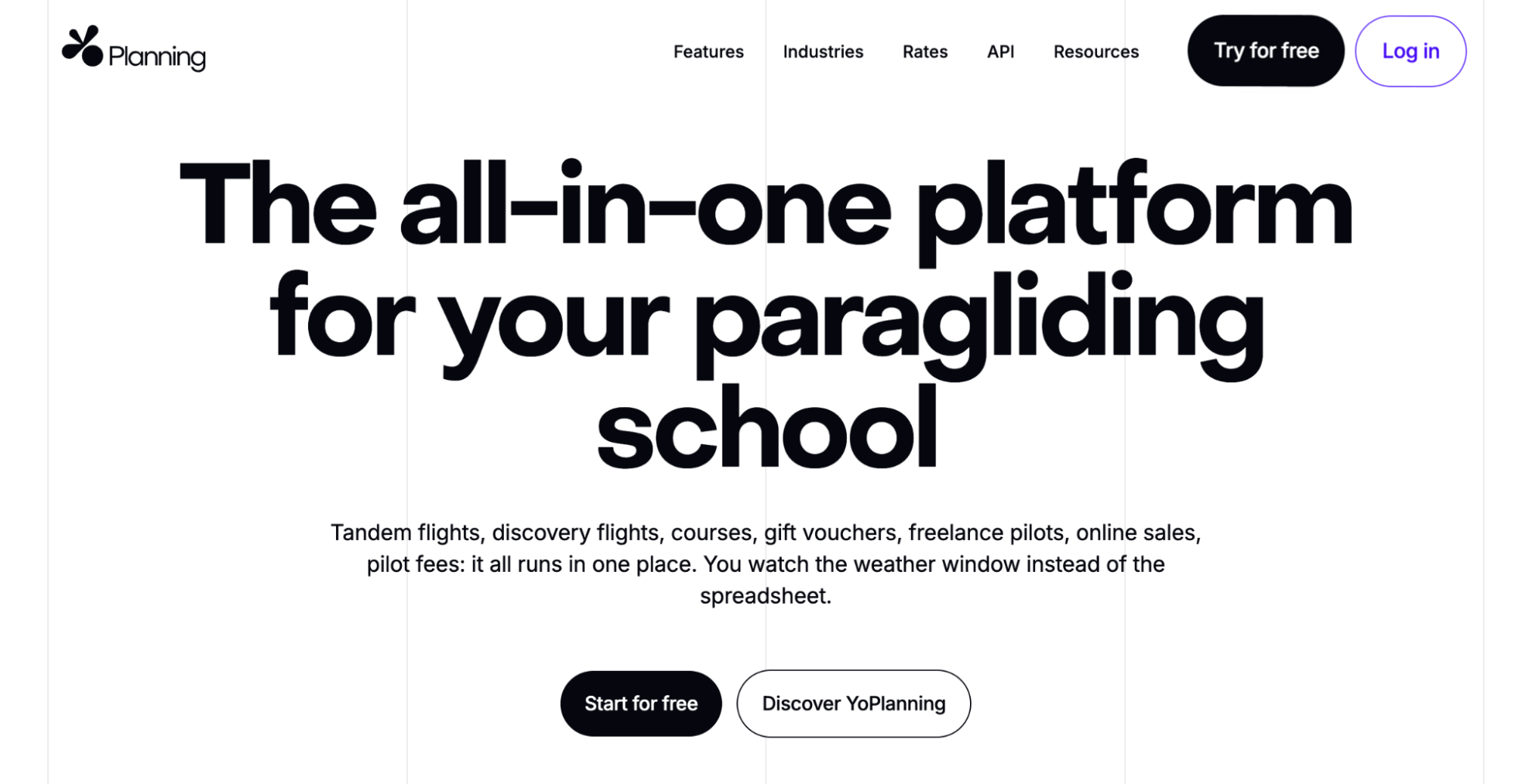
YoPlanning is booking and planning software for outdoor activity businesses, from ski and surf schools to sled dog tours. Its tools suit flying schools, tandem operators, and freelance pilots who fly for more than one school.
Pilot management is where it goes furthest. You can assign pilots based on their qualifications, their availability, and which flying site they’re working that day, and every pilot gets their own login to check their schedule. If your pilots are freelancers, YoPlanning can also work out each one’s fees from the flights they actually flew (though that module is an add-on you request separately).
Its graphic planner shows every pilot, flight, and piece of gear in one view. When the wind shifts, you drag a session to a new slot, and YoPlanning checks that the pilot and gear are free before it moves. Then you send one message to everyone booked to let them know.
Schools that teach as well as fly are covered, too. Courses run as their own products, with separate sessions and capacity, so licence courses and tandems can sit on the same planner.
On the sales side, there’s online booking for your own site and a channel manager that connects to GetYourGuide, Viator, Airbnb Experiences, Headout, and Tiqets, plus Google Things to do.
And you can sell gift vouchers, which are tracked from the day they’re bought to the flight they’re used on.
There are a few things to know going in, though:
- Rescheduling is on you. Passengers can’t pick a new date when their flight is grounded. You choose the new slot and message everyone; anyone who can’t make that time has to get back to you to sort out another.
- YoPlanning offers online booking widgets and OTA connections but no partner network or affiliate support, so distribution isn’t the strongest.
- The free plan may seem tempting, but it comes with a 5% booking fee and leaves out gift vouchers and equipment management, two tools paragliding operators would lean on most. So most teams would be better off on a paid plan, which starts at $29 a month with a 2.5% booking fee.
Find more YoPlanning reviews here.
Features
- Online booking
- Graphic planner with drag-and-drop rescheduling
- Pilot assignment by qualification, availability, & flying site
- Pilot logins & schedules
- Pilot fee calculation
- Course management
- Gift vouchers
- Automated confirmations & reminders
- Channel manager (GetYourGuide, Viator, Airbnb Experiences, Headout, & Tiqets)
- Google Things to do integration
- Invoicing
- Stripe integration
- Mobile app
- API
Pricing
YoPlanning offers a free Discovery plan with a 5% booking fee. It covers online planning and a customer database, but not gift vouchers, equipment management, Google Calendar sync, or ticketing.
The three paid plans include every feature and carry a 2.5% booking fee. You choose your plan based on the size of your business:
- Solo ($29/month) for the self-employed.
- Micro ($49/month) for companies with under $150k turnover a year.
- Company ($75/month) for companies with over $150k turnover a year.
Invoicing and instructor fee management are optional add-on modules, available on request.
6. Kagenda
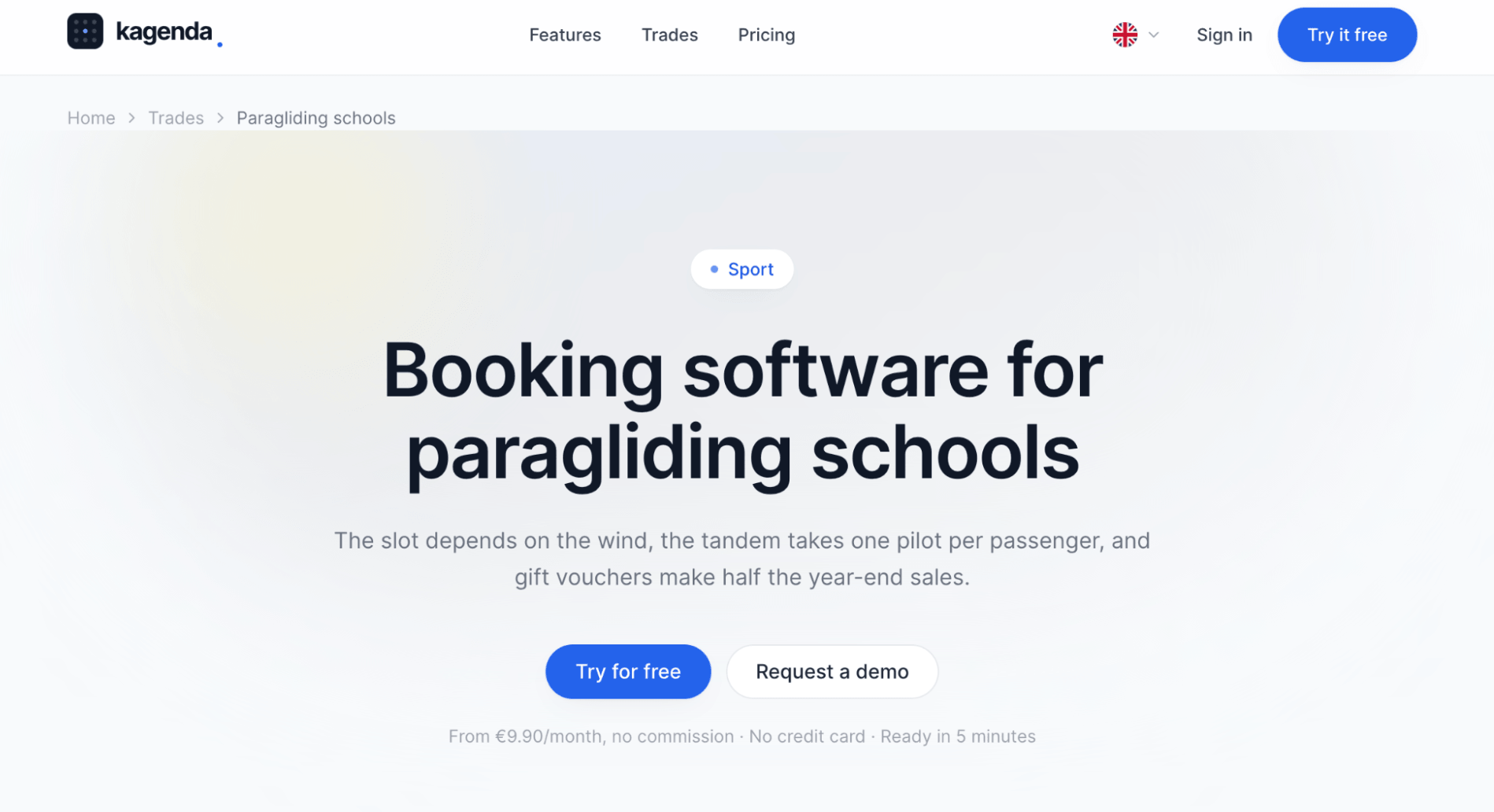
Kagenda is appointment booking software for solo practitioners and small teams, such as hair salons, osteopaths, and yoga teachers. Some of its tools carry over well to tandem flying:
- Each pilot gets a separate calendar, so passengers can only book a time when a pilot is available. Once every pilot is booked for that time, it stops taking bookings.
- Required booking fields for weight, height, age, and medical history mean the right wing is picked before anyone arrives.
- Deposits are taken at booking, with your terms shown before passengers pay.
- Gift vouchers are sold online with their validity date shown.
- A reminder goes out the day before with the exact meeting point and what to wear.
But a few things don’t translate as well from appointments to flights.
Start with price. The cheaper plans don’t cover what a paragliding business actually needs. Gear tracking and gift vouchers are only bundled together on Studio+, the most expensive plan, at €89 (about $100) a month.
Postponing a day also takes some legwork. You can move everyone booked to a new date in one go, but you’re the one picking that date. Anyone who can’t make it has to contact you to rebook, so you end up sorting out new times one by one.
And all your bookings would come through your own booking page. There’s nothing on Kagenda’s site about OTA connections, resellers, or affiliates.
There also aren’t any reviews of Kagenda yet, so all we have to go on is the website.
Kagenda does not yet have any verified reviews.
Features
- Online booking page
- One diary per pilot
- Central calendar
- Weather cancellations with one message to everyone booked
- Deposits & online payments
- Custom booking fields, such as weight, height, & age
- Gift cards
- Promo codes
- Client records
- Email & SMS reminders
- Google Calendar sync
Pricing
Kagenda offers a free plan for up to 30 bookings a month, and six paid plans. None of them charge commission.
- Solo (€9.90/month, about $11) for one user, with online payments and deposits.
- Solo+ (€19/month, about $21) adds reminders, gift cards, and promo codes.
- Équipe (€29/month, about $32) for up to three users, each with their own diary, plus reminders.
- Équipe+ (€49/month, about $55) adds gift cards and promo codes.
- Studio (€59/month, about $66) for unlimited users, plus equipment management, group sessions, and session packs.
- Studio+ (€89/month, about $100) adds gift cards and promo codes.
SMS reminders cost €10 (about $11) per 100 messages.
7. Activiteez
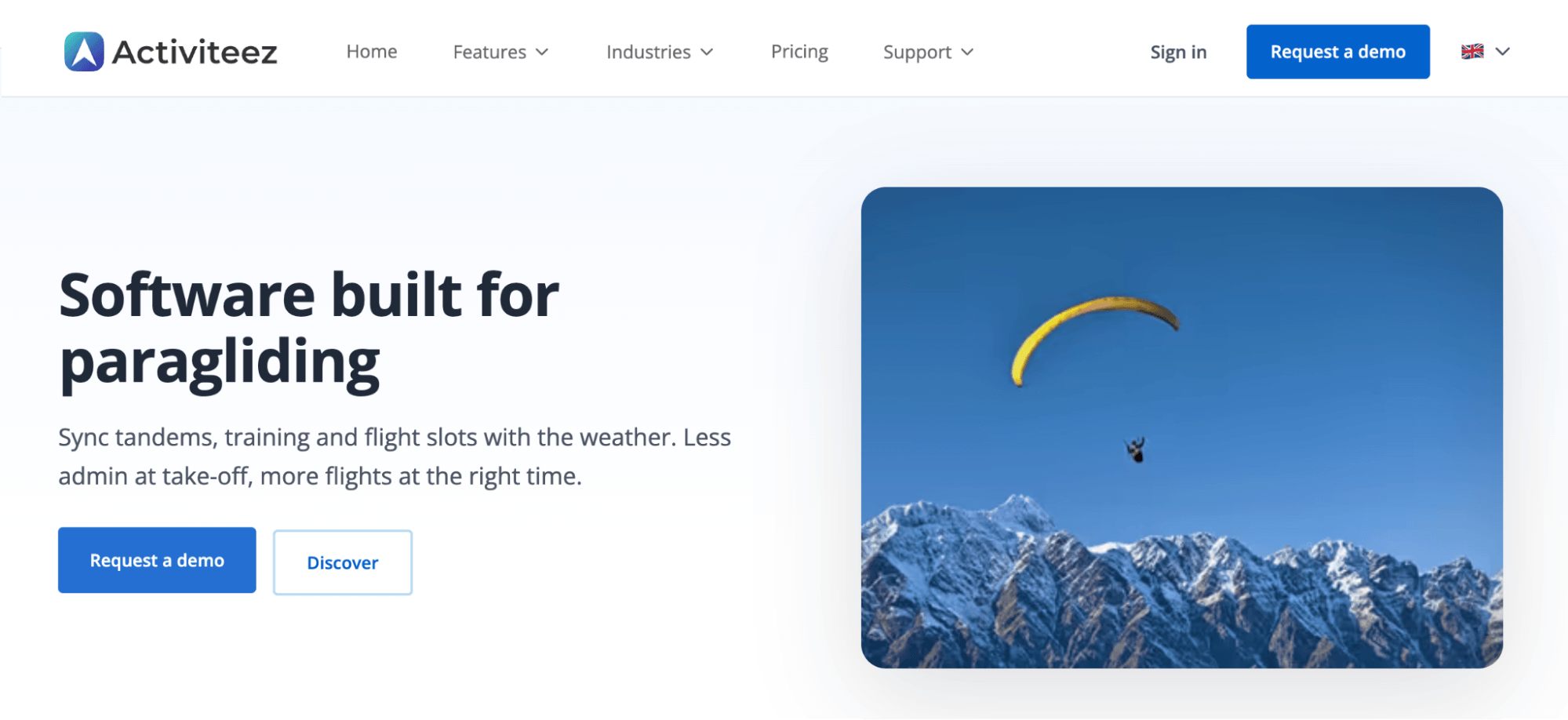
Activiteez is a scheduling and booking tool for sport and leisure businesses, and paragliding schools are one of its target markets.
Its main tool is a shared planner that shows your flight slots, instructors, and vehicles in one view, so your whole team can see who’s flying when and which van is going up. Each instructor has their own account to update their availability, and on the Business plan, you can assign gear to each flight too.
Activiteez also keeps a record of the people you fly. On the Pro plan and up, you can email or text custom forms out ahead of each flight and use them to get every passenger’s weight before they arrive. And if you run training courses, each student’s history and progression steps are saved, so you can see how far along they are.
Selling is more limited. You get online booking for your website, and you can give free accounts to partners you already work with, like a ski resort or guesthouse nearby, so they can book passengers in for you. But there’s no network for finding new partners, and Activiteez doesn’t connect to any OTAs.
No-fly days also land on your team. You can put grounded flights on hold and drop them back into the schedule once you’ve chosen a new slot, but Activiteez doesn’t mention any way for passengers to choose their own new date.
Digital waivers don’t show up anywhere on its site, so you’d likely need a separate tool to get those signed before flying day.
And costs add up once you include the tools you’d use most. Gear and instructor management only come with the Business plan, at €59 (about $66) a month. Gift vouchers aren’t part of any plan, so you’d pay Activiteez separately to set them up. Then, on top of your plan, Activiteez takes a 2% commission on every online payment, plus Stripe’s fees.
Like a few other tools on our list, Activiteez doesn’t have any reviews yet, so there’s no user feedback to help determine if it’s the best fit.
Activiteez does not yet have any verified reviews.
Features
- Online booking (with or without payment)
- Shared planning for flight slots, instructors, & vehicles
- Client self-service portal
- Customer & subscription management
- Student progression tracking
- Custom forms
- Quotes & invoices
- Partner bookings & sales
- Resource & instructor management
- Instructor fees & timesheets
- NF525-certified cash register
- Accounting exports
- Mobile app
Pricing
Activiteez offers four plans.
- LIGHT (€29/month, about $32) for the catalogue, planning, online booking, and client portal.
- PRO (€39/month, about $44) adds custom forms, invoices, and partner sales.
- BUSINESS (€59/month, about $66) adds resource and instructor management for up to 20, plus automated fee notes.
- SÉRÉNITÉ (€129/month, about $144) adds the NF525 cash register and resource management for up to 60.
Every paid plan carries a 2% commission on online payments, on top of Stripe’s fees. A starter pack with set-up and training costs from €500 (about $560).
8. Indexic

Indexic is a reservation system for tour and rental businesses, built by a team of former operators. Most of its features are set up for rentals like boats, jet skis, and golf carts, but a handful would work for tandem flights:
- You can assign pilots to flights with the personnel module, and each pilot gets their own work calendar and email reminders about their shifts.
- Passengers sign waivers online through Indexic’s own waiver product, which plugs straight into the booking system.
- When the wind rules out a morning, you can contact everyone booked at once and move them to a later trip. However, Indexic doesn’t say who picks the new date, so ask in a demo whether passengers can choose it themselves.
- It connects with Tripadvisor, Viator, GetYourGuide, Expedia, Google, and Groupon, so travellers can find your flights on the sites they already book through.
- Hotels, travel agencies, tourism bureaus, and other partners you already work with can sell your flights to their own customers. You bring those partners in yourself, though, since Indexic doesn’t have a network for finding new ones.
The rest of Indexic is built around rentals. A lot of its tools, like rental image capture, early-return tracking, renters’ insurance, and geofencing, don’t apply to flying. Its smart scheduling works off tides and sunsets, not wind. And its inventory tools are set up for boats and jet skis, so you’d want to ask whether they can match a wing to a passenger’s weight.
You also won’t see a price until you book a demo.
Find more Indexic Reservation reviews here.
Features
- Online booking engine widgets
- Integrated point of sale (POS)
- Centralised booking calendar
- Connections with OTAs (Tripadvisor, Viator, GetYourGuide, Expedia, Google, & Groupon)
- Partner ticket sales
- Resource management
- Early return auto monitoring
- Rental image captures
- Combo products
- Dynamic pricing
- Integrated digital waiver solution
- Partnerships with national insurance carriers to underwrite renters’ insurance
- Automated communications
- Abandoned cart recovery
- Mobile tickets & check-in tools
- Geofencing to keep bookings within your service area
- Staff scheduling tools
- Reporting dashboards
Pricing
Indexic offers two solutions: aReservation (the online booking system) and Online Waivers.
aReservation costs a flat monthly rate based on your yearly sales, with no fee per booking. You must book a demo to receive a custom quote.
Indexic charges 15¢ per waiver signed and requires a $30/year minimum spend.
9. PiGi
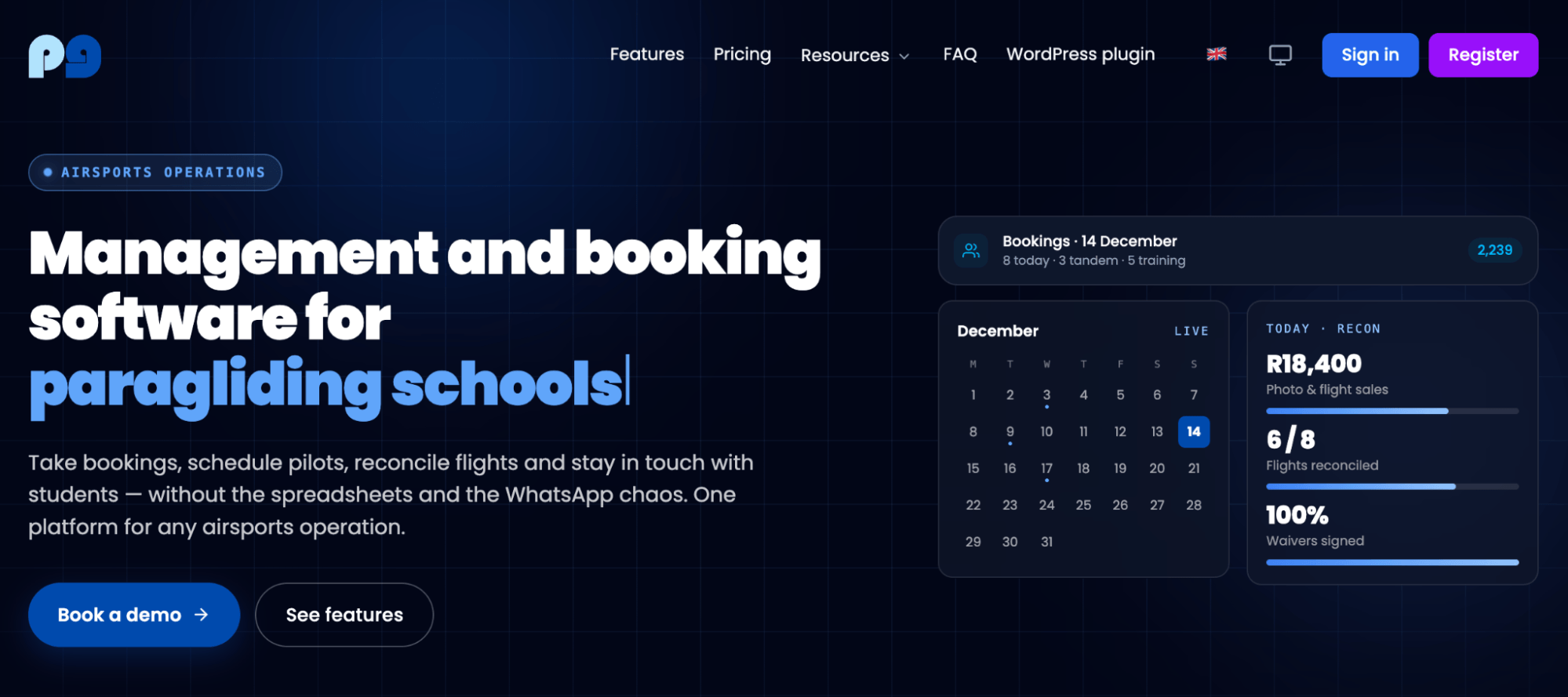
PiGi was built by pilots in Cape Town to run airsports schools, clubs, and dropzones, so it’s shaped around how a paragliding business actually runs.
Paperwork is a big focus. Passengers sign digital waivers once, and PiGi keeps them on file. It reminds you before pilot permits and licences run out, and it exports incident records and anything else your regulators or insurers may ask for, so it’s all ready to send when needed.
For the flying day itself, PiGi matches pilots to sites, and you can move flights around the calendar when plans change. Passengers check themselves in with a QR code, and your team confirms them. On the Plus plan and up, PiGi also tracks each tandem against your pilots’ commission and works out what’s owed at the end of the day.
If you teach, students get their own portal with their profile, waivers, theory, and progress in one place.
To take bookings, PiGi provides online booking widgets for websites, along with deposit links and gift vouchers. But that’s the extent of its selling tools. It doesn’t connect to Viator, GetYourGuide, or any other OTA, and there’s nothing for resellers or affiliates, whether they’re partners you already work with or new ones from a network. So every passenger has to find your site on their own first.
Some of the details you’d want to check aren’t on its site. It doesn’t mention tracking wings and harnesses, or asking passengers for their weight when they book. And it lists rescheduling for no-fly days without explaining how it works, so you can’t tell whether passengers pick their new date or wait for you to move them.
PiGi also doesn’t have any reviews yet, so if you want to hear from schools that use it, you’d need to ask PiGi to put you in touch.
PiGi does not yet have any verified reviews.
Features
- Embeddable booking widget & WordPress plugin
- Weather-aware rescheduling
- Deposit links & gift vouchers
- Digital indemnity forms & waivers
- Permit & licence reminders
- Customer portal
- Course & student progress tracking
- Drag-and-drop scheduling with pilot & site matching
- Pilot reconciliation
- Quotes, invoices, & payments
- WhatsApp, email, & SMS notifications
- Online shop
Pricing
PiGi offers six plans, priced in South African rand. You choose your plan based on how many flights you run a month.
- Pay As You Go does not require a monthly commitment; you pay only for the tandems you fly (R5, about $0.30 per tandem).
- Solo (R299/month, about $18) for up to 50 flights a month.
- Starter (R499/month, about $30) for up to 200 flights a month.
- Plus (R899/month, about $54) for up to 500 flights a month.
- Pro (R1,499/month, about $91) for unlimited flights.
- Network (R2,499/month, about $151) for multi-branch schools.
10. AéroSI
AéroSI is booking and operations software for adventure flying businesses, like paragliding schools, hot air balloon companies, and helicopter tour operators.
Most of its tools are for the admin side of running flights. You can manage several flight bases from one account, log maintenance on your wings and other gear, and plan the schedule around your pilots’ and instructors’ leave.
For bookings, passengers can reserve flights online at any time, and AéroSI’s booking system plugs into your existing website. If you don’t have a site, AéroSI can build one for you. It also connects to marketplaces, but Sport Découverte is the only one it names. There’s no mention of Viator, GetYourGuide, or the other big travel sites.
The main hesitation we have with AéroSI is how little the site explains. The features page gives each tool a single line, without any detail on how they actually work. And three things a paragliding business would need don’t come up at all: moving passengers on no-fly days, collecting passenger weights, and digital waivers.
You’ll also need to book a demo to find out what it costs.
The customers AéroSI shows on its site are mostly hot air balloon companies, and there are no verified reviews yet, so it’s hard to know how it would work for a tandem operation.
AéroSI does not yet have any verified reviews.
Features
- Real-time reservation planning
- Ticket & order management
- Flight base management
- Equipment maintenance management
- Pilot, instructor, partner & subcontractor management, including leave
- Passenger management
- Extranets for passengers, pilots, partners, & subcontractors
- CRM & marketing emails
- Email & SMS notifications
- Document storage
- Billing & accounting
- Integration with WordPress & PrestaShop sites
- Supplier and marketplace connectors, with Sport Découverte named as a partner
Pricing
AéroSI does not share pricing online. You must request a demo to receive a custom quote.
Getting started with the best booking software for your paragliding business
Bókun is the only system in this guide that covers everything a paragliding operator juggles in a typical day. We keep every booking on one calendar, match each passenger to a pilot and the right gear, and have their weight and signed waiver on file before they reach launch. When the wind shuts a morning down, passengers pick their own new date.
We also make sure your pilots stay busy when the air’s good. You can sell on 70+ OTAs, including Viator, GetYourGuide, and Google Things to do, pick up resellers through the Bókun Marketplace, and build your own affiliate network with anyone you like.
And it’s built for everyone. Bókun is simple enough to set up on your own with no training, and plans start at just $49 a month with 1.5% booking fees, so it works whether you’re a one-person operation or running a full team of tandem pilots.
Your pilots are ready. Your passengers are out there and looking to book.
Clip in and start your 14-day free trial today (no credit card required).