
Any good water park ticketing software does a few things well — it lets you sell admission tickets online, cap daily or session capacity, take bookings for cabanas, lockers, and group visits, and check guests in at the gate so you don’t have long queues.
When comparing ticketing systems for your water park, you should keep an eye out for:
- Ticketing flexibility for full-day, half-day, and twilight entry; timed sessions; group rates; and season passes.
- Resource management for cabanas, loungers, lockers, and tubes, so each one can only be booked once.
- Real-time availability across every channel, so a sold-out Saturday closes on your website, OTA listings, and partner pages at the same time.
- Weather tools to reschedule, refund, or message a whole day’s bookings in one go when a storm rolls in.
- Distribution tools like OTA connections, reseller networks, and affiliate tracking to reach families planning a trip who don’t know your park exists yet.
- CRM and automated communications for confirmations, pre-visit reminders, abandoned cart recovery, and review requests.
- Mobile tickets, digital waivers, and fast check-in tools to keep the gate moving on your busiest days.
- Transparent pricing, so you know what it costs before you sit through a demo.
This guide reviews all the best names in water park ticketing software — starting with our system, Bókun.
To learn more about Bókun after reading, start a 14-day free trial — no credit card required.
Before diving in, we should clarify: Water park ticketing software is not the same as a water park management system.
Full “management systems” cover much more, including software and hardware to manage turnstiles, RFID wristbands, food and retail tills, staff rotas, and more. These are built for parks that want one supplier running the whole property. Most teams do not need the whole kit and caboodle.
That said, if a complete water park management system is more along the lines of what you’re looking for, you can find a list of those options at the end of our post. Skip to that section here.
Best water park ticketing platforms
1. Bókun
All-in-one ticketing & distribution system that sells your tickets across 70+ online channels to bring in new guests & keep your park full
We built Bókun for water parks that don’t need a full park management system. That includes independent and smaller parks, inflatable aqua parks running timed sessions, hotel and resort parks selling day passes to non-guests, and attractions that run a water park alongside other activities.
Bókun is part of the Tripadvisor and Viator family, and our all-in-one toolkit is built with everything you need to sell tickets, run your busiest days, and fill the park. It covers ticketing and capacity, cabana and locker bookings, check-in, guest communications, and distribution in one system.
What we do best is get your tickets in front of families who haven’t heard of your park yet. And that’s where we stand furthest apart from everyone else in this guide. Several of the platforms below connect to OTAs too, but none come close to our reach. We offer:
- 70+ OTA connections, including integrations with all the major online travel sites and more niche sites tailored to specific activities and destinations, so you can sell everywhere your audiences are searching.
- Advanced partnerships with Viator, GetYourGuide, and Google Things to do.
- The Bókun Marketplace, with thousands of travel industry partners, where you can connect with others to win bookings from their audiences, earn commissions, and create packages together.
- Affiliate support, where you can build a custom network with any business or professional who can send customers your way.
We’ve been working with operators across the industry for over 10 years, in over 80 countries. Our customers range from small, seasonal businesses getting online for the first time to multi-location attractions. Whatever your size, you can get started quickly with very little training and build from there.
And we offer some of the lowest rates in the industry. Our START plan is $49/month with 1.5% online booking fees, 0% Bókun booking fees on Viator reservations, and free offline bookings.
All of this is why we’re one of the most highly rated systems around — 4.7 stars on Capterra — with top ranks for the all-in-one toolkit, ease of use, customer support, and value for money.
We’ll walk you through the full toolkit below, starting with how you set up your tickets.
You can also start a 14-day free trial (no credit card required) to build your ticket types and test out the booking flow yourself.
Build your tickets, sessions, cabanas & add-ons
The Experiences tab is where you build everything you sell. For a water park, that comes down to two things: time in the park and space within it. Tickets are the time, whether that’s a full day, a twilight entry, or a 50-minute aqua park session. Cabanas, loungers, and lockers are the space.
There are a few ways to start:
- Use our product builder, which walks you through each step of a new listing.
- Pull in tickets from your website or Viator with our AI product importer.
- Save an existing listing as a template and use it to set up new versions in minutes, like a twilight ticket based on your full-day admission.
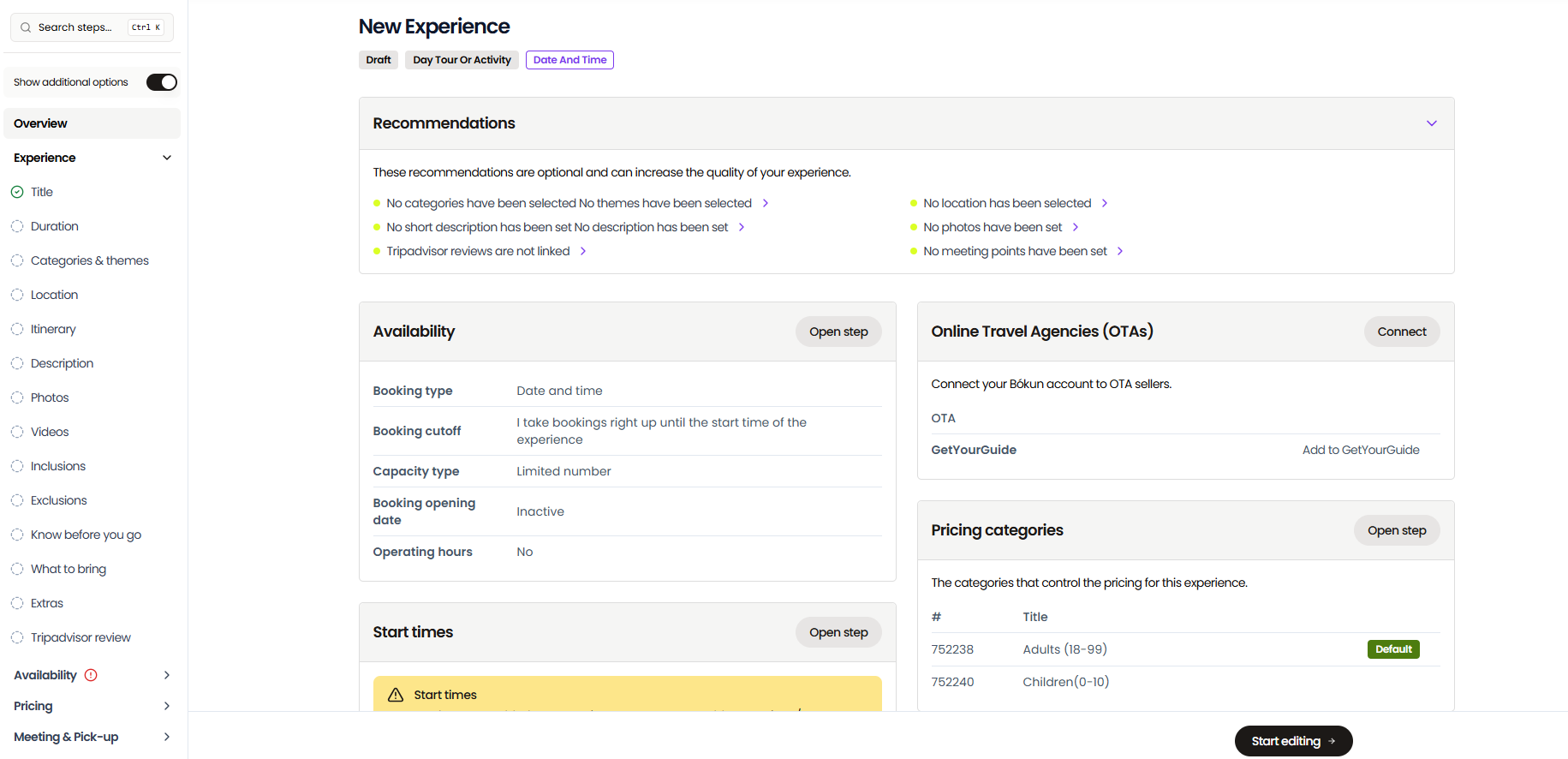
Here’s how a water park might set up its listings:
- Full-day admission
- Half-day or twilight entry
- Timed sessions for an inflatable aqua park
- Toddler splash sessions
- Birthday party packages
- School and camp group visits
- Cabanas
- Loungers
- Lockers
Note: Bókun also lets you sell season passes. You can set a pass product to stay valid until the last day of the season, then send each passholder a promo code they can use to book their visits at no extra cost.
Creating listings
You’ll start here with the basic details. Each listing includes a name, a description, details about which areas and slides the ticket covers, and information guests need before they arrive, such as height restrictions, what to bring, parking, and park rules.
Then you’ll want to add photos of your park — shots of the slides, lazy river, and splash zones full of people — to get guests excited about their visit. We recommend at least a handful per listing since these do a lot of the selling.
Next, you can create custom booking forms to collect what your team needs to know before guests arrive: children’s ages and heights for slide restrictions, swimming ability for kids’ sessions, or party details like the birthday child’s name. The answers are saved to the booking and the guest’s record in our CRM.
Setting availability
Then, set your availability rules. Choose whether guests book a date for full-day general admission, a date and time for timed sessions, or a pass they can use on any day before it expires.
Then set capacity per day or per session, minimum and maximum group sizes, booking cutoffs, and off-season blackout dates.
And you can make sure all your ticket types —general admission, group and school bookings, and birthday party packages — connect to one daily capacity. They all draw from the same 800 places, so the park can’t exceed its limit, no matter which ticket someone buys.
Setting pricing
Next, set your pricing.
You can charge a flat rate per ticket, or add pricing categories for adults, children, under-3s, seniors, and so on. You can also offer group and bulk discounts to help you land bigger bookings, like a summer camp bringing 60 kids, a birthday party, or a company day out.
Then you can choose how guests pay: in full at booking, with a deposit and the balance due on arrival, or in full on arrival.
Bókun also offers dynamic pricing that lets you optimise rates around set conditions. For example, you can charge more on summer weekends and holidays, drop prices for the shoulder weeks at the start and end of the season, or offer an early-bird discount to guests who book a month ahead. You set the rules once, and Bókun applies them automatically.
Adding cabanas, loungers, lockers & rental gear
Bókun’s resource management module is where you manage everything guests can reserve or rent alongside their ticket: cabanas, loungers, lockers, tubes, and life jackets.
Inventory is set up in two layers. First, you create resource types, like cabanas or tubes. Then you add the individual resources inside each type, like cabanas 1 to 12 or a pool of 300 tubes. Link each type to the listings that use it, and set allocation rules so Bókun can assign resources to bookings automatically.
Cabanas work best as individual resources. When a family books a cabana for Saturday, Bókun assigns one to their booking and locks it for that day across every channel. If a guest requests a specific cabana, like the one closest to the wave pool, your team can assign it manually.
Tubes, life jackets, and lockers work by quantity instead. If a family of five books a lazy river session that includes tubes, Bókun assigns five from your pool, and staff hand them out on arrival. When listings share the same pool, like a standalone tube rental and the lazy river session, both draw from the same 300. Once the last tube is booked, both listings close on every channel.
You can also take a single resource out of rotation, such as a cabana with a broken fan or a locker bank being repaired, without affecting availability for the rest.
Read more: Best booking systems with inventory management
Offering add-ons, combo experiences & gift vouchers
You can also sell add-ons at checkout, bundle listings together, and let guests buy tickets as gifts.
- Add-ons are extras guests can buy with their ticket, like a towel rental, meal voucher, parking pass, or a photo package. Guests who skip them at checkout can still add them later through their self-service portal, right up until the day of their visit.
- Combo experiences bundle two or more of your listings into one product, so families can book everything in a single transaction. For example, you could sell full-day admission, a cabana, and lunch for four as a VIP day, or package a birthday party with entry for the whole group. Families get one easy booking, and you sell more per visit.
- Gift vouchers let guests buy tickets for someone else, and the recipient redeems the voucher online when they book. They make an easy present for birthdays and the holidays, and they bring in revenue during the off-season, long before the park opens.
Manage all your tickets & bookings from one place
The Bókun central calendar brings all of your booked tickets together in one view. Bookings from your website, OTAs, partner sites, and affiliate links all land here the moment they’re confirmed. And your staff can add phone-ins and walk-up sales at the ticket window here (without booking fees).
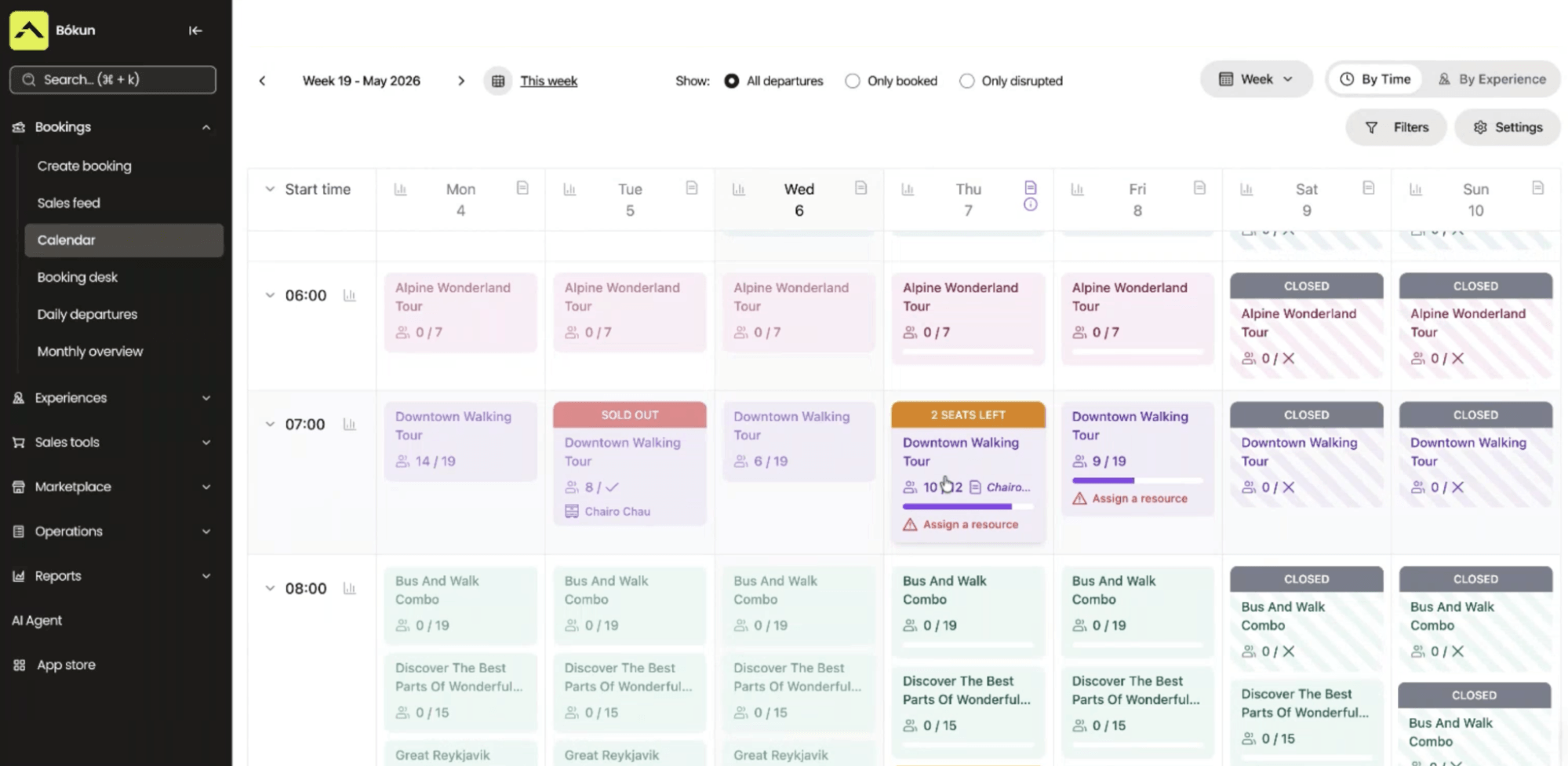
This calendar acts as your command centre for daily operations. You can see how many tickets are booked for the day, who’s reserved cabanas or rentals, and which groups and parties are arriving when.
You can also click into any booking here to see the full picture: party size, ticket type, add-ons, assigned cabanas or lockers, and contact details.
And you can manage staff scheduling directly from the calendar. Add all your lifeguards to the system and assign them to specific time slots — some for morning slots, others for afternoon and twilight slots, and specific guards for your aqua park or splash sessions.
This calendar is also what keeps your availability updated — across all your connected sales channels. With each new ticket purchase, the calendar sends the latest availability and inventory to your website, OTAs, partner sites, and affiliates, so you never sell beyond capacity. For example, if your 2 pm aqua park session is capped at 120 and the last four spots sell on Viator, that session closes everywhere else instantly. And if a guest cancels, their places automatically become available for another family to book.
Tools to handle storm days & closures on the fly
Your central calendar also includes tools to manage bookings and availability on the fly — like when the weather turns.
Picture a thunderstorm rolling in on a Saturday when you have 400 people booked for the afternoon. Calling every guest isn’t realistic, and guests showing up to a closed park looks bad.
So Bókun gives you two options when bad weather forces a last-minute closure:
- Let guests choose whether they’d like to reschedule or cancel for a refund with Disrupted Departure. Select the affected bookings on the calendar and flag them. The flag closes the day to new bookings and prompts Bókun to send every guest a notification with a link to pick a new date or cancel for a refund. Any change they make updates your calendar automatically. This is the option to use when there’s plenty of season left, since many local families will happily rebook.
- Cancel and refund everyone at once with Mass Cancellation. This clears every affected booking and processes the refunds in one action. It makes more sense late in the season, when there aren’t many dates left to move people to.
And when you need to reach everyone booked on a given day, like letting them know the wave pool or certain slides are closed, or they’ll need to use the overflow car park, you can send one message to all of them with Mass Mail (or by text with our SMS messaging app, available in the Bókun App Store).
Fill the park: OTAs, the Marketplace, referral partners & your website
OTA connections
As we mentioned above, our distribution tools are what really set us apart.
Your website reaches the people who already know your park exists. But families planning a holiday, or looking for something to do on a hot weekend in a new area, usually start their search on a travel site, not your website. So we’ve built connections with 70+ global OTAs and online marketplaces that put your tickets in front of those audiences where they’re already looking.
We connect with all the go-to sites — Viator, GetYourGuide, Google Things to do, Airbnb Experiences, Expedia, Civitatis, Klook, Trip.com, Headout, TourRadar, Tiqets, Musement, and Groupon — alongside more niche platforms that cater to specific destinations or activities.
And as a Tripadvisor brand, we’re the #1 restech partner across major names, with premium partnerships with three of the biggest platforms:
- Our Viator Preferred Partnership lets us offer 0% Bókun fees on Viator bookings, plus free annual subscription credits (12, 24, or 48 depending on your plan) to add listings at no extra cost.
- Our GetYourGuide Premium Connectivity Partnership gets your listings on GYG quickly and keeps bookings and availability syncing reliably between the two platforms, with no manual work.
- The Google Things to do official partnership lets Bókun users skip Google’s standard application process and promote their tickets directly in Search and Maps results.
We don’t cap the number of sales channels you can connect, and you manage every one of them from the Bókun dashboard.
We’ve also put together the guides below on the most popular travel sites and how to start selling on them:
- The tour operator’s guide to OTA bookings
- Best OTA booking systems for tour operators
- How to sell tours on Viator
- How to add your business to Tripadvisor
- How to become a GetYourGuide supplier
- How to get listed on Google Things to do
- How to become a Civitatis supplier
- How to host experiences on Airbnb
- How to become a TourRadar supplier
- How to sell tours on Expedia
- How to become a Musement supplier
- How to become a Klook supplier
- How to become a Headout supplier
- How to become a Trip.com supplier
- How to become a KKday supplier
Bókun Marketplace
The Bókun Marketplace is home to thousands of travel industry businesses, providing plenty of opportunities to expand your reach by partnering up with others.
You can connect with other attractions, tour and activity operators, accommodation providers like hotels and resorts, rental companies, transportation services, travel agents, DMCs, and more. Our system even provides a simple search function that lets you narrow in on the best partners by business or product type.
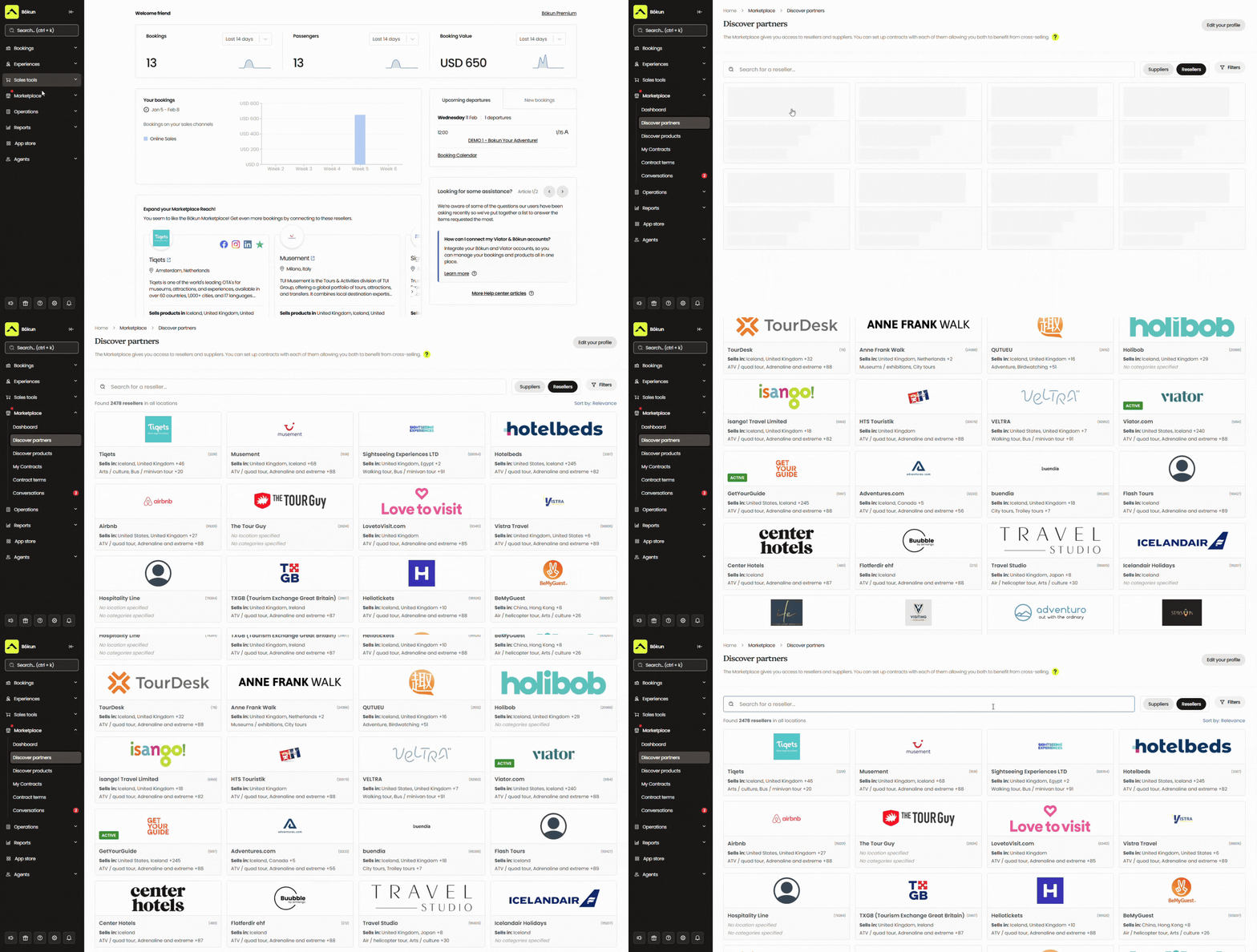
There are a few ways to use this network:
- Connect with resellers who sell your tickets to their own customers. Nearby hotels have families asking what to do tomorrow, and many don’t have their own pool or slides. They earn a commission, and you get the booking without any outreach of your own.
- Create packages with partners. For example, a stay-and-splash package with a nearby hotel, or a shuttle-plus-admission bundle with a local transport company, so guests can book everything in one transaction.
- Resell others’ services or experiences for commission. This is a great way to bring in new revenue when you’re already consistently selling out.
And we provide everything you need to manage partnerships — you can reach out, talk terms, and build contracts right in Bókun, and our system saves all communications and documentation for easy reference.
See how others have leveraged our Marketplace network in the case studies below:
- Venice Tours achieved a 400% revenue increase through the Bókun Marketplace
- Simba Sea Trips sees consistent 20% year-on-year revenue growth after joining Bókun
- Tour Marbella pulls in 54% of its bookings through Bókun Marketplace connections
Referral Tracking
Referral Tracking lets you build a custom affiliate network with any business or person that makes sense for your park, beyond your Marketplace connections.
For a water park, that might include:
- Hotel and campground front desks that get asked about family activities nearby
- Visitor centres and regional tourism boards
- Summer camps, schools, and youth groups that book trips every year
- Party planners who book outings for birthday groups
- Family bloggers and content creators with audiences close to your park
And you’re in complete control of this network. You can add as many affiliates as you wish and set commission rates for each one individually. Then you can choose how they win bookings for you: with a trackable link or dedicated booking page. Bókun tracks the source of these bookings so you know exactly who is bringing you business — and what types of partnerships to double down on.
Tools to make your website bookable
Making your website bookable is the most direct way to turn the visitors you already get into ticket sales. Families can check availability and buy tickets on the spot, without calling ahead or showing up and hoping you have room for them.
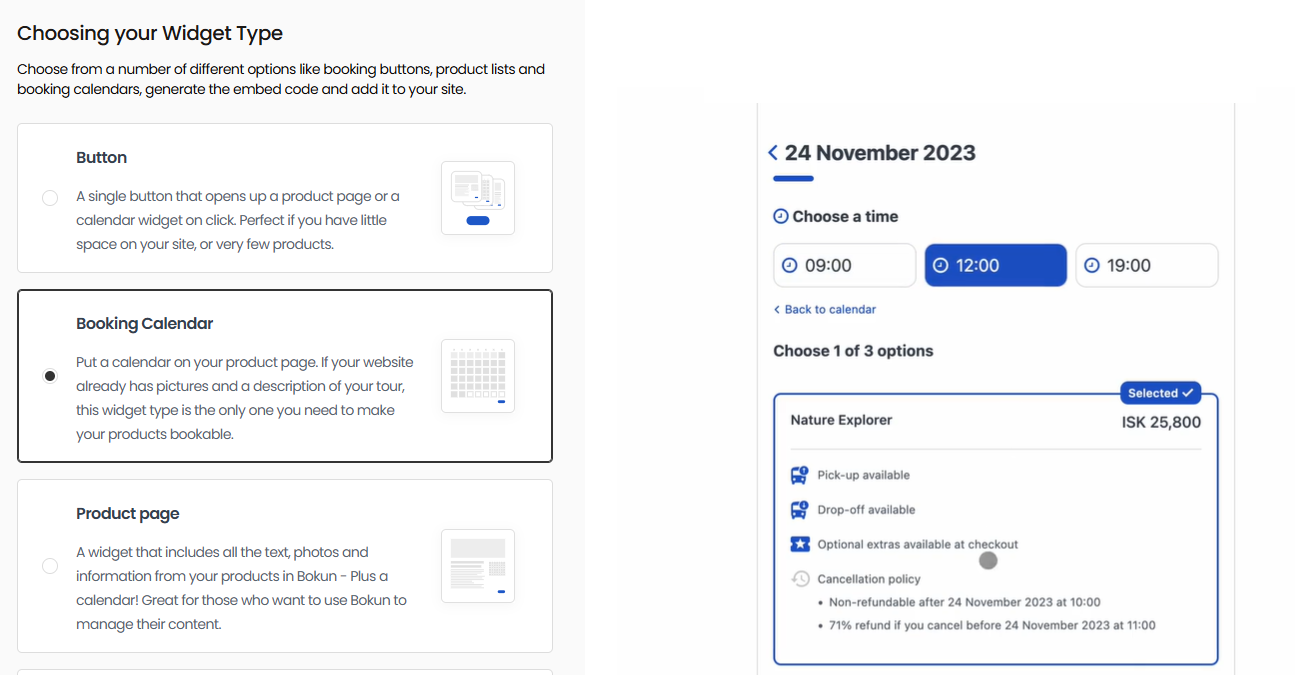
If you already have a website, you can embed our booking engine widgets on your pages. The process is super simple: we give you the code, and you paste it in. And they’re compatible with nearly all website builders, including WordPress, Squarespace, Wix, Weebly, and more.
Our system features several widget styles to choose from, including “Book Now” buttons, availability calendars, product lists, and product overviews, so you can put the right widget on the right page. For example, you could add an availability calendar to your homepage, a full-day admission widget to your tickets page, and a separate one for cabana rentals.
Read more: How to add a booking system to your website
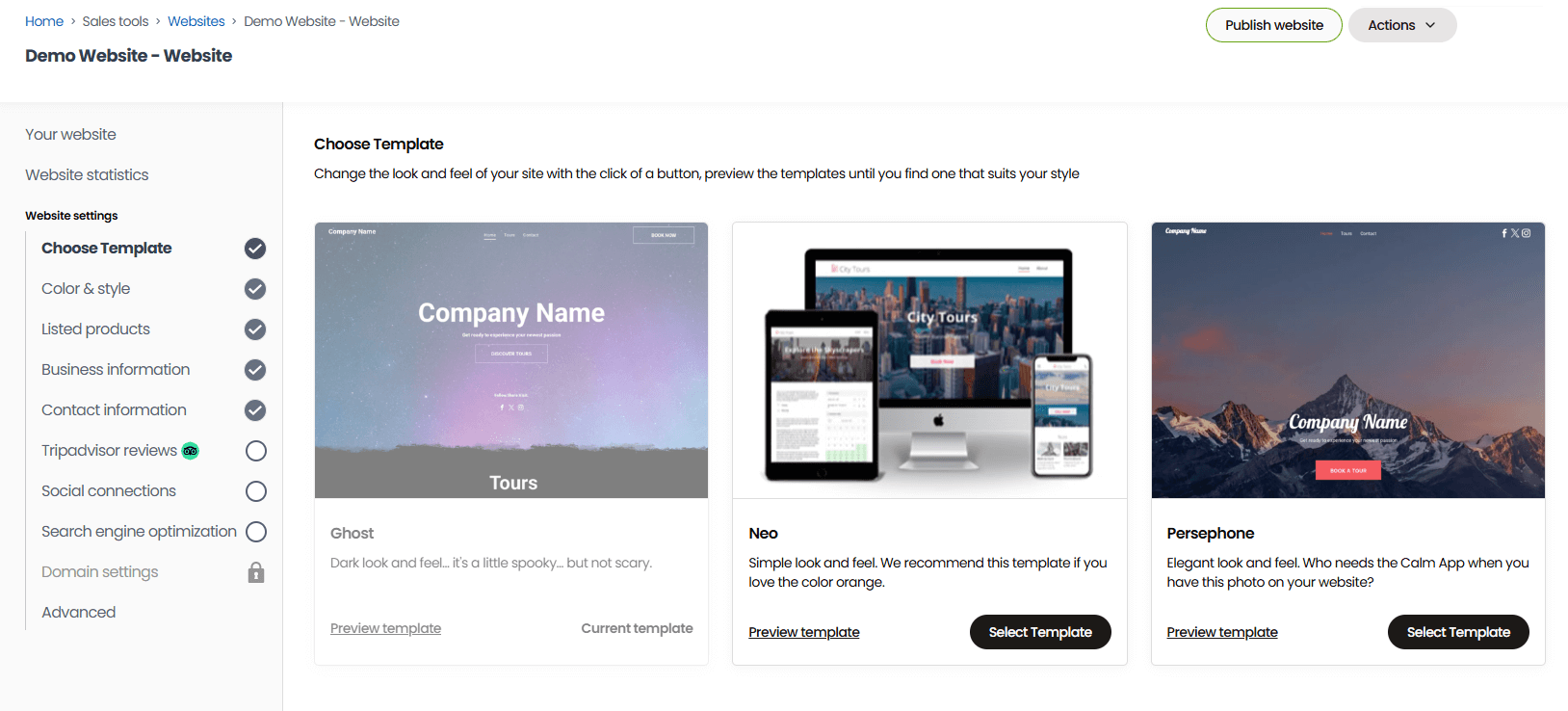
If you don’t have a site yet, our one-click website builder gets you up and running fast. Templates come optimised for desktop and mobile, with booking widgets already installed, so you just pick a layout and plug in your branding and details: background on your park, hours, contact information, park rules, and anything else families need to know before they buy.
Our website builder also comes with more advanced features for teams that want to add custom CSS, explore SEO strategies, build blog content, translate their site, or connect Google Analytics.
Read more: How to create a booking website
Whether you’re working with widgets or building a new site, the last step to make your site bookable is to connect payment processors. We integrate with dozens of them so you can add as many payment options as you like — Stripe, PayPal, Google Pay, Apple Pay, Venmo, Klarna, Worldpay, and more.
Guest management tools
CRM
Bókun’s CRM lets you keep a complete database of all your customers. It captures a guest’s contact details as soon as they start the booking process, then keeps a full history of everything they’ve bought from you: tickets, cabanas, add-ons, party packages, and gift vouchers.
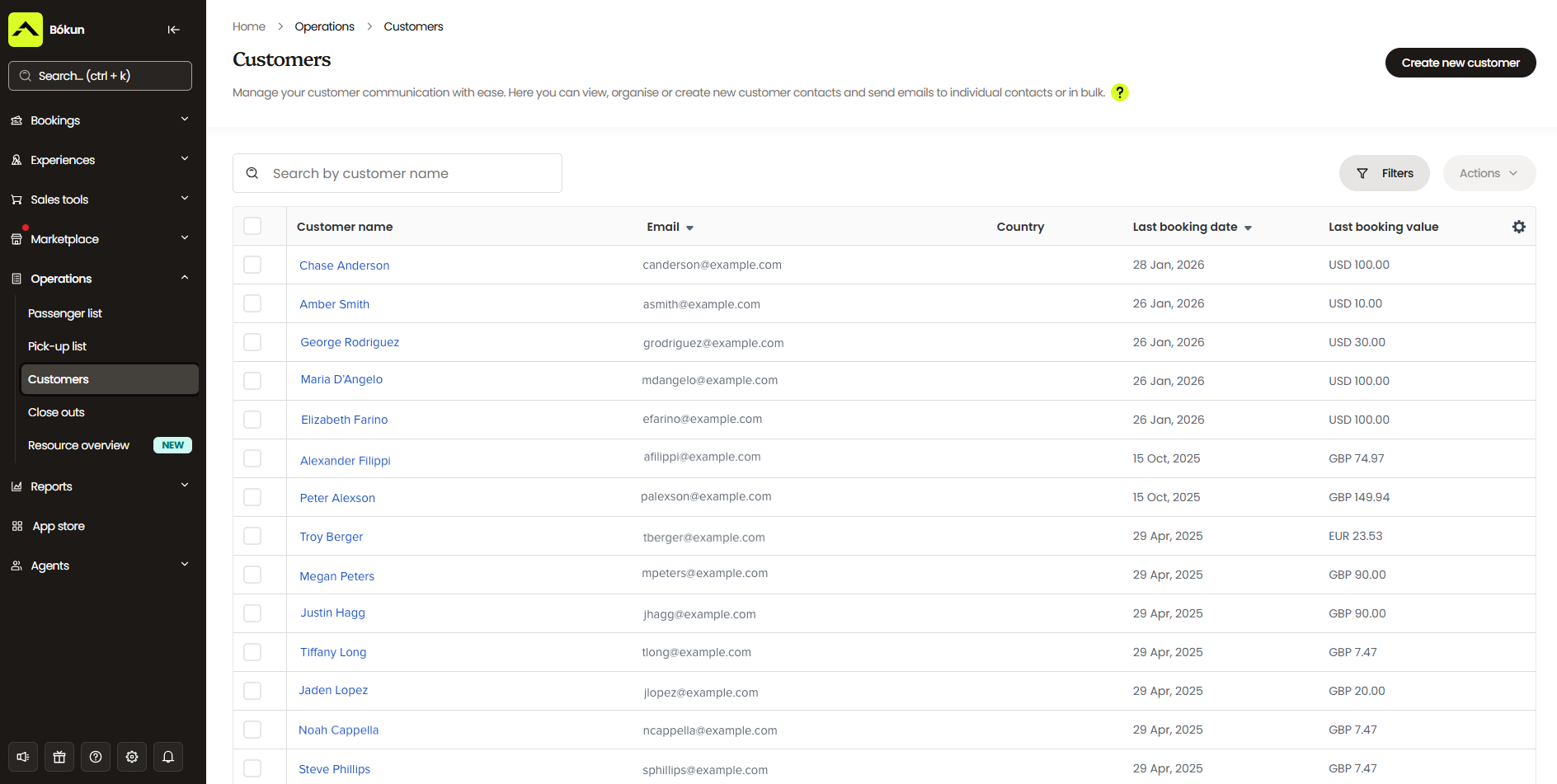
This has a few benefits:
- It saves you from having to pay for and work in a separate CRM.
- It helps you understand your customer base: which audiences you attract most, which families return every summer, and how many group bookings you win.
- It powers all guest communications straight from Bókun, using the customer data you’ve saved.
Automated communications
Our automated communications tool pairs with the CRM to send all your standard booking emails automatically (confirmations with mobile tickets, pre-visit reminders, post-visit follow-ups) and power your email marketing campaigns.
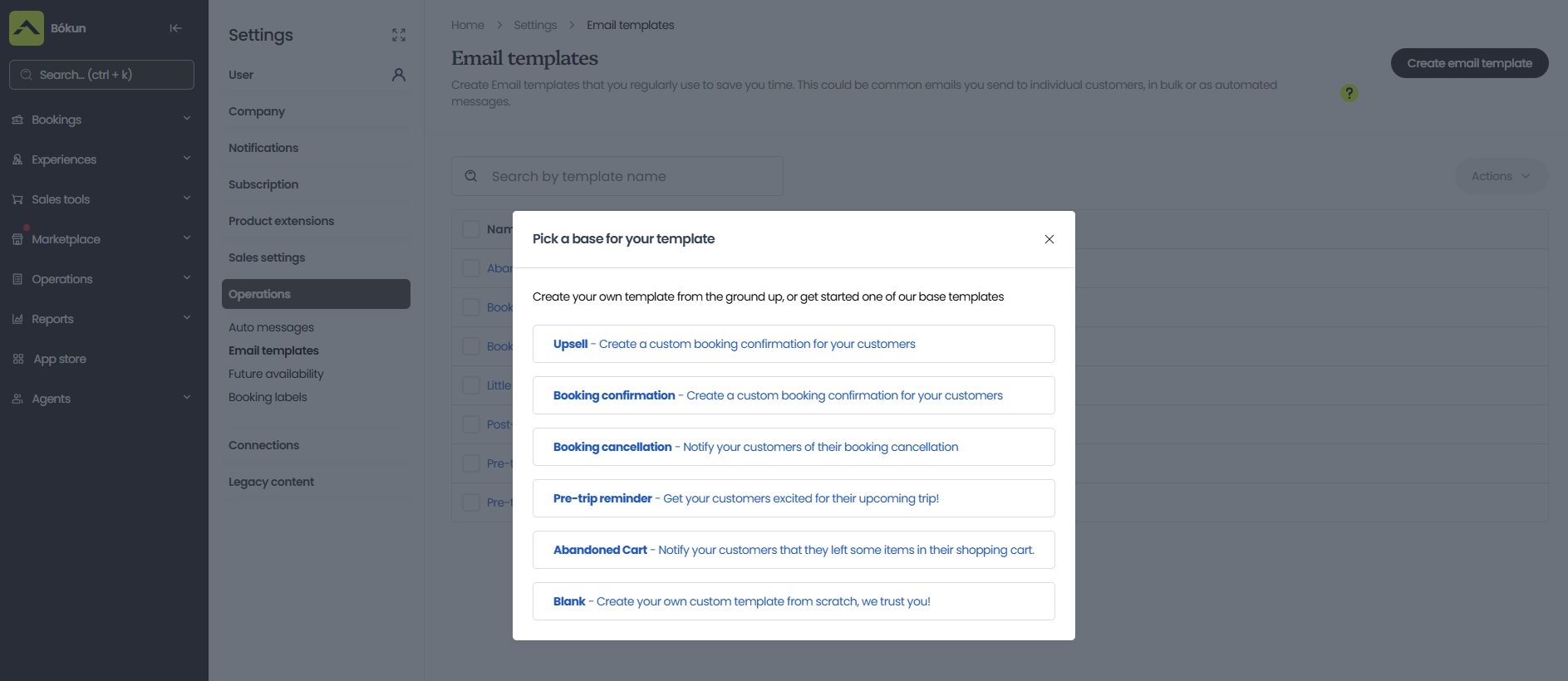
You can customise and send review requests, upsells, discount codes, and abandoned cart nudges from our template gallery. Or add your own templates for newsletters, season opening reminders, early-bird promotions, new slide or activity alerts, event announcements, holiday gift voucher pushes — you name it.
Self-service portals
Bókun also provides self-service portals (available through booking confirmations) so guests can easily view reservations, reschedule or cancel, and purchase add-ons with a few clicks — any time they like, without help from your team. This makes life easier for them, giving them greater control over their reservations, and it reduces the number of emails and calls your team has to field.
Any changes guests make through these portals are automatically reflected in your calendar.
Check-in tools
Bókun’s check-in tools are available on desktop and on our iOS and Android apps, so you can check guests in at the main gate or set up several check-in points with staff scanning tickets at the same time. On a busy Saturday, that spreads arrivals across multiple entrances and keeps queues down.
Everyone works from the same information too. Staff can pull up the day’s manifest to see what each guest has booked, from ticket type to cabana or locker rental, then scan their QR code to confirm arrival.
And the apps work offline. If the signal drops at the gate, check-in keeps running, and everything syncs once you’re back online.
Reporting
Bókun’s reporting dashboards break down your ticket sales and revenue by listing, sales channel, and time period. You can see which tickets sell best, which OTAs and partners send you the most guests, and where your busy and slow stretches fall across the season.
This gives you real data to strategically plan for next season.
For example, if cabanas sell out every Saturday, that’s a case for adding more or charging a little extra on weekends. If guests regularly add towels or meal vouchers with their bookings but rarely add a photo package, you can push the add-ons that sell and drop the ones that don’t. If one OTA brings in a large share of your bookings, you can add more listings there and see whether more of your tickets move. And if the same weeks go quiet every year, you can plan promotions to fill them before they come around again.
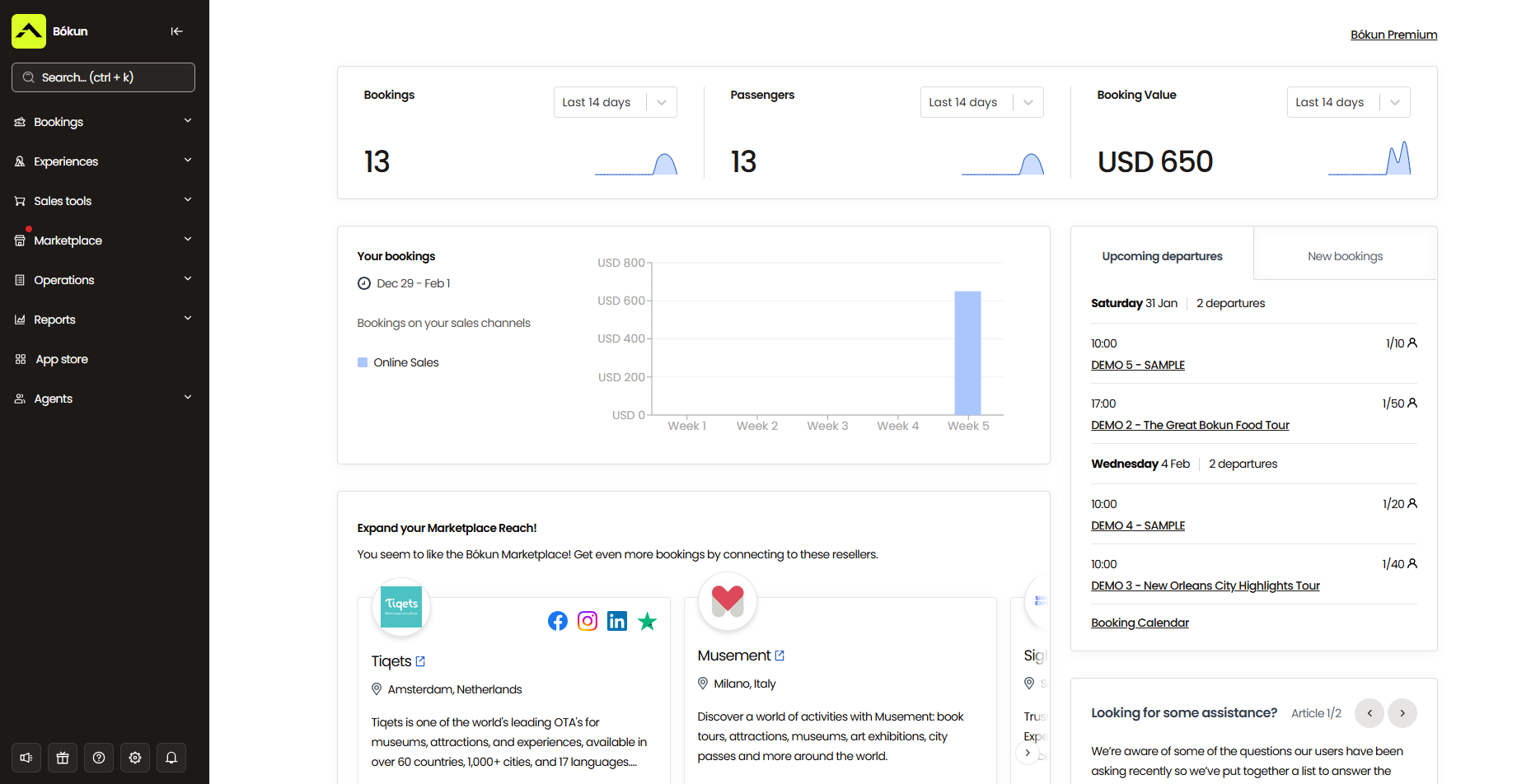
Bókun App Store
In addition to our core features above, you can add other modules your water park requires in the Bókun App Store. The three most popular for water parks are SMS messaging, digital waivers, and advanced reporting.
- SMS messaging (obviously) lets you text guests instead of emailing them, which works well for anything time-sensitive. Families heading out for a day at the park are on their phones, not checking their inbox, so a text reaches them faster when plans change at the last minute. You can also use it for reminders on the morning of their visit, when an email is more likely to get buried.
- Digital waivers are worth adding if your slides or aqua park sessions need a signed waiver. The module sends the waiver with each booking confirmation, so guests sign it before they arrive, and the signed copy attaches to their booking. At the gate, staff can see who’s covered without chasing paper forms in the queue.
- Advanced reporting lets you build your own reports when you need more detail than the standard dashboards give you. For example, you could see how many bookings you lost to weather cancellations last season, where your visitors travel from, or how far in advance families tend to book, then plan your pricing and promotions around it.
You can browse our full suite of apps and turn them on or off as you need.
Bókun pricing & getting started
Everybody gets started with a 14-day free trial, where you can explore our platform and make sure it’s the right fit for your operations before committing to anything.
After the trial, you can choose from our START, PLUS, or PREMIUM plans.
The START plan ($49/month with 1.5% online booking fees) includes all the core features above and is our most popular package.
The PLUS ($149/month with 1.25% online booking fees) and PREMIUM ($499/month with 1% online booking fees) plans are our enterprise-level packages, including more advanced features like agent portals, subvendor management, resource allocation tools, and Zapier integrations. We also provide enterprise teams with dedicated onboarding, priority support, and a yearly strategy call with our team.
Regardless of your package, we never charge Bókun fees on Viator reservations or offline bookings. And we never cap the number of bookings, sales channels, partners, or affiliates you can manage in our system.
Ready to see what Bókun can do for your water park? Start your 14-day free trial.
2. Beyonk & BookingHound
Beyonk and BookingHound are sister booking platforms from Beyonk Group, the largest independent experience booking company in the UK.
Beyonk is built for tour and activity operators, so it suits smaller parks and aqua parks that mainly sell timed sessions. BookingHound is geared toward high-volume ticket sales at attractions, with extras like waitlists, merchandise sales, and customer self-service portals, making it a better fit for larger water parks.
Both cover what a water park needs to sell tickets. You can create listings for all your ticket types, manage capacity for each time slot, sell memberships and season passes to your regulars, and take deposits on group and party bookings. Dynamic pricing and gift vouchers are in there too.
They also go further on distribution than most ticketing tools. Both offer OTA connections (through partner integrations), a reseller marketplace, and affiliate codes for local partners.
And they offer marketing services — handy if you need help developing your branding, building your website, or running ad, email, or social campaigns.
The main thing to weigh up is the fee. Both platforms charge 4% on every booking. That’s easy to live with at low volumes, but across thousands of admission tickets a season, it adds up quickly.
Find more Beyonk reviews here & BookingHound reviews here.
Features
- Online booking widgets
- Custom checkout workflows
- Channel management & OTA connections
- Reseller marketplace
- Tools to manage online or in-person payments
- Options to cross-sell products & offer add-ons
- Options to sell gift cards & issue discount codes
- Dynamic pricing
- Options to offer free events
- Automated customer communications
- Content management system (CMS)
- Capacity management system
- Options to sell memberships or season tickets
- Affiliate codes
- Check-in tools like mobile tickets & ticket scanning
- Reporting
- Analytics tools from Meta & Google
Also available in Beyonk:
- EPoS integrations
- Staff & schedule management
- API
- Zapier integrations
Only available in BookingHound:
- Online ticketing tools
- Waitlisting tools
- Options to sell merchandise
- Customer self-service portals
- Questionnaires
- Abandoned cart retargeting
Pricing
Beyonk and BookingHound follow the same pricing model.
They charge a 4% booking fee for the ticketing platform.
You can also purchase marketing services from them: a custom website, ad campaigns, email and social media management, and branding packages. These are all by custom quote.
You can also bundle the ticketing and marketing services for a 20% discount.
Read more: Best Beyonk & BookingHound alternatives comparison guide
3. Parker
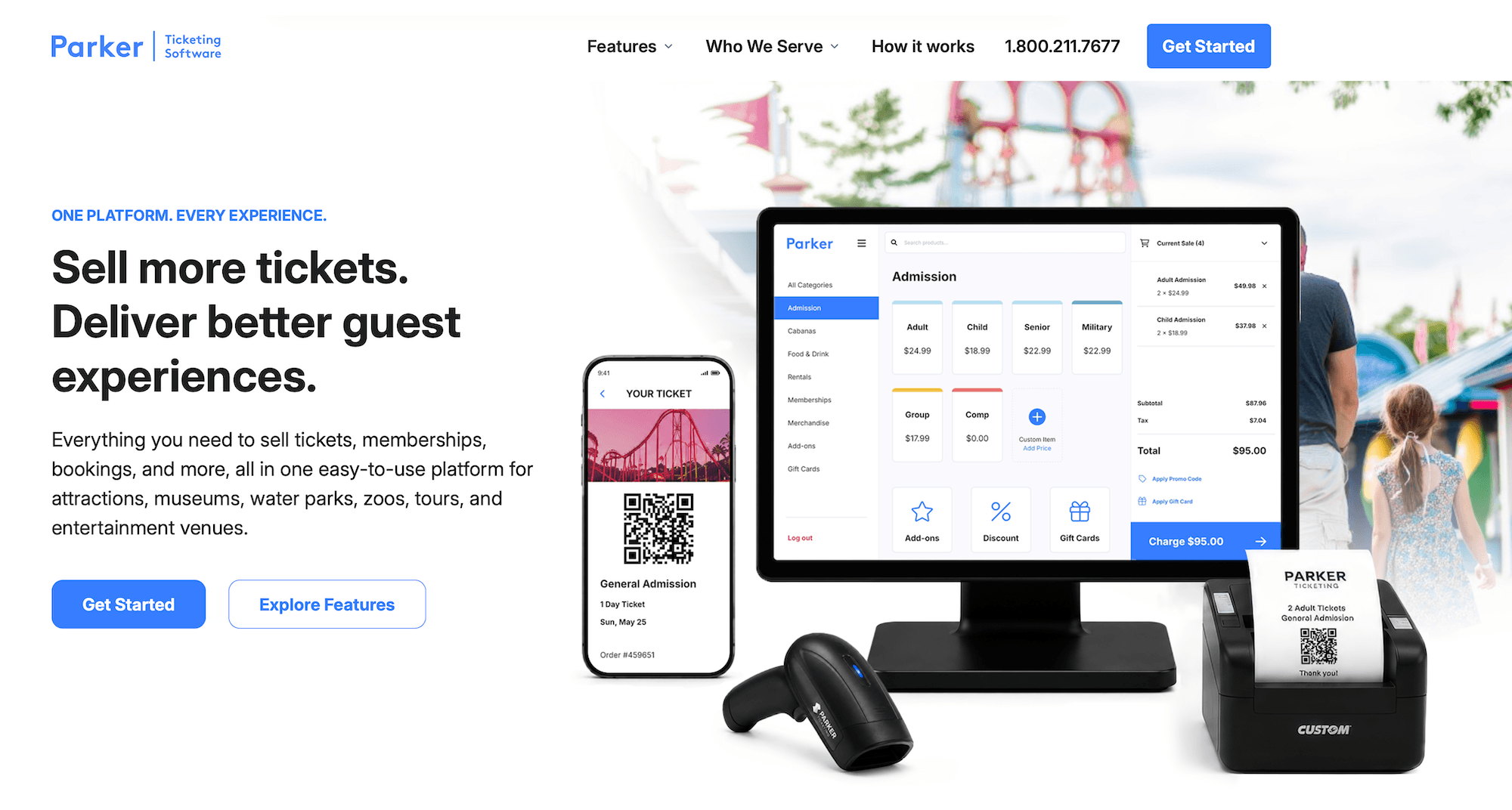
Parker is ticketing and point-of-sale software for attractions, and it’s a nice option for community and municipal pools in particular. Much of its toolkit is built around local regulars rather than out-of-town visitors. You can offer resident rates, sell season passes with photo ID check-in, and run registration for swim lessons and summer camps alongside your day tickets.
The rest covers what a pool or smaller water park needs on a busy day: general admission and timed-entry tickets online and at the gate, capacity limits for the whole park or for individual pools and attractions, and cabanas and lockers that guests can reserve for set times.
You can also collect deposits for birthday parties and group bookings. And because the POS also handles food and beverage sales and retail, your snack bar and gift shop run through the same system as your tickets.
Parker also emphasises its ease of use. The interface is designed so seasonal staff can pick it up quickly, which helps when you’re training a new team every summer.
But it falls short on reaching new guests. There’s nothing on the distribution side: no OTA connections, reseller network, or affiliate tools. That’s fine for a community pool with a steady local crowd, but harder for a park that wants tourists and day-trippers. Parker also doesn’t publish its pricing, so you’ll need to request a quote to find out what it costs.
Find more Parker reviews here.
Features
- General admission & timed-entry tickets, online & at the gate
- Capacity limits by park, pool, or attraction, daily or hourly
- Season passes with photo ID check-in
- Cabana & locker reservations
- Birthday party & group bookings with deposits
- POS for concessions & retail
- Camp & swim lesson registration
- Flexible pricing tools
- Gift cards
- Reporting
Pricing
Parker does not disclose pricing online. They provide a contact form on the site so you can get in touch to request a custom quote.
4. Xola
Xola has been around since 2011, and it’s built for tour and activity operators who want to win more of their bookings directly. The booking engine is designed to keep guests in the checkout flow, and its abandoned booking tool captures contact details from people who start a booking but don’t finish, so you can follow up with them. Reviewers single out that tool more than anything else.
It’s an easy system to get going with, too. There are no plans or tiers, so everyone gets every feature, plus setup, onboarding, and 24/7 live support.
For a water park, the practical side is well covered: a central calendar with real-time availability, inventory and staff management, mobile tickets and ticket scanning, a native POS for gate sales, and even a phone booking system for guests who’d rather call. OTA connections and a distribution network handle the selling beyond your own site.
There are some gaps, though. Xola doesn’t offer its own website builder — its team builds sites for you, at a custom price. And a few reviewers mention bugs in the dashboard and Android app.
Xola doesn’t charge a subscription, just a partner fee on each booking (usually 2.39% + 30¢, with reports of up to 6% on international transactions). Payment processing is extra on top of that.
Features
- Website building service
- Online booking widgets (for existing sites)
- Channel management & OTA connections
- Distribution network
- Availability management
- Inventory management
- Staff management
- Phone booking system to manage offline reservations
- Native point-of-sale (POS)
- CRM
- Marketing tools to promote your tours & retarget customers
- Digital waiver solution
- Customisable tickets (& ticket scanning tools for check-in)
- Reporting
- Mobile apps
Pricing
Xola charges a partner fee on each booking, usually 2.39% + 30¢. Some reviewers report fees as high as 6% on international transactions. Payment processing through Stripe is separate, at about 2.9% + 30¢. Xola also offers a website-building service, priced by custom quote.
Read more: Best Xola alternatives
5. TicketingHub

TicketingHub is booking and ticketing software for tour operators, attractions, and activity providers managing high-volume ticket sales. It’s been in the space since 2012, and reviewers consistently highlight two things: the support team is quick and hands-on, and the platform is easy to set up, with many operators live in under a day.
The toolkit covers a lot of what a water park needs. You can sell through booking widgets on your website, OTAs and resellers, and in person with an iOS and Android POS app that keeps working offline at the gate. Its resource management tools help you assign staff, cabanas, loungers, lockers, tubes, and life jackets. It also handles waitlists, group bookings, packages, gift vouchers, and upsells at checkout.
The fees are the thing to watch for. TicketingHub charges 3% on every booking — including cash sales and walk-ups at the ticket window, which most systems don’t charge for at all.
It’s also a smaller platform, with around 300 operators and only a few dozen reviews, so there’s less real user feedback to go on.
Find more TicketingHub reviews here.
Features
- Online ticketing engine widget
- Availability management
- Waitlists
- Channel management
- Reseller network
- Team management
- Resource management
- CRM & automated communications
- Customer portals
- Multi-currency support
- POS integrations
- Reporting dashboard
Pricing
TicketingHub charges a 3% booking fee on all reservations, online or offline. Only cash sales are exempt from TicketingHub fees.
Read more: Best TicketingHub alternatives
6. Peek Pro
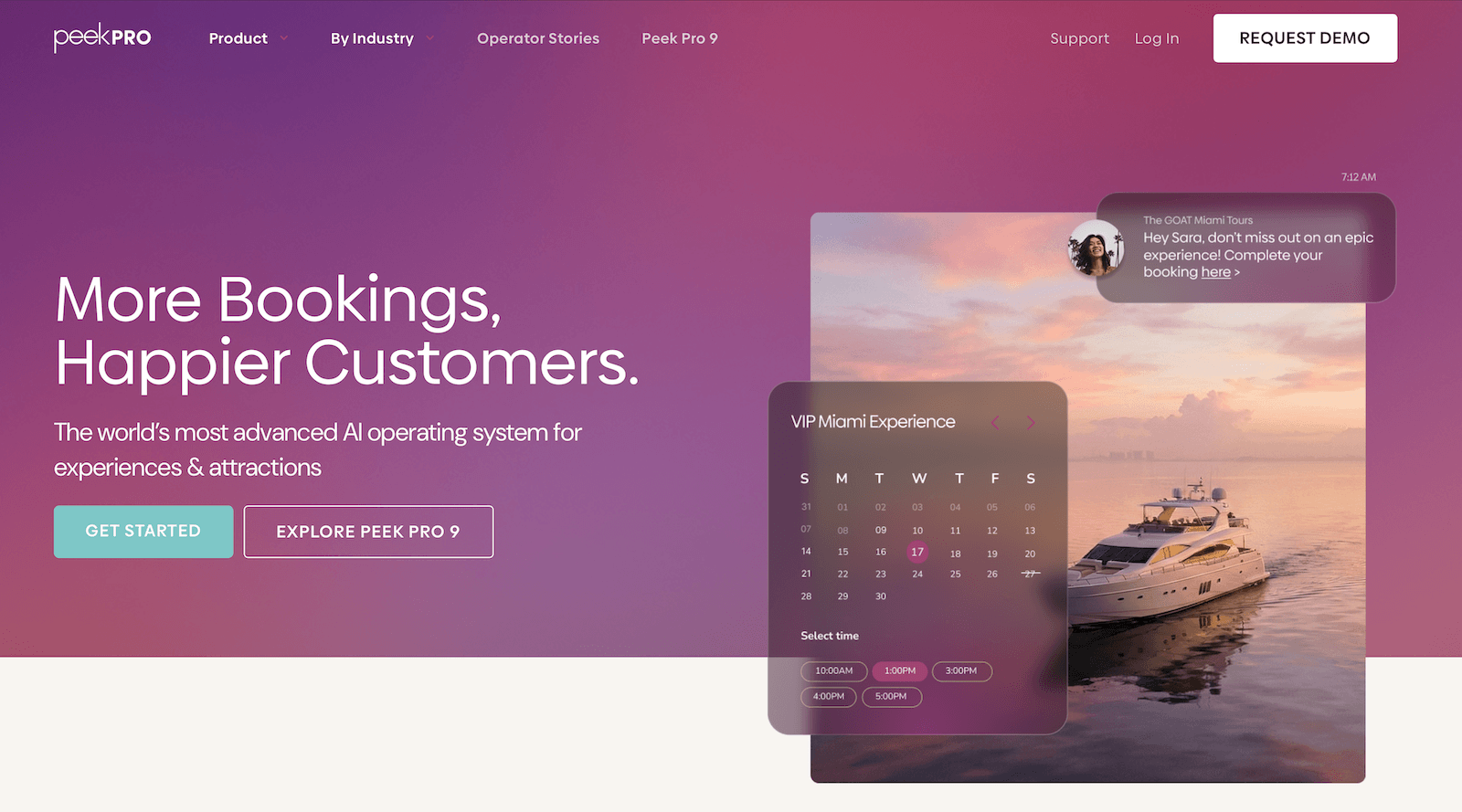
Peek Pro’s booking platform is popular for tours, activities, rentals, and attractions — especially outdoor activity and adventure providers. And with its AI features, it’s one of the more advanced systems in this guide.
Peek Copilot, its AI assistant, handles a lot of the day-to-day heavy lifting, with automations that can take care of staff scheduling, daily reporting, and guest communications for you. Pricing gets the same treatment: Peek’s AI adjusts your rates automatically based on demand, weather, and past booking patterns, so you’re not limited to the pricing rules you set up yourself.
The rest of the toolkit covers the essentials for running a busy park day: resource management for cabanas and rental gear, waitlists, digital waivers, and a POS for walk-ups and on-the-spot upsells. On the growth side, there are OTA integrations and Peek’s own reseller marketplace.
All of that can take some learning, though. Some reviewers say the platform is tricky to set up, especially for smaller teams that don’t need every feature.
The bigger issue is cost. Peek no longer publishes its pricing, but its booking fees have historically run between 6% and 8%. You can either absorb those fees or pass them on to guests, but neither option is great. If you absorb them, they take a big cut out of your margins across a full season of admissions. If you pass them on, a family of five buying day tickets sees a noticeable amount added to the bill, which is enough to make some of them think twice.
Find more Peek Pro reviews here.
Features
- Online booking widgets
- Abandoned booking recovery
- Resource management (tag/assign inventory, equipment & staff across activities)
- AI dynamic pricing with operator-set minimums & maximums
- Digital waivers
- Automated guest communications
- POS for walk-ups & on-the-spot add-on upsells
- OTA integrations
- Reseller marketplace
- AI automations: staff scheduling, daily reporting, guest comms
- Security deposits, card holds, photo documentation for rentals
- Waitlists
- Mobile apps (iOS and Android)
- Reporting
Pricing
Peek Pro no longer publishes pricing online; you must contact them for a quote. However, booking fees have historically ranged from 6% to 8%.
Read more: Best Peek Pro alternatives
7. FareHarbor
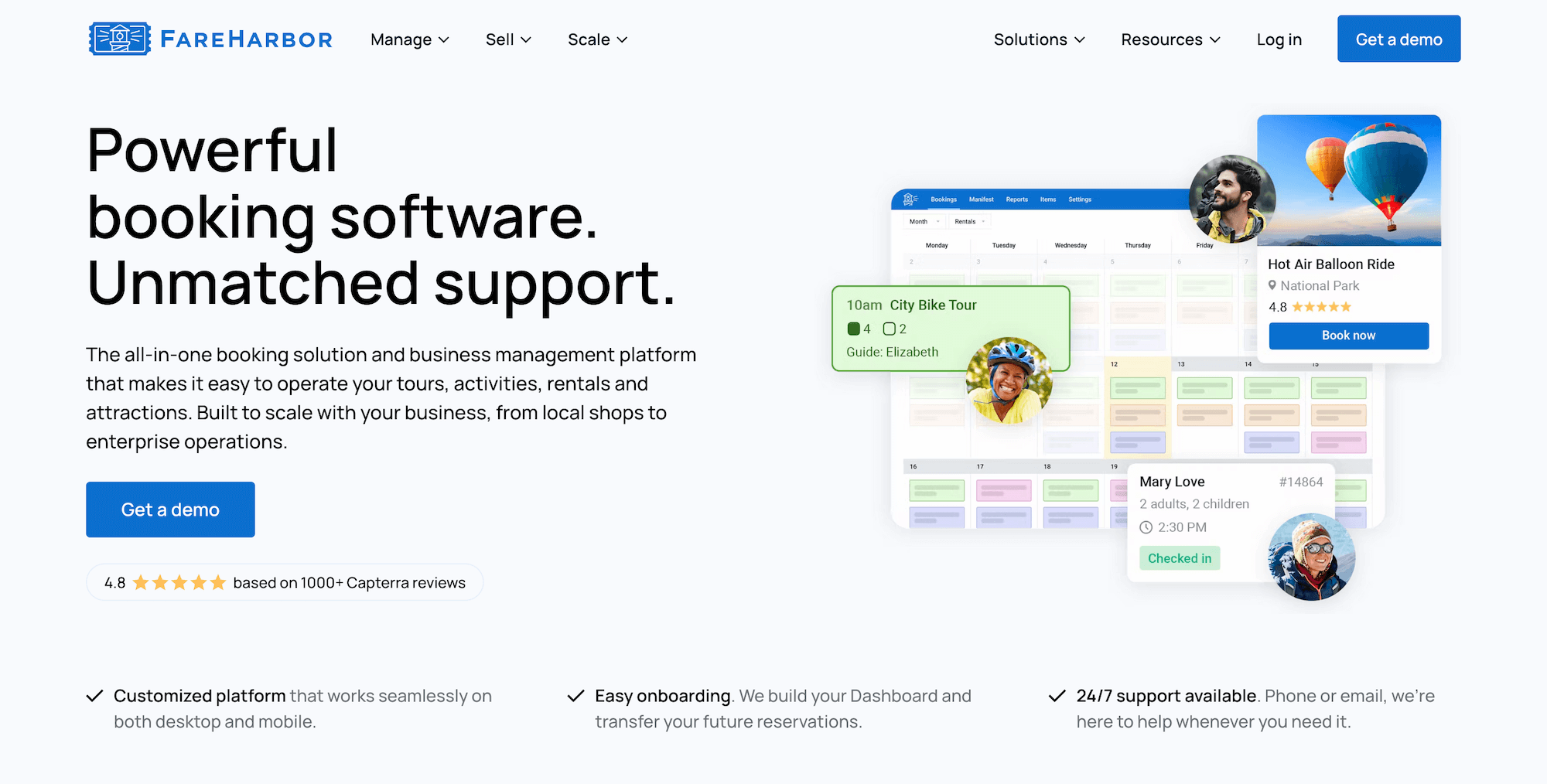
FareHarbor is one of the most widely used booking systems for tours and attractions, and it’s owned by Booking Holdings (the company behind Booking.com).
It’s free to get started, with no monthly subscription, and the operational side is solid. You get a central calendar for online and offline bookings, inventory management for capacity and equipment, staff scheduling, a native POS, customer portals for changes and cancellations, and online waivers. You can also sell memberships, which suits water parks with regulars who visit all summer.
FareHarbor also has OTA connections and its own distribution network (FHDN), so there’s a route to new guests beyond your website.
What gives many operators pause here is how quickly FareHarbor gets expensive once you look past the core system. The website-building service costs $5k a year (or $499/month), SEO help is another $2.2k or $5k a year depending on the package, and FareHarbor takes 20% to 25% commission on every booking that comes through FHDN. Add those together, and the “free to start” pitch looks a lot less free by the end of a season.
On top of that, FareHarbor booking fees run up to 6% and 8%, and they pass those fees on to guests at checkout, so every family ticket costs more than the price you set. And as we warned with Peek, high checkout fees can make guests second-guess booking with you.
Find more FareHarbor reviews here.
Features
- Website-building services (and online booking widgets for existing sites)
- Centralised booking calendar to manage online & offline bookings
- Channel management
- Distribution network — including connections with OTAs and partners
- Inventory management — to create product listings, track equipment and staff availability, set tour capacities, and create tickets and pricing options
- Staff management, to manage staff schedules and assign guides to tours
- Native POS
- Integrations with online payment providers
- Customer portals to cancel or modify reservations
- Flexible check-in features & online waiver solutions
- Options to sell memberships
- Reporting
- Mobile apps
Pricing
FareHarbor charges booking fees of up to 6% and 8%. They also charge:
- $5k per year (or $499/month) for their website-building service
- $2.2k or $5k per year (depending on your package) for SEO services
- 20% to 25% commission from every booking you earn through the reseller network
Read more:
8. Anolla
Anolla works a little differently from the rest of this list. It’s a modular booking platform used by all kinds of service businesses, from spas and saunas to fitness studios and classes, as well as water parks.
You start on a free plan, which covers the calendar, booking management, and client management, then turn on paid features as you need them. For a water park, that would likely include:
- Online checkout and Stripe payments
- Product management
- Timed-entry tickets with visit limits
- Bookable resources for cabanas, party rooms, lockers, sunbeds, and slides
- Memberships
- Dynamic pricing that adjusts for demand, weather, and season
- A 24/7 AI assistant to answer guest questions
- SMS messaging
However, despite Anolla being a low-cost, “build as you go” type option for teams to dip their toes into online booking software, it has its downsides. It’s a little trickier to set up than a system built specifically for attractions, since it’s designed to work for so many kinds of businesses. The platform can get quite pricey once you add everything you need. And you don’t get any distribution tools here — we couldn’t find any OTA connections, reseller tools, or affiliate features to turn on, so your only sales come through your website and front desk.
Find more Anolla reviews here.
Features
- Online ticket sales with timed entry & visit limits
- Booking calendar with hourly, session, day & multi-day products in one place
- Multi-resource booking: slides, cabanas, party rooms, lockers, sunbeds
- Dynamic pricing with AI-driven demand, weather & seasonal adjustments
- Flexible pricing (hourly, daily, variable-length)
- Group bookings & quotes for events
- Digital contracts & deposit collection
- Automated waitlist
- Automated customer communications (email & SMS)
- 24/7 AI assistant for customer inquiries
- Multi-location management with role-based permissions
- Payment processing (Stripe)
- Customer management
- Mobile apps (iOS & Android)
- Reporting
Pricing
You can get started with Anolla for free and add to your plan with paid features like online checkout, Stripe payments, product management, memberships, and SMS messaging.
Best water park management software
If you need a system that runs your whole property, with gates, wristbands, food and beverage, and retail all tied to the ticket, these are the names to look at. They’re built for all kinds of large attractions, so most also double as theme park or amusement park management software. Expect demos, custom quotes, and a longer setup than a ticketing tool.
- ROLLER is cloud-based venue management software used by 3.5k+ venues, including water parks like Lost Island and Paqua Park. It covers online ticketing, capacity management, POS for food and retail, memberships, waivers built into checkout, and self-service kiosks. Channel management connects you to OTAs like Viator and GetYourGuide. And automated gates come through its partnership with Alvarado. ROLLER doesn’t publish pricing, but reviews suggest plans start around $395/month.
Find more ROLLER reviews here.
- RocketRez is a ticketing and operations platform with a long list of North American water park customers, like Gulf Islands, Castaway Cove, and Morey’s Piers. It’s strongest on season pass management, cabana upsells, and reporting and analytics, with Power BI for teams that want to dig deeper. It also features OTA connections for water parks to expand their distribution network beyond their websites. Its team includes former operators who can help you through onboarding to ensure you’re up and running quickly. Pricing is by custom quote.
Find more RocketRez reviews here.
- Oveit is built around a waterproof RFID wristband that works as a guest’s ticket, wallet, and locker key, which makes it a strong choice for parks focused on cashless payments. It also handles access control for zones like VIP areas, smart lockers, visual cabana booking, and kiosks, and it can sit on top of your existing POS and turnstiles. However, setup here can take a little longer — around 60 days to get fully running. Pricing is by custom quote.
- Aluvii is cloud-based POS software for amusement venues, used by parks like Seven Peaks Waterpark. It goes further into the back office than most systems here, with HR and staff timekeeping alongside ticketing, food and drink, and retail. RFID cards, wristbands, and turnstile integration cover the gate. Aluvii doesn’t publish pricing, but it does offer a 30-day free trial.
Find more Aluvii reviews here.
- CenterEdge is the company behind Advantage, a POS-first system for water parks, amusement parks, and family entertainment centres. It has a few water park-specific touches: graphical cabana maps for your service team, reusable wristbands that guests can load with money and spend around the park, and mobile stations for drink carts. Pricing is a monthly subscription based on how many POS workstations you run, starting at $300/month for one to three.
Find more CenterEdge reviews here.
- Singenuity is aimed at mid-sized parks that find enterprise systems too big. It was built by former operators as one platform for bookings, POS, waivers, memberships, self-service kiosks, and photo sales. It also supports online sales beyond your own website, with OTA connections and an affiliate network. There’s no monthly fee. Instead, Singenuity charges your guests a 4% booking fee at checkout. Devices like tablets, card readers, and kiosks are a separate purchase, but you can start with the tablets or phones you already have and add more as you go.
Find more Singenuity reviews here.
Getting started with the best solution for your water park
Most water parks don’t need a system that runs every till and turnstile. They need to sell tickets online, manage capacity, get through storm days without phoning every family, and bring more guests through the gate.
Bókun covers all of that in one solution. You can build every ticket type you sell, from timed aqua park sessions to cabana rentals, keep availability in sync across every channel, and reschedule or refund a washed-out day in a few clicks. Then our distribution tools put your park in front of families who haven’t heard of you yet, through 70+ OTAs, thousands of Marketplace partners, and affiliates you choose yourself.
And our platform is available at some of the most affordable pricing you can find — $49 a month with 1.5% online booking fees, 0% Bókun fees on Viator bookings, and free offline bookings.
Start a 14-day free trial (no credit card required) to see how Bókun can help you max out ticket sales.
Related reads: