
Running an art studio involves three distinct operational challenges that most booking software isn’t built for.
The first is student type. You have regulars — people enrolled in weekly wheel-throwing classes or life drawing sessions — and you have drop-ins booking a one-time workshop or paint-and-sip. Both need to land in the same calendar without conflict.
The second is what happens before anyone walks through the door. Assigning instructors, making sure there are enough palettes, brushes, canvases, kiln slots, and workstations for every booking — resource logistics that generic scheduling tools completely ignore.
The third is getting people in the room. Art classes are a discovery purchase: people find them through Viator, Google, local hotel concierges, and Instagram. If your booking system can’t put you in front of those audiences, you’re relying entirely on whoever already knows you exist.
Most systems cover only one piece or another. Very few do it all.
We put together this guide with the most popular art class booking software, starting with Bókun, so you can see what each system offers and how they stack up.
- Bókun
- ClassBento
- Pembee
- Reservio
- SimplyBook.me
- SuperSaaS
- Omnify
- Activity Messenger
- ClassDuo
- Sawyer
- CourseStorm
- Anolla
To learn more about Bókun after reading, start your 14-day free trial (no credit card required).
1. Bókun
All-in-one system to manage students, bookings, supplies & distribution
Bókun is an art class booking system with a complete toolkit to manage everything that happens before, during, and after a class — and to put your classes in front of new students well beyond your existing audience.
We’re a Tripadvisor and Viator brand, and we’ve spent over a decade working with experience operators worldwide — learning how they run their businesses and building the features they actually need.
We understand the art studio challenge well: shared equipment that needs tracking across simultaneous sessions, regulars who need a consistent weekly slot alongside first-timers booking a Saturday paint-and-sip, and the task of getting new students in the door to fill classes. Bókun was designed around those realities.
We had three priorities when building our system:
- Cover all your daily workflows and automate the time-consuming ones, so you can focus on running great classes instead of spending hours on admin.
- Provide access to dozens of sales channels to get your classes in front of new students.
- Keep things affordable and accessible for studios of all sizes, with straightforward pricing and some of the lowest booking fees in the industry.
Our customers back this up with a 4.7-star rating across review sites, calling out our all-in-one toolkit, ease of use, value for money, and hands-on support team.
You can check out our reviews here and see how our client Tijon Miami uses Bókun to take their fragrance-making classes global.
All new customers start with a risk-free 14-day trial — no credit card required — to explore the platform and make sure it’s the right fit before committing to anything. Start yours here.
Bókun’s tools for running your studio day to day
The central calendar
Managing an art studio schedule gets complicated fast. You might have a wheel-throwing class Tuesday mornings, a life drawing session Tuesday evenings, a private birthday party Saturday afternoon, and a kids’ watercolour workshop Sunday — with different instructors across the week and students booking through your website, Viator, and hotel referrals all at once.
Our central calendar puts every booking, every class slot, and every instructor assignment in one place.
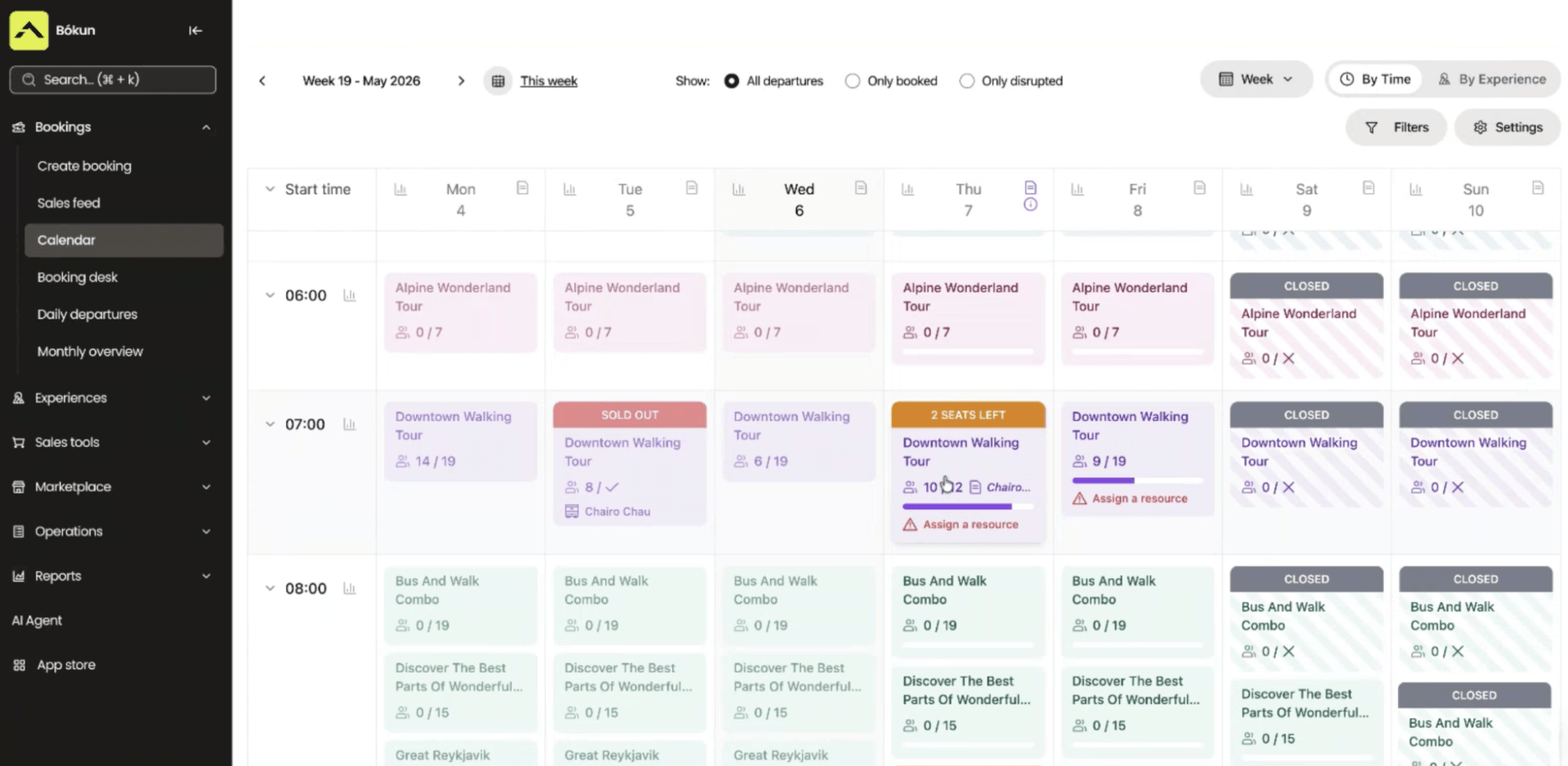
New reservations appear here the moment they’re confirmed, whether they came through your website, an OTA listing, or a partner referral.
And as bookings come in, Bókun pushes real-time availability updates back to every channel you’re selling on. When your Sunday watercolour workshop fills on your site, that slot closes instantly on Viator, GetYourGuide, and any partner sites where it’s listed. You never risk double bookings.
From the calendar, you can also update availability, reassign an instructor, and reschedule students without leaving the view.
Experiences: create listings for classes & manage your art supplies
Bókun’s Experiences tab is where you build your full product line — every class type, workshop format, private group offering, and gift voucher.
There are a few ways to get started here: pull in products from your website or Viator with our AI product importer, create products from templates, or use our product builder to design a listing from scratch. Whichever option you choose, creating listings is super straightforward.
Let’s say you’re adding a brand new class with our product builder. It walks you through every step. You’ll include:
- The class name
- Location
- Duration
- What students will make
- What’s included (supplies, aprons, firing for pottery)
- What to wear
- Age requirements
- The skill level it’s suited for
- Photos of the studio, past student work, and video walkthroughs so prospective students get a feel for the experience before they book
You can also offer add-ons — extra canvases, glazing and firing fees, take-home supply kits, wine or snacks, framing — for students to personalise their experience.
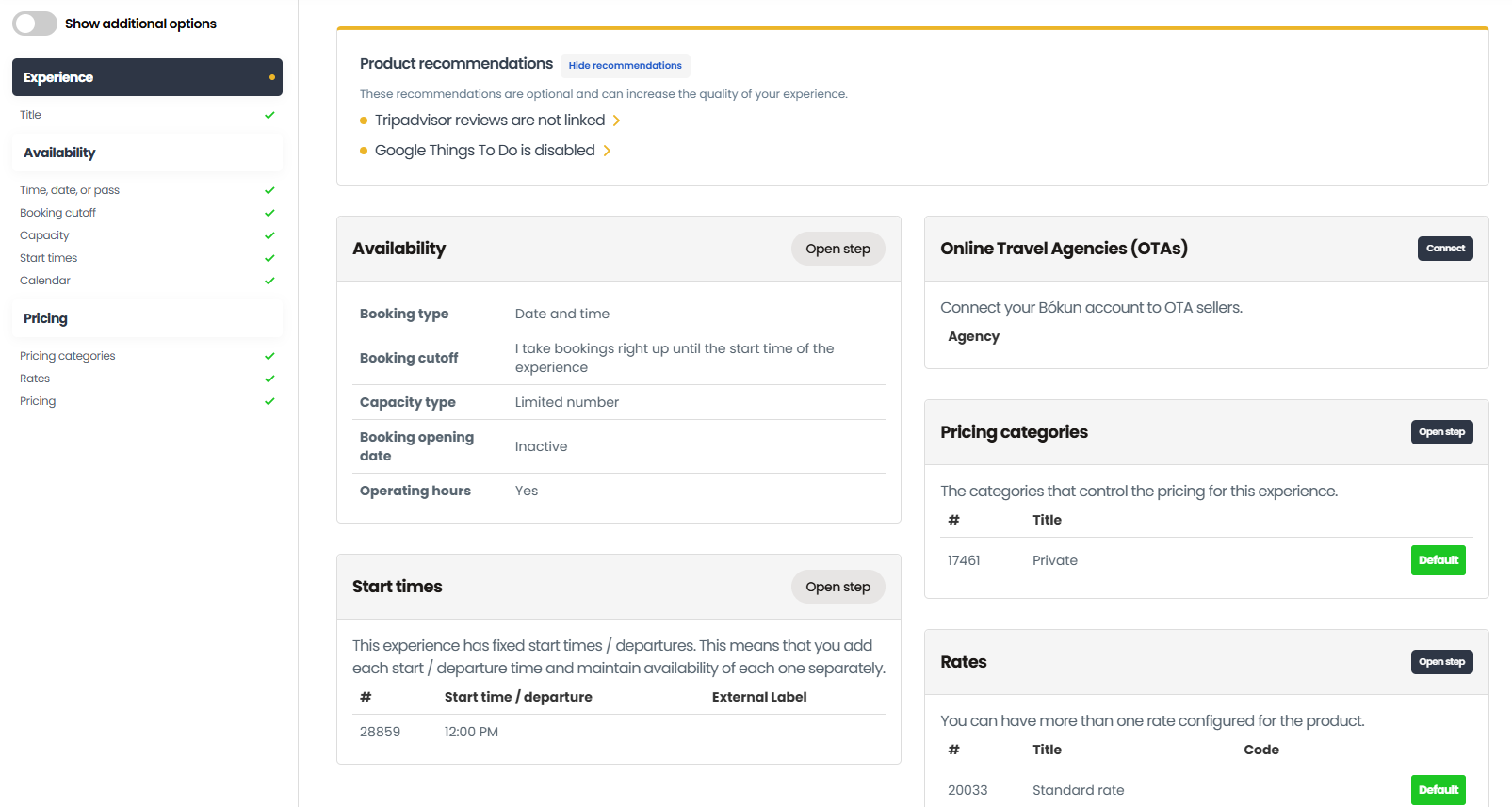
Then you’ll add pricing, availability, and the required resources (like who’s teaching and the supplies you need).
Availability rules control when classes run and how many students can join. Set your class days and times, minimum and maximum capacity, booking cutoffs so you’re not getting last-minute sign-ups the hour before you need to prep, and buffer time between sessions — not optional in an art studio, where cleanup, kiln loading, paint drying, and table resets all need time before the next group walks in.
Pricing tools support flat rates, adult and child categories, private and group rates, and deposits. You can also use our dynamic pricing tool to optimise rates automatically based on preset rules. For example, you can drop rates as booking cutoffs approach if you still have seats to fill, change rates by sales channel, raise rates when classes are booking out quickly, and more.
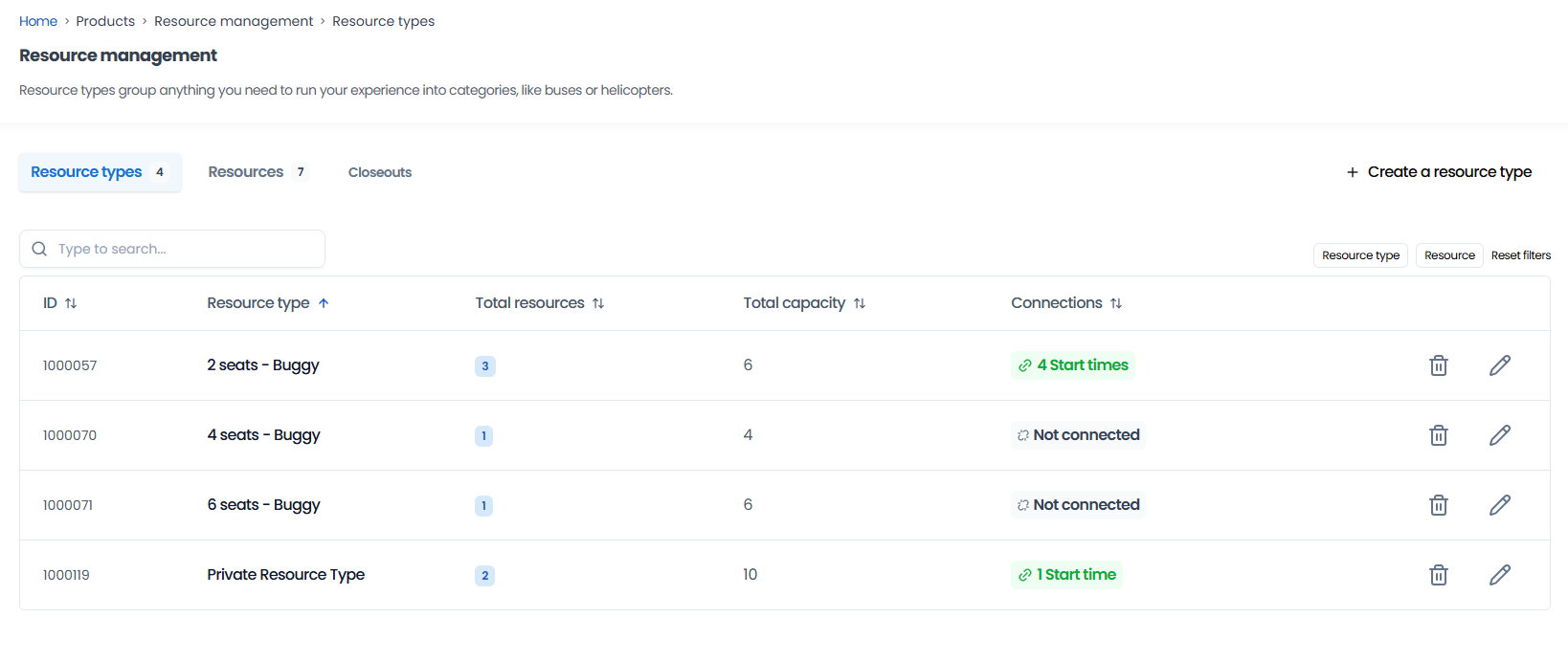
Resource management is the piece generic schedulers miss, and for an art studio it matters more than almost anywhere else.
Here’s how to set it up:
You add every physical resource to Bókun — every pottery wheel, kiln slot, easel, workstation, brush-and-palette set, and instructor — with quantities for each. Then you assign those resources to your listings and set allocation rules so Bókun knows exactly what each class requires and how to distribute shared items when multiple sessions run at once.
Say you run both watercolour and oil painting workshops on Thursday evenings, and you only have 20 brush-and-palette sets between them. Both classes draw from that shared pool. As bookings come in across both listings — a few for oil painting through your website, a few for watercolour through Viator, a walk-in added manually — Bókun tracks the shared pool in real time.
The moment the 20th set is reserved —however the bookings split across the two classes —both close automatically across every channel. You never end up with more students than supplies, no matter how bookings arrive or where they come from.
The same logic applies to kiln slots, easels, and workstations. Once it’s set up, Bókun runs the allocation in the background so you’re not tracking anything by hand.
Read more: Best booking systems with resource management
The product builder also handles a few formats that are common in art studios:
Rolling admissions and fixed-length courses: If you run 8- or 12-week courses where students can join at different starting points, you can sell the course as a package product with its own price and duration, and run the weekly session as a separate bookable slot with capacity limits. Drop-ins and course students can share the same class time without conflicting.
Private groups, birthday parties, kids’ camps, school-holiday programmes, and corporate team builds: These need their own listings with private-group pricing, deposits, and custom booking forms.
Gift vouchers: Art classes are one of the best experiences you can gift, and gift vouchers are often a huge revenue driver for art studios. Bókun lets you sell vouchers online, let recipients redeem them against any class in your catalogue, and manage redemptions as free offline bookings.
CRM to manage students & automate class emails
Bókun includes a native CRM that captures every student’s details from the moment they start a booking and builds out a neat contact book for you.
Contact records save the full booking history, so you can easily segment repeat students vs. one-time drop-ins, see what classes they book, and learn more about your students’ preferences.
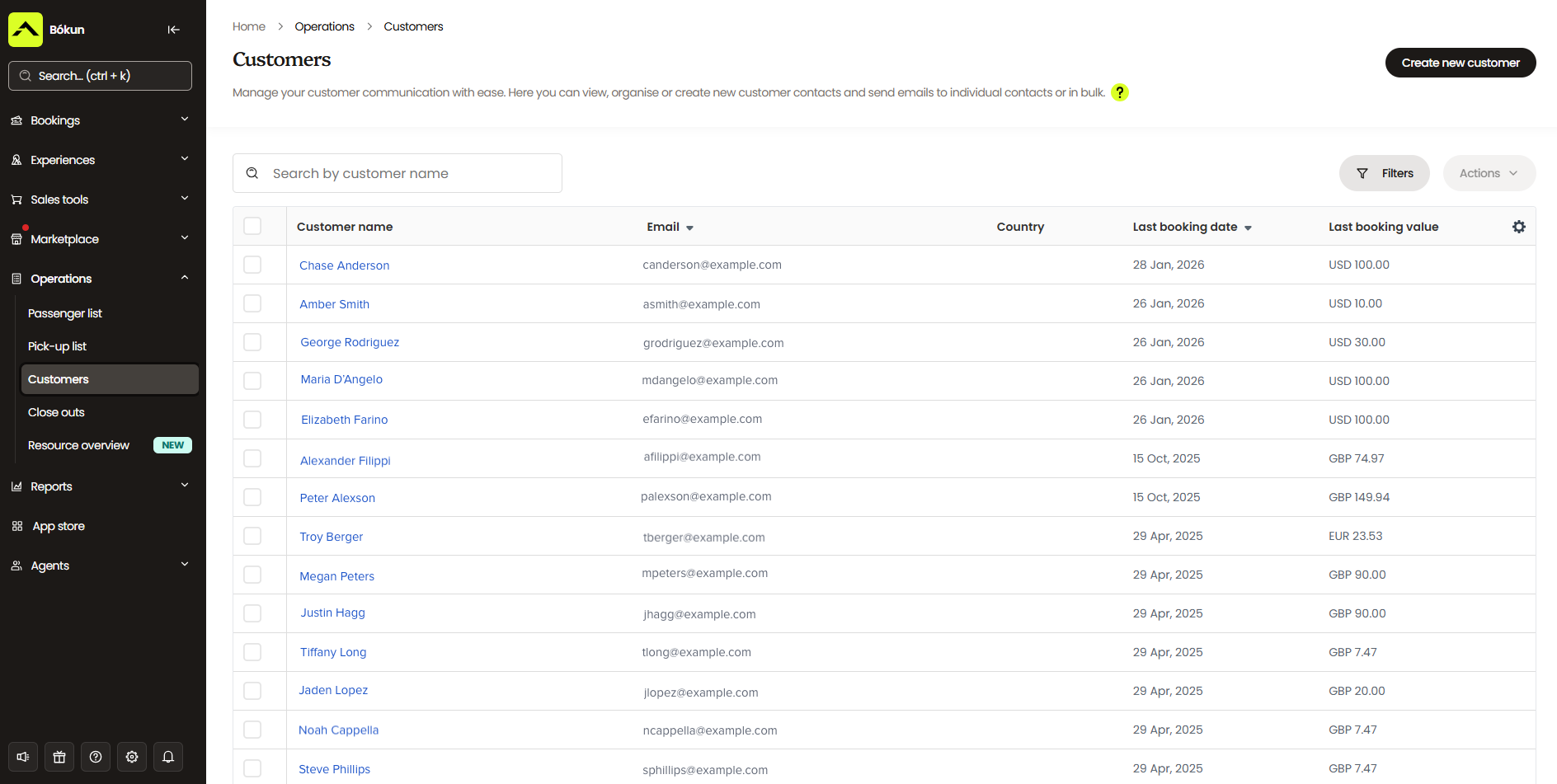
We pair the CRM with automated communications to handle every routine touchpoint.
- Once a booking is confirmed, the system sends a confirmation with a mobile ticket.
- Before class, automated reminders go out with everything students need to know — what to wear, what to bring, where to park.
- After class, follow-up emails go out for review requests, upsells, and return-visit nudges.
You can also use this tool to build and schedule full email marketing campaigns through Bókun — seasonal promotions (a Valentine’s paint-and-sip, a summer kids’ watercolour camp), new class announcements, targeted offers for students based on past bookings, and abandoned-cart nudges for anyone who started the booking process but didn’t complete it. We provide a variety of email templates to help you out, and you can save your own templates in the system.
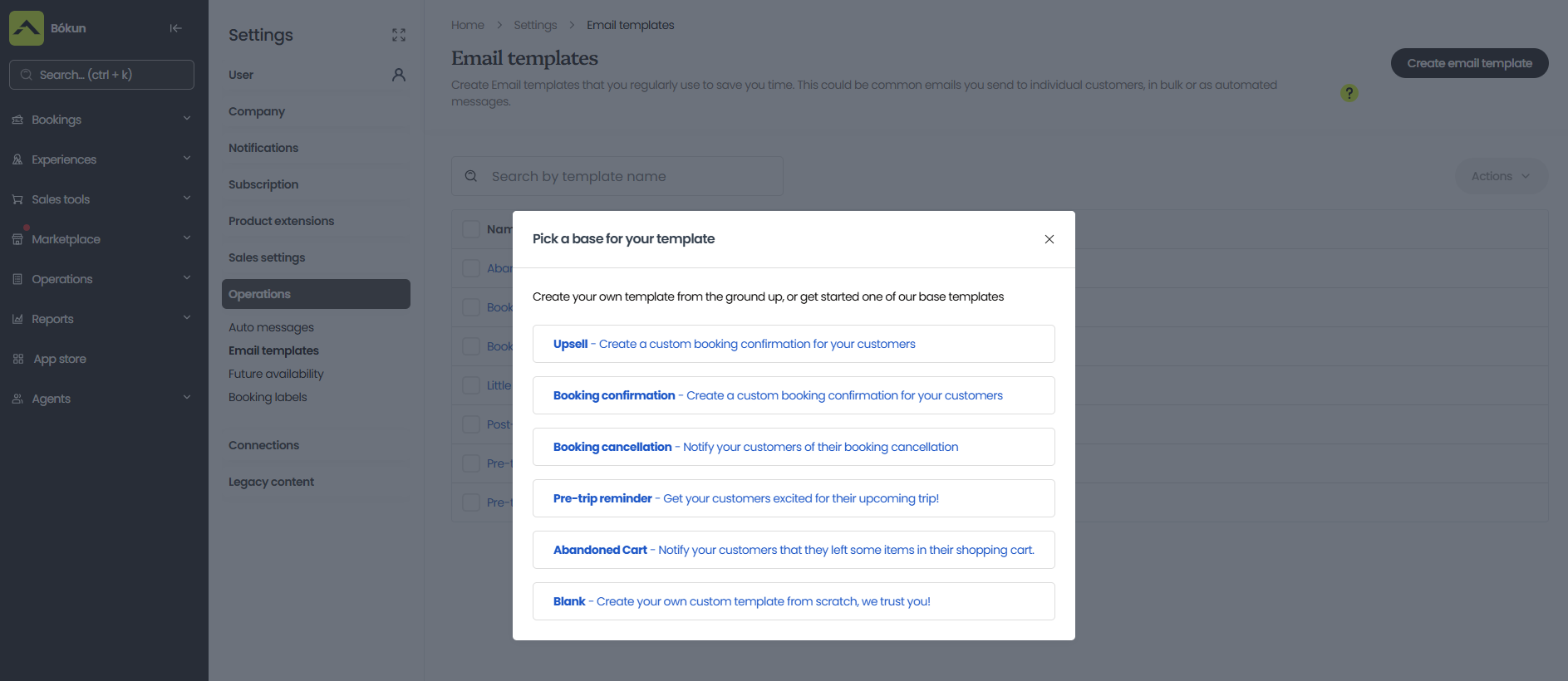
Self-service portals for students
Every booking confirmation includes a link to a self-service portal where students can reschedule, cancel, or add on extras without emailing or calling. When they make a change, Bókun sends an updated confirmation and automatically adjusts the booking.
Class check-in tools
On the day of a class, instructors can pull up the class manifest from the desktop or Bókun’s mobile apps for iOS and Android, see who’s booked in, and check students in by scanning mobile tickets as they arrive.
Bókun’s tools for filling your art classes
Create a booking website
Making your website bookable is the baseline —students can browse classes, check availability, and book in a few taps from any device, 24/7. This gives students the freedom to book classes on their own time and lets you capture bookings outside studio hours, without anyone on staff to take them.
Bókun gives you everything you need to do this, whether you’re working with an existing site or building a new one.
If you already have a site, you can embed our booking engine widgets across your pages — «Book Now» buttons, calendar views, product listings, and full product overviews — so you can give students multiple entry points to book a class.
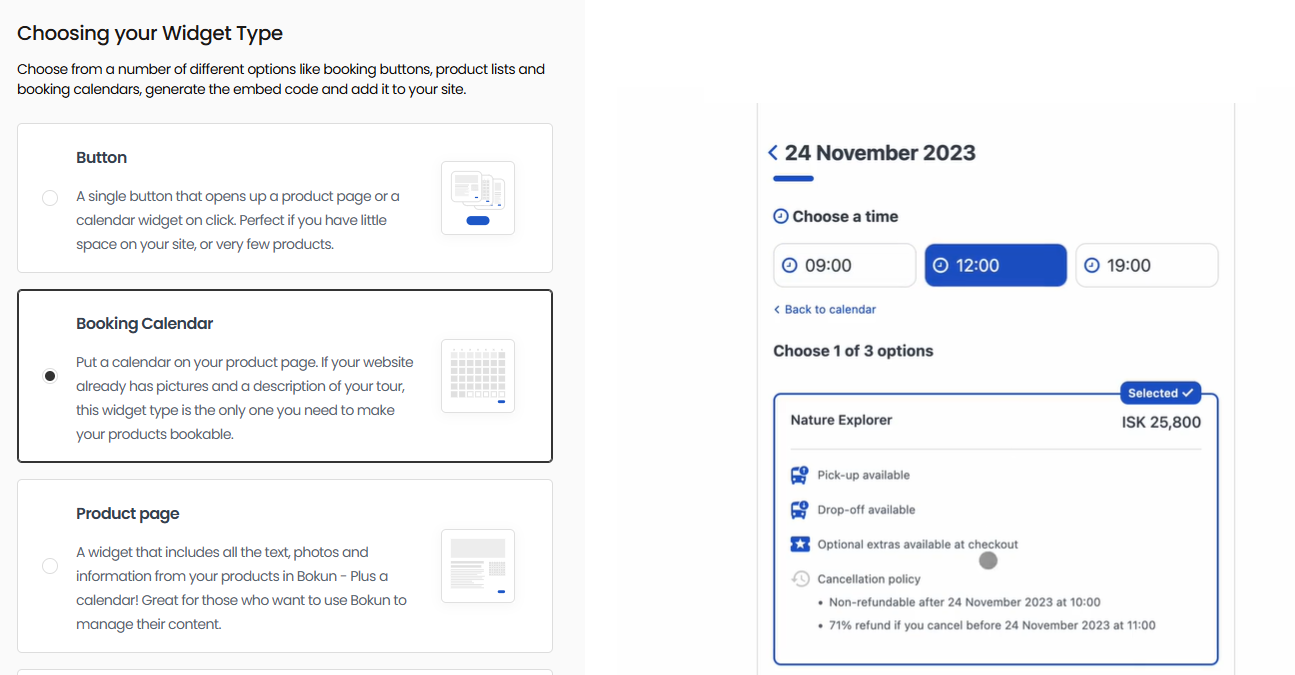
Bókun online booking widgets are compatible with nearly all website builders: WordPress, Squarespace, Wix, Weebly, Joomla, and more.
Read more: How to add a booking system to your website
If you don’t have a site yet, our one-click website builder gets you online without any coding work. Choose a template, add your studio details and photos, and publish. Booking widgets come pre-installed, and sites are optimised for desktop and mobile from the get-go.
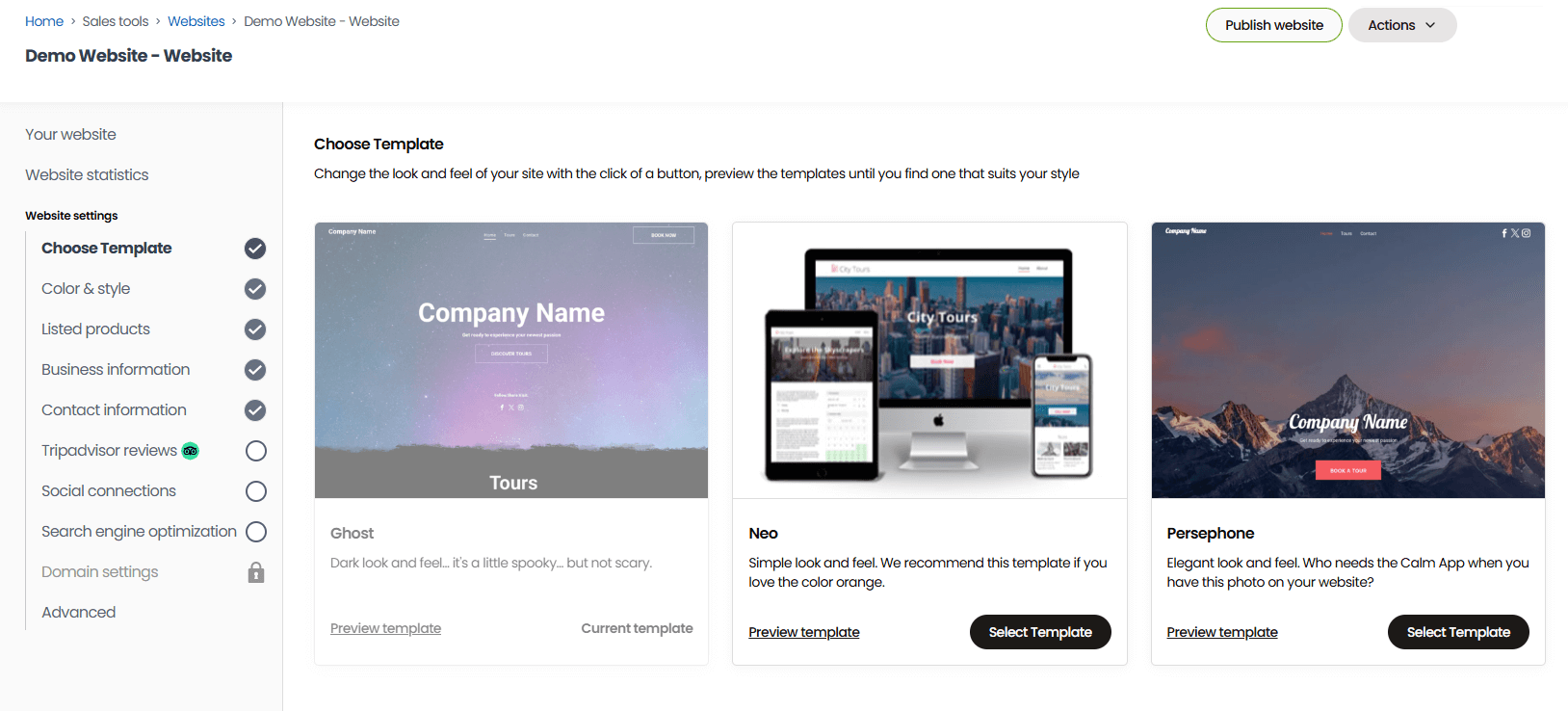
Read more: How to create a booking website
You can also design custom booking forms to gather all the information you need about students at the time of booking.
These are essential for art studios, where students come in with very different needs. You can include fields to capture skill level, preferred medium, age, accessibility requirements, and project goals so instructors can prepare the right materials and setup before anyone walks through the door. A beginner wheel-throwing class needs different prep than an open studio session for experienced potters.
We also integrate with a wide range of payment processors — Stripe, PayPal, Apple Pay, Google Pay, Venmo, Klarna, and more — so students can pay however they prefer.
Connect with OTAs & online marketplaces
Your future students are already out there looking — browsing Viator for something to do this weekend, scrolling GetYourGuide for a birthday activity idea, asking Google for things to do nearby. They’re not searching for you specifically because they don’t know you exist yet. That’s exactly why we built Bókun with connections to all of those sites and more.
We connect with 70+ global OTAs and online marketplaces from one dashboard — Viator, GetYourGuide, Google Things to Do, Airbnb Experiences, Expedia, Civitatis, Klook, and dozens more. And as a Tripadvisor brand, we’re the #1 restech partner across leading sites, with premium partnerships that unlock extra benefits:
- Our Viator Preferred Partnership means 0% Bókun fees on every Viator booking, plus free annual subscription credits (12, 24, or 48, depending on your plan).
- Our GetYourGuide Premium Connectivity Partnership helps you go live faster and keeps bookings and availability syncing reliably between systems.
- Our Google Things to Do partnership puts your classes directly in Google search and maps results.
We put together guides on how to start selling through each of these channels:
- The tour operator’s guide to OTA bookings
- How to sell tours on Viator
- How to add your business to Tripadvisor
- How to become a GetYourGuide supplier
- How to get listed on Google Things to do
- How to become a Civitatis supplier
- How to host experiences on Airbnb
- How to become a TourRadar supplier
- How to sell tours on Expedia
- How to become a Musement supplier
- How to become a Klook supplier
- How to become a Headout supplier
Partner with other businesses in the Bókun Marketplace
Beyond OTAs, the Bókun Marketplace connects you with thousands of travel and leisure businesses — accommodation providers like hotels and resorts, travel agents, DMCs, tour operators, attractions, transportation services, rental providers, and more — who can send their guests your way.
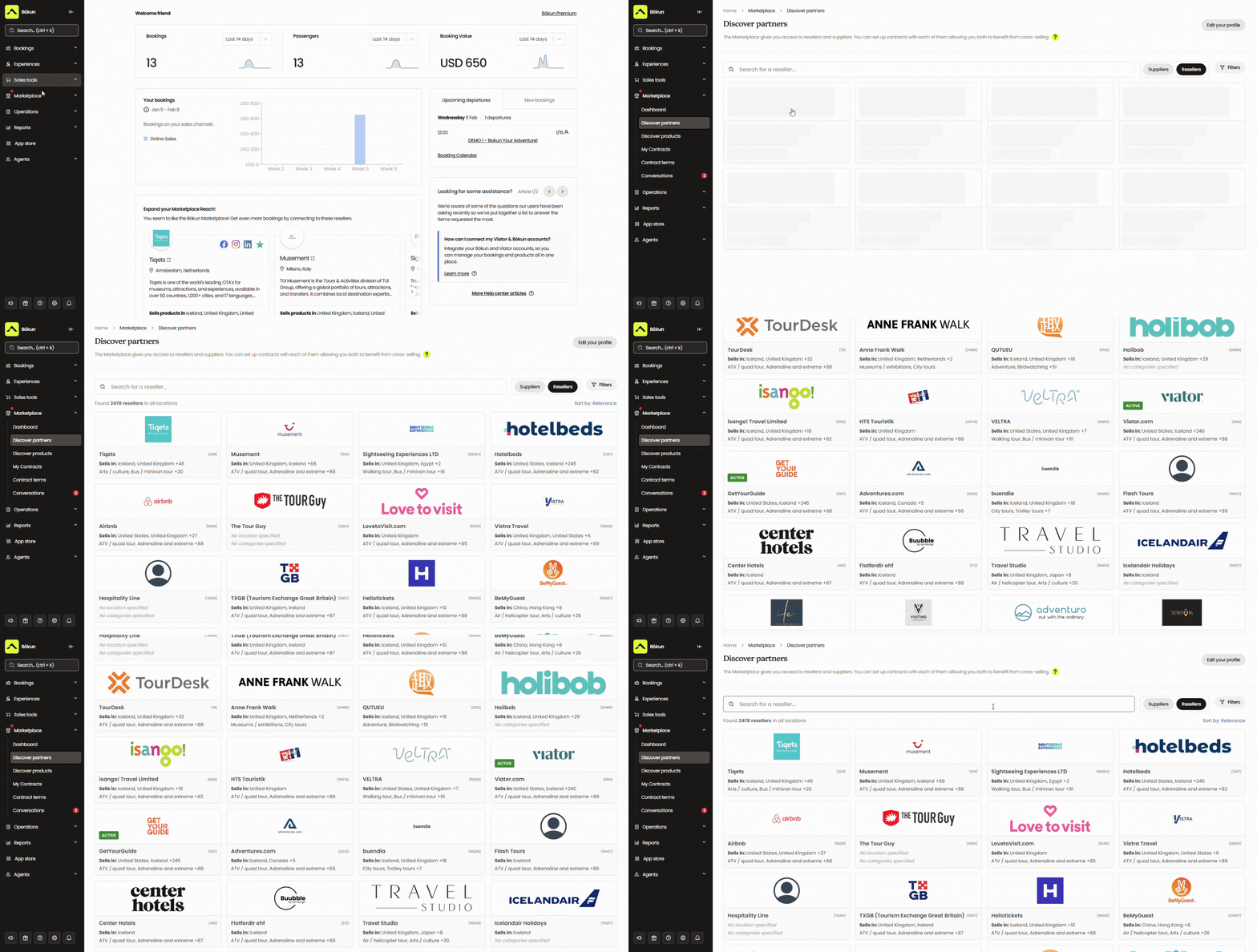
For art studios, this opens up some pretty useful pairings.
A travel agent or hotel concierge can recommend your ceramics workshop to travellers looking for something to do during their trip. You can create combo packages that bundle your classes with other local experiences — for example, a walking tour operator can round out their evening itinerary with your paint-and-sip. You can also earn commission reselling others’ services or experiences alongside your own.
All partner relationships and contracts are managed inside Bókun, with no cap on the number of partners you can work with.
See how other Bókun users leverage the Marketplace to drive bookings and revenue in our case studies:
- Tour Marbella earns 54% of its bookings through Bókun Marketplace connections
- Venice Tours achieved a 400% revenue increase through the Bókun Marketplace
- International Friends generates $500K in sales via Bókun Marketplace
Build your own affiliate network with Bókun Referral Tracking
Bókun’s Referral Tracking feature lets youbuild an affiliate network with any business or creator you choose — not just partners already in the Marketplace.
For an art studio, that could be:
- Local cafes or wine bars you run events with, or that refer customers to you
- Craft suppliers and art shops in your area
- Art bloggers, Instagram creators, or local lifestyle influencers
- Tourism boards and visitor centres
- Corporate event planners who book team-building sessions
- Hotels and B&Bs whose guests are looking for something to do in the evening
You choose your own partners, set commission rates individually, and give each affiliate a trackable link or dedicated booking hub for their audience. Bókun’s reporting shows which affiliates drive the most bookings so you can keep building out this network with more of your best partners.
Reporting dashboard
Bókun’s reporting dashboards show bookings and revenue by class, channel, and time period — so you can see which classes sell out consistently, which channels send you the most students, and when your busiest and slowest periods hit.
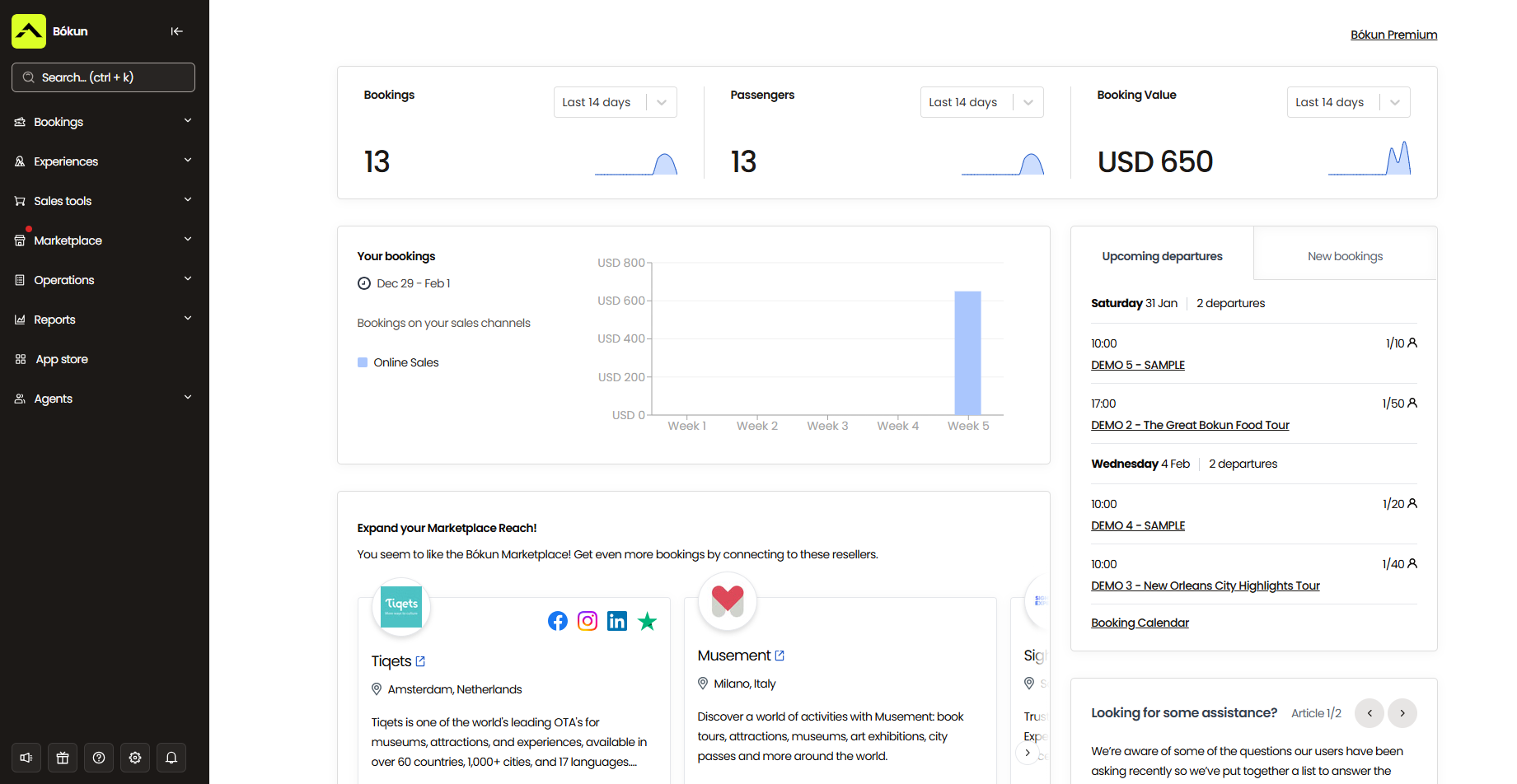
From there, you can schedule more of what sells, adjust pricing on sessions that aren’t filling, double down on your most active sales channels, and plan promotions around your slow weeks.
For example, if Viator is sending you a steady stream of drop-in bookings, you can put more inventory and attention there. Or if a particular class format consistently sells out, you open another time slot rather than turning students away.
Bókun App Store
Beyond the core modules, the Bókun App Store lets you layer in the specific tools your operation needs.
For art studios, a few are worth highlighting:
- Digital waivers are useful for classes involving kilns, sharp tools, resin, or any other materials with a liability consideration. Students sign before they arrive, so the waiver’s on file by the time they walk in.
- SMS messaging for last-minute changes, class reminders, or anything where a text gets seen faster than an email.
- Tip management lets students tip their instructor directly through Bókun after the class.
You can browse all available apps in the store and install only what fits how you run things.
Bókun’s packages & how to get started
All new customers start with a 14-day free trial (no credit card required!) to test the platform before jumping into a subscription.
After your trial, the START plan gives you access to everything covered above for $49/month, with a 1.5% online booking fee. We waive Bókun fees on Viator bookings, while offline and in-person bookings — walk-ins, private group events invoiced directly, gift voucher redemptions — are always free.
For studios with more complex needs, we offer PLUS and PREMIUM enterprise plans with additional tools including agent portals, resource allocations, subvendor management, and Zapier. Both come with dedicated onboarding, priority support, and a yearly strategy call with our team.
Start your 14-day free trial to see how Bókun works for your studio.
2. ClassBento
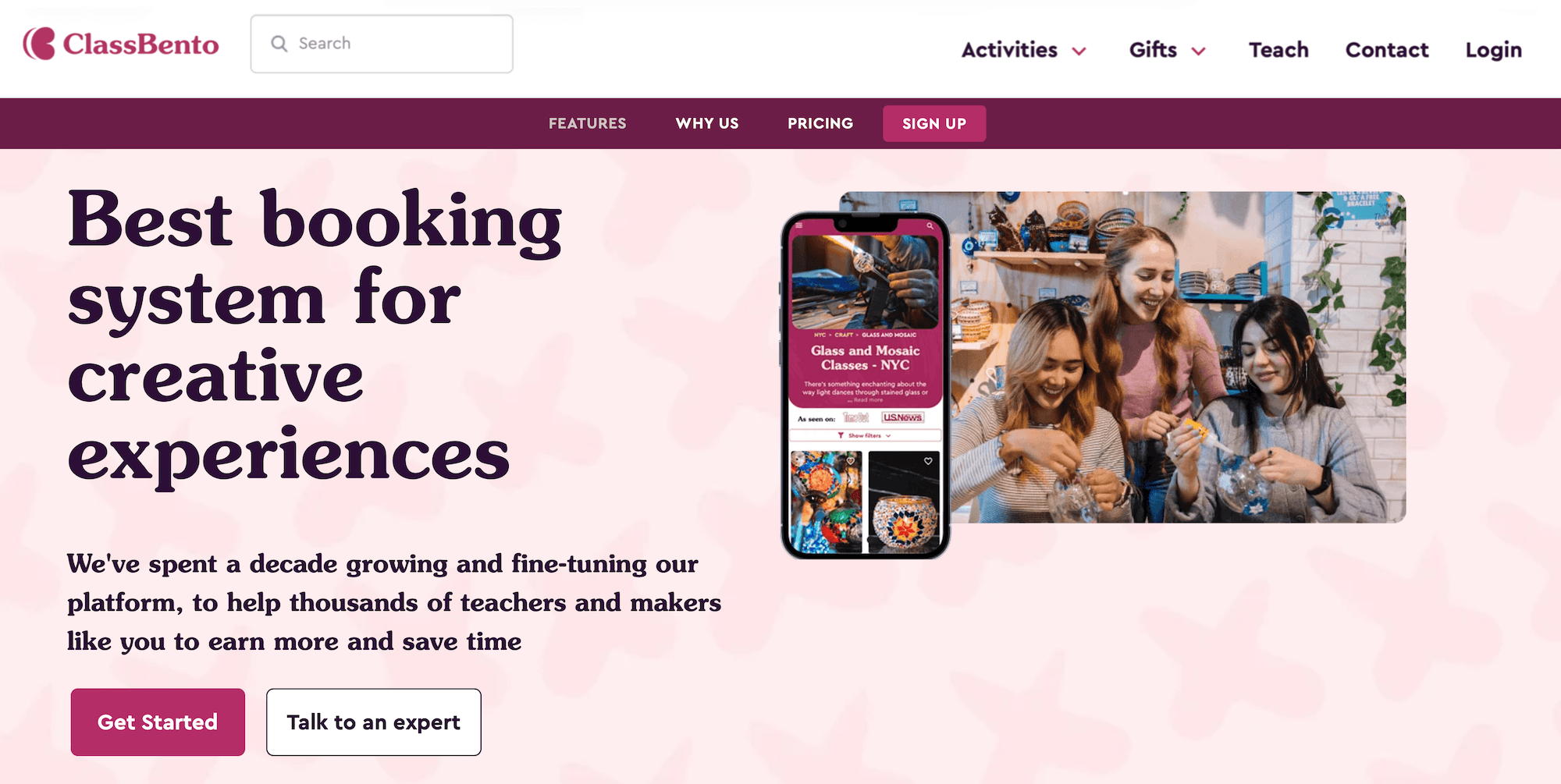
ClassBento is a booking platform built for creative class and workshop providers. What sets it apart from most software on this list is that it doubles as a consumer marketplace.
List your art classes on ClassBento, and they appear on classbento.com, where people actively search for nearby creative experiences to book. For studios that want new ways to reach new students, that’s a useful built-in channel. The Google Things to Do integration also lets your classes surface in search results and on your Google Business Profile.
On the management side, ClassBento covers the basics: an embeddable booking widget for your own site, public class and private group bookings, custom private event requests and invoicing, automated email communications, waitlist management, gift card sales, and a loyalty programme for returning students.
The trade-off is distribution breadth. Beyond its own marketplace and Google Things to Do, ClassBento doesn’t offer OTA connections or tools to build out a reseller or partner network. Studios that want to reach travellers on sites like Viator or GetYourGuide will need to manage those channels separately.
The commission structure is also worth thinking through carefully. ClassBento operates without a monthly subscription — you only pay when you get bookings — but the rates compound quickly: 3.9% + $0.30 per booking from your own website, and a 20% commission on bookings earned through the ClassBento marketplace. For a studio running busy classes at decent margins, that marketplace cut adds up. And if you choose not to list your classes on ClassBento’s marketplace, you’re hit with a $29/month fee.
For smaller studios or solo instructors who want marketplace visibility without a subscription commitment, ClassBento is a reasonable entry point. Studios that need more control over their distribution — or want to reach audiences beyond classbento.com — will find the toolkit limited.
Read more ClassBento reviews here.
Features
- Embeddable booking widget for your own website
- ClassBento consumer marketplace listing (new student discovery)
- Google Things to Do integration
- Public group classes & private group event bookings
- Custom private event requests & invoicing
- Automated email communications
- Waitlist management with automatic notifications
- Customer self-service rescheduling & cancellation
- Gift card sales
- Loyalty program for repeat students
- Automated review collection
- Add-ons and upsells at checkout
- Google Analytics & Facebook integrations
- Virtual class support
- Reporting
Pricing
ClassBento doesn’t charge any fixed monthly fees — only commission fees from your bookings. It takes 3.9% + $0.30 from website bookings and 20% from marketplace bookings.
ClassBento charges a $29/month fee if you choose to exclude all your listings from its marketplace.
3. Pembee
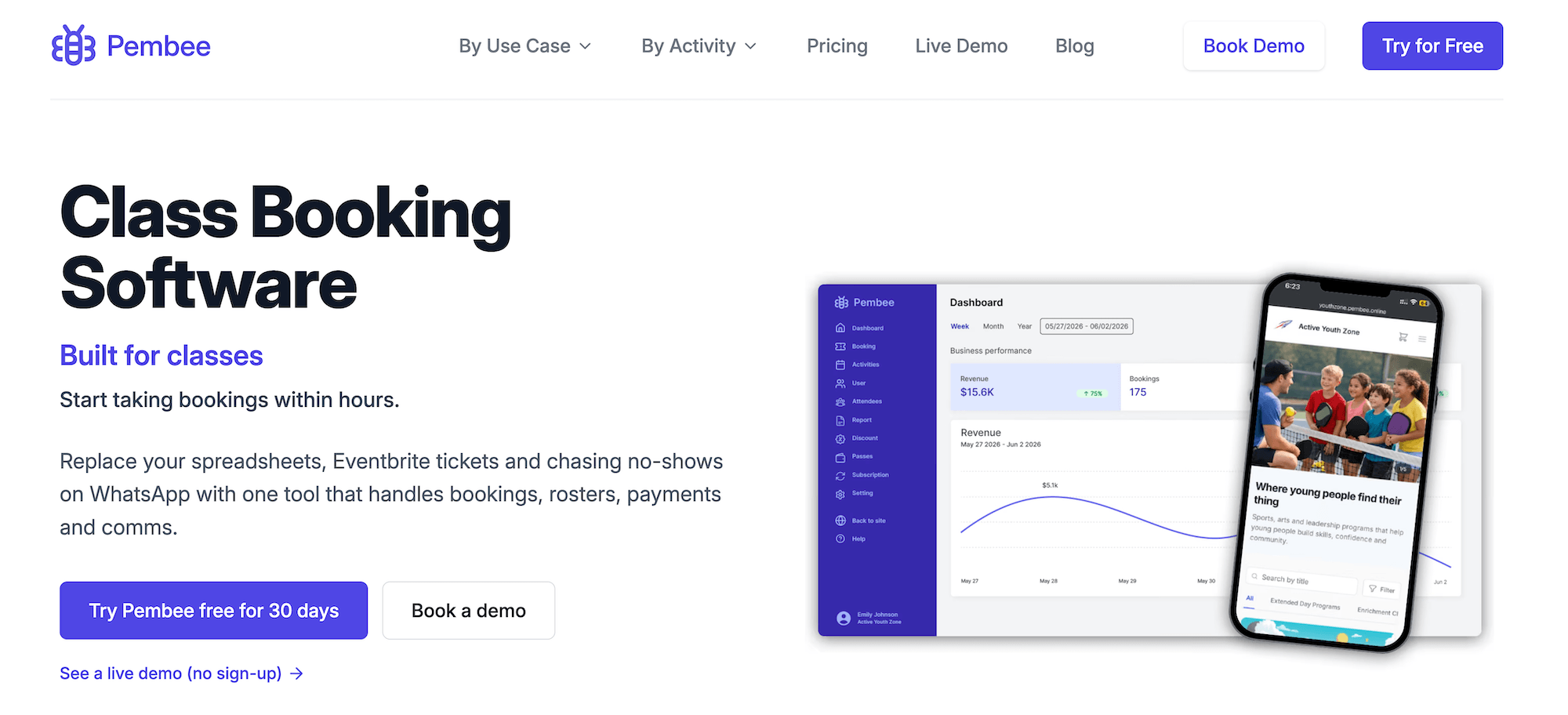
Pembee is a class management platform built for studios, instructors, and schools running ongoing class programmes. It handles recurring scheduling well — terms, blocks, and individual sessions — and supports both drop-in bookings and structured enrolment in a single system.
The feature set covers most of what a studio needs on the operations side, from managing class packages to tracking student rosters. You get a hosted booking page with a shareable link, an embeddable website widget, family accounts for booking multiple attendees in a single checkout, class packs and session passes, flexible monthly subscriptions, trial class tickets, automated waitlists, attendance rosters with mobile check-in, a student self-service portal, and automated email reminders.
Abandoned cart recovery and trial class follow-up emails come on the Premium plan, along with marketing integrations with Google Ads, GA4, and Meta Pixel — useful for studios investing in paid search or social.
What Pembee doesn’t offer is distribution. There are no OTA connections, reseller network, or partner tools to put your classes in front of audiences. If you want to sell on those sites, you have to do it outside the platform and manually add those bookings into your calendar.
Pricing is reasonable for a studio primarily serving a local student base: $45/month for the Standard plan and $105/month for Premium, with a 0.59% Stripe fee on transactions. For a studio focused on regular local students with no appetite to grow through external channels, Pembee covers the day-to-day operations cleanly.
Read more Pembee reviews here.
Features
- Hosted booking page with shareable link
- Online booking engine with embeddable website widget
- Class scheduling with recurring terms, blocks, & sessions
- Customisable registration & intake forms
- Family accounts for booking multiple attendees in a single checkout
- Class packs, session passes, & drop-in options
- Flexible monthly subscriptions
- Trial class tickets
- Automated waitlists with automatic spot offers
- Attendance rosters with mobile check-in
- Student self-service portal for managing, rescheduling, & cancelling bookings
- Automated email confirmations & reminders
- Abandoned cart recovery & automated trial follow-up emails
- Discount codes
- Stripe payments with Apple Pay, Google Pay, & Klarna support
- Marketing integrations with Google Ads, GA4, & Meta Pixel
- Zapier integration
- Reporting
Pricing
Pembee offers two plans:
- The Standard plan ($45/month) includes customisable registration forms, attendance rosters, subscription management, class packs, trial tickets, discount codes, booking reminders, as well as Apple Pay, Google Pay, and Klarna support. It supports up to five users.
- The Premium plan ($105/month) builds on the Standard plan with waitlists, abandoned cart retargeting, monthly transaction reports, custom domain support, marketing integrations (Google Ads, GA4, Meta Pixel), and Zapier.
Both plans charge a 0.59% application fee for Stripe online payments.
4. Reservio
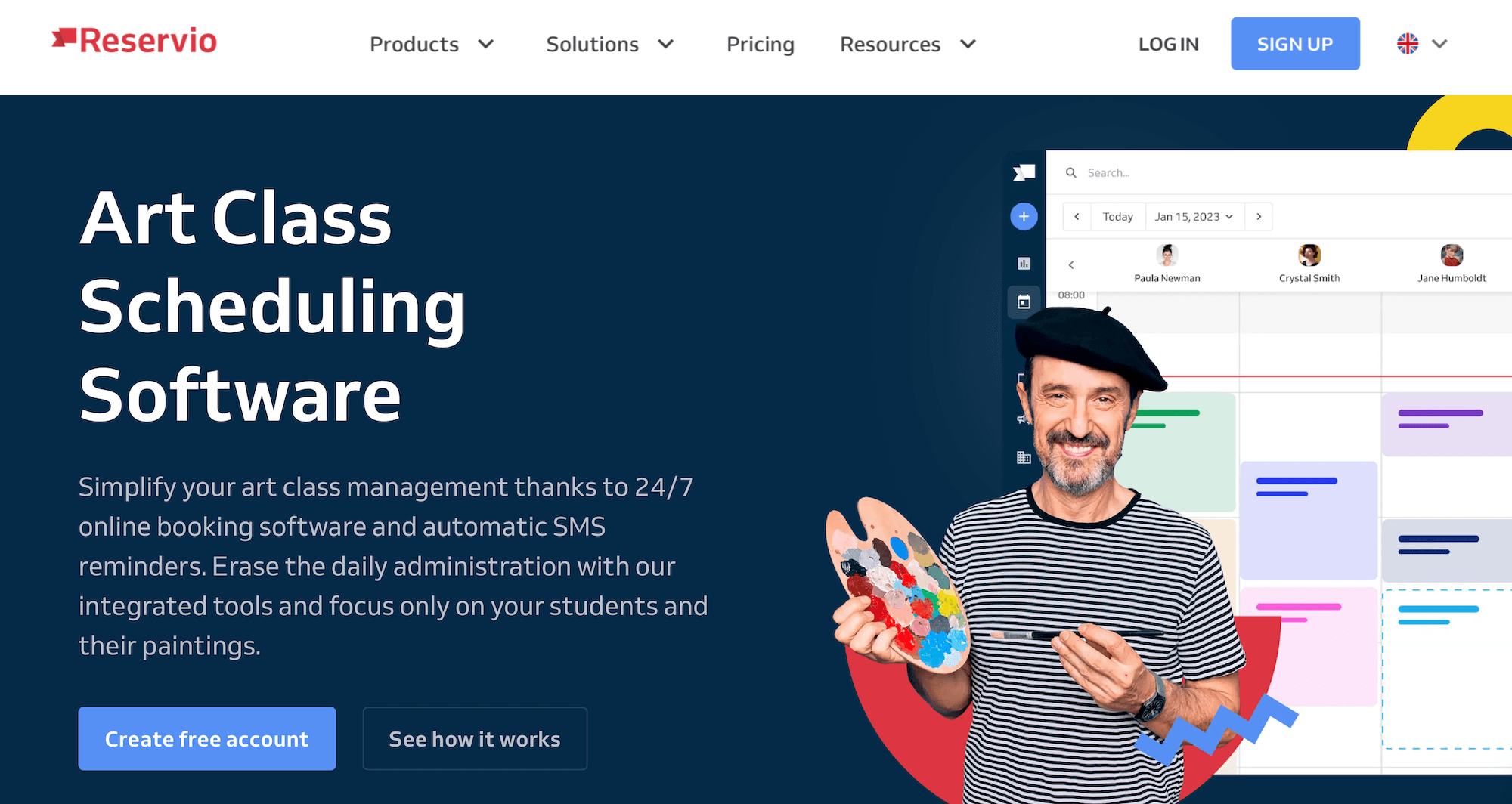
Reservio is a general online scheduling platform used across a wide range of service businesses — salons, fitness studios, clinics, and others. Art class operators can use it, and it handles the booking side adequately: a colour-coded scheduling calendar, automated email and SMS reminders, customisable booking forms, and a branded booking website.
It also covers a few things that matter for class businesses: credit passes and memberships for recurring students, staff management with individual schedules and shift notifications, multi-location management, and an in-built POS for in-person sales. The free plan works well for very small operations — up to 40 bookings and 100 clients before you need to upgrade, with a 3.90% payment fee.
What’s not here is anything to help you find new students outside your existing audience. Reservio doesn’t offer any distribution tools. It provides solid basic scheduling at an accessible price point. For a solo instructor or very small studio that just needs a clean way to take bookings, that is enough. Anyone else will find it lacking.
Read more Reservio reviews here.
Features
- Branded booking website with 24/7 online booking
- Embeddable booking widget & booking buttons for your website & social media
- Scheduling calendar with colour-coded class blocks
- Staff management with individual schedules, shift management, & notifications
- Client management (CRM) with booking history & notes
- Credit passes, visit passes, & memberships
- Automated email & SMS reminders
- Google, iCal, & Outlook calendar sync
- Custom booking forms
- Online payments & POS system
- Gift cards & loyalty program
- Multi-location management
- API access
- Mobile apps for iOS & Android
- Reporting & data exports
Pricing
Reservio offers a variety of packages and custom enterprise plans. Subscription costs vary by billing cycle — you can pay every 6 months, year, or two years.
- The Free plan supports 40 bookings and 100 clients, and includes a booking website, email booking messages, attendance tracking, and mobile apps for iOS and Android. You pay 3.90% + 35¢ in payment fees for this plan.
- The Starter plan (from $8 to $10 per month) supports 200 bookings and unlimited clients, and includes reporting, data exports, and Google Calendar, iCal, and Outlook calendar sync. You pay 3.50% + 35¢ in payment fees for this plan.
- The Standard plan (from $17 to $20 per month) supports 500 bookings and includes a custom domain, custom booking messages, staff notifications, and credit passes, visit passes, and memberships. You pay 3.30% + 35¢ in payment fees for this plan. Reservio notes this as the most popular plan.
- The Pro plan (from $35 to $40 per month) supports unlimited bookings and comes with multi-level user access, permissions, API access, and branding (to remove Reservio branding from your booking pages). You pay 2.90% + 35¢ in payment fees for this plan.
5. SimplyBook.me

SimplyBook.me is general booking software built on a modular design — a core feature set you extend with paid add-ons to get closer to what your business actually needs.
For art class operators, the resource management module stands out: you can link rooms and equipment to specific classes — necessary when you’re managing shared kilns, workstations, or easel sets across concurrent sessions.
Beyond that, SimplyBook.me offers class scheduling with capacity management, group bookings, customisable intake forms, a CRM, memberships and class packs, waitlists, gift cards and coupons, online payments (via Stripe and PayPal), a POS for walk-ins, Facebook and Instagram integrations, and a Reserve with Google connection. There’s also native Zoom and Microsoft Teams integration for virtual classes.
A few things worth knowing before committing. The add-on model means your actual cost depends on which modules you need — the headline subscription price doesn’t tell the full story. It’s worth mapping your requirements against what each tier actually includes and tallying in add-on costs to get a better idea of what you’d spend here. Plans also cap bookings (100 to 2k per month), which can become a ceiling as you grow.
On distribution, SimplyBook.me has no OTA connections or partner network. The Reserve with Google integration helps with local discovery, but this platform doesn’t let you reach new students who are searching on Viator or GetYourGuide.
Read more SimplyBook.me reviews here.
Features
- Booking website builder with online booking widget
- Class scheduling calendar with capacity management
- Resource management (link rooms & equipment to specific classes)
- Group bookings
- Customisable intake forms
- Client management (CRM) with booking history
- Memberships, class packs & subscriptions
- Automated waitlists
- Gift cards, coupons & loyalty points system
- Online payments via Stripe, PayPal & more
- POS for walk-in bookings
- Automated email & push notification reminders
- Facebook, Instagram & Google My Business integrations
- Reserve with Google integration
- Zoom & Microsoft Teams/365 integrations for virtual classes
- Multi-location management
- Role-based staff access & permissions
- API access
- Reporting
Pricing
SimplyBook.me offers a free plan and several paid packages, including custom enterprise solutions. All plans include all core features, and you can purchase add-ons to support each plan.
The free plan supports one user, 50 bookings, and one add-on. Add-on options include a booking website, booking widgets, a WordPress widget, or an admin app.
Paid plans range from $13.90 to $59.90 per month; they support 100 to 2k bookings and five to 30 users. Enterprise packages require a custom quote.
6. SuperSaaS
SuperSaaS is a general-purpose scheduling tool used across dozens of industries — gyms, tutors, clinics, meeting rooms. Art course instructors are among the listed use cases, which is why we mention them here.
Although it advertises its platform to art studios, SuperSaaS doesn’t offer anything specific to running a studio. It doesn’t include:
- Resource management to track shared equipment across concurrent sessions — you have to manage this separately.
- Art-specific intake forms — you can’t capture student details to tailor or prep for classes accordingly; everyone has to fit into a “one-size-fits-all” kind of setup.
- OTA connections or distribution tools — it’s built for businesses whose customers already know to look for them directly, which limits its usefulness for studios wanting to grow their audience.
- Overall, the SuperSaaS toolkit is basic: online booking, a real-time availability calendar, automated confirmations and reminders, cancellation policy management, a credit-based booking system, and integrations with Google Calendar, Outlook, PayPal, and Zapier. Dynamic pricing is arguably the most advanced feature in the toolkit — it lets you adjust rates based on rules you set, which can help fill slower sessions or run limited-time offers.
Read more SuperSaaS reviews here.
Features
- Online booking widget
- Real-time availability calendar
- Registration approval to control who can book
- Add-ons
- Automated confirmations & reminders
- Cancellation policy management
- Credit-based booking system
- Integrations with Google Calendar, Outlook, Zoom, PayPal & Zapier
- Multi-language support
- Dynamic pricing
- Reporting & data export
Pricing
All SuperSaaS packages come with all core features. Plans vary based on the number of supported users and bookings.
The free plan supports 50 users and 50 bookings.
Paid plans range between $9 and $180 per month; they support 100 to 15k bookings, and all paid plans support unlimited users. Compare plans on the SuperSaaS site here.
7. Omnify
Omnify is a class and programme management platform focused on multi-location operations. For art studios running classes across more than one venue — different studio spaces throughout the week, a school-holiday programme at a partner location — centralised reporting and scheduling across all of them is a notable strength.
On the operational side, Omnify covers online booking, class scheduling with capacity management, memberships with auto-renewal and member-only pricing, class packs, digital waivers, automated communications, waitlist management, QR code check-ins, deposits, gift cards, and a branded service store as the public-facing booking page. Custom intake fields let you capture student information at the time of booking — skill level, age, and any accessibility needs.
The downside here is the same as most class-management platforms in this guide: you don’t get distribution tools to drive bookings from outside your immediate audience.
Omnify serves studios focused on recurring local memberships and enrolled students well. It’s less suited to operators where travellers and one-off visitors are a significant share of revenue.
Read more Omnify reviews here.
Features
- Branded service store (public booking page)
- Online booking widgets
- Custom intake fields for dietary restrictions & preferences
- Class scheduling with capacity management
- Memberships with auto-renewal & member-only pricing
- Class packs & prepaid packages
- Multi-location scheduling & management
- Digital waivers
- Automated email communications
- Waitlist management
- QR code check-ins
- Online payments (Stripe and other processors)
- Deposits & tips
- Gift cards
- Zoom integration for virtual classes
- Zapier integration
- Mobile apps
- Reporting
Pricing
Omnify offers three packages:
- The Growth plan ($149/month with 2% transaction fees) supports 5 staff members, 1k students, and unlimited bookings.
- The Accelerate plan ($249/month with 1% transaction fees) supports 10 staff members, 5k students, and unlimited bookings.
- The Custom plan (starting at $599/month with 0.5% transaction fees) supports unlimited students and bookings and a set number of staff members based on your requirements.
8. Activity Messenger
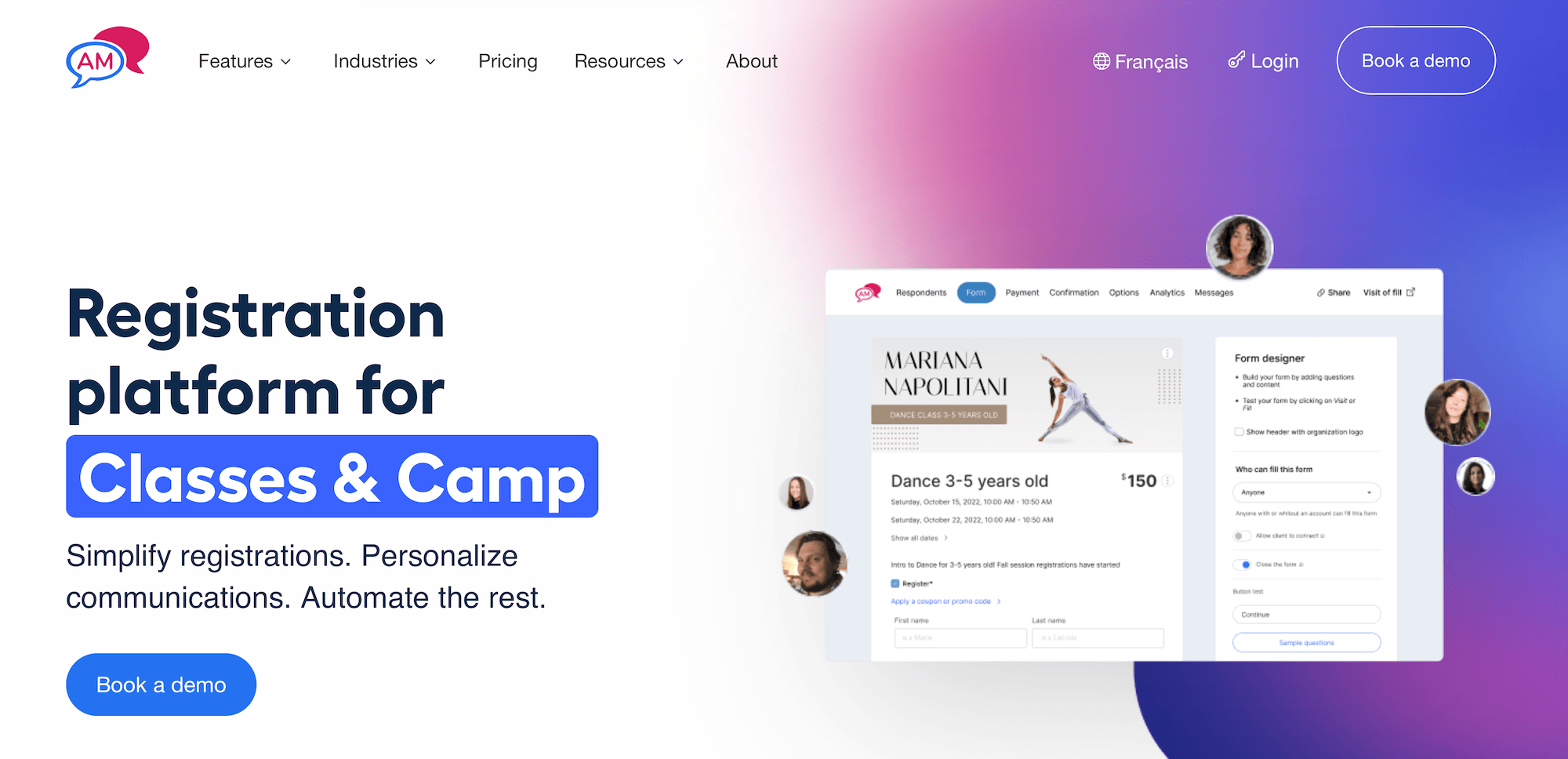
Activity Messenger stands out in its communications tools more than most platforms on this list. Email marketing is at the core of how it’s built: audience segmentation, personalised campaigns, automated session reminders, welcome emails, membership renewal sequences, end-of-session surveys, and a Canva integration for designing emails and forms. SMS messaging is built in too. For art studios with a loyal local student base and a focus on keeping them engaged between sessions, the communications toolkit goes further than most class management software.
Activity Messenger also covers all the core operational tools: online class registration with customisable forms, attendance tracking and lists, digital waivers, online payments via Stripe, membership management, staff onboarding and timesheet management, online contracts, a POS, event ticketing, gift cards, and invoicing.
However, (and not to sound like a broken record), Activity Messenger doesn’t provide any distribution tools to reach new audiences.
And it’s worth paying attention to the packages and pricing here. The Light plan (99/month)ismainlyforcommunicationsandmarketingtools—email,waivers,surveys,andforms.OnlineregistrationfeaturescomeinonthePremiumplan(149/month). And online bookings — separate from registration — are reserved for the Pro plan at $229/month. Studios that need full booking functionality, not just registration forms, should factor that jump into their comparison.
Read more Activity Messenger reviews here.
Features
- Online class registration forms (customisable, mobile-friendly)
- Facility management calendar for class & rental scheduling
- Attendance tracking & attendance lists
- Digital waivers & liability forms
- Online payments via Stripe
- Membership management
- Automated communications (session reminders, welcome emails, membership renewals & end-of-session surveys)
- Email marketing & newsletters with personalisation & audience segmentation
- SMS messaging
- Staff onboarding & timesheet management
- Online contracts & rental management
- Surveys & feedback forms
- Online ticketing for events
- Gift cards
- Invoicing
- POS system
- Zoom integration for virtual classes
- Canva integration for email & form design
- Reporting
Pricing
Activity Messenger offers three packages and custom enterprise plans.
- The Light plan ($99/month) includes email marketing, digital waivers, liability waivers, surveys, and forms.
- The Premium plan ($149/month) includes online registration, staff management, memberships, automation, and event ticketing. Activity Messenger notes this as the best value plan.
- The Pro plan ($229/month) supports online bookings, unlimited users, and full white-labeling. Staff scheduling will be available in this plan soon.
- Enterprise packages (custom quotes) include unlimited data storage, fundraising tools, and multi-org management.
9. ClassDuo

ClassDuo is a newer class management platform, designed to keep things simple: branded class listing pages with instructor bios and pricing, an embeddable booking widget, instructor assignment, class capacity management, automated reminders, discount codes with expiry dates and usage limits, gift cards, class waivers, attendance tools, and Stripe payments.
A couple of things are worth flagging upfront:
- ClassDuo doesn’t have any verified third-party reviews yet, which makes it hard to assess how the platform holds up regarding usability, support quality, and reliability at scale.
- All plans cap attendee registrations. The Starter plan supports three active classes, two instructors, and 30 attendee registrations per month. The Growth plan supports 12 active classes, five instructors, and 70 registrations. The Pro plan lifts those class and instructor limits but caps registrations at 190 per month. A busy studio runs into those limits quickly.
- There are no OTA connections or distribution tools, so finding new students outside your existing channels is entirely down to your own marketing.
For a small studio or solo instructor with a limited schedule and an established local following, ClassDuo can work as a lightweight solution. But if you have bigger ambitions or more complex scheduling, you’ll hit a ceiling fast.
ClassDuo does not have any verified reviews yet.
Features
- Branded class listing pages with descriptions, instructor bios & pricing
- Embeddable booking widget for existing websites
- Class scheduling calendar with multi-day program support
- Customisable registration forms
- Instructor assignment & class capacity management
- Student management (view, move & refund bookings)
- Automated reminders & class-wide messaging tools
- Discount codes with expiry dates & usage limits
- Gift cards
- Class waivers
- Attendance tools
- Stripe payments
- Reporting
Pricing
ClassDuo offers three packages:
- The Starter plan ($29/month) supports three active classes, two instructors, and up to 30 attendee registrations per month.
- The Growth plan ($79/month) supports 12 active classes, five instructors, and 70 attendee registrations per month, and it includes class waivers, gift cards, add-ons, and attendance tools. ClassDuo notes this as the most popular plan, recommended for organisations running regular classes and growing their programs.
- The Pro plan ($149/month) includes everything in Growth and adds unlimited active classes, unlimited instructors, and 190 attendee registrations per month. ClassDuo recommends this plan for high-volume programs with multiple offerings.
10. Sawyer
Sawyer is a booking platform built specifically for children’s activity providers, which shapes both where it excels and where it may not fit your studio.
On the kids’ programme side, Sawyer is solid.
- Its marketplace puts your classes in front of parents actively searching for children’s activities.
- A parent portal lets families manage bookings and student profiles in one place.
- Flexible scheduling handles semesters, drop-ins, camps, and birthday party packages.
- Customisable registration forms capture the guardian and student information you need, with contactless check-in and check-out for camps.
- Digital waivers and e-signature agreements let parents sign liability and consent forms online before arrival — no paperwork to manage on the day.
- Payment plans let parents spread the cost of higher-ticket camps and multi-session programmes, removing a barrier at checkout and helping you fill spots further in advance.
If a significant share of your studio’s revenue comes from kids’ classes, holiday camps, and school-age programmes, Sawyer covers that well.
But if your studio runs primarily adult classes — or a mixed programme for adults and children — Sawyer isn’t your best option. The marketplace audience is parents looking for children’s activities, not adults browsing for a Saturday pottery session or a corporate paint-and-sip. And there are no OTA connections or partner tools to reach people outside the marketplace.
Read more Sawyer reviews here.
Features
- Sawyer Marketplace listing for new student discovery
- Embeddable booking widgets for your website
- Flexible class scheduling (semesters, drop-ins, camps, appointments, & parties)
- Customisable registration forms with custom fields
- Automated rosters & attendance tracking with contactless check-in & check-out
- Student self-service (transfers, cancellations, & rescheduling)
- Parent portal for managing bookings & student profiles
- Waitlists with automatic spot notifications
- Flexible pricing options: free activities, trials, class packs, memberships, & prorated discounts
- Payment plans
- Trial classes
- Gift cards
- Digital waivers & e-signature agreements
- Automated email & SMS reminders
- Multi-location management
- Integrations with Constant Contact, Mailchimp, & more
- Reporting
Pricing
Sawyer offers four plans. All plans include all core features.
- The Launch plan ($71/month, billed annually with 3% per transaction & 30% fees on Marketplace bookings) lets you schedule in-person and online classes, offer flexible pricing, and reach new students through the Sawyer Marketplace. This plan is recommended for small teams.
- The Grow plan ($189/month, billed annually & 20% fees on Marketplace bookings) comes with custom forms, more payment options, and more advanced tools (like waitlists, e-signature agreements, waivers, party packages, and free trials).
- The Scale plan ($379/month, billed annually & 15% fees on Marketplace bookings) includes features to optimise behind-the-scenes operations (though Sawyer doesn’t actually say what these tools are) and dedicated support. This plan is recommended for larger schools.
- Enterprise packages (custom quotes) let you build a completely custom plan around your requirements. You must contact Sawyer’s team to learn more.
11. CourseStorm
CourseStorm is built around the concept of a class catalogue — an online hub where students can browse, compare, and register for everything you offer in one place. For art studios running a large and varied schedule — pottery, painting, life drawing, kids’ classes, adult workshops, multi-week courses — that framing works well. Students can see the full picture of what you offer and self-select into the sessions that fit them.
The platform covers class and camp listing with session management, per-class customisable registration forms (including age restrictions), family and group registration for multiple attendees in a single checkout, automated waitlists, instalment payment plans, and payment processing with direct deposit.
Abandoned cart recovery and personalised class recommendations for returning students are built in — the latter is useful for converting a student who took your beginner watercolour session into your intermediate class next term.
And its email marketing suite with AI-powered tools means you’re not stitching CourseStorm to a separate platform like Mailchimp to actually reach your students. Your class catalogue, student data, and email marketing all live in the same system — so you can build campaigns from the same list that’s already tracking who booked what, without exporting and importing anything.
Where CourseStorm doesn’t go is distribution. The platform is designed for studios that bring students to their catalogue through their own marketing.
Read more CourseStorm reviews here.
Features
- Out-of-the-box class catalogue site or embeddable catalogue widget for your existing site
- Class & camp listing builder with session management
- Customisable registration forms per class or camp, including age restrictions
- Family & group registration (multiple attendees & classes in one checkout)
- Automated waitlists
- Payment processing with direct deposit
- Instalment payment plans
- Promo codes & class-specific discount codes
- Automated email communications (confirmations, reminders, low-enrolment alerts & cancellations)
- Abandoned cart recovery emails
- Personalised class recommendations for returning students
- Built-in email marketing with AI-powered tools
- Attendance tracking & class rosters
- WordPress plugin, API & CRM integrations
- Reporting & data export
Pricing
CourseStorm offers four plans:
- The Starter plan ($119/month) includes a website, family accounts, rosters, waitlists, transfers, credit card processing, basic reporting, on-demand onboarding, and help articles. CourseStorm suggests this plan for solo instructors.
- The Core plan ($219/month) includes everything in Starter, plus custom registration forms, price-adjusting form questions, automated reminders, roster emails, marketing emails, on-demand video onboarding, and standard support. CourseStorm suggests this plan for more established organisations looking to streamline processes.
- The Pro plan ($329/month) is best for growing programs; it builds on the Core package with payment plans, class-specific registration forms, class age restrictions, instructor access, attendance tracking, advanced waitlists, and live group onboarding. It also comes with standard support.
- The All Access plan (starting at $499/month) includes more advanced tools like integrations, AI-powered reporting, class-specific promo codes, private lessons, custom payment methods, flash sale protection, and customised receipts and reminders. CourseStorm recommends this plan for programs processing $100k+ per year.
12. Anolla
Anolla is a newer class booking platform that leans heavily on AI as its differentiator: a context-aware assistant that handles student booking inquiries in 25+ languages, automated communications driven by booking data, and dynamic pricing that adjusts by time, season, group size, and other factors. It also offers IoT integrations — smart access control and equipment monitoring — that may be relevant for studios with automated entry or kiln monitoring, though those are less common needs among art class operators.
The core feature set covers online booking, class memberships and subscriptions, prepaid passes, group and private bookings, waitlists, gift cards, a CRM with booking history and preferences, email and SMS communications with audience segmentation tools, and Stripe payments.
However, a couple of things about Anolla give us pause.
- The website doesn’t disclose its booking fees — the platform says fees apply but doesn’t state the rates. Before signing up, it’s worth asking for those numbers directly, particularly if you expect high booking volume, since per-booking fees can add up and it’s difficult to compare costs without knowing the rate.
- Some of the specific metrics cited in Anolla’s marketing materials — star ratings and performance figures attributed to Capterra — don’t appear traceable to any published reviews. Across Anolla’s different landing pages, the same figures appear verbatim for multiple different business types, which is worth keeping in mind when weighing their claims.
- Anolla has very limited third-party reviews. We can only find two, and they’re both pretty negative. With so little feedback, it’s hard to assess reliability, day-to-day usability, and support quality.
Read more Anolla reviews here.
Features
- Online booking widgets
- Custom intake fields for dietary restrictions & allergies
- Context-aware AI assistant for student inquiries (25+ languages)
- Product & resource management
- Class memberships & recurring subscriptions
- Prepaid passes & multi-session course cards
- Group & private booking management
- Automated waitlists
- Gift card sales
- Dynamic pricing rules (by time, season, group size, instructor level)
- Customer management (CRM) with booking history & preferences
- Automated email & SMS communications
- Email campaign tools with audience segmentation
- Time blocking for prep, cleaning, & special events
- Integration with Stripe payments
- Integrations with Google Analytics, GTM, & Meta Pixel
- IoT integrations (smart access control, kitchen equipment monitoring)
- Mobile apps
- Reporting
Pricing
You can join Anolla’s platform for free by creating an account. They charge per booking you receive, though they do not disclose those rates.
Choosing the right art class booking software for your studio
The operational and growth sides of running an art studio need each other. A system that manages your student rosters and shared equipment well but can’t get your classes in front of new audiences leaves you dependent on whoever already knows you exist. A system with broad distribution but no resource management creates overbooking risks and logistical headaches once those bookings start coming in.
Bókun covers all your bases. Resource management tracks your kilns, workstations, brush-and-palette sets, and instructor assignments in real time across every channel you sell through. The calendar lets you manage repeat students and one-time drop-ins in one place. And the distribution tools — 70+ OTA connections, the Bókun Marketplace, affiliate tracking — put your classes in front of audiences you’d never reach through your website alone. All on one platform, at pricing that works for studios of all sizes.
Start a 14-day free trial (no credit card required) and see what Bókun can do for your art studio.
Related reads: